1. Introducció
The MakeID L1-C is a lightweight, portable, and user-friendly label printer designed for both home and business applications. This thermal printer eliminates the need for ink, offering a cost-effective and versatile labeling solution. It connects seamlessly via Bluetooth to a dedicated mobile application, allowing for creative and efficient label design and printing.
Key features include automatic label size recognition via an RFID chip, preventing tape waste, and a wide variety of design options within the app. The device is powered by a rechargeable Li-ion battery and charges conveniently via USB Type-C.
2. Contingut del paquet
Abans de començar, assegureu-vos que tots els elements estiguin presents al paquet:
- MakeID L1-C Label Printer Unit
- LC Series Label Tape (pre-installed in the unit)
- Cable de càrrega USB (tipus C)
- Instruction Manual (Japanese version included)

Figure 2.1: MakeID L1-C Label Printer and its included accessories.
3. Configuració
3.1 Càrrega del dispositiu
The MakeID L1-C printer is equipped with a built-in rechargeable Li-ion battery. To charge, connect the provided USB Type-C cable to the printer and a compatible power source (e.g., computer USB port or a mobile device charger). A Type-C adapter is not included.
3.2 Instal·lació de la cinta adhesiva
For optimal performance and stability, use only genuine LC series label tapes designed for the L1-C model. Q1 HD consumables are not compatible.
- Open the printer's tape compartment cover.
- Place the label tape roll into the designated slot.
- Pull the transparent lead tape firmly until it extends past the tape exit slot of the label maker.
- Tanqueu bé la tapa del compartiment de la cinta.

Figure 3.1: Correct label tape installation procedure.
3.3 Instal·lació de l'aplicació i connexió Bluetooth
Download the dedicated 'Make ID-Life' app (free) from your device's app store (Android or iOS). Upon first use, grant the app Bluetooth permissions.
- Turn on the MakeID L1-C printer by pressing and holding the power button.
- Activeu el Bluetooth al telèfon intel·ligent o a la tauleta.
- Open the 'Make ID-Life' app. The app will automatically detect and connect to the printer.
- The app will automatically recognize the size of the installed label tape via its RFID chip.

Figure 3.2: App interface and Bluetooth connection process.

Figure 3.3: Automatic label size detection.
4. Instruccions de funcionament
4.1 Creació i impressió d'etiquetes
The 'Make ID-Life' app provides a rich library of printing data, including over 60 frames, 300 stickers, 20 fonts, and numerous symbols and QR code templates. You can easily create custom labels with minimal editing.
- In the app, select a template or start a new design.
- Enter your desired text, add frames, stickers, or other elements.
- Preview el disseny de la teva etiqueta.
- Tap the print button to send the design to the MakeID L1-C printer.
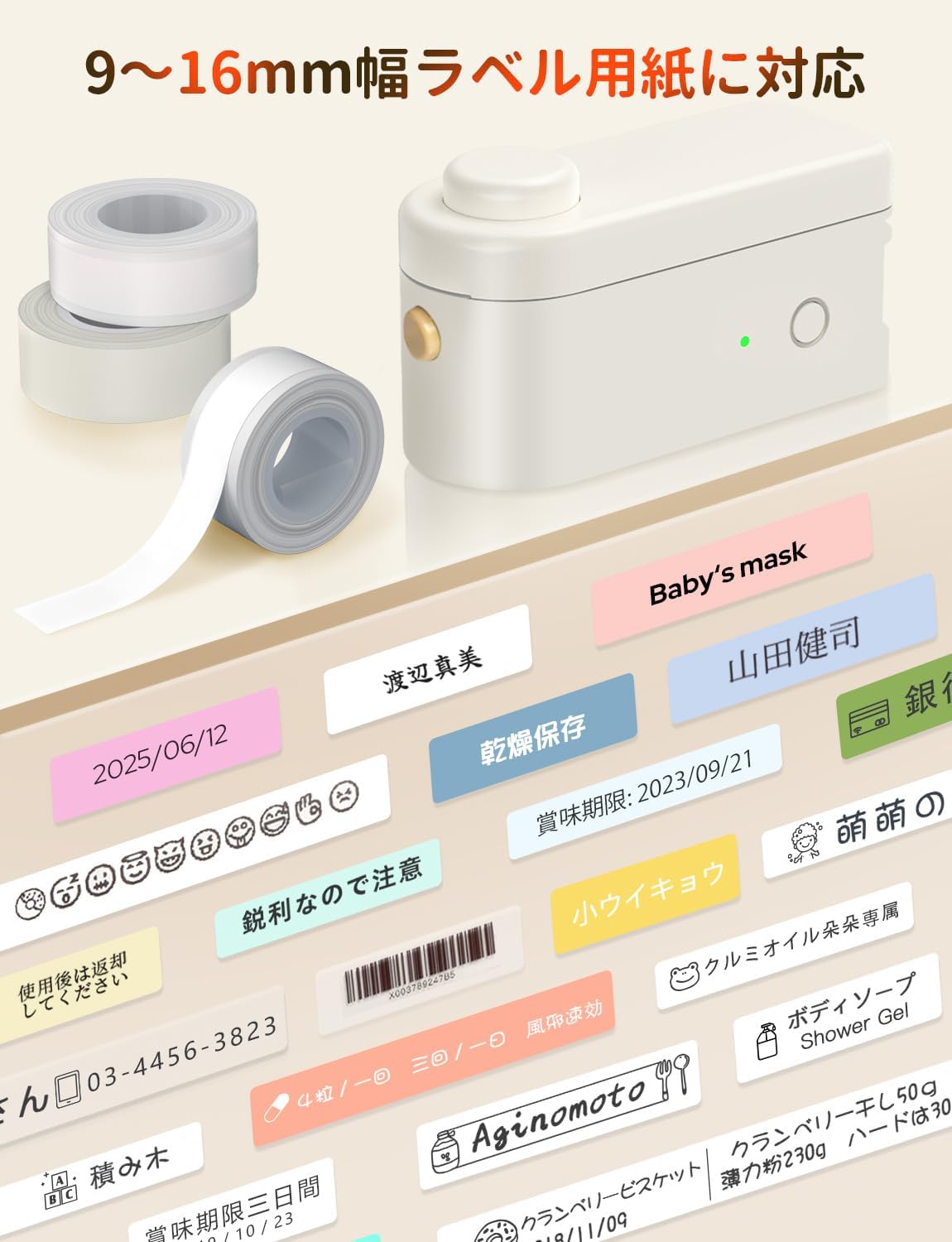
Figura 4.1: Example of printing a date label for kitchen organization.

Figure 4.2: Diverse creative templates available in the app.
4.2 Built-in Cutter
The printer features a built-in cutter for easy and precise cutting of both continuous and fixed-length labels. After printing, simply press the cutter button to cleanly separate your label.

Figure 4.3: Using the built-in cutter for labels.
5. Manteniment
5.1 Atenció general
To ensure the longevity and optimal performance of your MakeID L1-C printer, keep it clean and free from dust. Use a soft, dry cloth to wipe the exterior. Avoid using abrasive cleaners or solvents.
5.2 Durabilitat de l'etiqueta
MakeID labels are designed to be durable. They are waterproof, oil-proof, easy to peel without leaving residue, and scratch-resistant. This makes them suitable for various environments, including kitchens and bathrooms.

Figure 5.1: Demonstration of label durability and water resistance.
6. Solució De Problemes
If you encounter any issues with your MakeID L1-C printer, please refer to the following common troubleshooting steps:
- La impressora no es connecta per Bluetooth: Ensure the printer is powered on and within range of your mobile device. Verify that Bluetooth is enabled on your device and that the 'Make ID-Life' app has the necessary permissions. Try restarting both the printer and your mobile device.
- Mala qualitat d'impressió: Check if the label tape is correctly installed and not jammed. Ensure the tape is genuine MakeID LC series tape. The print head might be dirty; gently clean it with a soft, lint-free cloth.
- Labels not cutting properly: Ensure the label tape is properly aligned in the printer. If the issue persists, the cutter might need cleaning or inspection.
- App not recognizing tape size: Confirm that you are using genuine MakeID LC series label tape, which contains the RFID chip for automatic recognition. Reinstall the tape to ensure proper contact with the RFID reader.
For further assistance, please contact MakeID customer support.
7. Especificacions
| Característica | Especificació |
|---|---|
| Tipus de controlador | Android, iOS |
| Mida màxima del suport (paper) | 16 mil·límetres |
| Components inclosos | L1-C Label Printer Body, LC Series Label Tape (pre-installed), USB Charging Cable (Type-C), Instruction Manual (Japanese version included) |
| Mitjans d'impressió | Etiqueta |
| Tipus d'escàner | Portàtil |
| Velocitat màxima de còpia (blanc i negre) | 15 pàgines/minut |
| Dispositius compatibles | Smartphone |
| Mida del full | 9, 12, 16 mil·límetres |
| Resolució màxima d'impressió (monocrom) | 300 punts per polzada |
| Impressió dúplex | No |
| Fabricant | MakeID |
| Mida del producte | 6.8 x 12.8 x 6.2 cm; 230 g |
| Bateria | 1 bateria de ions de liti (inclosa) |
| Número de model de producte | L1-C |
| Color | Main Unit: Beige 1 Unit |
| Factor de forma | Impressora |
| Format de comunicació | Bluetooth |
| Bateria de liti | 3.7 watts-hora |
| Paquet de bateries de liti | Bateria integrada |
| Number of Lithium Ion Batteries | 1 |
| Pes del producte | 230 g |
| Tecnologia de connectivitat | Bluetooth |
| Tecnologia d'impressió | Tèrmica |
| Característiques especials | Portàtil, lleuger |
| Sortida de la impressora | Monocrom |
| Velocitat màxima d'impressió (color) | 15 pàgines/minut |
| Velocitat màxima d'impressió (monocrom) | 15 pàgines/minut |
8. Garantia i Suport
For warranty information and customer support, please refer to the documentation included with your product or visit the official MakeID weblloc web. Conserveu el comprovant de compra per a qualsevol reclamació de garantia.
9. Recursos addicionals
9.1 Label Paper Introduction Video
Video 9.1: An introduction to MakeID L1/L1-C label paper, showcasing les seves característiques i versatilitat.


