1. Producte acabatview
The WIITHINK Cassette Tape Player Recorder Boombox is a versatile audio device combining vintage appeal with modern functionality. It allows you to enjoy classic cassette tapes, listen to AM/FM/SW radio, stream music via Bluetooth, and play/record audio to USB drives and SD cards. Its portable design and dual power options make it suitable for various environments.
Característiques principals:
- Cassette Player & Recorder: Play your favorite cassette tapes and record audio from the built-in microphone, external sources, or radio directly to cassette.
- Connectivitat Bluetooth: Reprodueix àudio sense fil des del teu telèfon intel·ligent, tauleta o altres dispositius amb Bluetooth.
- USB/SD Player & Recorder: Play MP3, WAV, AAC, WMA files from USB flash drives and SD cards. Easily convert cassette audio to MP3 format on USB/SD.
- AM/FM/SW Radio: Enjoy a wide range of radio stations with excellent reception thanks to the long antenna and DSP upgrade chip.
- Premium 10W Sound: Equipped with dual 5W speakers for clear, powerful, and full sound quality.
- AC/DC Dual Power Supply: Operates on AC power (adapter included) or battery power (batteries not included) for true portability.
- Presa d'auriculars de 3.5 mm: Per a una escolta privada.
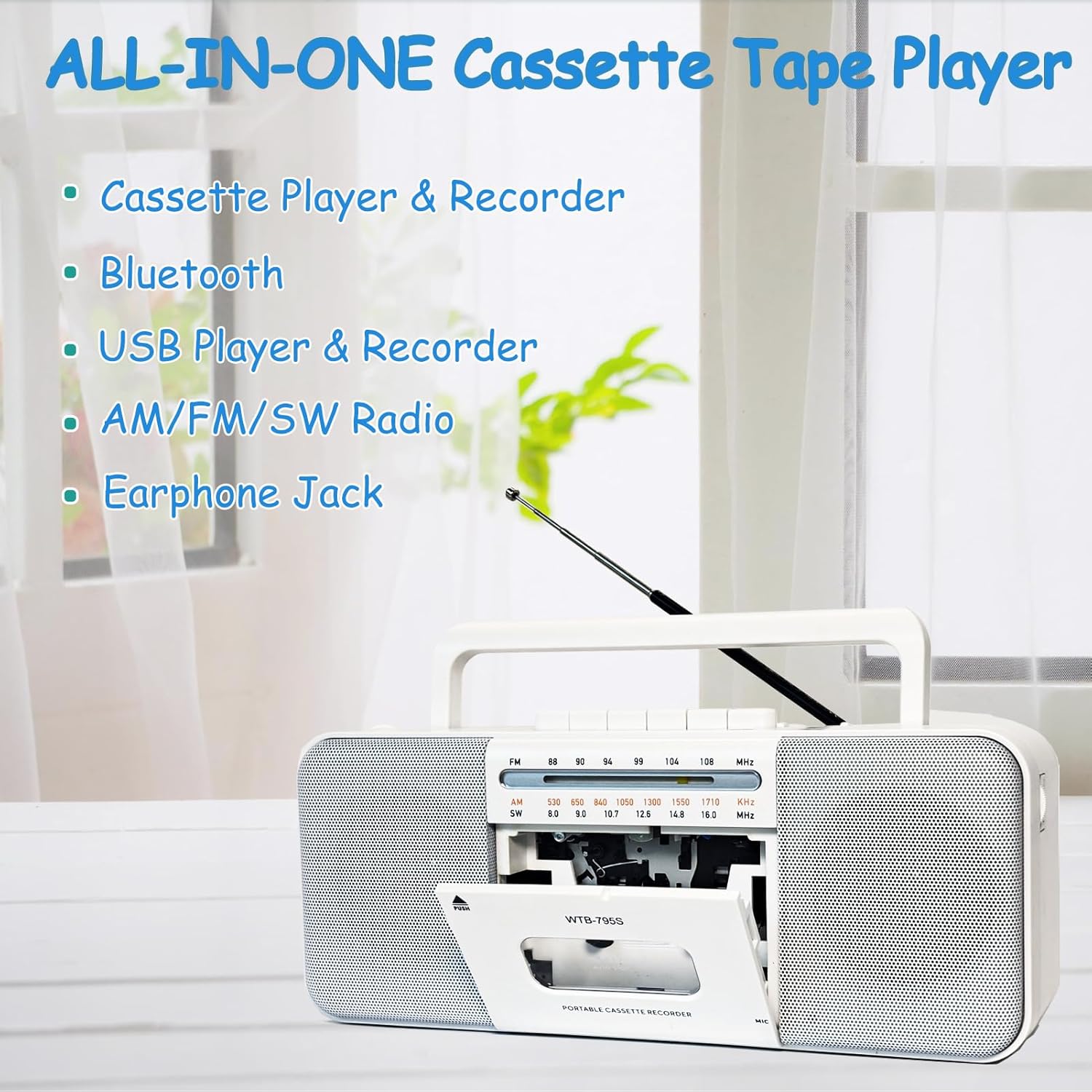
Image: The WIITHINK boombox highlighting its all-in-one capabilities including cassette, Bluetooth, USB, radio, and earphone jack.
2. Guia de configuració
2.1 Encès
Your WIITHINK boombox can be powered by either AC electricity or batteries.
- Alimentació CA: Connect the included AC power cable to the AC input jack on the back of the unit and plug the other end into a standard wall outlet.
- Potència de la bateria: For portable use, open the battery compartment on the back. Insert 4 x D-cell batteries (not included) or 2 x 18650 button-top rechargeable lithium-ion batteries (not included). Ensure correct polarity (+/-). Flat-top 18650 batteries are not compatible.

Imatge: Part posterior view of the boombox illustrating its dimensions and the battery compartments for D-cell and 18650 batteries, along with the AC power input.

Image: A detailed diagram showing the battery types (D-cell and 18650 button-top) and the AC power connection for the boombox.
3. Instruccions de funcionament
3.1 Reproducció i gravació de cassets
- To Play a Cassette: Press the 'PUSH' button to open the cassette door. Insert a cassette tape with the open edge facing upwards. Close the door. Select 'TAPE' mode using the function switch. Press the 'PLAY' button to begin playback. Use 'STOP', 'FF' (Fast Forward), and 'REW' (Rewind) buttons as needed.
- To Record to Cassette:
- From Built-in Microphone: Insert a blank cassette. Select 'TAPE' mode. Press the 'RECORD' button (red button) along with 'PLAY' simultaneously. The unit will start recording from its internal microphone.
- From Radio: Tune to your desired radio station. Insert a blank cassette. Press 'RECORD' and 'PLAY' simultaneously. The radio broadcast will be recorded onto the cassette.
- From External Source (e.g., AUX-in): Connect an external audio device to the AUX-in port (if available, refer to specifications). Select 'AUX' mode. Insert a blank cassette. Press 'RECORD' and 'PLAY' simultaneously. Play audio from your external device.
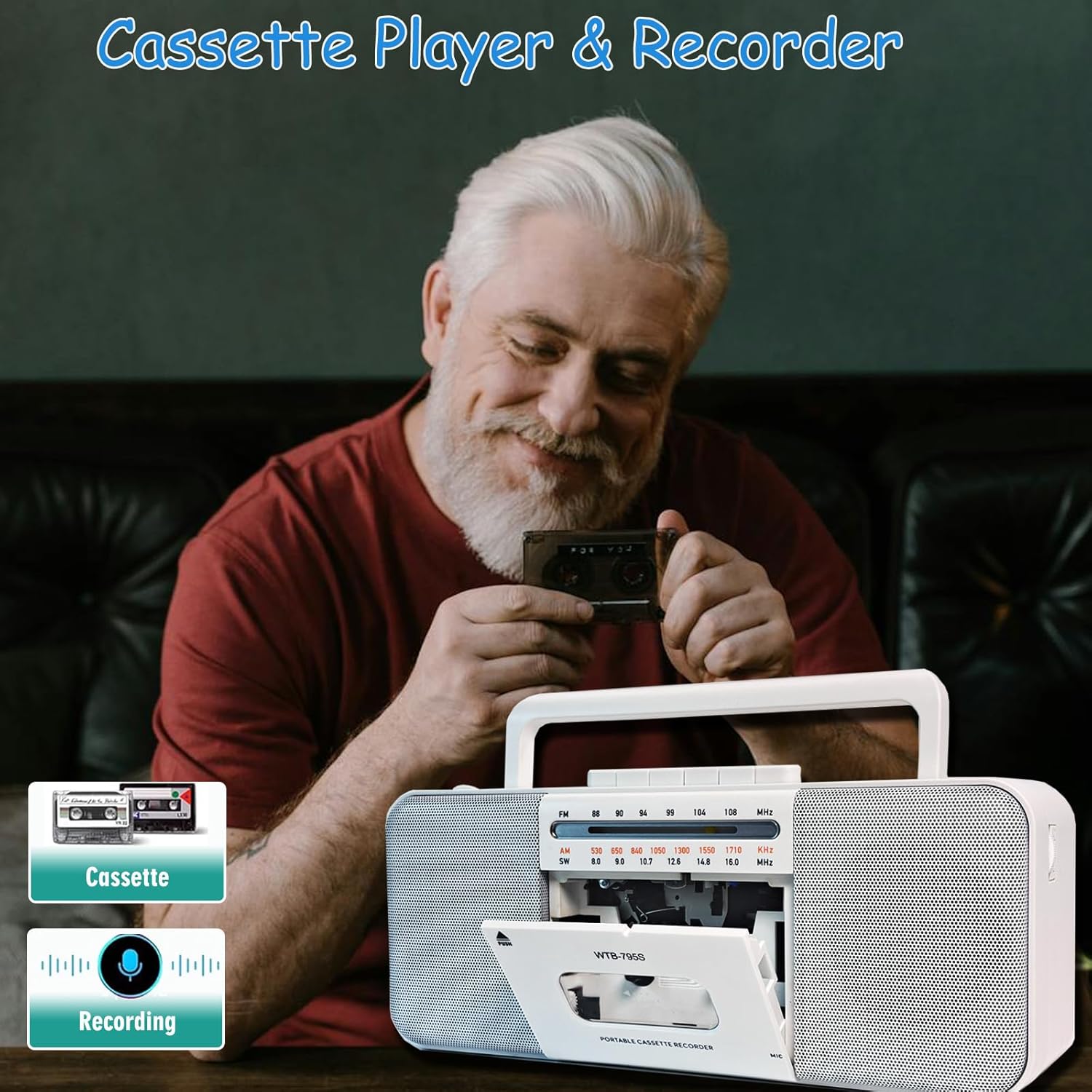
Image: A person holding a cassette tape, with the WIITHINK boombox in the foreground showing its open cassette compartment, ready for tape insertion.
3.2 AM/FM/SW Radio
- Esteneu l'antena telescòpica per a una recepció òptima.
- Set the function switch to 'RADIO'.
- Select the desired band: AM, FM, or SW (Shortwave) using the band selector switch.
- Rotate the 'TUNING' knob to find your desired radio station.

Image: An elderly man smiling while the WIITHINK boombox with its extended antenna is visible on a table, indicating its radio functionality.
3.3 Connectivitat Bluetooth
- Set the function switch to 'BT' (Bluetooth) mode. The unit will enter pairing mode, indicated by an audible prompt or flashing indicator.
- Al dispositiu amb Bluetooth (telèfon intel·ligent, tauleta, etc.), activeu el Bluetooth i cerqueu els dispositius disponibles.
- Select 'WIITHINK' or a similar name from the list of devices.
- Once paired, you will hear a confirmation sound. You can now play audio from your device through the boombox.

Image: The WIITHINK boombox on a table, with a hand holding a smartphone displaying a music player interface, illustrating Bluetooth music streaming.
3.4 Reproducció i gravació USB/SD
- To Play from USB/SD: Insert a USB flash drive into the USB port or an SD card into the SD card slot. Set the function switch to 'USB/SD' mode. The unit will automatically detect and begin playing compatible audio files (MP3, WAV, AAC, WMA).
- To Record to USB/SD (MP3 Conversion):
- Insert a USB flash drive or SD card.
- Select the source you wish to record from (Cassette, Radio, or Microphone).
- Press and hold the 'RECORD' button on the MP3 player section. The unit will start recording the audio source directly to the USB/SD card in MP3 format.
- Recordings are typically saved in a directory named 'AB_REC' with filenames like AUX00xx.MP3 (for external/cassette/radio) or MIC00xx.MP3 (for microphone).

Image: The WIITHINK boombox on a wooden surface, with a USB flash drive inserted into its port, demonstrating its USB playback and recording capability.

Image: A diagram illustrating various recording options: Tape to USB, USB to Tape, and Radio to Tape, highlighting the versatility of the boombox's recording functions.
3.5 Ús d'auriculars
To enjoy private listening, plug your 3.5mm headphones into the headphone jack located on the unit. The internal speakers will automatically mute when headphones are connected.

Image: A young woman wearing headphones, smiling and looking upwards, with the WIITHINK boombox visible on a table, demonstrating the use of the earphone jack for personal listening.
4. Manteniment
- Neteja: Feu servir un drap suau i sec per netejar l'exterior de la unitat. No utilitzeu productes de neteja abrasius ni dissolvents.
- Neteja del capçal del casset: Regularly clean the cassette tape heads, pinch roller, and capstan with a cotton swab lightly dampEnriquit amb alcohol isopropílic per garantir una qualitat de so òptima i evitar danys a la cinta.
- Emmagatzematge: When not in use for extended periods, remove batteries and store the unit in a cool, dry place away from direct sunlight and extreme temperatures.
5. Solució De Problemes
| Problema | Causa possible | Solució |
|---|---|---|
| Sense poder | AC cable not connected properly; Batteries drained or inserted incorrectly. | Check AC cable connection; Replace batteries or ensure correct polarity. |
| Mala recepció de ràdio | Antena no estesa; Zona amb senyal feble. | Esteneu completament l'antena telescòpica; Reposicioneu la unitat per obtenir un millor senyal. |
| Reproducció de casset distorsionada o apagada | Tape heads are dirty; Worn out tape. | Clean tape heads, pinch roller, and capstan; Try a different tape. |
| Bluetooth no emparellat | Unit not in pairing mode; Device too far; Already paired with another device. | Ensure unit is in BT mode; Move device closer; Disconnect from other devices. |
| L'USB/SD no es reprodueix | Incorrecte file format; USB/SD card not inserted correctly or corrupted. | Assegureu-vos files are compatible (MP3, WAV, AAC, WMA); Reinsert USB/SD; Try a different card/drive. |
| Recording quality is poor | Source volume too low; Dirty tape heads (for cassette recording); Microphone too far from source. | Increase source volume; Clean tape heads; Position microphone closer to sound source. |
6. Especificacions tècniques
| Característica | Especificació |
|---|---|
| Marca | PENSAR |
| Número de model | WTB-795S-Black |
| Color | Blanc |
| Tecnologia de connectivitat | Bluetooth, USB |
| Dispositius compatibles | Reproductor de MP3, Smartphone |
| Formats d'àudio compatibles | Cassette, MP3, WAV, AAC, WMA |
| Tipus d'altaveu | estèreo |
| Wattage | 10 watts (2 x 5W) |
| Configuració del canal de so envoltant de l'altaveu | 2.0 |
| Font d'alimentació | Elèctric amb cable / alimentat amb bateria |
| Dimensions del producte (L x A x A) | 27.94 x 12.7 x 5.08 cm (10.99 x 5 x 2 polzades) |
| Pes de l'article | 1.51 kg (3.33 lliures) |
| Piles necessàries | No (for AC operation); Yes (for battery operation - 4x D-cell or 2x 18650 button-top) |
7. Garantia i Suport
This product comes with a standard manufacturer's warranty. For specific warranty details, duration, and terms, please refer to the documentation included with your purchase or visit the official WIITHINK weblloc.
If you encounter any issues or require technical assistance, please contact WIITHINK customer support through their official channels. You can typically find contact information on the product packaging, the WIITHINK brand store on Amazon, or their official weblloc.
WIITHINK Store Link: https://www.amazon.ca/stores/WIITHINKCDPlayer/page/58D472AC-5AC0-4762-9B43-106A71731F34


