1. Introducció
Thank you for choosing the Donner DDP-95 Digital Piano. This instrument is designed to provide an authentic piano playing experience with modern digital features, suitable for beginners and experienced players alike. This manual provides essential information for the safe and effective use of your digital piano.
1.1 Informació de seguretat
- Font d'alimentació: Feu servir només l'adaptador de corrent especificat. Assegureu-vos que el volumtage coincideix amb la vostra font d'alimentació local.
- Col·locació: Place the piano on a stable, level surface. Avoid direct sunlight, heat sources, and excessive humidity.
- Neteja: Use a soft, dry cloth for cleaning. Do not use liquid cleaners or solvents.
- Aigua i humitat: Keep the instrument away from water or any liquids. Do not operate with wet hands.
- Ventilació: Ensure proper ventilation around the instrument to prevent overheating.
- Manteniment: Do not attempt to repair the instrument yourself. Refer all servicing to qualified personnel.
2. Producte acabatview
The Donner DDP-95 features an 88-key weighted keyboard, a 4.3-inch LCD display, and a wide array of tones, rhythms, and teaching modes to enhance your musical journey.
2.1 Components principals
- Digital Piano Unit (Keyboard and Stand)
- 3-Pedal System (Soft, Sostenuto, Sustain)
- Descans musical
- Adaptador d'alimentació
- Manual d'usuari

Figure 2.1: The Donner DDP-95 Digital Piano, showcasing its full size, integrated stand, and three-pedal unit.

Figura 2.2: De dalt a baix view of the DDP-95 control panel, highlighting the LCD display and various function buttons for wireless connection, split, dual tones, MP3, transpose, chord, drum kit, and metronome.
3. Configuració
3.1 Muntatge
The DDP-95 typically comes with the keyboard and stand as separate components. Follow the included assembly guide for detailed instructions on attaching the keyboard to the stand and securing the pedal unit. Ensure all screws are tightened securely before use.
3.2 Connexió de potència
- Connect the DC power adapter to the DC 15V input jack on the rear of the piano.
- Connecteu l'adaptador a una presa de corrent estàndard.
3.3 Connecting Pedals
Connect the pedal unit cable to the 'PEDAL' jack on the rear of the piano. The DDP-95 features a 3-pedal system for Soft, Sostenuto, and Sustain functions.

Figure 3.1: The three-pedal system, including Soft, Sostenuto, and Sustain pedals, designed for an authentic playing experience.
3.4 Connexions d'àudio
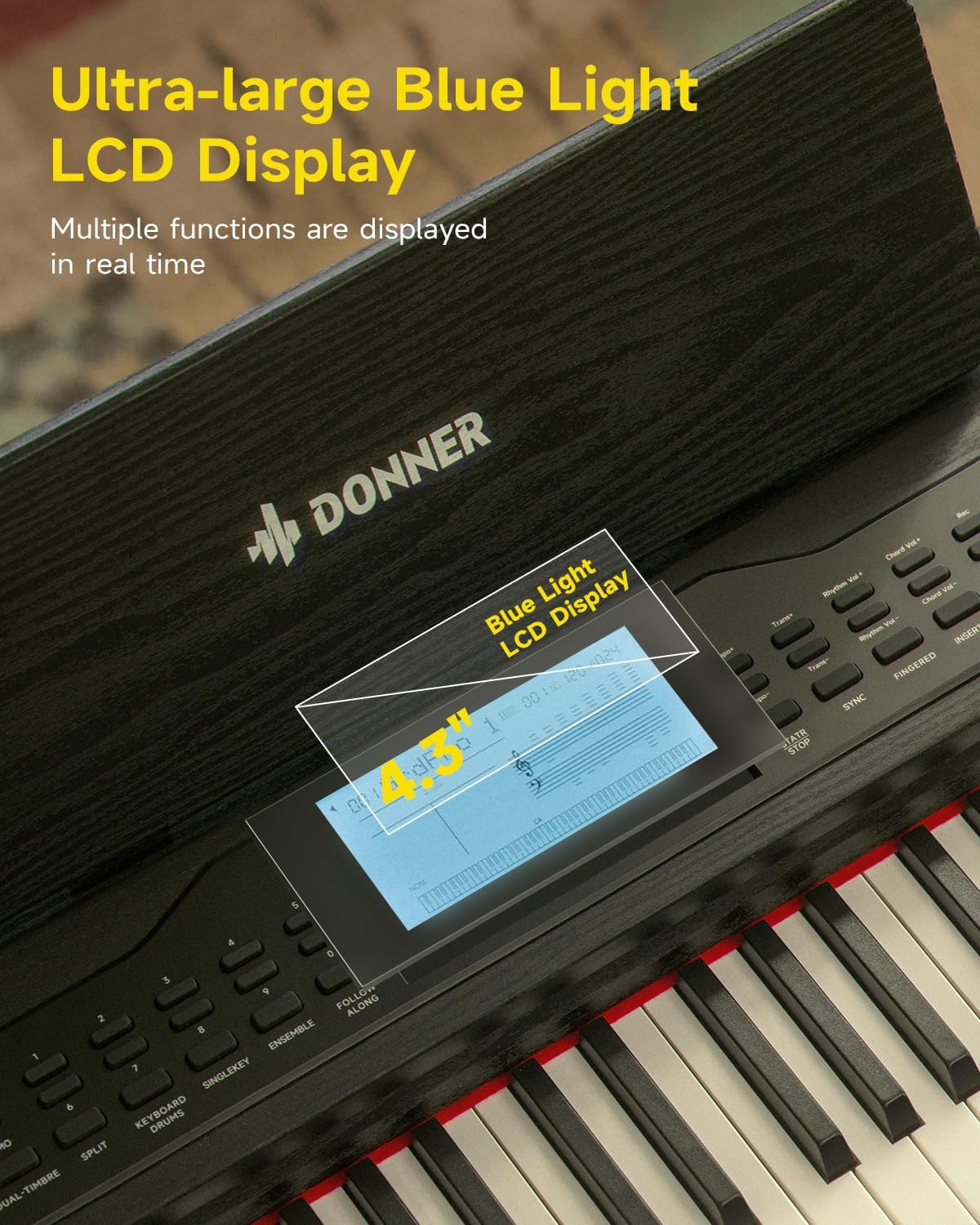
Figure 3.2: Rear panel connections, including (1) DC power jack, (2) Sustain Pedal Jack, (3) Headphone jack, (4) Audio input/output jacks, and (5) USB-MIDI port for connecting to computers, smartphones, and tablets.
- Auriculars: Connect standard 6.35mm stereo headphones to the 'HEADPHONE' jack for private practice.
- Entrada/Sortida d'àudio: Use the 'AUDIO IN' and 'AUDIO OUT' 6.35mm jacks to connect to external audio devices like amplifiers, mixers, or other instruments.
3.5 USB-MIDI and Bluetooth Connectivity
- USB-MIDI: Connect the piano to a computer, smartphone, or tablet using a USB-MIDI cable for MIDI data transfer with compatible software.
- Bluetooth: The DDP-95 supports wireless Bluetooth connection for MIDI-compatible applications. Refer to your device's Bluetooth settings and the application's instructions for pairing.
4. Instruccions de funcionament
4.1 Funcionament bàsic
- Encès/apagat: Press the 'POWER' button to turn the piano on or off.
- Control de volum: Use the 'VOLUME' knob or buttons to adjust the overall sound level.
- Selecció de to: The DDP-95 offers 610 tones. Use the 'TONE' buttons and the LCD display to browse and select different instrument sounds.
- Selecció de ritme: Choose from 600 rhythms (including 128 accompaniment styles) using the 'RHYTHM' buttons.
- Cançons de demostració: Play through 100 built-in demo songs for inspiration or practice.
- Metrònom: Activa la funció de metrònom per ajudar-te amb la pràctica del temps i el ritme.

Figura 4.1: Mésview of the DDP-95's extensive sound library, including 610 tones, 600 rhythms, 110 demo songs, and 128-note polyphony.
4.2 Pantalla LCD
The 4.3-inch blue light LCD display provides visual feedback on various settings and functions. It can show notes in staff notation, indicate key positions, and offer intuitive prompts.

Figure 4.2: The 4.3-inch blue light LCD display, showing real-time information and musical notation.

Figure 4.3: Detailed breakdown of the LCD display elements: (1) Tone/Demo/Rhythm Name, (2) Number of Bars, (3) Tempo, (4) Rhythmic Volume, (5) Indication of Active Keys, (6) Currently Used Function Icon, (7) Piano Score.
4.3 Característiques del teclat
- 88-Key Fully Weighted Keyboard: Provides an authentic piano feel with hammer action.
- 16-Level Touch Sensitivity: Adjusts the volume and timbre based on how hard or soft you play the keys, allowing for expressive dynamics.

Figure 4.4: Visual representation of the 16-level touch sensitivity, demonstrating how key weight influences sound effects from light to heavy.
4.4 Modes d'ensenyament
The DDP-95 includes three teaching modes to assist learners:
- Clau única: Practice individual notes.
- Follow Along: The piano waits for you to play the correct note before proceeding.
- Junts: Practice with an accompaniment, playing your part along with the built-in music.

Figure 4.5: Illustration of the three teaching modes: Single Key, Follow Along, and Ensemble, designed to guide learners progressively.
4.5 Enregistrament i reproducció
The piano allows you to record your performances, with a capacity of up to 5000 bytes. This feature is useful for reviewing your playing, identifying areas for improvement, and capturing musical ideas.
- Press the 'RECORD' button to start recording.
- Press 'PLAY' to listen to your recorded performance.
4.6 Funcions addicionals
- Teclat dividit: Divides the keyboard into two sections, allowing two different tones to be played simultaneously or for two people to play together.
- Dual Tones: Layers two different tones to create a richer, more complex sound.
- Transposar: Shifts the pitch of the entire keyboard up or down in semitone steps.
- Chord Function: Provides automatic chord accompaniment based on the keys played.
- Bateria: Accedeix a diversos sons de bateria per a la creació de ritmes.
5. Manteniment
5.1 Neteja
To maintain the appearance and functionality of your DDP-95 Digital Piano:
- Netegeu la superfície amb un drap suau, sec i sense borrissol.
- Per a la brutícia persistent, lleugerament dampNetegeu el drap amb aigua i eixugueu-lo immediatament.
- Avoid abrasive cleaners, waxes, or solvents as they can damage the finish.
5.2 Emmagatzematge
When not in use for extended periods, store the piano in a cool, dry place, away from extreme temperatures and humidity. Cover the keyboard with a dust cover to protect the keys and internal components.
6. Solució De Problemes
If you encounter issues with your Donner DDP-95, refer to the following common problems and solutions:
| Problema | Causa possible | Solució |
|---|---|---|
| Sense so | Volum massa baix; auriculars connectats; problema d'alimentació. | Augmenta el volum; desconnecta els auriculars; comprova la connexió elèctrica. |
| Les claus no responen | Function mode active (e.g., teaching mode); internal error. | Exit special modes; power cycle the instrument. |
| La connexió Bluetooth falla | El dispositiu no està en mode d'emparellament; interferències; distància. | Ensure device is discoverable; reduce distance; restart both devices. |
| So distorsionat | Volume too high; faulty cable; external speaker issue. | Lower volume; check/replace cables; test with different speakers/headphones. |
If the problem persists after trying these solutions, please contact Donner customer support.
7. Especificacions
| Característica | Detall |
|---|---|
| Nom del model | DDP-95 |
| Nombre de claus | 88 |
| Tipus de teclat | Fully Weighted, Hammer Action |
| Sensibilitat al tacte | 16 nivells |
| Tons | 610 |
| Ritmes | 600 (128 Accompaniment Styles) |
| Cançons de demostració | 100 |
| Polifonia | 128-notes |
| Mostra | 4.3" Blue Light LCD |
| Capacitat d’enregistrament | Fins a 5000 bytes |
| Connectivitat | Bluetooth, USB-MIDI, 6.35mm Headphone Jack, 6.35mm Audio In/Out Jacks |
| Pedals | Soft, Sostenuto, Sustain (3-Pedal System) |
| Font d'alimentació | Font d'alimentació DC 15V |
| Pes de l'article | 65.9 lliures (aprox. 29.9 kg) |
| Dimensions del paquet | 53.94 x 16.14 x 11.81 polzades (aprox. 137 x 41 x 30 cm) |
8. Garantia i Suport
8.1 Informació de la garantia
Donner products are manufactured to high-quality standards. For specific warranty terms and conditions, please refer to the warranty card included with your product or visit the official Donner weblloc web. Conserveu el comprovant de compra per a reclamacions de garantia.
8.2 Atenció al client
If you have any questions, require technical assistance, or need to report an issue, please contact Donner customer support through their official website or the contact information provided in your product packaging. Provide your model number (DDP-95) and purchase details when seeking support.


