1. Introducció
Welcome to the world of Thomson Smart TVs. This manual provides essential information for setting up, operating, and maintaining your new Thomson 32-inch Full HD Google Smart TV, model 32FG2S14. This television combines a vibrant Full HD display with the intelligent features of Google TV, offering personalized content, voice control, and immersive Dolby Audio.
Please read this manual thoroughly before using your TV and keep it for future reference.
2. Informació de seguretat
Instruccions importants de seguretat
- Font d'alimentació: Assegureu-vos que el televisor estigui connectat a una presa de corrent amb el volum correctetage. No sobrecarregueu els endolls múltiples.
- Ventilació: Allow adequate space around the TV for proper ventilation. Do not block ventilation openings.
- Aigua i humitat: No exposeu el televisor a la pluja ni a la humitat. No col·loqueu objectes plens de líquids, com ara gerros, a sobre del televisor.
- Neteja: Desendolleu el televisor abans de netejar-lo. Feu servir un drap suau i sec. No utilitzeu netejadors líquids ni aerosols.
- Col·locació: Col·loqueu el televisor sobre una superfície estable i plana. Eviteu exposar-lo a la llum solar directa o a prop de fonts de calor.
- Manteniment: No intenteu fer la reparació del televisor vosaltres mateixos. Envieu totes les tasques de manteniment a personal de servei qualificat.
3. Contingut del paquet
Verifiqueu que tots els elements siguin presents a la caixa:
- Thomson 32-inch Full HD Google Smart TV
- Control remot
- Cable d'alimentació
- Suports per a TV (2 peces)
- Cargols per a suports
- Manual d'usuari (aquest document)

Figura 3.1: Frontal view of the Thomson 32-inch Full HD Google Smart TV.

Figure 3.2: The included remote control for your Thomson Smart TV.
4. Configuració
4.1 Fixació dels suports
- Col·loqueu amb cura el televisor cara avall sobre una superfície suau i plana per evitar que es facin malbé la pantalla.
- Alineeu cada suport amb les ranures corresponents de la part inferior del televisor.
- Fixeu els suports amb els cargols proporcionats. Assegureu-vos que estiguin ben ajustats.

Figure 4.1: TV dimensions and stand placement for the 32-inch model.
4.2 Muntatge a la paret (opcional)
If you choose to wall mount your TV, ensure you use a VESA-compatible wall mount kit (not included) that supports the TV's weight and size. Follow the instructions provided with your wall mount kit. Always consult a professional for wall mounting to ensure safety.
4.3 Connexió de potència
Connect the power cable to the TV's power input and then to a suitable wall outlet. The TV will enter standby mode.
4.4 Engegada i configuració inicials
Premeu el botó d'engegada del comandament a distància o del televisor. El televisor us guiarà pel procés de configuració inicial, que inclou:
- Selecció de la llengua
- Connexió de xarxa (Wi-Fi o Ethernet)
- Google account sign-in (optional, but recommended for full Google TV features)
- Channel scanning for DVB-T2/C/S2

Figure 4.2: The Google TV home screen during initial setup or normal operation.
5. Connexions
Connexió de dispositius externs
Your Thomson TV offers various ports for connecting external devices:
- HDMI: Connect Blu-ray players, game consoles, or other HDMI-enabled devices. Your TV features HDMI 1.4 with ARC support.
- USB 2.0: Per connectar dispositius d'emmagatzematge USB per reproduir contingut multimèdia files.
- DVB-T2/C/S2 (Antenna/Satellite): Connect your terrestrial antenna or satellite dish for digital TV reception.
- Ranura CI+: Insert a CI+ module with a smart card for encrypted channels.
- LAN (Ethernet): Per a una connexió a Internet per cable.
- AV IN: Per connectar dispositius antics mitjançant cables de vídeo compost i àudio estèreo.
- Digital Optical Audio Out: Per connectar a sistemes d'àudio externs o barres de so.

Figura 5.1: posterior view of the TV with labeled connection ports.
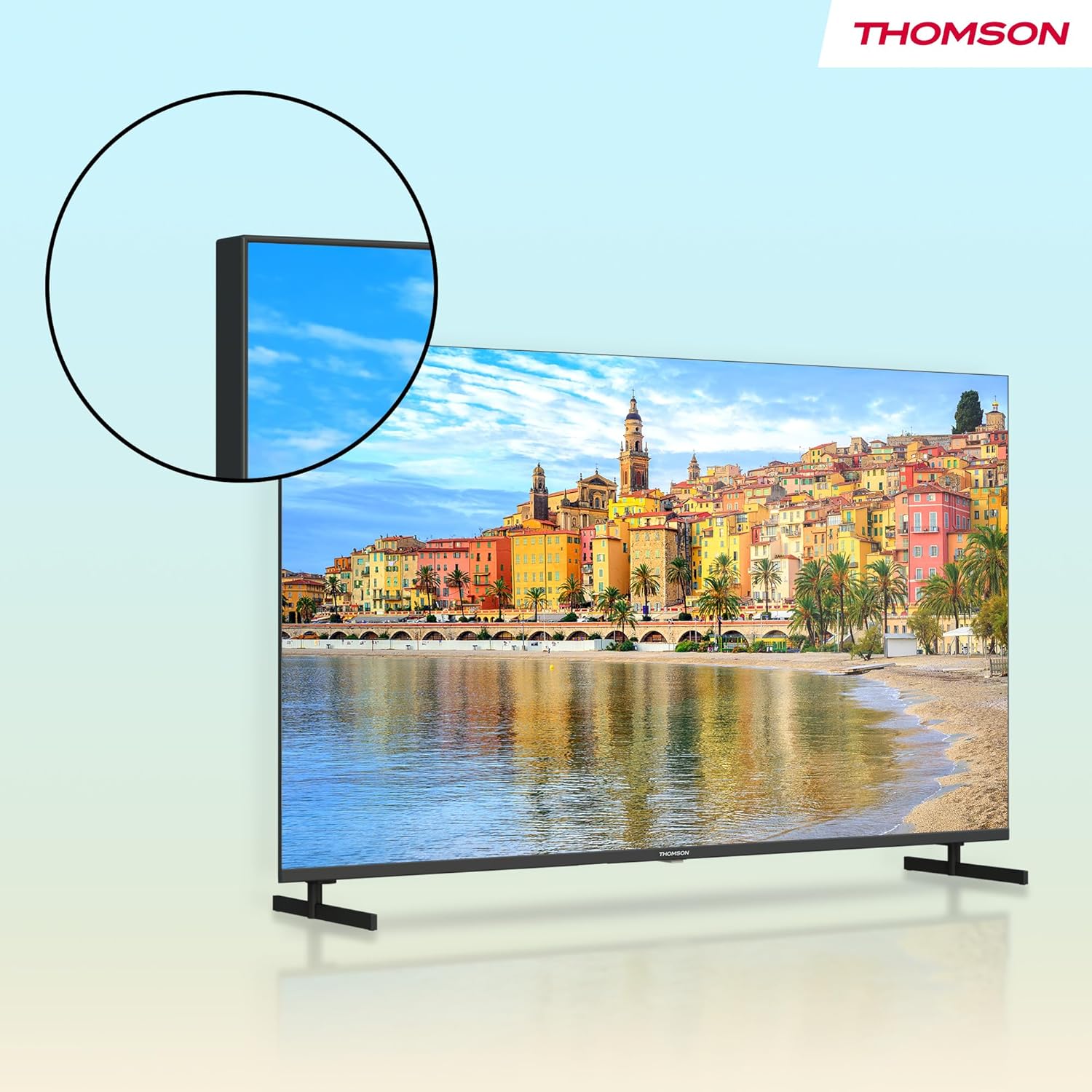
Figura 5.2: Detallada view of the TV's connectivity options.
6. Funcionament del televisor
6.1 Funcions de control remot
The remote control allows you to navigate the TV's features. Key functions include:
- Botó d'encesa: Encén/apaga el televisor o el posa en espera.
- Botons numèrics: Selecció directa de canals.
- Volum +/-: Ajusta el nivell de volum.
- Canal +/-: Canvia els canals de televisió.
- Botó de l'Assistent de Google: Activa el control per veu per cercar contingut, controlar dispositius domèstics intel·ligents i més.
- Panell de navegació (botons direccionals i OK): Navega pels menús i selecciona opcions.
- Botons retroil·luminats: Allows for easy navigation in low-light conditions.
- Botons de drecera d'aplicacions: Quick access to popular streaming services like Netflix, Prime Video, YouTube, and Disney+.
- Botó estrella: Customizable shortcut to your favorite app or function.

Figure 6.1: Using the Google Assistant voice control on the remote.
6.2 Interfície de Google TV
Google TV organizes movies, shows, live TV, and more from your apps and subscriptions into one place. It provides personalized recommendations based on your viewing habits and allows for multiple user profiles.
- Pantalla d'inici: Access recommended content, installed apps, and settings.
- Aplicacions: Baixeu i gestioneu aplicacions des de Google Play Store.
- Biblioteca: Access your purchased or rented content.
6.3 Using Google Cast
Google Cast allows you to stream content (photos, videos, music) from your compatible smartphone, tablet, or computer directly to your TV screen. Ensure your device and TV are connected to the same Wi-Fi network, then tap the Cast icon in a compatible app.

Figure 6.2: Google Cast allows seamless streaming from your devices.
6.4 Triple Tuner (DVB-T2/C/S2)
Your TV is equipped with a triple tuner, allowing reception of digital terrestrial (DVB-T2), cable (DVB-C), and satellite (DVB-S2) signals without an external set-top box. Use the channel scanning function in the settings menu to find available channels.
7. Configuració d'àudio i vídeo
7.1 Configuració de la imatge
Ajusta la configuració de la imatge per optimitzar el teu viewExperiència:
- Mode d'imatge: Select from predefined modes (e.g., Standard, Vivid, Movie, Game) or customize your own.
- Brillantor: Adjust the overall lightness or darkness of the image.
- Contrast: Controla la diferència entre les parts més brillants i les més fosques de la imatge.
- Color: Ajusta la intensitat dels colors.
- Nitidez: Enhances the edges of objects in the picture.
7.2 Configuració de so
Enhance your audio experience with various sound settings:
- Dolby Audio: Experience dynamic and immersive sound with clear dialogue and rich details.
- Mode de so: Choose from modes like Standard, Music, Movie, Speech, or customize with an equalizer.
- Balanç: Adjust the volume balance between left and right speakers.
- Sortida d'àudio digital: Configure the output format for external audio systems.

Figure 7.1: Enjoy enhanced audio with Dolby Audio technology.
8. Manteniment
Cura i Neteja
- Neteja de pantalla: Netegeu suaument la pantalla amb un drap suau i sense borrissol. Per a marques difícils, netegeu lleugerament.ampNetegeu el drap amb aigua o un netejador de pantalles especialitzat (apliqueu-lo al drap, no directament a la pantalla).
- Neteja d'armaris: Netegeu el moble del televisor amb un drap suau i sec.
- Eviteu productes químics: Do not use strong detergents, abrasive cleaners, or solvents as they can damage the TV's finish.
- Desconnecteu abans de netejar: Desendolleu sempre el televisor de la presa de corrent abans de netejar-lo.
9. Solució De Problemes
Problemes comuns i solucions
| Problema | Possible solució |
|---|---|
| Sense poder | Comproveu si el cable d'alimentació està connectat correctament al televisor i a la presa de corrent. Proveu una altra presa de corrent. |
| No hi ha imatge, però hi ha so | Assegureu-vos que heu seleccionat la font d'entrada correcta. Comproveu les connexions dels cables als dispositius externs. |
| No hi ha so, però hi ha imatge | Check volume level and mute status. Verify audio output settings if using external speakers. |
| El comandament a distància no funciona | Canvieu les piles. Assegureu-vos que no hi hagi obstacles entre el comandament a distància i el televisor. Torneu a emparellar el comandament a distància Bluetooth si cal. |
| No es pot connectar a la Wi-Fi | Revisa el teu encaminador i el mòdem. Assegura't que la contrasenya del Wi-Fi sigui correcta. Prova de reiniciar el televisor i l'encaminador. |
| Les aplicacions són lentes o no responen | Close unused apps. Clear app cache in settings. Ensure a stable internet connection. Restart the TV. |
10. Especificacions
Technical Specifications (Model: 32FG2S14)
- Mida de la pantalla: 32 Pollici (81 cm)
- Resolució: Full HD (1920x1080p)
- Tecnologia de visualització: LED, Direct LED
- Freqüència d'actualització: 60 Hz
- Relació d'aspecte: 16:9
- Plataforma de televisió intel·ligent: Google TV
- Característiques especials: Google TV, Voice Control, Streaming Services, Google Cast, HDR10
- Tecnologia d'àudio: Dolby Audio
- Connectivitat: Wi-Fi, Bluetooth 5.1, HDMI (multiple ports, including ARC), USB 2.0, Triple-Tuner (DVB-T2/C/S2), CI+, LAN, AV IN, Digital Optical Audio Out
- Product Dimensions (with stands): Approximately 72 cm (W) x 46 cm (H) x 15 cm (D)
- Pes: Aproximadament 4.5 kg

Figure 10.1: Product data sheet with detailed technical specifications.
11. Garantia i Suport
Informació de la garantia
Thomson products are designed and manufactured to high-quality standards. This product is covered by a 3-year warranty from the date of purchase, covering manufacturing defects. Please retain your proof of purchase for warranty claims.
The warranty does not cover damage caused by misuse, accidents, unauthorized modifications, or normal wear and tear. For detailed warranty terms and conditions, please refer to the warranty card included with your product or visit the official Thomson support weblloc.
Atenció al client
If you encounter any issues that cannot be resolved using the troubleshooting guide in this manual, or if you require further assistance, please contact Thomson customer support. Contact details can typically be found on the official Thomson weblloc web o a la targeta de garantia.


