1. Introducció
The Beats Solo 4 Wireless Bluetooth On-Ear Headphones deliver powerful Beats sound with custom acoustic architecture and updated drivers. Designed for all-day comfort, these headphones feature an ultralight ergonomic design, flex-grip headband, and UltraPlush ear cushions. Enjoy up to 50 hours of battery life and personalized Spatial Audio with dynamic head tracking. They offer dual compatibility for both iOS and Android devices, high-resolution lossless audio via USB-C or 3.5mm cable, and high-quality call performance.
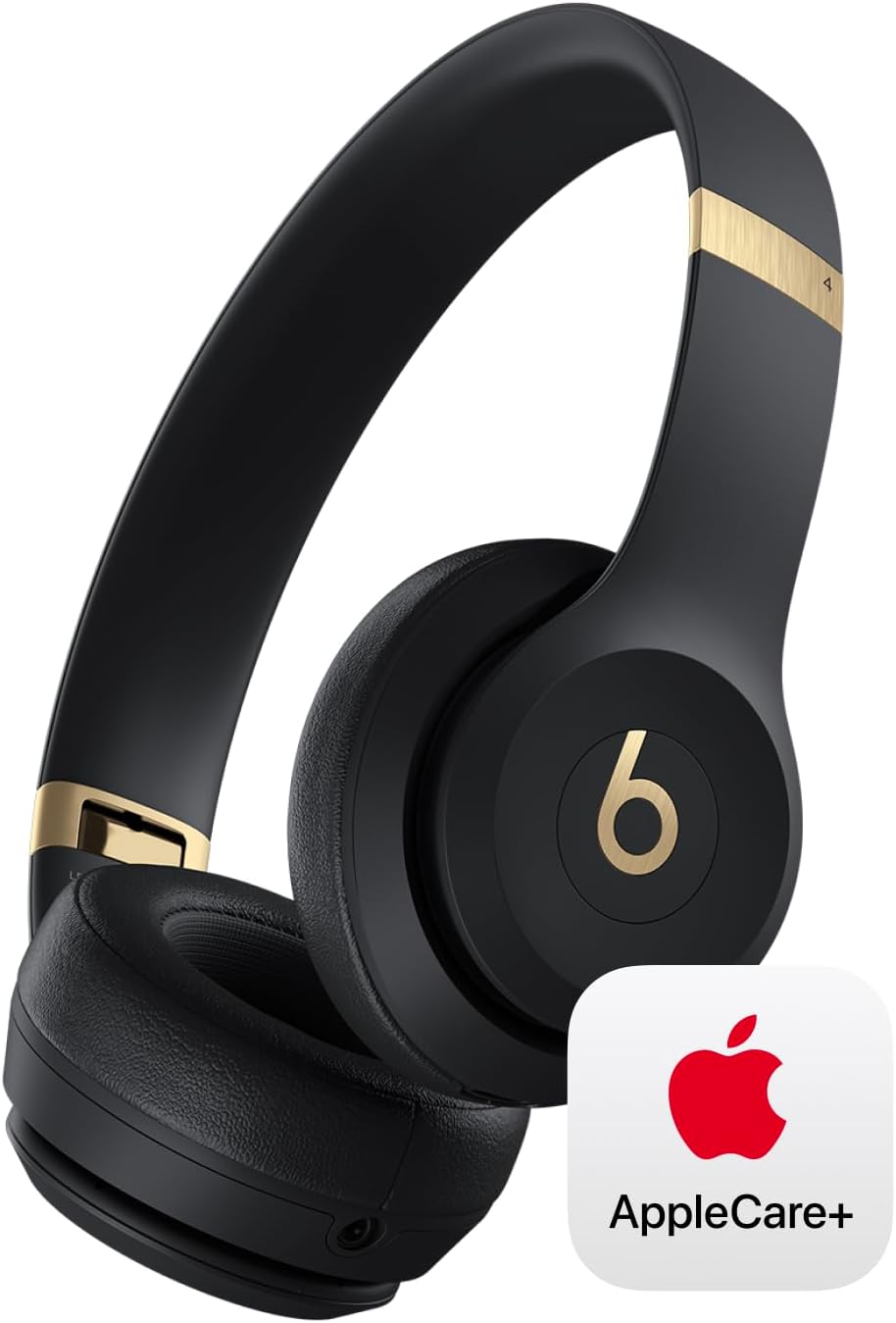
Image: Beats Solo 4 headphones in black and gold, showcasing their sleek design and the included AppleCare+ coverage.
2. Què hi ha a la caixa
Your Beats Solo 4 package typically includes the following items:
- Auriculars supraaurals sense fil Bluetooth Beats Solo 4
- Carrying Case (soft woven)
- Cable de càrrega USB-C a USB-C
- Cable d'àudio de 3.5 mm
- Guia d'inici ràpid
- Targeta de garantia

Image: The Beats Solo 4 headphones in their compact, folded state, ready to be stored in their carrying case.
3. Configuració
3.1. Carregant els auriculars
Before first use, fully charge your Beats Solo 4 headphones. Connect the included USB-C to USB-C charging cable to the USB-C port on the left earcup and to a power source.
- The LED indicator on the right earcup will show charging status.
- Una càrrega completa proporciona fins a 50 hores d'escolta.
- Combustible ràpid: A quick 10-minute charge provides up to 5 hours of playback when the battery is low.

Image: A visual representation highlighting the impressive 50-hour battery life of the Beats Solo 4 headphones.
3.2. Emparellar els auriculars
The Beats Solo 4 headphones offer seamless one-touch pairing for both iOS and Android devices.
Per a dispositius iOS:
- Ensure your iPhone/iPad is unlocked and Bluetooth is enabled.
- Hold your Beats Solo 4 headphones near your iOS device.
- Segueix les instruccions que apareixen a la pantalla per connectar-te.
Per a dispositius Android:
- Assegureu-vos que el Bluetooth del vostre dispositiu Android estigui activat.
- Open the Beats app (if installed) or go to Bluetooth settings.
- Put your Beats Solo 4 into pairing mode (usually by holding the power button until the LED flashes).
- Select "Beats Solo 4" from the list of available devices.

Image: The Beats Solo 4 headphones positioned next to a smartphone, illustrating their compatibility and ease of pairing with both Apple and Android devices.
4. Ús dels auriculars
4.1. Controls bàsics
The controls are intuitively placed on the earcups for easy access:
- Botó d'encesa: Located on the right earcup. Press and hold to power on/off.
- Controls de volum: Up and down buttons on the left earcup.
- Multi-function Button (b button): Located on the left earcup.
- Press once for Play/Pause or Answer/End Call.
- Press twice to Skip Forward.
- Press three times to Skip Backward.
- Press and hold to activate voice assistant.
4.2. Personalized Spatial Audio
Experience immersive sound with Personalized Spatial Audio and dynamic head tracking. This feature creates a theater-like experience, making sound appear to come from all around you.
- Requires compatible hardware and software.
- Content must be supported in apps.
- For personalized profile, an iPhone with TrueDepth camera is required.

Image: A visual representation of Personalized Spatial Audio, showing sound waves emanating from various directions around the Beats Solo 4 headphones, simulating an immersive audio experience.
4.3. Connexió per cable
The Beats Solo 4 supports high-resolution lossless audio via wired connections:
- Àudio USB-C: Connect the USB-C cable to a compatible device for digital audio playback and charging simultaneously.
- Àudio de 3.5 mm: Use the included 3.5mm audio cable for traditional analog audio playback. This mode requires zero battery power.
5. Manteniment
5.1. Neteja
- Netegeu els auriculars i la diadema amb un drap suauamp, drap sense pelusa.
- No utilitzeu netejadors abrasius ni dissolvents.
- Assegureu-vos que no entri humitat a cap obertura.
5.2. Emmagatzematge
- When not in use, store your headphones in the included soft woven carrying case to protect them from dust and scratches.
- Eviteu l'emmagatzematge a temperatures extremes o humitat elevada.
5.3. Cura de la bateria
- Per a una durada òptima de la bateria, eviteu descarregar-la completament amb freqüència.
- If storing for an extended period, charge the headphones to about 50% before storage.
6. Solució De Problemes
| Problema | Possible solució |
|---|---|
| Els auriculars no s'encenen | Assegureu-vos que els auriculars estiguin carregats. Connecteu-los a una font d'alimentació amb el cable USB-C. |
| No es pot emparellar amb el dispositiu | Ensure Bluetooth is enabled on your device. Put headphones in pairing mode. Move headphones closer to the device. Forget the device in Bluetooth settings and try pairing again. |
| Sense so ni volum baix | Check volume levels on both headphones and connected device. Ensure headphones are properly paired. Try playing different audio. |
| Reducció de so | Move closer to your device. Avoid interference from other wireless devices. Ensure headphones are charged. |
| El micròfon no funciona | Ensure headphones are selected as the audio input device on your connected device. Check for any obstructions on the microphone. |
7. Especificacions
| Característica | Detall |
|---|---|
| Marca | Beats |
| Model | Solo 4 |
| Color | Negre/Or |
| Col·locació de l'orella | A l'orella |
| Factor de forma | A l'orella |
| Forma de l'auricular | Cercle |
| Tecnologia de comunicació sense fils | Bluetooth |
| Dispositius compatibles | Laptops, Cellphones |
| Durada de la bateria | Fins a 50 hores |
| Port de càrrega | USB-C |
| Entrada d'àudio | USB-C, 3.5mm Audio Cable |
8. Garantia i Suport
Your Beats Solo 4 headphones come with a standard limited warranty. Additionally, this specific product includes AppleCare+ for extended coverage.
8.1. AppleCare+ Coverage
AppleCare+ provides hardware coverage for your headphones, battery, and included charging cable. It also includes unlimited repairs for accidental damage (service fees apply) and 24/7 priority access to Apple experts.

Image: An infographic detailing the benefits of AppleCare+, such as unlimited repairs for accidental damage, battery coverage, and 24/7 priority access to Apple experts.
8.2. Obtaining Support
For technical assistance, warranty claims, or service, please visit the official Beats support website or contact Apple Support directly. Keep your proof of purchase and product serial number handy.
Per a més informació, visiteu el Botiga Beats a Amazon.


