KOFIRE UG-06

Manual d'instruccions dels auriculars de joc sense fil KOFIRE UG-06

Model: UG-06 | Marca: KOFIRE

Introducció

Thank you for choosing the KOFIRE UG-06 Wireless Gaming Headset. This manual provides detailed instructions for setup, operation, and maintenance to ensure you get the best experience from your new headset. The UG-06 is designed to deliver superior audio performance and comfort for gaming, work, and entertainment across multiple platforms.

Què hi ha a la caixa

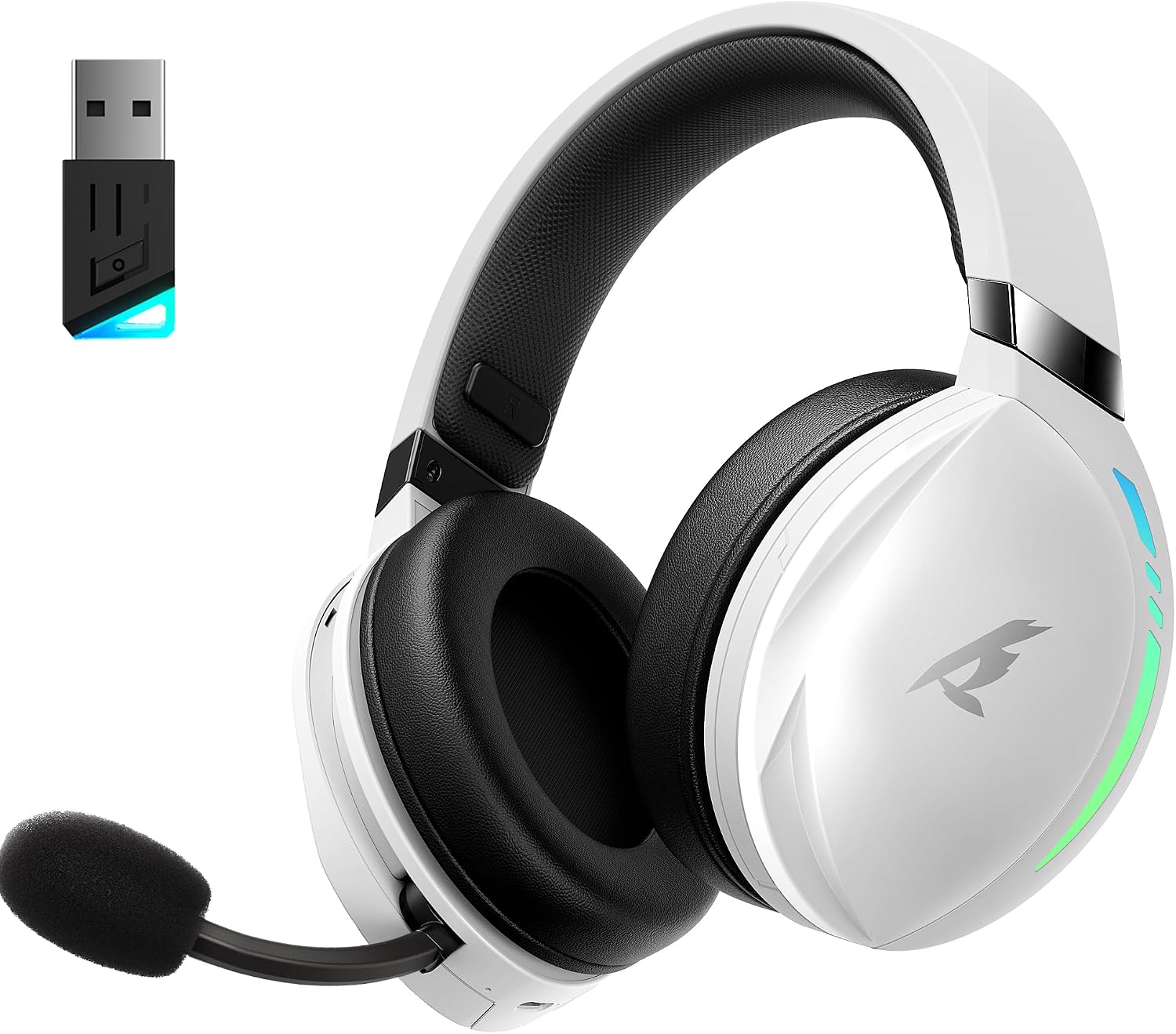
KOFIRE UG-06 Wireless Gaming Headset with USB dongle

The KOFIRE UG-06 Wireless Gaming Headset in white and black, shown with its USB dongle.

Producte acabatview i Característiques clau

Person wearing KOFIRE UG-06 headset experiencing 3D spatial audio

A user wearing the headset, illustrating the immersive 3D spatial audio experience.

Close-up of the hidden noise-canceling microphone on KOFIRE UG-06 headset

Un primer pla view of the retractable, hidden noise-canceling microphone.

KOFIRE UG-06 headset showing multi-platform compatibility with various devices

The headset demonstrating its compatibility with multiple gaming platforms and devices.

Instruccions de configuració

1. Càrrega inicial

Before first use, fully charge your headset using the provided USB Type-C charging cable. Connect the Type-C end to the headset's charging port and the USB-A end to a compatible power source (e.g., computer USB port, USB wall adapter). The charging indicator light will show charging status.

2. Connecting via 2.4GHz USB Dongle (Recommended for Gaming)

  1. Insert the 2.4GHz USB dongle into an available USB port on your device (PS4, PS5, PC, Mac, Switch).
  2. Power on the headset by pressing and holding the Power button until you hear a confirmation tone or see the indicator light.
  3. The headset should automatically pair with the dongle. A solid indicator light on both the headset and dongle typically signifies a successful connection.
  4. Ensure the headset is selected as the audio output and input device in your system's sound settings.

3. Connexió mitjançant Bluetooth 5.4

  1. With the headset powered on, triple-click the Power button to switch to Bluetooth mode. The indicator light will flash, indicating pairing mode.
  2. On your device (phone, tablet, PC), go to Bluetooth settings and search for "KOFIRE UG-06" (or similar).
  3. Select the headset to pair. Once connected, the indicator light will become solid.

4. Connecting via 3.5mm Wired Connection

  1. Connecteu un extrem del cable d'àudio de 3.5 mm al port de 3.5 mm dels auriculars.
  2. Connecteu l'altre extrem al connector d'àudio de 3.5 mm del dispositiu.
  3. The headset will operate in passive mode, drawing no power from its internal battery.

Instruccions de funcionament

Controls dels auriculars

Close-up of KOFIRE UG-06 headset controls on earcup

Detallada view of the control buttons and volume wheel on the headset's earcup.

KOFIRE UG-06 headset with dynamic breathing RGB lights

La demostració d'auricularsasing its dynamic breathing RGB lighting feature.

Manteniment

Resolució de problemes

ProblemaSolució
No sound/microphone not working (2.4GHz)
  • Ensure the USB dongle is securely plugged in.
  • Check if the headset is powered on and in 2.4GHz mode (triple-click power button).
  • Verify that the headset is selected as the default audio device in your computer/console settings.
  • Assegureu-vos que el micròfon no estigui silenciat als auriculars.
Problemes de vinculació de Bluetooth
  • Ensure the headset is in Bluetooth pairing mode (indicator light flashing).
  • Desactiva i torna a activar el Bluetooth al dispositiu.
  • Oblida el dispositiu de la llista de Bluetooth i intenta emparellar-lo de nou.
Durada de la bateria curta
  • Assegureu-vos que els auriculars estiguin completament carregats abans d'utilitzar-los.
  • Turn off RGB lighting when not needed, as it consumes more power.
  • Reduir els nivells de volum.
Sound quality issues (wired mode)
  • Assegureu-vos que el cable d'àudio de 3.5 mm estigui completament inserit tant als auriculars com al dispositiu.
  • Try a different 3.5mm audio cable to rule out cable issues.

Especificacions

CaracterísticaDetall
Nom del modelUG-06
Tecnologia de connectivitatSense fil de 2.4 GHz, Bluetooth 5.4, cable de 3.5 mm
Mida del controlador d'àudio50 mil·límetres
Durada de la bateriaUp to 65 Hours (music/video, lights off), 40 Hours (2.4Ghz gaming)
Temps de càrrega3 hores
Latència d'àudio15 mil·lisegons
Control de sorollSound Isolation, ENC Noise Canceling Mic
Dispositius compatiblesPS4, PS5, PC, Switch, Mac, Phone, Tablet
MaterialLeather, Plastic, Polycarbonate (PC), Soft Memory Sponge Cushions
Pes de l'article1.19 lliures
Dimensions del producte7.5 x 1 x 7.9 polzades

Garantia i Suport

KOFIRE provides a reliable 24-hour online service to ensure customer satisfaction. For any issues, questions, or support needs, please contact KOFIRE customer service through the retailer's platform or the official KOFIRE weblloc.

Please refer to your purchase documentation for specific warranty details and duration.

Documents relacionats - UG-06

Preview Manual d'usuari dels auriculars de joc sense fil UG-09
Manual d'usuari dels auriculars de joc sense fil KOFIRE UG-09, que detalla les explicacions dels indicadors LED, el funcionament dels botons, els modes de connexió (2.4G i Bluetooth), la configuració d'àudio per a PC i PlayStation i les especificacions tècniques.
Preview Manual d'usuari dels auriculars sense fil UG-05
Manual d'usuari dels auriculars sense fil UG-05, que detalla la configuració, el funcionament, les característiques i les especificacions. Inclou informació sobre l'emparellament, la càrrega, els modes d'àudio i la resolució de problemes.
Preview Guia de resolució de problemes dels auriculars de joc sense fil Kofire XG One
Guia d'usuari i resolució de problemes dels auriculars de joc sense fil Kofire XG One, que cobreix problemes comuns, solucions i instruccions d'ús per a diversos tipus de connexió.
Preview Manual d'usuari i informació de garantia dels auriculars de joc sense fil KOFIRE UT-01
Manual d'usuari complet i detalls de la garantia dels auriculars de joc sense fil KOFIRE UT-01, que cobreixen la configuració, el funcionament, les característiques, les especificacions i la resolució de problemes per a PC, PlayStation i Nintendo Switch. Inclou descripcions dels indicadors LED, funcions dels botons, guies de connexió i cura del producte.
Preview Manual d'usuari dels auriculars de joc sense fil Kofire XG ONE
Manual d'usuari complet per als auriculars de joc sense fil Kofire XG ONE, que detalla les característiques, la configuració i el funcionament per a una experiència de joc òptima.
Preview Guia de resolució de problemes de Kofire XG One v2.0
Guia de resolució de problemes per als auriculars Kofire XG One, que tracta problemes comuns com la connectivitat Bluetooth, problemes de micròfon, qualitat d'àudio i problemes d'alimentació. Inclou una referència d'estat dels LED.