1. Introducció
This user manual provides comprehensive instructions for the setup, operation, maintenance, and troubleshooting of your Thomson 27-inch QHD Gaming Monitor (Model: M27QG5Y14). This monitor is designed to deliver a superior visual experience with its QHD resolution, 180Hz refresh rate, and IPS panel technology, making it ideal for gaming and multimedia applications.

Imatge 1.1: Frontal view of the Thomson 27-inch QHD Gaming Monitor, showcasing its sleek design and display area.
2. Informació de seguretat
Si us plau, llegiu atentament totes les instruccions de seguretat abans d'utilitzar el monitor. Conserveu aquest manual per a futures consultes.
- Font d'alimentació: Use only the power adapter supplied with the monitor. Ensure the power outlet is properly grounded.
- Ventilació: No bloquegeu les obertures de ventilació. Deixeu prou espai al voltant del monitor per a un flux d'aire adequat per evitar el sobreescalfament.
- Líquid i humitat: Mantingueu el monitor allunyat de l'aigua, la pluja o la humitat excessiva. No col·loqueu objectes plens de líquids a sobre del monitor.
- Neteja: Disconnect the power cable before cleaning. Use a soft, dry cloth. Do not use liquid cleaners or aerosol cleaners.
- Col·locació: Place the monitor on a stable, flat surface. Avoid placing it in direct sunlight or near heat sources.
- Manipulació: Handle the monitor with care. Avoid dropping or subjecting it to strong impacts.
- Manteniment: No intenteu fer la reparació del monitor vosaltres mateixos. Envieu totes les tasques de manteniment a personal de servei qualificat.
3. Contingut del paquet
Verifiqueu que tots els articles siguin presents al paquet. Si falta algun article o està malmès, poseu-vos en contacte amb el vostre distribuïdor.
- Thomson 27-inch QHD Gaming Monitor
- Suport de monitor (base i coll)
- Adaptador d'alimentació i cable d'alimentació
- Cable HDMI
- DisplayPort (DP) Cable (may vary by region)
- Cable USB-B a USB-A (per a la funcionalitat de concentrador USB)
- Manual d'usuari (aquest document)
- Cargols per al muntatge del suport
4. Configuració
4.1. Muntatge del suport del monitor
- Traieu amb cura el monitor del seu embalatge i col·loqueu-lo cara avall sobre una superfície suau i neta per evitar ratllades.
- Fixeu el coll del suport al panell del monitor amb els cargols proporcionats.
- Attach the stand base to the stand neck and secure it with the designated screw.
- Once assembled, carefully lift the monitor and place it on a stable desk or table.

Image 4.1: Monitor dimensions and stand assembly overview. The monitor measures approximately 61 cm wide, 54 cm high (with stand), and 24 cm deep (with stand).
4.2. Connexió del monitor
Connect the necessary cables to the monitor's input ports. Refer to the image below for port locations.
- Connexió d'alimentació: Connect the power adapter to the "DC IN" port on the monitor, then plug the power cable into a power outlet.
- Entrada de vídeo:
- Connect an HDMI cable from your computer's graphics card to an "HDMI 2.1" port on the monitor.
- Alternatively, connect a DisplayPort (DP) cable from your computer's graphics card to a "DP 1.2" port on the monitor.
- Hub USB: To enable the monitor's USB 3.0 ports, connect a USB-B cable from the "USB 3.0 B" port on the monitor to a USB-A port on your computer.
- Sortida d'àudio: Connect headphones or external speakers to the "Earphone Plug" (3.5mm audio jack) for audio output.

Image 4.2: Rear panel of the monitor displaying the various input and output ports for connectivity.
4.3. Ajustaments ergonòmics
El suport del monitor permet diversos ajustaments per optimitzar el vostre viewcomoditat:
- Inclinació: Adjust the screen's vertical angle (up or down).
- Girar: Gira la pantalla horitzontalment (esquerra o dreta).
- Pivot: Gira la pantalla 90 graus per al mode retrat viewing.
- Ajust d'alçada: Puja o baixa el monitor a l'alçada dels ulls que prefereixis.
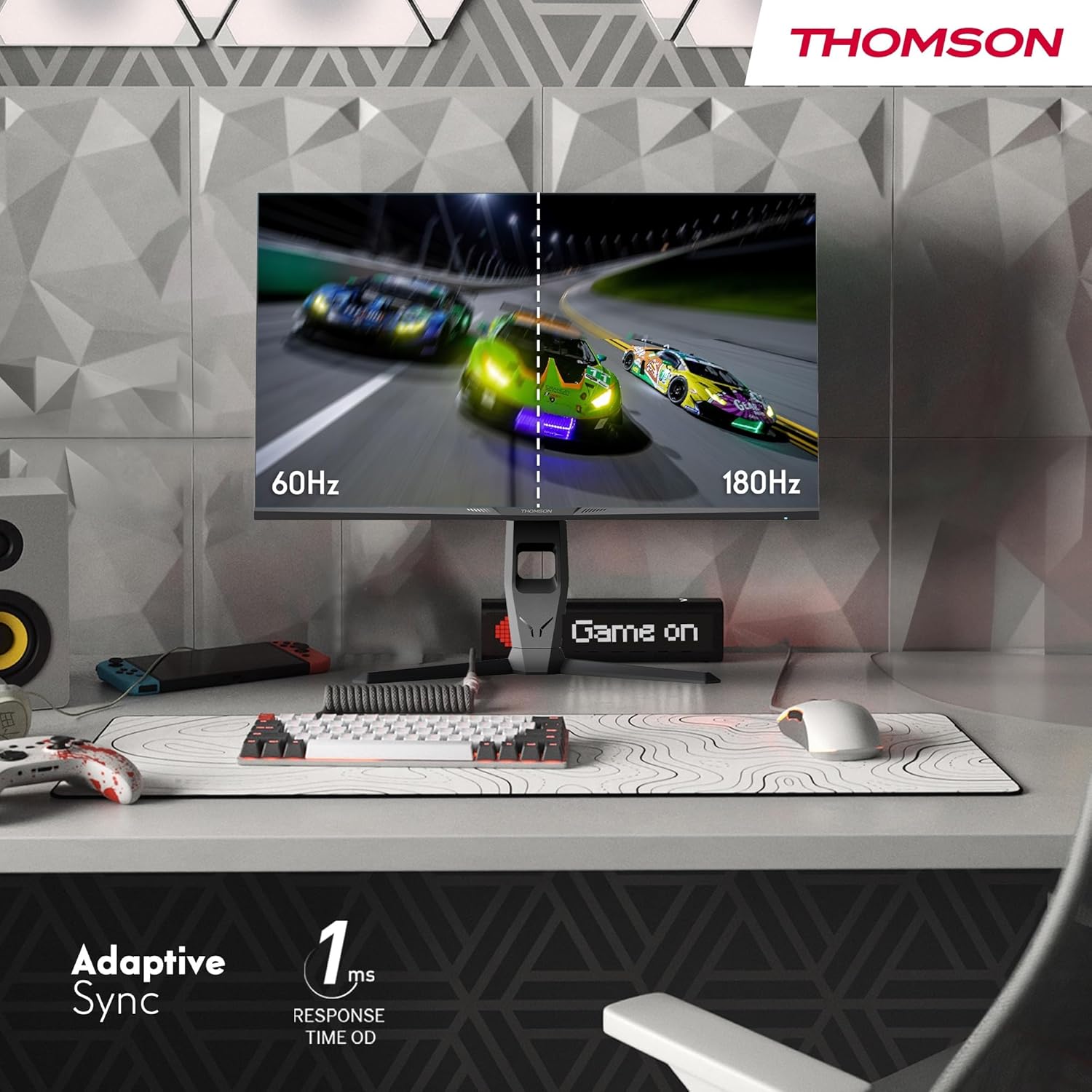
Image 4.3: Demonstrations of the monitor's ergonomic capabilities, including tilt, swivel, and pivot for optimal viewangles d'ajust.
4.4. Muntatge VESA
The monitor is compatible with VESA 100x100mm mounting standards. To mount the monitor on a wall or an alternative stand, remove the original stand and attach the VESA-compatible mount (sold separately) using appropriate screws.
5. Instruccions de funcionament
5.1. Encendre/apagar
Premeu el botó d'engegada, que normalment es troba a la part posterior o inferior del monitor, per encendre'l o apagar-lo. L'indicador lluminós d'engegada s'il·luminarà quan el monitor estigui encès.
5.2. Menú de visualització en pantalla (OSD).
El menú OSD us permet ajustar diversos paràmetres del monitor. Feu servir el joystick o els botons (la ubicació pot variar) del monitor per navegar pel menú.
- Configuració de la imatge: Ajusta la brillantor, el contrast, la nitidesa, la temperatura del color i la gamma.
- Configuració de color: Fine-tune RGB levels, saturation, and hue.
- Selecció d'entrada: Canvia manualment entre les entrades HDMI i DisplayPort.
- Àudio: Ajusta el volum dels altaveus integrats o de la sortida d'auriculars.
- Configuració OSD: Change OSD language, transparency, and timeout.
- Configuració de jocs: Access features like Adaptive Sync, response time (OD), and crosshair overlays.
5.3. Característiques de joc
- Freqüència de refresc de 180 Hz: Provides smoother motion and reduced input lag, especially beneficial for fast-paced games. Ensure your graphics card and cable support this refresh rate.
- 1ms Response Time (OD): Minimizes motion blur and ghosting for clear, crisp images during rapid movements.
- Sincronització adaptativa: Synchronizes the monitor's refresh rate with your graphics card's frame rate, eliminating screen tearing and stuttering. Enable this feature in the OSD menu and your graphics card control panel.

Image 5.1: Visual comparison illustrating the difference between 60Hz and 180Hz refresh rates, highlighting the smoother motion provided by the higher refresh rate, alongside the Adaptive Sync feature.
5.4. Característiques de la cura dels ulls
- Tecnologia antiparpelleig: Reduces screen flickering, which can cause eye strain during prolonged use.
- Mode de llum blava baixa: Filters out harmful blue light emissions to protect your eyes and reduce fatigue. This mode can be activated through the OSD menu.
- Pantalla antireflexos: The matte screen surface minimizes reflections from ambient light, providing clear visuals without distraction.

Image 5.2: Depiction of the monitor's eye comfort features, including an anti-glare screen and technologies like Anti-Flicker and Low Blue Light for reduced eye strain.
5.5. RGB Ambient Lighting
The monitor features integrated RGB ambient lighting on the rear. This lighting can be customized via the OSD menu to enhance your gaming environment or match your setup's aesthetics.
6. Manteniment
6.1. Neteja del monitor
- Pantalla: Netegeu suaument la pantalla amb un drap suau i sense borrissol. Per a marques difícils, netegeu suaument.ampen the cloth with water or a specialized screen cleaner (ensure it's safe for LCD/IPS panels) and wipe gently. Never spray liquid directly onto the screen.
- Casing: Feu servir un drap suau i sec per netejar el monitor casing. Eviteu utilitzar productes de neteja o dissolvents abrasius.
- Desconnecteu sempre el cable d'alimentació abans de netejar.
6.2. Emmagatzematge
Si guardeu el monitor durant un període prolongat, desconnecteu tots els cables, emboliqueu-lo a l'embalatge original (si n'hi ha) i guardeu-lo en un lloc fresc i sec, allunyat de la llum solar directa i de temperatures extremes.
7. Solució De Problemes
Aquesta secció tracta problemes comuns que podeu trobar. Si el problema persisteix, poseu-vos en contacte amb l'atenció al client.
| Problema | Causa possible | Solució |
|---|---|---|
| Sense poder | Power cable not connected; Power outlet faulty; Monitor off. | Ensure power cable is securely connected. Test the power outlet. Press the monitor's power button. |
| Sense senyal / Pantalla en blanc | Video cable not connected; Incorrect input selected; Computer not outputting signal. | Check HDMI/DP cable connections. Select the correct input source via OSD. Ensure computer is on and outputting video. |
| Distorted image / Flickering | Incorrect resolution/refresh rate; Faulty cable; Graphics driver issue. | Set display resolution to 2560x1440 and refresh rate to 180Hz. Try a different video cable. Update graphics drivers. |
| No hi ha àudio dels altaveus/auriculars | Volume too low; Audio cable not connected; Incorrect audio output selected on PC. | Increase monitor volume via OSD. Ensure headphones/speakers are connected. Select monitor as audio output device in PC settings. |
8. Especificacions
Detailed technical specifications for the Thomson M27QG5Y14 monitor.
| Característica | Especificació |
|---|---|
| Marca | Thomson |
| Model | M27QG5Y14 |
| Mida de la pantalla | 27 polzades |
| Tipus de panell | IPS |
| Resolució | 2560 x 1440 (QHD) |
| Freqüència d'actualització | 180 Hz |
| Temps de resposta | 1 Millisecond (OD) / 5 Milliseconds (GtG) |
| Brillantor | 350 Nit |
| Relació de contrast | 1200:1 |
| Viewangle ing | 178 Degrees (Horizontal/Vertical) |
| Gamma de colors | 120% sRGB |
| Suport HDR | HDR10 (10-bit) |
| Sincronització adaptativa | Sí |
| Connectivitat | 2x HDMI 2.1, 1x DisplayPort 1.2, 1x USB 3.0 Type-B (upstream), 3x USB 3.0 Type-A (downstream), 1x Earphone Plug (3.5mm) |
| Altaveus incorporats | Yes (2x2W) |
| Compatibilitat de muntatge VESA | 100x100mm |
| Dimensions del producte (amb suport) | 61 x 54 x 24 cm (A x A x P) |
| Pes (amb suport) | 7.3 kg |
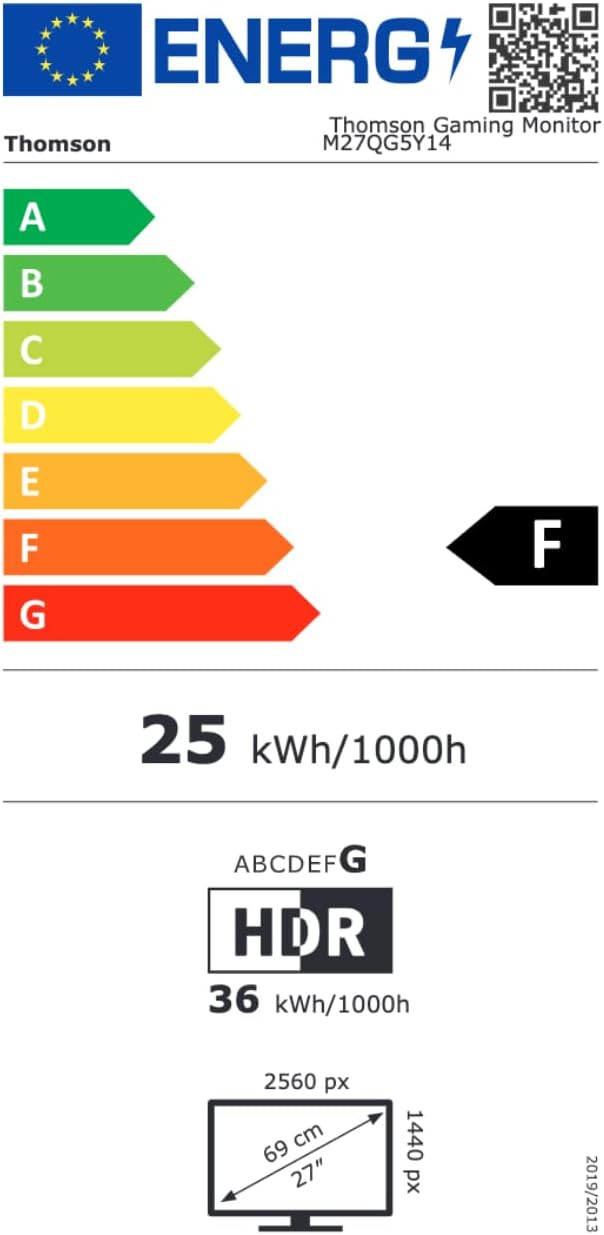
Image 8.1: EU Energy Label for the Thomson M27QG5Y14 monitor. For more details, visit the Base de dades EPREL.
9. Garantia i Suport
Thomson products are designed for reliability and performance. This monitor typically comes with a 3 any de garantia des de la data de compra, que cobreix els defectes de fabricació. Conserveu el comprovant de compra per a reclamacions de garantia.
For technical assistance, troubleshooting beyond this manual, or warranty inquiries, please contact Thomson customer support or your local retailer. Refer to the official Thomson website or your product packaging for specific contact details.
You can also visit the official Thomson store on Amazon for more information: Thomson Store.


