1. Introducció
Thank you for choosing the Montech Titan PLA 850W ATX Gaming Power Supply. This manual provides essential information for the proper installation, operation, and maintenance of your power supply unit (PSU). Please read this manual thoroughly before installation and retain it for future reference.
2. Informació de seguretat
WARNING: Improper installation or use can lead to equipment damage, electric shock, or serious injury. Always follow these safety guidelines:
- Assegureu-vos que el cable d'alimentació estigui desconnectat de la presa de corrent de CA abans de la instal·lació, la desinstal·lació o qualsevol tasca de manteniment.
- This product is designed for indoor use only. Do not expose it to moisture, high temperatures, or dusty environments.
- No obriu la font d'alimentació casing. Alt volumtagHi ha elements a l'interior i, en obrir la unitat, la garantia quedarà anul·lada.
- Use only the modular cables provided with this power supply. Using third-party cables may cause damage to the PSU or connected components.
- Ensure proper grounding for your computer system.
- Si no esteu segurs sobre algun dels passos d'instal·lació, consulteu un tècnic qualificat.
3. Contingut del paquet
Verifiqueu que tots els elements siguin presents al vostre paquet:
- Montech Titan PLA 850W Power Supply Unit
- Modular Cable Set (including ATX 24-pin, CPU 8-pin, PCIe 6+2-pin, SATA, Peripheral 4-pin)
- Cable d'alimentació CA
- Cargols de muntatge
- Brides de cable
- Manual d'usuari
4. Producte acabatview
The Montech Titan PLA 850W is a high-performance, fully modular power supply designed for gaming and high-end PC systems. It features 80 Plus Platinum and Cybenetics Platinum certifications for exceptional efficiency, ATX 3.1 and PCIe 5.1 readiness for next-generation components, and a silent 135mm Fluid Dynamic Bearing (FDB) fan with a Zero RPM mode.
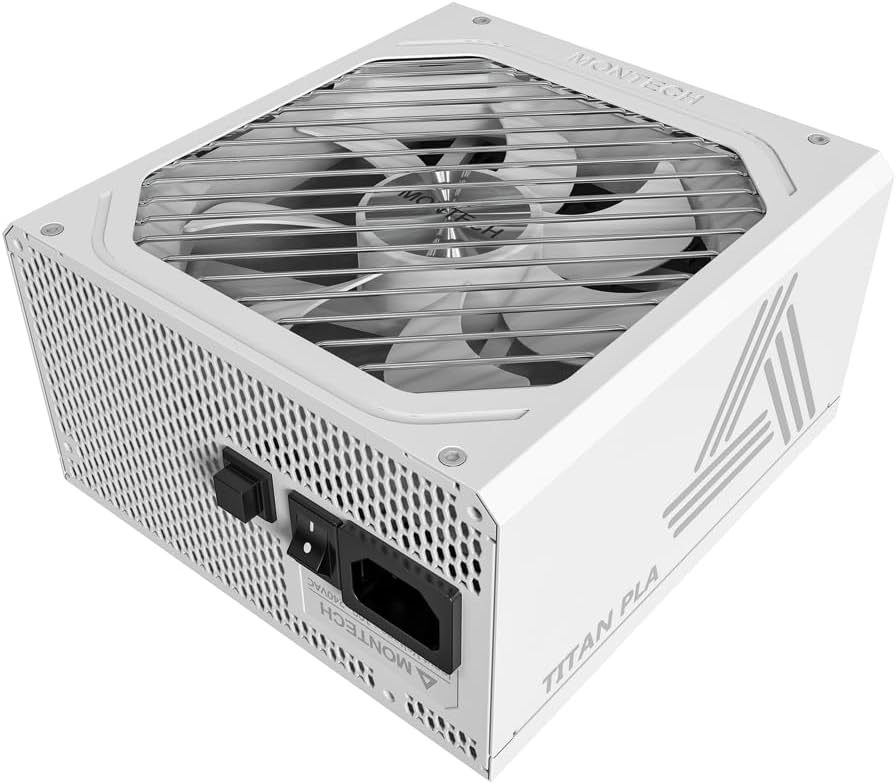
Imatge: Anglesa view of the Montech Titan PLA 850W Power Supply, showcasing its white chassis and top fan grill.

Imatge: Més deview of key features including 80 PLUS Platinum, Cybenetics A+ certification, ATX 3.1 & PCIe 5.1 readiness, silent performance, premium build, and ultimate protection.
4.1 Característiques clau
- 80 PLUS Platinum & Cybenetics Platinum Certified: Achieves up to 90% efficiency, reducing heat and operating costs.
- Preparat per a ATX 3.1 i PCIe 5.1: Fully compliant with the latest power standards for modern GPUs, supporting 2x total power excursion and 3x GPU power excursion.
- Disseny totalment modular: Allows for clean cable management and improved airflow within your PC case.
- 135mm FDB Silent Fan with Zero RPM Mode: Ensures quiet operation under low to moderate loads by stopping the fan.
- 100% Japanese 105°C Capacitors: Provides enhanced durability, stability, and reliability.
- Proteccions integrals: Includes OVP, OPP, SCP, OCP, UVP, OTP for system safety.

Image: Diagram illustrating ATX 3.1 and PCIe 5.1 readiness, showing support for power and GPU excursions and hold time above 21ms.

Image: Logos for 80 PLUS Platinum and Cybenetics Platinum certifications, indicating high power efficiency.

Imatge: Primer pla view of internal Japanese 105°C capacitors, highlighting premium component quality.

Image: Cybenetics A+ certification logo alongside a view of the 135mm FDB fan, emphasizing silent operation.
5. Instruccions de configuració
5.1 Llista de comprovació prèvia a la instal·lació
- Assegureu-vos que la caixa de l'ordinador sigui compatible amb fonts d'alimentació ATX.
- Gather all necessary tools: screwdriver, cable ties (included).
- Unpack the PSU and all modular cables.
5.2 Instal·lació física
- Turn off your computer and disconnect the AC power cord from the wall outlet.
- Obriu la caixa de l'ordinador.
- Carefully place the Montech Titan PLA 850W PSU into the designated PSU bay in your computer case. Ensure the fan is facing the correct direction (typically facing down if your case has a bottom vent, or up if it draws air from inside the case).
- Fixeu la font d'alimentació a la carcassa amb els cargols de muntatge proporcionats.
5.3 Connexions de cable
The Montech Titan PLA 850W is a fully modular power supply, allowing you to connect only the cables you need. Refer to the diagram below for connector types and locations.

Imatge: Part posterior view of the Montech Titan PLA power supply showing the fully modular cable connection ports, labeled for M/B, CPU/PCI-E, Peripheral-IDE/SATA/Molex, and 12V-2x6.
- Motherboard (M/B) Power: Connect the 24-pin ATX cable to the PSU and then to your motherboard's 24-pin connector.
- Potència de la CPU: Connect the 8-pin (4+4-pin) CPU cable(s) to the PSU and then to your motherboard's CPU power connector(s).
- Alimentació PCIe: Connect the 6+2-pin PCIe cable(s) to the PSU and then to your graphics card(s). Use separate cables for each high-power GPU connector if possible.
- Alimentació SATA: Connect SATA power cables to the PSU and then to your SSDs, HDDs, or optical drives.
- Peripheral (Molex) Power: Connect peripheral cables to the PSU and then to any components requiring Molex connectors.
- Once all necessary cables are connected, use cable ties to manage them neatly for better airflow and aesthetics.
5.4 Engegada inicial
- Assegureu-vos que totes les connexions siguin segures.
- Tanqueu la funda de l'ordinador.
- Connect the AC power cord to the PSU's input socket and then to a wall outlet.
- Gireu l'interruptor d'alimentació de la part posterior de la font d'alimentació a la posició "ON" (I).
- Enceneu l'ordinador.

Image: Rear panel of the Montech Titan PLA 850W Power Supply, showing the AC input, power switch, and input voltage label (100~240VAC).
6. Instruccions de funcionament
6.1 Engegada/apagada
To power on your system, ensure the PSU switch is in the 'ON' position and press your computer's power button. To power off, shut down your operating system normally. For complete power disconnection, flip the PSU switch to the 'OFF' (O) position and unplug the AC cord.
6.2 Mode zero RPM
The Montech Titan PLA 850W features a Zero RPM mode. In this mode, the PSU fan will remain off under low to moderate loads to provide silent operation. The fan will automatically activate when the load increases to maintain optimal temperatures. This is normal operation and not an indication of a fault.
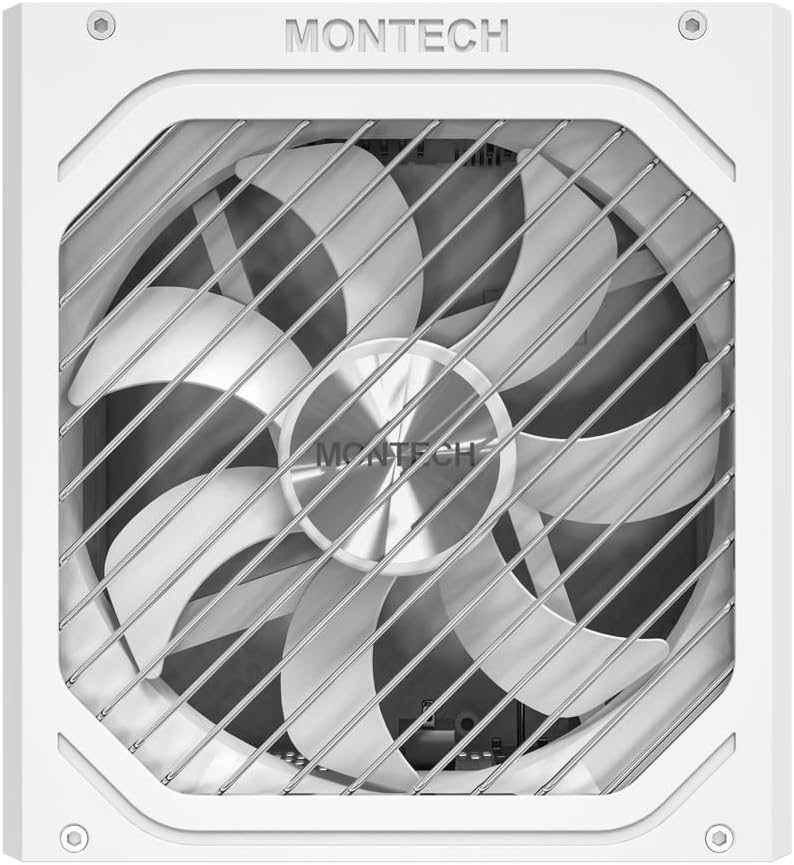
Imatge: De dalt a baix view of the Montech Titan PLA 850W Power Supply fan, visible through the protective grill.
7. Manteniment
To ensure the longevity and optimal performance of your Montech Titan PLA 850W PSU, follow these maintenance guidelines:
- Eliminació de pols: Periodically clean the exterior of the PSU and the fan grill to prevent dust buildup. Use compressed air to gently clear dust from the fan blades and internal components. Always disconnect the AC power before cleaning.
- Condicions ambientals: Operate the PSU in a well-ventilated area, away from direct sunlight, heat sources, and excessive humidity.
- Inspecció del cable: De tant en tant, comproveu totes les connexions dels cables modulars per assegurar-vos que estiguin ben fixades i que no estiguin danyats.
8. Solució De Problemes
If you encounter issues with your Montech Titan PLA 850W PSU, refer to the following common problems and solutions:
| Problema | Causa possible | Solució |
|---|---|---|
| El sistema no s'encén. | AC power cord disconnected. PSU switch is OFF. Connexions de cable soltes. Component defectuós. | Assegureu-vos que el cable de CA estigui ben connectat. Flip PSU switch to 'ON' (I). Check all modular cable connections. Test PSU with a PSU tester (if available) or try minimal components. |
| System powers on but is unstable/shuts down. | Sobrecàrrega. Sobreescalfament. Component defectuós. | Assegureu-vos que tot el sistema estigui aiguattage no supera els 850W. Check for proper case ventilation and dust buildup. Verify all components are correctly installed. |
| El ventilador de la font d'alimentació no gira. | Zero RPM mode active. Obstrucció del ventilador. Ventilador defectuós. | This is normal under low loads. The fan will spin up when needed. Check for any obstructions. Clean dust if necessary. If fan never spins under load, contact support. |
If the problem persists after attempting these solutions, please contact Montech customer support for further assistance.
9. Especificacions
Detailed specifications for the Montech Titan PLA 850W Power Supply:
| Característica | Especificació |
|---|---|
| Nom del model | TITAN PLA 850W |
| Wattage | 850 watts |
| Certificació d'eficiència | 80 PLUS Platinum, Cybenetics Platinum |
| Factor de forma | ATX |
| Dimensions (L x A x A) | 6.3 x 5.91 x 3.39 polzades (160 x 150 x 86 mm) |
| Tipus de ventilador | 135mm Fluid Dynamic Bearing (FDB) |
| Condensadors | 100% Japanese 105°C |
| Modular | Totalment Modular |
| Estàndard ATX | ATX 3.1 |
| Estàndard PCIe | PCIe 5.1 |
| Proteccions | OVP, OPP, SCP, OCP, UVP, OTP |
| Entrada Voltage | 100-240VAC |
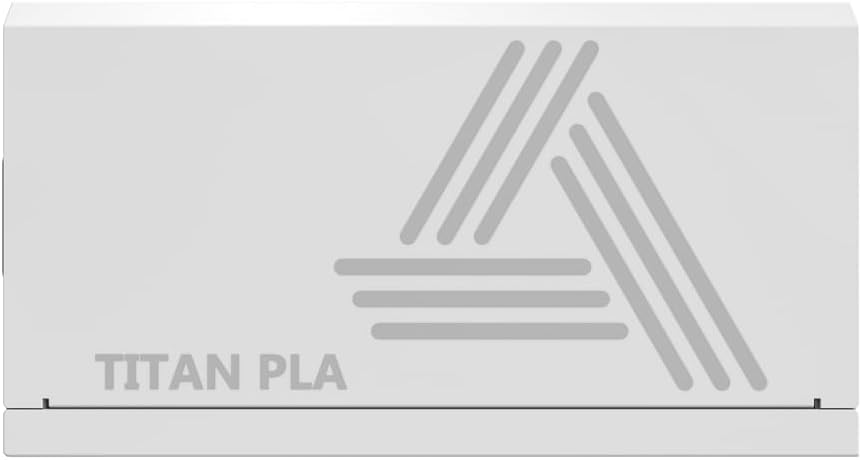
Image: Rating label of a Montech Titan PLA power supply (750W variant shown), detailing AC input and DC output specifications.
10. Garantia i Suport
The Montech Titan PLA 850W Power Supply is backed by a Garantia del fabricant de 10 anys, covering defects in materials and workmanship under normal use. For warranty claims or technical support, please visit the official Montech weblloc web o poseu-vos en contacte amb el seu departament d'atenció al client. Conserveu el comprovant de compra per validar la garantia.
For the most up-to-date support information, please refer to the official Montech support channels.


