Introducció
This user manual provides detailed instructions for the BenQ Zowie XL2546X+ 24.1-inch Fast TN 280Hz Gaming Monitor. Please read this manual thoroughly before using the monitor to ensure proper setup, operation, and maintenance. Retain this manual for future reference.
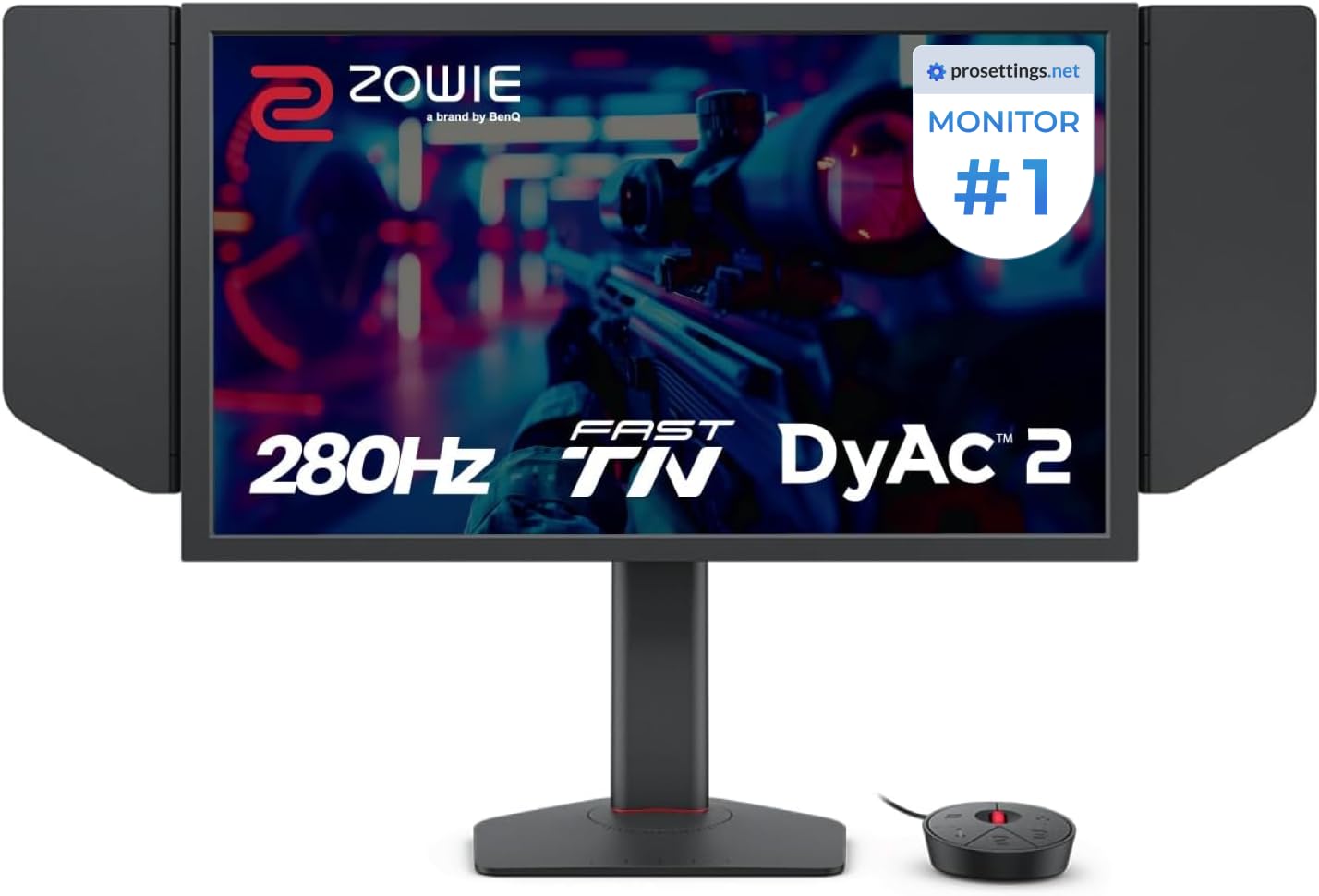
Figure 1: BenQ Zowie XL2546X+ Gaming Monitor Overview
1. Configuració
1.1 Desembalatge i muntatge
Traieu amb cura tots els components de l'embalatge. Assegureu-vos que hi hagi els elements següents:
- BenQ Zowie XL2546X+ Monitor Panel
- Suport de monitor (base i coll)
- Shielding Hoods (Left and Right)
- Interruptor S
- Cable d'alimentació
- Cable DisplayPort
- Cable USB
- Guia d'inici ràpid i targeta de garantia
- Fixeu el coll del monitor a la base i fixeu-lo amb el cargol proporcionat.
- Carefully attach the assembled stand to the back of the monitor panel until it clicks into place.
- Slide the shielding hoods into the slots on the sides of the monitor panel.

Figure 2: Monitor Assembly with S-Switch and Shielding Hoods
1.2 Cables de connexió
Connecteu els cables necessaris al monitor i a l'ordinador:
- Connect the DisplayPort cable from your computer's graphics card to the DisplayPort input on the monitor.
- Connect the USB cable from your computer to the upstream USB port on the monitor to enable the S-Switch and USB hub functionality.
- Connecteu el cable d'alimentació a l'entrada d'alimentació del monitor i després a una presa de corrent.
- Connect the S-Switch to its dedicated port on the monitor.

Figura 3: Ports de connectivitat del monitor
1.3 Encès inicial
Press the power button located on the bottom right of the monitor or on the S-Switch to turn on the display. The monitor should automatically detect the input signal from your computer.
2. Funcionament del monitor
2.1 Navegació pel menú en pantalla (OSD)
The OSD menu allows you to adjust various monitor settings. Use the buttons on the monitor's bezel or the S-Switch to navigate and select options.

Figura 4: Interfície del menú OSD
2.2 S-Switch Functionality
The S-Switch is an external controller designed for quick access to OSD settings and custom profiles. It features a scroll wheel and dedicated buttons for navigation and preset switching.
- Botons preestablerts: Quickly switch between saved display profiles (e.g., FPS Mode, Movie Mode, Standard Mode).
- Roda de desplaçament: Navegueu per les opcions del menú OSD.
- Botó enrere: Exit current menu or go back to the previous level.

Figure 5: S-Switch Controller
2.3 Característiques i ajustaments principals
- DyAc 2 (Dynamic Accuracy 2): This technology reduces motion blur, providing clearer visuals during fast-paced action. It utilizes a dual backlight design for enhanced performance and softer light output. Adjust DyAc 2 intensity via the OSD menu.

Figure 6: DyAc 2 Motion Clarity Comparison
- XL Setting to Share: This feature allows you to share and download display settings profiles. The new Auto Game Mode automatically switches color modes based on the running application, optimizing visual performance.

Figure 7: XL Setting to Share and Auto Game Mode
- Ajust d'alçada: The monitor features an industrial-grade bearing design for smooth and precise height adjustment, allowing you to position the screen at your preferred ergonomic level.

Figure 8: Industrial-Grade Height Adjustment Mechanism
- Rendiment del color: The Fast TN panel offers improved color performance compared to previous TN panels, providing more vibrant hues and better clarity.

Figure 9: Improved Visual Clarity of Fast TN Panel
For detailed adjustments of brightness, contrast, color temperature, and other display settings, refer to the full OSD menu accessible via the S-Switch or monitor buttons.
3. Manteniment
3.1 Neteja del monitor
- Apagueu sempre el monitor i desconnecteu el cable d'alimentació abans de netejar-lo.
- Utilitzeu un drap suau i sense pelusa lleugerament dampesbandida amb aigua o un netejador de pantalles suau i no abrasiu.
- No ruixeu solucions de neteja directament sobre la pantalla ni sobre elasing.
- Avoid using harsh chemicals, abrasive pads, or solvents like alcohol or ammonia, as these can damage the screen surface.
- Netegeu suaument la pantalla iasing to remove dust and smudges.
3.2 Emmagatzematge
When storing the monitor for an extended period, ensure it is powered off, unplugged, and stored in a cool, dry place away from direct sunlight and extreme temperatures. Use the original packaging if available to protect it from dust and physical damage.
4. Solució De Problemes
If you encounter issues with your BenQ Zowie XL2546X+ monitor, refer to the following common problems and solutions:
| Problema | Causa possible | Solució |
|---|---|---|
| No hi ha imatge a la pantalla | Power cable disconnected, video cable loose or incorrect input selected. | Ensure power and video cables are securely connected. Select the correct input source via the OSD menu or S-Switch. Check if the computer is powered on. |
| Imatge parpellejant o inestable | Incorrect refresh rate, faulty video cable, or graphics driver issues. | Verify the refresh rate is set correctly in your operating system (up to 280Hz). Try a different DisplayPort cable. Update your graphics card drivers. |
| Lines or static on screen | Faulty video cable, graphics card issue, or internal monitor defect. | Test with a different video cable. Connect the monitor to another computer if possible. If the issue persists and does not appear on the monitor's OSD menu, it may indicate an internal hardware defect requiring service. |
| Els colors apareixen incorrectes o descolorits | Incorrect color settings, display profile qüestions. | Adjust color settings (brightness, contrast, color temperature, gamma) in the OSD menu. Reset display settings to factory defaults. Ensure the correct color profile is selected in your operating system. |
| El monitor no s'encén | Power cable disconnected, power outlet issue, or monitor fault. | Check power cable connection. Test the power outlet with another device. If the monitor remains unresponsive, contact support. |
Si el problema persisteix després d'intentar aquestes solucions, poseu-vos en contacte amb el servei d'atenció al client de BenQ per obtenir més ajuda.
5. Especificacions
| Característica | Detall |
|---|---|
| Número de model | XL2546X+ |
| Mida de la pantalla | 24.1 polzades |
| Tipus de panell | TN ràpid |
| Resolució | 1920 x 1080 (FHD 1080p) |
| Freqüència màxima d'actualització | 280 Hz |
| Relació d'aspecte | 16:9 |
| Tecnologia de claredat de moviment | DyAc 2 |
| Connectivitat | DisplayPort, USB 2.0 (1 upstream, multiple downstream ports) |
| Color | Negre |
| Pes de l'article | 20.2 lliures |
| Dimensions del producte (LxWxH) | 22 x 8.02 x 20 polzades |
| Característiques especials | XL Setting to Share, S-Switch, Shielding Hood, Industrial-Grade Bearing Height Adjustment, Auto Game Mode |
6. Garantia i Suport
6.1 Garantia del producte
The BenQ Zowie XL2546X+ monitor typically comes with a standard manufacturer's warranty, which covers defects in materials and workmanship for a specified period, usually one year from the date of purchase. For specific warranty terms and conditions applicable to your region, please refer to the warranty card included with your product or visit the official BenQ weblloc.
6.2 Atenció al client
For technical assistance, troubleshooting, or warranty claims, please contact BenQ customer support. You can find contact information, FAQs, and driver downloads on the official BenQ weblloc:
- BenQ Oficial Weblloc: www.benq.com
- Refer to the support section for your specific region.
7. Vídeos de productes
No official product video URLs were provided in the product data. Please refer to the manufacturer's official website or authorized channels for relevant video content.


