Introducció
The ExtreLife Keychain is a versatile and durable key finder designed to help you keep track of your valuable items. Compatible with Apple's Find My network, it offers precise location tracking, sound alerts, and left-behind notifications. Its robust metal construction, IP67 waterproof rating, and rechargeable battery ensure long-lasting performance. Additionally, it features a convenient built-in bottle opener and a carabiner design for easy attachment to various items.
Característiques clau
- Funciona amb Apple Find My: Seamlessly integrates with the Apple Find My network for precise location tracking of your items. (Note: Compatible with iPhone 8 series or later running iOS 14.5 or later.)
- Altaveu: Play a sound from the keychain to easily locate misplaced items within Bluetooth range (up to 50m/160ft).
- Left-Behind Remind: Receive instant notifications on your iPhone when the keychain goes out of Bluetooth range, preventing accidental loss.
- Construcció duradora: Crafted from rugged stainless steel and metal cases, offering excellent protection against drops and scratches.
- Bateria recarregable: Equipped with a long-lasting rechargeable battery that provides up to 4 months of usage on a single charge. Includes a Type-C charging cable.
- Disseny multifuncional: Features a built-in bottle opener and a carabiner for easy attachment to keys, luggage, backpacks, pet collars, and more.
- Impermeable IP67: Certified IP67 rating ensures complete protection against dust and immersion in water up to 3 feet for 30 minutes.
Visual Overview

The ExtreLife Keychain, showcasing its compact design and integration with the Apple Find My app for easy tracking.

Detallada view of the keychain's robust all-metal construction, dual key rings, and integrated bottle opener.
Vídeos de productes
This video demonstrates the ExtreLife Keychain's core functionalities, including its compatibility with Apple Find My and the heavy-duty bottle opener feature.
Learn how the ExtreLife Keychain adds an extra level of convenience to your daily life, highlighting its various practical applications.
Guia de configuració
1. Càrrec inicial
Before first use, fully charge your ExtreLife Keychain using the provided Type-C cable. The charging port is located on the side of the device. A full charge can last up to 4 months.

The keychain features a convenient Type-C charging port, eliminating the need for disposable batteries.
2. Encès
Short press the power button once to turn on the keychain. A beep sound will indicate it is powered on.
3. Pairing with Apple Find My
- Ensure your iPhone is set up for Find My (iOS 14.5 or later) and Two-Factor Authentication is turned on for your Apple ID.
- Obriu el Troba el meu aplicació al teu iPhone.
- En el Elements pestanya, toqueu Add New Item.
- Toqueu Un altre element compatible. Your iPhone will search for your key.
- Once your key is detected, tap Connecta't.
- Follow the onscreen steps to name your item and register it to your Apple ID.
- Ensure your key appears in the Elements tab. If not, perform a factory reset on the key (press the power button 5 times in a row) and try again.
This video provides a step-by-step guide on how to pair your ExtreLife Key Finder with your Apple device using the Find My app.
Instruccions de funcionament
1. Localització del vostre article
- Obriu el Troba el meu aplicació.
- Toqueu Elements pestanya.
- Tap your key on the map.
- To play a sound alert: Tap Reprodueix el so. The keychain will emit a loud sound to help you locate it.
- To get directions: Tap Indicacions to open the Maps app and navigate to the last known location of your item.
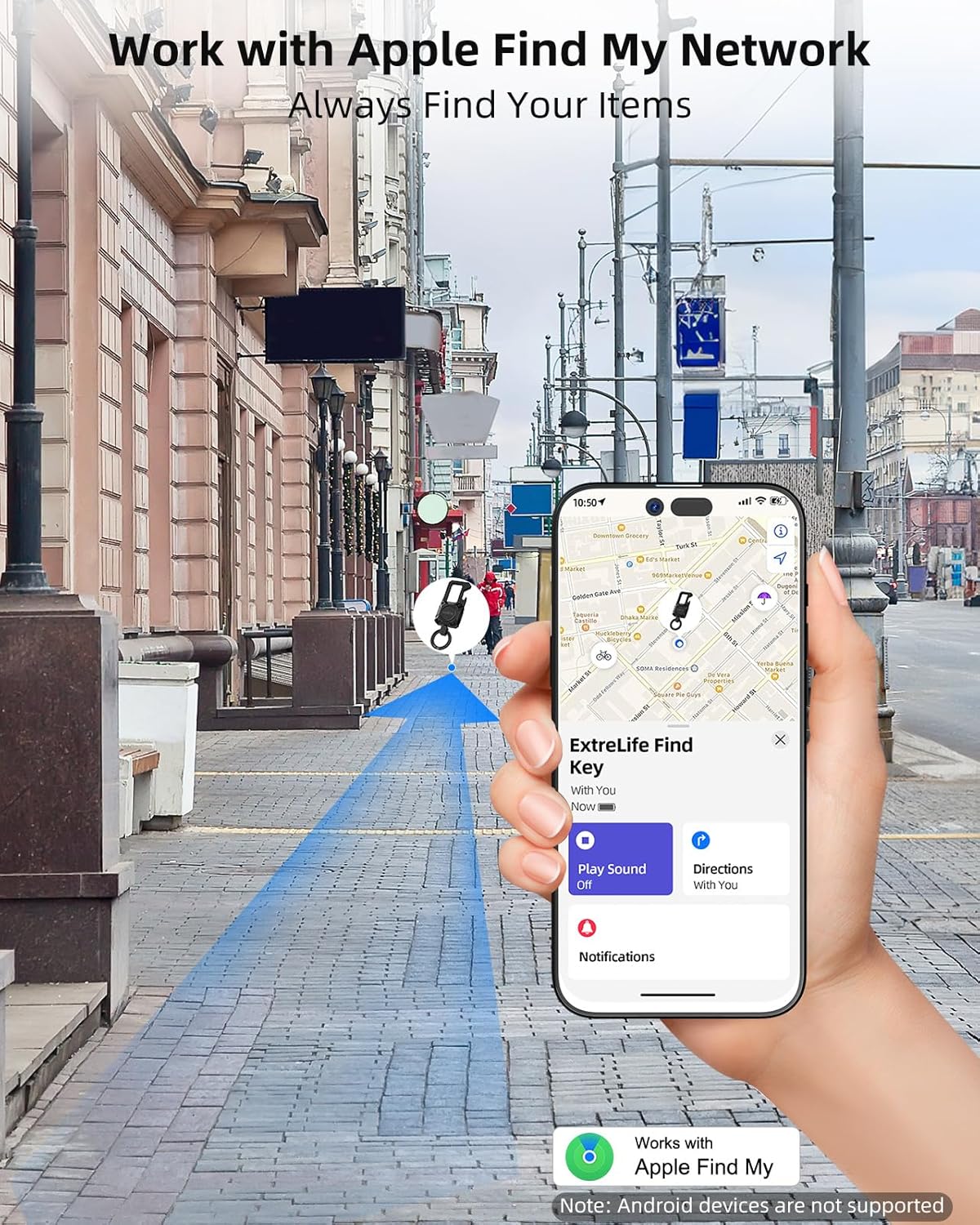
Utilize the Apple Find My network to track your keychain's location globally or locally.
2. Left-Behind Notifications
Assegureu-vos el
Documents relacionats - MFK02
 |
Manual d'usuari del suport per a cartera ExtreLife Find Manual d'usuari complet per al suport de cartera ExtreLife Find (model MF05). Aquesta guia detalla la configuració, l'emparellament amb Apple Find My, la localització, la càrrega mitjançant MagSafe, les precaucions de seguretat i el compliment de la normativa FCC per al vostre accessori de cartera. |
 |
Manual d'usuari del porta-targetes amb cartera ExtreLife MF41 Manual d'usuari del porta-targetes ExtreLife MF41, que detalla la configuració, l'emparellament amb Apple Find My, la localització, la càrrega i la informació de seguretat. |
 |
Miroddi MFK02 Find Key User Manual | Setup, Pairing, and Tracking Guide Comprehensive user manual for the Miroddi MFK02 Find Key. Learn how to set up, pair with your iPhone, locate your key, and understand safety warnings. Includes FCC compliance information. |