1. Introducció
This manual provides detailed instructions for the proper use and maintenance of your OPPO Enco Air4 Wireless Bluetooth TWS Earbuds. Please read this manual thoroughly before using the product to ensure optimal performance and longevity. Keep this manual for future reference.
2. Contingut del paquet
Verifiqueu que tots els elements siguin presents al paquet del producte:
- OPPO Enco Air4 Wireless Earbuds
- Estoig de càrrega sense fil
- Coixins per a les orelles (diverses mides)
- Manual d'usuari (aquest document)
3. Producte acabatview
The OPPO Enco Air4 earbuds are designed for a comfortable fit and high-quality audio experience, featuring Active Noise Cancellation and intuitive touch controls. The charging case provides extended battery life and convenient storage.
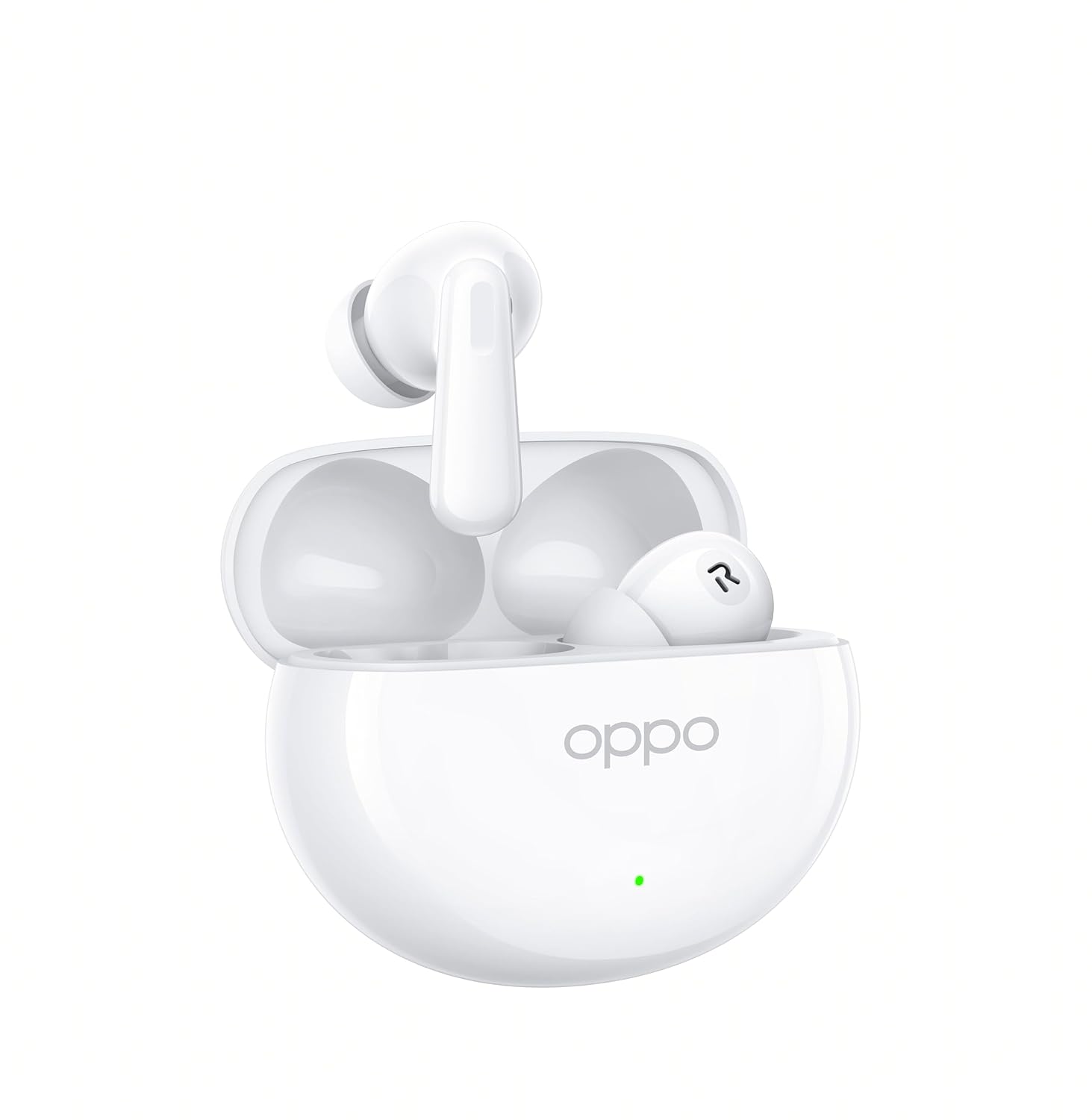
Figure 3.1: OPPO Enco Air4 Earbuds in their open charging case. The earbuds are white, with the OPPO logo visible on the case. A small LED indicator is also visible on the front of the case.

Figura 3.2: Frontal view of the two OPPO Enco Air4 earbuds. They are white, with a stem design and silicone ear tips. The speaker grilles are visible.
4. Configuració
4.1 Càrrega dels auriculars i l'estoig
Before first use, fully charge the earbuds and the charging case. The charging case acts as a portable power bank for your earbuds.
- Col·loca els auriculars a l'estoig de càrrega, assegurant-te que estiguin correctament col·locats.
- Connect the charging case to a power source using a compatible USB-C cable (not included).
- The LED indicator on the case will show the charging status. A full charge is indicated when the LED remains solid.
Note: A USB-C charging cable is required and typically not included in the package. Use a standard 5V charger.
4.2 Vinculació Bluetooth
To connect your OPPO Enco Air4 earbuds to a device:
- Assegureu-vos que els auriculars estiguin a l'estoig de càrrega i que la tapa de l'estoig estigui oberta.
- Press and hold the function button on the charging case (usually located inside or on the back) for 2 seconds until the indicator light flashes white, indicating pairing mode.
- Al dispositiu (telèfon intel·ligent, tauleta, ordinador portàtil), activeu el Bluetooth i cerqueu els dispositius disponibles.
- Select "OPPO Enco Air4" from the list of found devices.
- Once connected, the indicator light on the case will turn off or display a solid color.
Els auriculars es tornaran a connectar automàticament a l'últim dispositiu emparellat quan es treguin de l'estoig, si el Bluetooth està activat al dispositiu.
5. Instruccions de funcionament
5.1 Controls tàctils
The OPPO Enco Air4 earbuds feature customizable touch controls. The default functions are:
| Acció | Funció |
|---|---|
| Double-tap (either earbud) | Reproduir / Pausar música, Respondre / Finalitzar trucada |
| Triple-tap (either earbud) | Pista següent |
| Premeu i manteniu premut (qualsevol dels auriculars) | Canvia el mode de control de soroll (ANC activat/desactivat/Transparència) |
| Press and hold (left earbud) | Activate Voice Assistant (e.g., Google Assistant) |
Note: Specific touch control functions may be customized via the HeyMelody app (if available for your region/model).
5.2 Cancel·lació activa del soroll (ANC)
The OPPO Enco Air4 features 32dB Active Noise Cancellation to reduce ambient noise. To cycle through noise control modes (ANC On, ANC Off, Transparency Mode), press and hold either earbud for approximately 2 seconds. Transparency Mode allows you to hear your surroundings while still enjoying audio.
6. Manteniment
Un manteniment adequat garanteix la longevitat i el rendiment dels teus auriculars.
- Neteja: Regularly clean the earbuds and charging case with a soft, dry, lint-free cloth. Do not use harsh chemicals or abrasive materials. Gently clean the ear tips and speaker grilles to prevent wax buildup.
- Emmagatzematge: Quan no els utilitzeu, guardeu els auriculars a la funda de càrrega per protegir-los de la pols i els danys. Guardeu-los en un lloc fresc i sec, allunyat de la llum solar directa i de temperatures extremes.
- Resistència a l'aigua: The earbuds have an IP55 rating for water and dust resistance. This means they are protected against limited dust ingress and low-pressure water jets. They are not designed for swimming or showering. Avoid submerging them in water.
7. Solució De Problemes
If you encounter issues with your OPPO Enco Air4 earbuds, refer to the following common solutions:
- Auriculars que no s'emparellan:
- Assegureu-vos que els auriculars estiguin carregats.
- Place earbuds in the case, close the lid, then open it and press the function button to enter pairing mode.
- Desactiva i torna a activar el Bluetooth al dispositiu.
- Prova d'emparellar-lo amb un altre dispositiu per descartar problemes específics del dispositiu.
- No se sent cap so d'un auricular:
- Assegureu-vos que els dos auriculars estiguin carregats.
- Netegeu els contactes de càrrega tant dels auriculars com de la funda.
- Try resetting the earbuds (refer to the device's specific reset procedure, often involves holding the function button for an extended period).
- Volum baix o qualitat de so deficient:
- Ajusteu el volum del vostre dispositiu connectat.
- Ensure ear tips are correctly sized and form a good seal in your ear canal.
- Netegeu qualsevol residu de les reixetes dels altaveus dels auriculars.
- La caixa de càrrega no es carrega:
- Assegureu-vos que el cable USB-C estigui connectat correctament tant a la carcassa com a l'adaptador de corrent.
- Prova un cable USB-C i un adaptador de corrent diferents.
8. Especificacions
| Característica | Detall |
|---|---|
| Nom del model | Enco Air4 |
| Número de model | 110070330264 |
| Tecnologia de connectivitat | Sense fil (Bluetooth) |
| Versió Bluetooth | 4.0 |
| Interfície del maquinari | Bluetooth 5 |
| Control de soroll | Cancel·lació activa de soroll (32 dB) |
| Tipus de controlador d'àudio | Controlador dinàmic (12.4 mm) |
| Durada de la bateria (auriculars) | Fins a 12 hores |
| Temps de reproducció total (amb estoig) | Fins a 43 hores |
| Mètode de control | Toca |
| Nivell de resistència a l'aigua | IP55 (auriculars) |
| Pes de l'article (per auricular) | 4.2 grams |
| Dispositius compatibles | Cellphones, Desktops, Laptops, Smart Watch, Tablets |
| Components inclosos | Ear Cushions, Wireless Charging Case |
9. Informació de seguretat
Si us plau, observeu les següents pautes de seguretat per evitar danys al dispositiu o lesions personals:
- No desmunteu, repareu o modifiqueu el producte.
- Keep the product away from extreme temperatures, humidity, and corrosive environments.
- Avoid exposing the product to open flames or direct sunlight for prolonged periods.
- No utilitzeu el producte a un volum alt durant períodes prolongats per evitar danys auditius.
- Mantenir fora de l'abast dels nens i les mascotes. Les peces petites poden suposar un perill d'asfíxia.
- Dispose of the product and its battery responsibly, following local regulations.
10. Garantia i Suport
For warranty information, technical support, or customer service inquiries, please refer to the official OPPO website or contact your local OPPO customer service center. Ensure you have your product model number and proof of purchase available when seeking support.
Podeu visitar la botiga oficial d'OPPO per obtenir més informació: OPPO Official Store


