1. Introducció
Welcome to the Mibro C4 Smartwatch User Manual. This guide provides detailed instructions on how to set up, operate, and maintain your Mibro C4 smartwatch. Please read this manual carefully to ensure optimal performance and a seamless user experience.
2. Producte acabatview
The Mibro C4 Smartwatch is a sleek and powerful wearable device designed to enhance your daily life and fitness journey. It features a large display, comprehensive health monitoring, and various smart functions.
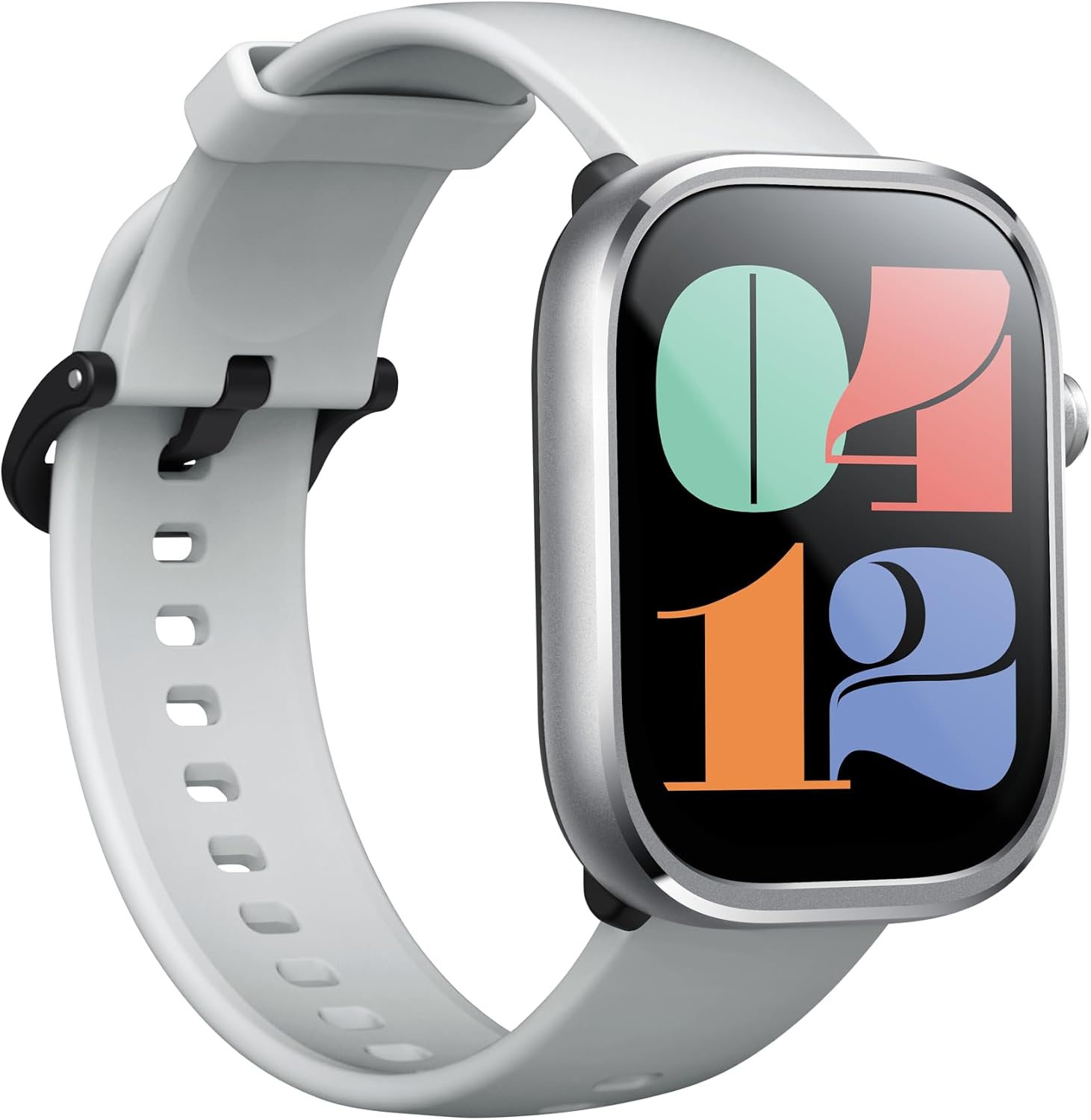
Davant view of the Mibro C4 Smartwatch, showcasing its large display and white silicone strap.
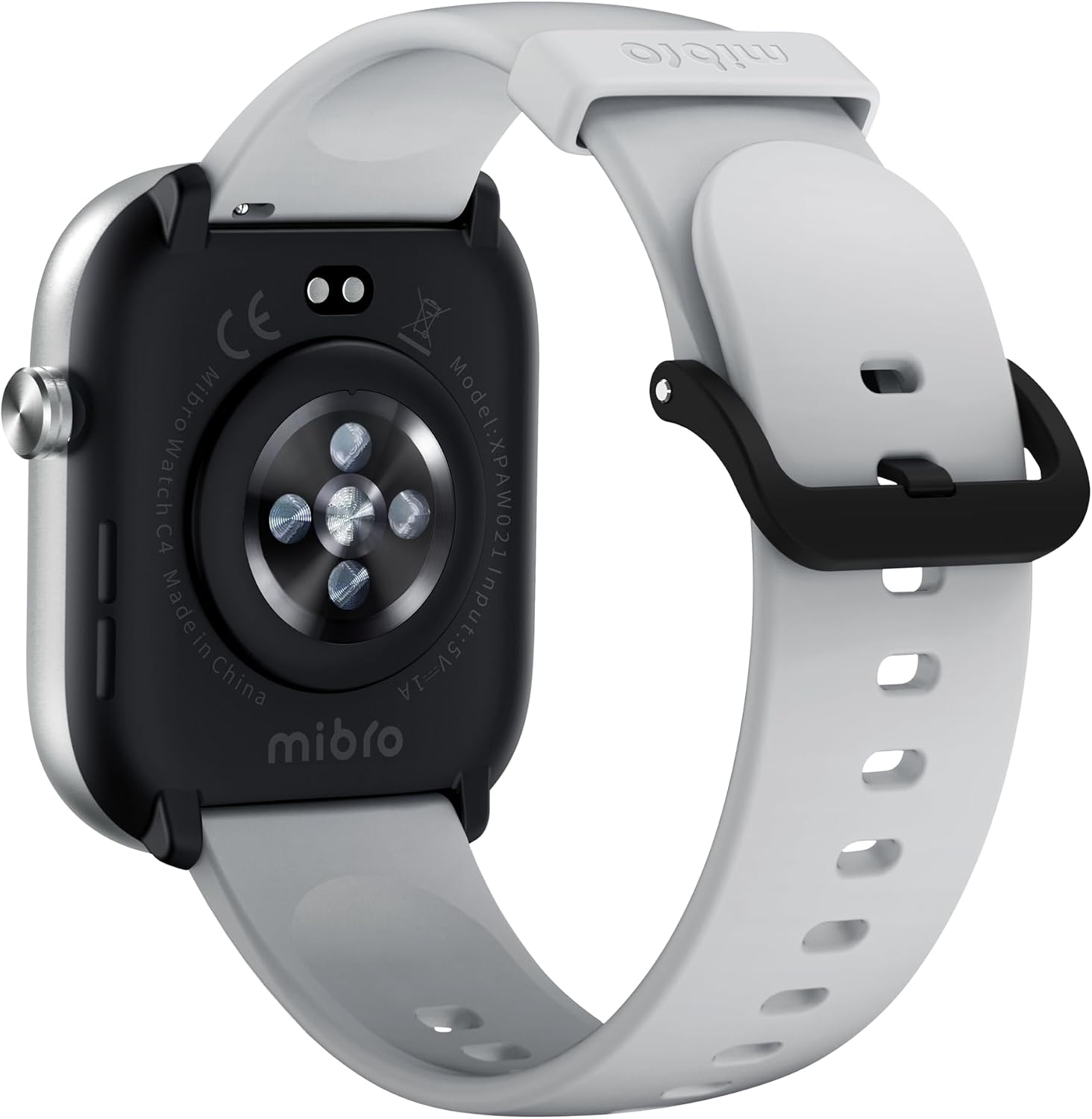
posterior view of the Mibro C4 Smartwatch, highlighting the optical heart rate sensors and charging contacts.
Característiques principals:
- Large 2.01-inch HD Display: Enjoy a clear and expansive view with an 81.7% screen-to-body ratio and a smooth 60Hz refresh rate.
- Ultra-Thin & Lightweight Design: At just 9.8mm thin and 29g light, the watch offers comfortable wear throughout the day.
- Trucades per Bluetooth: Make and receive calls directly from your wrist, providing convenience during activities.
- 24-Hour Health Management: Monitor heart rate, sleep patterns, stress levels, and track menstrual cycles.
- Més de 100 modes esportius: Track a wide range of activities with dedicated sports modes, including automatic recognition for walking and running.
- Resistència a l'aigua 2ATM: Suitable for daily splashes, sweat, and short-term swimming.
- Llarga vida útil de la bateria: Up to 10 days of battery life in daily mode.

Un acabatview of the Mibro C4 Smartwatch's main features, including its large screen, watch faces, Bluetooth calling, health tracking, sports modes, and water resistance.
3. Configuració
3.1 Càrrega del dispositiu
Before first use, fully charge your Mibro C4 Smartwatch. Connect the magnetic charging cable to the charging contacts on the back of the watch and plug the USB end into a power adapter (5V/1A recommended) or a computer USB port.
3.2 Instal·lació de l'aplicació
To unlock the full potential of your Mibro C4, download and install the companion app on your smartphone. Cerca "Mibro Fit" in the App Store (iOS) or Google Play Store (Android), or scan the QR code provided in the quick start guide.
3.3 Emparellament amb el telèfon intel·ligent
- Assegura't que el rellotge estigui carregat i encès.
- Activa el Bluetooth al teu telèfon intel·ligent.
- Obre l'aplicació Mibro Fit i segueix les instruccions que apareixen a la pantalla per crear un compte o iniciar la sessió.
- In the app, select "Add Device" or similar option and choose "Mibro C4" from the list of available devices.
- Confirma la sol·licitud d'emparellament tant al rellotge com al telèfon intel·ligent.
4. Instruccions de funcionament
4.1 Navegació bàsica
- Llisca cap amunt/avall: Desplaça't pels menús i les notificacions.
- Llisca cap a l'esquerra/dreta: Accediu a funcions o widgets ràpids (per exemple, freqüència cardíaca, temps, control de música).
- Toca: Selecciona un element o confirma una acció.
- Premeu el botó lateral: Wake up the screen, return to the home screen, or access the app list.

The Mibro C4 features a large 2.01-inch display, providing an expansive field of view per a una interacció fàcil.
4.2 Esferes de rellotge
Personalize your Mibro C4 with a variety of watch faces. You can download numerous beautiful watch faces from the Mibro Fit app to match your style.

A selection of personalized watch faces available for the Mibro C4 Smartwatch, allowing users to customize their display.
4.3 Notificacions
Once paired, your Mibro C4 can receive notifications from your smartphone, including calls, messages, and app alerts. Ensure notification permissions are enabled in both your phone settings and the Mibro Fit app.
Trucades Bluetooth 4.4
The Mibro C4 supports Bluetooth calling, allowing you to answer incoming calls directly from your wrist. This feature is convenient when your phone is not immediately accessible.

The Mibro C4 Smartwatch demonstrating its stylish Bluetooth calling capability, allowing users to answer calls directly from their wrist.
4.5 Control de música
Control music playback on your smartphone directly from your watch. You can play, pause, skip tracks, and adjust volume without taking out your phone.
5. Health Management Features
The Mibro C4 provides comprehensive health monitoring features to help you stay informed about your well-being. Please note: This product is designed for daily exercise and health management purposes and is not a medical device. Data from this product should not be used for medical diagnoses or professional measurements requiring high accuracy.
5.1 Monitorització de la freqüència cardíaca
The watch continuously monitors your heart rate throughout the day. You can view your real-time heart rate on the watch or in the app. The device can also alert you to abnormal high or low heart rates.

The Mibro C4 Smartwatch displaying heart rate data, illustrating its continuous health monitoring capabilities.
5.2 Seguiment del son
The Mibro C4 automatically tracks your sleep patterns, including deep sleep, light sleep, and REM sleep stages. It also monitors daytime naps. Review your sleep data in the app to understand your sleep quality.

The Mibro C4 Smartwatch tracking sleep, with a corresponding app display showing sleep stages i durada.
5.3 Stress Monitoring
Monitor your stress levels throughout the day. The watch can provide alerts if high stress levels are detected, prompting you to take a break or engage in relaxation techniques.

A user wearing the Mibro C4 Smartwatch during exercise, illustrating its capability for continuous monitoring, including stress levels.
5.4 Menstrual Cycle Tracking
For female users, the Mibro C4 supports menstrual cycle tracking, helping you predict and manage your cycles.
6. Modes esportius
The Mibro C4 Smartwatch offers over 100 professional sports modes to accurately track your workouts and provide detailed data. It also features automatic recognition for walking and running.

A visual representation of the Mibro C4 Smartwatch's extensive range of over 100 sports modes, designed to accompany users in various athletic activities.
6.1 Automatic Sports Recognition
For walking and running, the watch can automatically detect your activity and prompt you to start the corresponding sports mode. Ensure this feature is enabled in the Mibro Fit app settings.
7. Funcions de la vida quotidiana
Beyond health and fitness, the Mibro C4 integrates seamlessly into your daily routine with several convenient features:
- Pronòstic del temps: Get real-time weather updates directly on your wrist.
- Despertador: Set alarms to wake you up or remind you of important tasks.
- Temporitzador i cronòmetre: Useful tools for various activities.
- Recordatori sedentari: Rep alertes quan hagis estat inactiu durant massa temps, animant-te a moure't.

An illustrative image showing various daily functions of the Mibro C4 Smartwatch, including weather, messages, music control, and more.
8. Durada de la bateria
The Mibro C4 Smartwatch is equipped with a long-lasting battery, providing up to 10 days of usage in daily mode. In basic mode, it can last up to 30 days. Bluetooth calling can provide up to 4 hours of talk time, and music playback up to 5 hours.
Note: Battery life is calculated under manufacturer's specified test conditions. Actual battery life may vary significantly depending on function settings, usage frequency, operating conditions, and other factors.

Details on the Mibro C4 Smartwatch's battery performance, showing durations for basic mode, daily mode, Bluetooth calls, and music playback.
9. Resistència a l'aigua
The Mibro C4 Smartwatch features 2ATM water resistance. This means it can withstand sweat during exercise, light water splashes from daily activities, and short-term swimming in a pool.
Important: The watch is not completely waterproof. Please refrain from activities such as bathing, showering, or diving where the watch would be submerged in hot water or exposed to high-pressure water jets. Water resistance performance is based on Mibro's internal tests and may vary depending on specific product conditions, user habits, and environmental factors.

The Mibro C4 Smartwatch demonstrating its water resistance, suitable for splashes and light water exposure.
10. Especificacions
| Característica | Especificació |
|---|---|
| Model | C4 |
| Color | Plata |
| Dimensions del producte | 5.1 x 4.1 x 0.98 cm |
| Pes de l'article | 45 g |
| Mida de la pantalla | 2.01 polzades |
| Resistència a l'aigua | 2ATM |
| Trucades Bluetooth | Admet |
| Bateria inclosa | No (refers to user-replaceable, internal battery is included) |
| Ús de la bateria | No (refers to user-replaceable, internal battery is used) |
11. Solució De Problemes
11.1 El rellotge no s'encén
- Assegura't que el rellotge estigui completament carregat. Connecta'l al carregador durant almenys 30 minuts.
- Press and hold the side button for 5-10 seconds to force a restart.
11.2 No es pot emparellar amb el telèfon
- Assegura't que el Bluetooth estigui activat al telèfon i que el rellotge estigui dins del seu abast.
- Reinicia tant el telèfon com el rellotge.
- Esborra la memòria cau de Bluetooth del telèfon (Android) o oblida el dispositiu a la configuració de Bluetooth (iOS/Android) i torna a intentar emparellar-lo.
- Assegureu-vos que l'aplicació Mibro Fit estigui actualitzada a la darrera versió.
11.3 Notificacions que no apareixen
- Check if notification permissions are granted for the Mibro Fit app in your phone's settings.
- Verify that app notifications are enabled within the Mibro Fit app itself.
- Assegureu-vos que el rellotge estigui connectat al telèfon mitjançant Bluetooth.
12. Manteniment
- Neteja: Regularly clean the watch and strap with a soft, dry cloth. For stubborn dirt, use a slightly damp drap i assecar bé.
- Contactes de càrrega: Mantingueu els contactes de càrrega de la part posterior del rellotge nets i lliures de residus per garantir una càrrega correcta.
- Eviteu temperatures extremes: Do not expose the watch to extremely high or low temperatures, as this can affect battery life and performance.
- Emmagatzematge: Si guardeu el rellotge durant un període prolongat, carregueu-lo al 50% aproximadament i guardeu-lo en un lloc fresc i sec.
13. Garantia i Suport
Your Mibro C4 Smartwatch comes with a standard manufacturer's warranty. For specific warranty terms and conditions, please refer to the warranty card included in your product packaging or visit the official Mibro weblloc.
For technical support, troubleshooting assistance, or any other inquiries, please contact Mibro customer service through their official channels or the Mibro Fit app's support section.


