1. Introducció
This manual provides detailed instructions for the installation, configuration, and operation of your SODOLA 6-Port 10G Web Managed Ethernet Switch. This high-performance switch is designed to enhance network connectivity with its 4x10G RJ45 ports and 2x10G SFP+ ports, supporting various speeds and advanced management features.

Figure 1: SODOLA 6-Port 10G Web Managed Ethernet Switch (Model: 4x10G RJ45+2x10G SFP+)
The switch is compliant with IEEE 802.3, IEEE 802.3u, IEEE 802.3ab, IEEE 802.3bz, and IEEE 802.3ae standards, ensuring broad compatibility and reliable performance for demanding network environments.
2. Contingut del paquet
Verify that all items are present and in good condition. If any item is missing or damaged, please contact your vendor.
- 1 x SODOLA 6-Port 10G Managed Ethernet Switch
- 1 x Manual d'usuari
- 1 x cable d'alimentació
- 4 x Reposapeus
- 1 x Certificate of Inspection
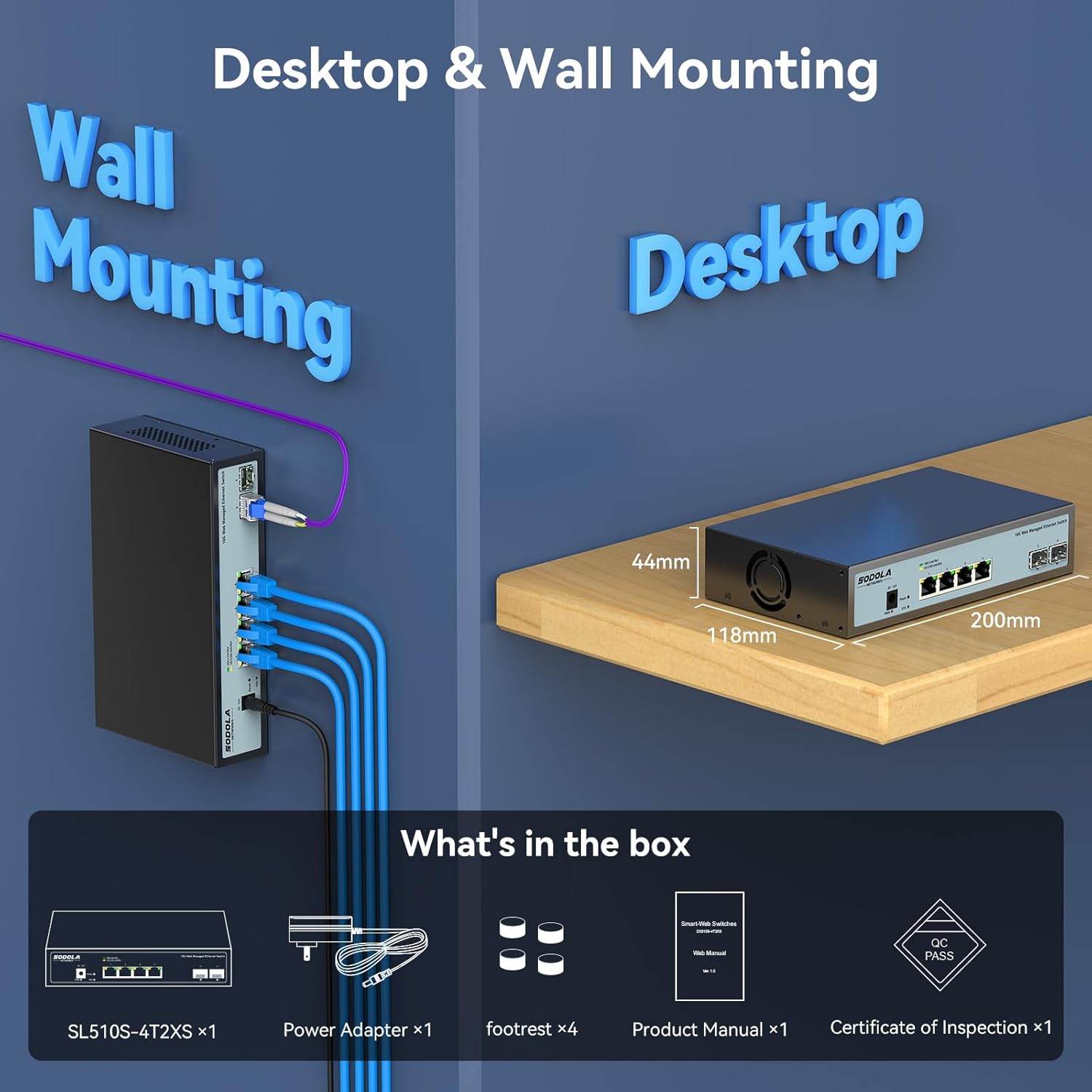
Figure 2: Included items: Switch, Power Adapter, Footrests, Product Manual, and Certificate of Inspection.
3. Maquinari acabatview
3.1 Tauler frontal
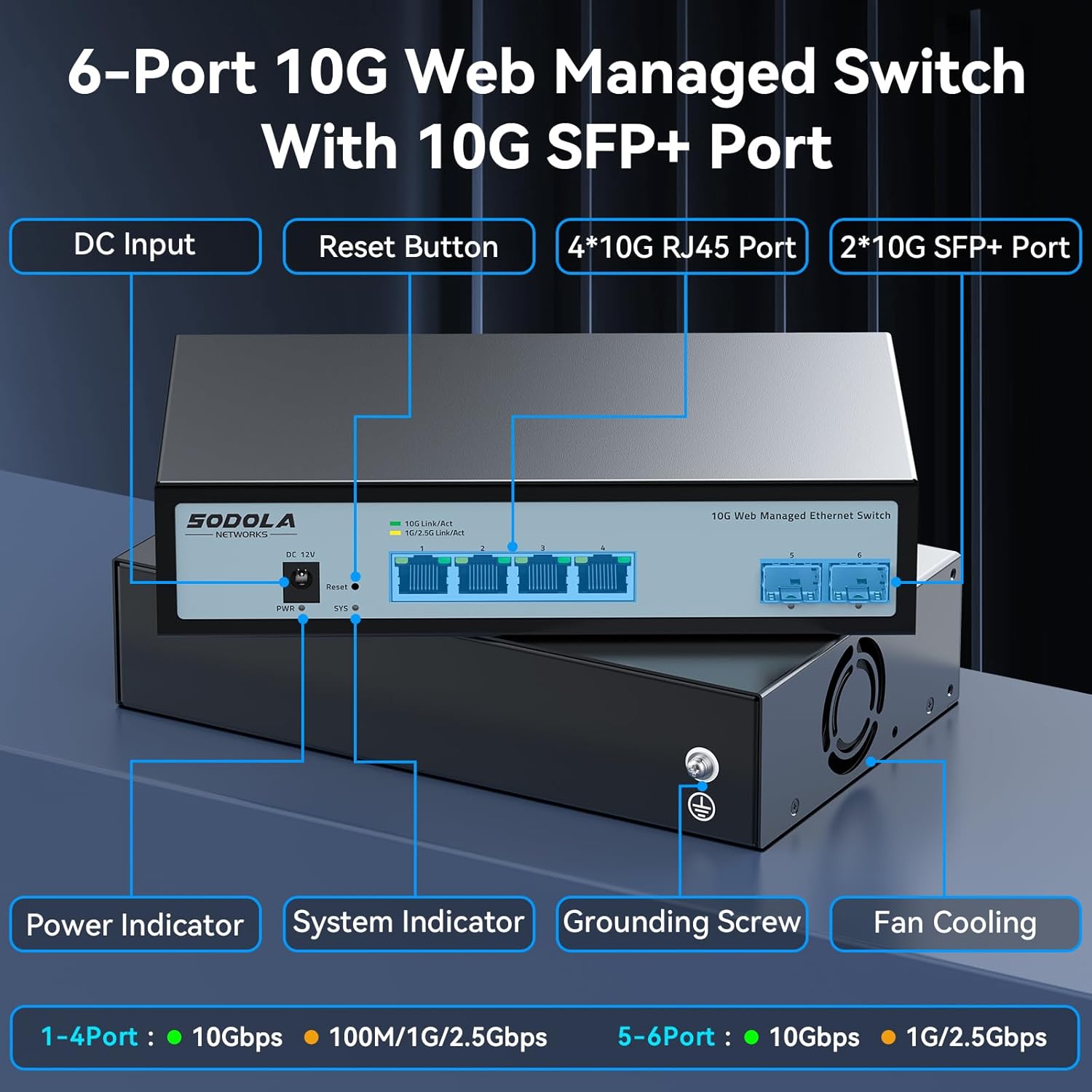
Figura 3: Disseny del panell frontal
The front panel features the following components:
- Entrada de corrent continu: Power connection port.
- Botó de restabliment: S'utilitza per restablir el dispositiu als valors predeterminats de fàbrica.
- 4 x 10G RJ45 Ports: Adaptive ports supporting 100M/1G/2.5G/5G/10G speeds.
- 2 ports SFP+ de 10G: Support manual switching between 10G/1G/100M or 2.5G/1G/100M adaptive.
- Indicador d'alimentació: Indica l'estat d'alimentació.
- Indicador del sistema: Indica l'estat operatiu del sistema.
3.2 Panell posterior
The rear panel includes a grounding screw and fan cooling vents.
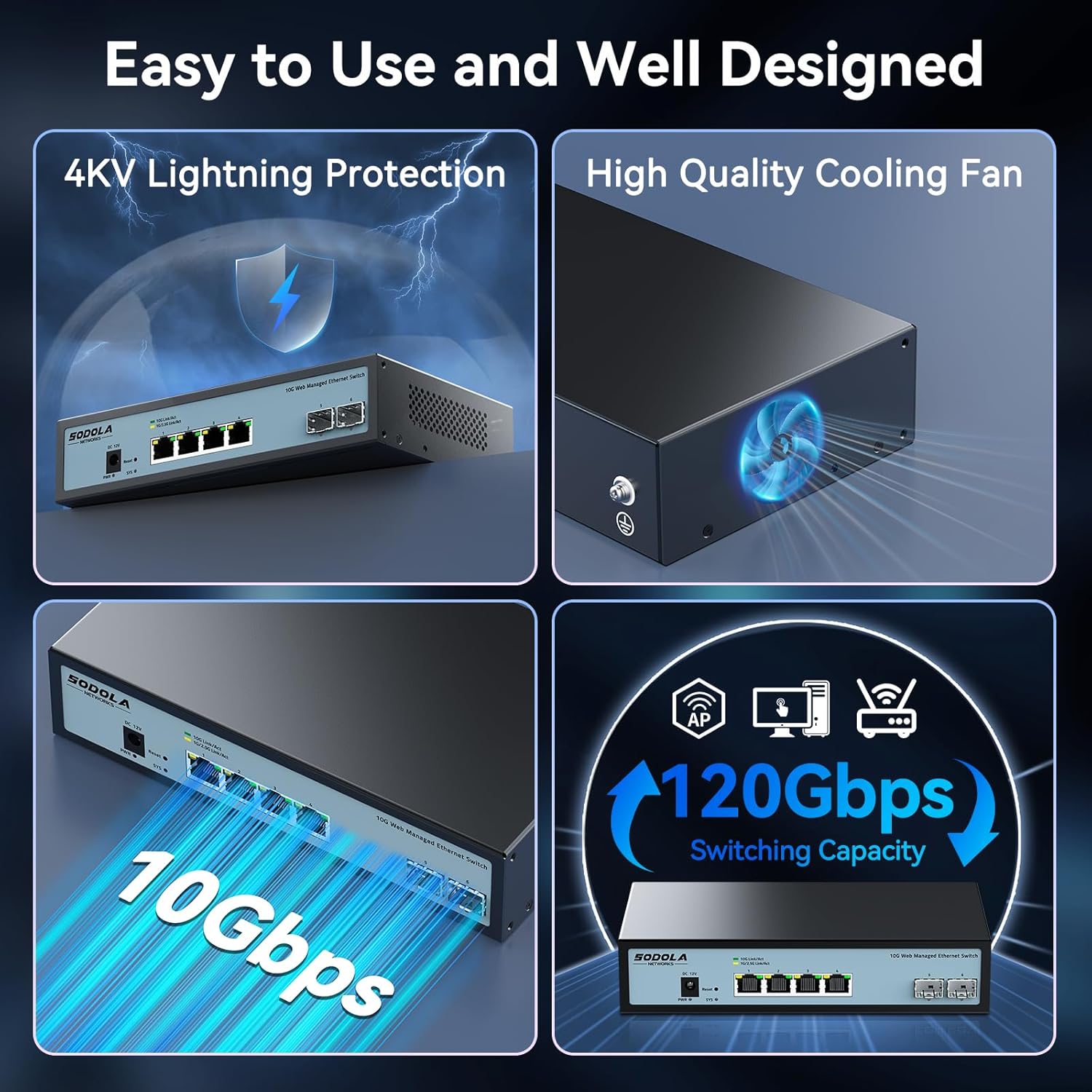
Figure 4: Rear Panel with Cooling Fan and Grounding Screw
- Cargol de presa de terra: For proper electrical grounding.
- Refrigeració del ventilador: Internal cooling fan for heat dissipation.
4. Configuració
4.1 Instal·lació física
The switch supports both desktop and wall mounting. Choose a stable, well-ventilated location for installation.

Figure 5: Desktop and Wall Mounting Options
4.2 Connexió del commutador
- Connect the power adapter to the DC input port on the switch and plug it into a power outlet.
- Connect your network devices (e.g., computers, servers, NAS, routers) to the RJ45 or SFP+ ports using appropriate Ethernet cables or SFP+ transceivers.
- Ensure proper grounding by connecting a grounding wire to the grounding screw.
Video 1: This video demonstrates the basic plug-and-play setup for a 10G Ethernet switch, showing connections to various network devices. While it features an unmanaged switch, the physical connection steps are similar.
5. Funcionament del Web Managed Interface
This switch features a web-based management interface for advanced configuration. To access it, follow these steps:
- Initial IP Configuration: Before logging in, you must set an IP address via IPv4 on your computer to match the switch's default subnet. The default IP address for the switch is typically 192.168.2.1.
- Accessing the Interface: Obre a web navegador i introduïu l'adreça IP predeterminada del commutador (per exemple, http://192.168.2.1) a la barra d'adreces.
- Inici de sessió: Enter the default credentials. The default username is admin, and there is typically no default password (leave it blank).

Figure 6: Easy Web Managed Method for Initial Access
5.1 Key Management Features
El web interface provides access to various features for network control and monitoring:
- Configuració del port: Configure individual port speeds (auto-negotiation is recommended for RJ45 ports), enable/disable ports, and manage flow control. For SFP+ ports, manual speed setting may be required for 2.5G or 1G devices.
- VLAN Management: Crear i gestionar xarxes d'àrea local virtuals per a la segmentació de xarxes.
- Agregació d'enllaços (LACP): Combineu diversos enllaços físics en un únic enllaç lògic per augmentar l'amplada de banda i la redundància.
- Qualitat de servei (QoS): Prioritzar el trànsit de xarxa per a aplicacions crítiques.
- Control de tempestes: Prevent network disruptions caused by broadcast, multicast, or unknown unicast storms.
- Mirall de ports: Supervisar el trànsit de xarxa enviant una còpia dels paquets d'un port a un altre.
- Snooping DHCP: Millora la seguretat de la xarxa filtrant els missatges DHCP que no són de confiança.
- SNMP: Monitor network devices from a central management station.
- RSTP (Rapid Spanning Tree Protocol): Prevent network loops.

Figura 7: Mésview of Web Funcions de gestió
Video 2: This video provides a demonstration of the web management interface, including login and basic configuration steps for a similar 10G managed switch. It highlights how to navigate and apply settings.
Vídeo 3: Un overview of a 10G web managed SFP+ switch, demonstrating its features and management capabilities. This can help users understand the interface and available options.
5.2 Desar la configuració
Després de fer qualsevol canvi en el web interface, it is crucial to save the configuration to ensure your settings are retained after a reboot or power cycle. Navigate to the "Maintenance" or "System" section and select "Save Configuration" or a similar option, then apply the changes.

Figure 8: Remember to Save Configuration
6. Manteniment
6.1 ventilador de refrigeració
The switch is equipped with an internal cooling fan to manage heat dissipation. If fan noise is a concern, the fan can be removed by opening the case. Ensure the device remains in a well-ventilated area if the fan is removed.
6.2 actualitzacions de microprogramari
Reviseu periòdicament el fabricant website for firmware updates to ensure optimal performance and access to the latest features and security enhancements. Follow the instructions provided with the firmware update package for proper installation.
7. Solució De Problemes
- Sense energia: Ensure the power cord is securely connected to the switch and a working power outlet. Check the power indicator LED.
- Cap enllaç/activitat al port:
- Verify the Ethernet cable is correctly connected to both the switch and the network device.
- Check the link/activity LED for the specific port.
- Assegureu-vos que el dispositiu connectat estigui encès i funcioni correctament.
- For SFP+ ports, confirm the SFP+ module is properly inserted and compatible.
- En el web interface, check the port status and ensure it is enabled and configured for the correct speed (especially for SFP+ ports).
- No es pot accedir Web Interfície:
- Ensure your computer's IP address is in the same subnet as the switch's default IP (e.g., 192.168.2.x).
- Clear your browser's cache.
- Prova una altra web navegador.
- If you have changed the switch's IP address and forgotten it, you may need to perform a factory reset using the reset button.
- Velocitat de xarxa lenta:
- Verify that all connected devices and cables support 10G speeds for optimal performance.
- Comproveu la configuració de velocitat del port a web interface; ensure auto-negotiation is enabled for RJ45 ports or the correct speed is manually set for SFP+ ports.
- Inspect cables for damage or improper termination.
8. Especificacions
| Característica | Detall |
|---|---|
| Model | 4x10G RJ45+2x10G SFP+ (Managed) |
| Tipus d'interfície | 4 x 10G Base-T Ports + 2 x 10G SFP+ Ports |
| Velocitat de transferència de dades | 10 gigabits per segon |
| Nombre de Ports | 6 |
| Material de la caixa | Metall |
| Pes de l'article | 2.05 lliures |
| Dimensions del paquet | 12.09 x 7.64 x 2.44 polzades |
| Color | Negre |
| Dispositius compatibles | Desktop, Laptop, Router |
9. Garantia i Suport
SODOLA offers a one-year free replacement for any non-human-induced quality issues and lifetime technical support. For assistance, please contact Sodola Networks customer service.
Per obtenir més informació i suport, visiteu el Sodola Store on Amazon.


