1. Introducció
Thank you for choosing the PERLEGEAR PGFS14W TV Stand. This manual provides essential information for the safe and correct assembly, operation, and maintenance of your new TV stand. Please read these instructions carefully before installation and keep them for future reference.
This freestanding TV stand is designed to accommodate most 30-60 inch flat-panel TVs, offering flexibility with its hidden casters, adjustable height, swivel, and tilt functions. Its sleek design integrates well into various living spaces.
2. Informació de seguretat
ADVERTIMENT:
This TV stand poses a risk of tipping if not used correctly. It features hidden casters, so please handle with care during movement. Ensure correct assembly and usage to prevent accidents. Always verify that your TV's weight and VESA pattern are within the stand's specifications before installation.
Do not exceed the maximum load capacity of 40 kg (88 lbs). Overloading can result in serious injury or product damage.
Mantingueu els nens allunyats de la zona de muntatge. Les peces petites poden ser un perill d'asfíxia.
3. Contingut del paquet
Please check that all components are present and undamaged. If any parts are missing or defective, contact customer service immediately.
- Placa base
- Columna de suport
- Suport de muntatge de TV
- Adjustable Media Shelf
- Hidden Casters (pre-installed or to be installed)
- Hardware Kit (screws, washers, spacers, tools)
- Manual d'instruccions

4. Especificacions
| Característica | Especificació |
|---|---|
| Número de model | PGFS14W |
| Mides de TV compatibles | 30 - 60 polzades |
| Capacitat de càrrega màxima | 40 kg (88 lliures) |
| Compatibilitat VESA | 75x75mm a 400x400mm |
| Ajust d'alçada | 8 levels (tool-free adjustment for TV bracket) |
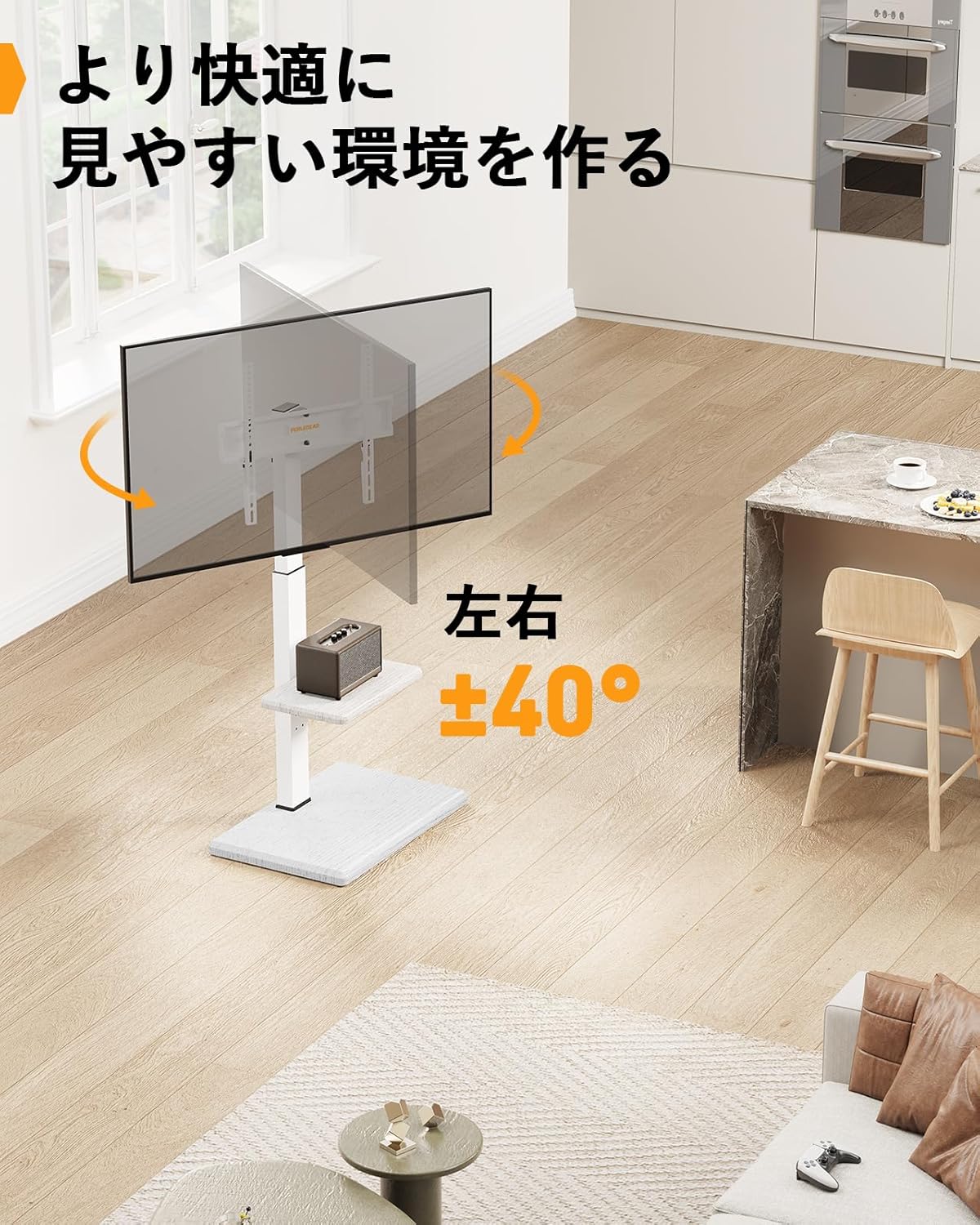
| Angle de gir | ±40 graus |
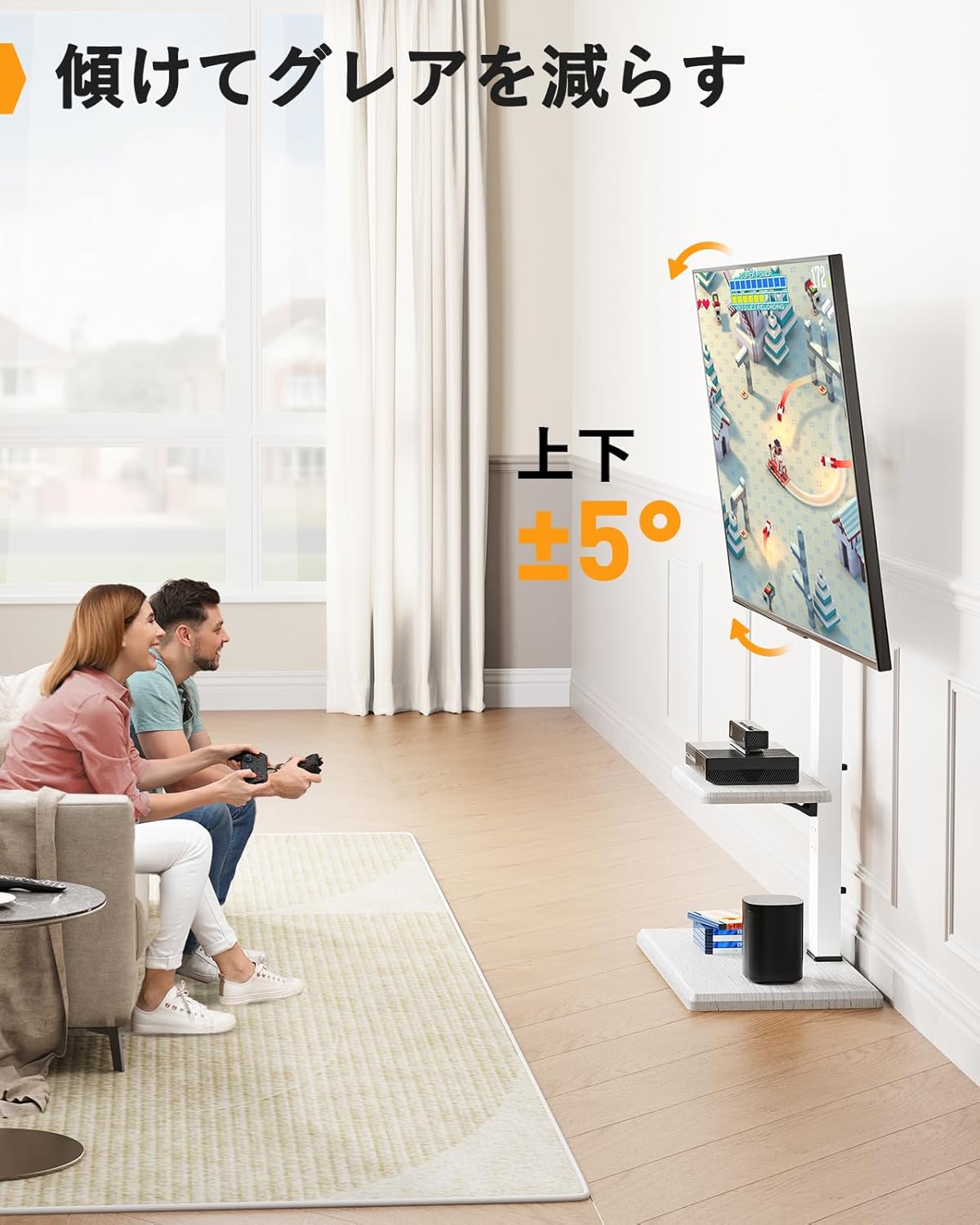
| Angle d'inclinació | ±5 graus |
| Dimensions del producte (LxWxH) | 35 x 55 x 128 cm (13.8 x 21.7 x 50.4 polzades) |
| Pes del producte | 8.5 kg (18.7 lliures) |
| Color | White (Wood Grain Finish) |

5. Instruccions de configuració
Seguiu aquests passos amb atenció per a un muntatge correcte. Es recomana que hi hagi dues persones per a certs passos, especialment a l'hora de muntar el televisor.
- Muntar la base: Attach the support column to the base plate using the provided screws and tools. Ensure all connections are secure.
- Instal·leu el prestatge multimèdia: Secure the adjustable media shelf to the support column at your desired height. This shelf can be repositioned later if needed.
- Fixeu els suports de TV al televisor: Identify the correct screws, washers, and spacers for your TV's VESA mounting holes. Attach the TV mounting brackets to the back of your TV. Ensure they are level and securely fastened.
- Muntar el televisor al suport: With assistance, carefully lift your TV and hook the TV brackets onto the mounting plate of the stand. Secure the TV to the stand using the safety screws or locking mechanisms provided.
- Gestió de cables: Utilize the cable management clips or channels on the support column to organize and conceal TV and device cables for a tidy appearance.

6. Instruccions de funcionament
The PERLEGEAR PGFS14W TV Stand offers several adjustment features for optimal viewcomoditat.
6.1 Ajust d'alçada
The TV mounting bracket allows for 8 levels of height adjustment. To adjust the height, remove the TV from the stand (with assistance), reposition the TV brackets on the support column to the desired height, and then re-mount the TV. The media shelf can also be adjusted independently.

6.2 Funció de gir
The TV can be swiveled up to ±40 degrees left or right. Gently push the TV to the desired angle. This allows for flexible viewing from different positions in a room.
6.3 Funció d'inclinació
The TV can be tilted up to ±5 degrees vertically. This feature helps reduce glare and optimize viewing angles. Loosen the tilt adjustment knobs on the TV brackets, adjust to the desired angle, and then tighten the knobs securely.
6.4 Mobility with Hidden Casters
The stand is equipped with hidden casters on the base, allowing for easy movement of the TV stand. To move the stand, ensure the TV is securely mounted and any cables are managed to prevent snagging. Gently push the stand to its new location. For stationary use, ensure the casters are locked if they have a locking mechanism, or position the stand carefully to prevent unintended movement.

7. Manteniment
Un manteniment regular garanteix la longevitat i el funcionament segur del vostre suport per a TV.
- Neteja: Netegeu el suport amb un drap suau i sec. Eviteu productes de neteja abrasius o dissolvents que puguin danyar l'acabat.
- Comprovació de maquinari: Reviseu periòdicament tots els cargols i connexions per assegurar-vos que estiguin ben ajustats i segurs. Torneu a apretar-los si cal.
- Inspecció de rodes: Ensure casters are free of debris and roll smoothly. Clean as needed.
8. Solució De Problemes
Si teniu problemes amb el suport del televisor, consulteu els següents problemes i solucions habituals:
- La posició de suport es nota inestable:
- Ensure all screws are tightened according to the assembly instructions.
- Verify the TV weight does not exceed the maximum load capacity.
- Place the stand on a flat, level surface.
- Difficulty adjusting height/swivel/tilt:
- For height adjustment, ensure the TV is removed before repositioning the brackets.
- For tilt adjustment, ensure the knobs are loosened before adjusting and tightened afterward.
- Ensure no cables are obstructing movement.
- Rodes que no giren suaument:
- Check for debris (hair, dust) caught in the casters and clean them.
- Ensure the floor surface is clean and free of obstructions.
If problems persist, please contact PERLEGEAR customer support.
9. Garantia i Suport
PERLEGEAR stands behind the quality of its products. This TV stand comes with a standard manufacturer's warranty. For detailed warranty information, please refer to the warranty card included with your purchase or visit the official PERLEGEAR weblloc.
For technical support, missing parts, or any questions regarding your PERLEGEAR PGFS14W TV Stand, please contact our customer service team:
- Correu electrònic: support@perlegear.com
- Weblloc: www.perlegear.com
Please have your model number (PGFS14W) and purchase date ready when contacting support.


