Introducció
This manual provides detailed instructions for the KINMATES TikTok Scrolling Ring and Page Turner, Model T01. This device offers hands-free control for various applications, including social media scrolling, e-book page turning, and remote camera operation. Please read this manual thoroughly before using your device.
Producte acabatview
The KINMATES T01 is a compact, wearable Bluetooth remote designed to enhance your digital experience. Its ergonomic ring design ensures comfortable use for extended periods.
- Hands-Free Scrolling: Effortlessly navigate TikTok and other video apps.
- E-Book Page Turning: Conveniently turn pages in compatible e-reading applications on iPads and Android tablets.
- Control remot de la càmera: Capture photos and videos remotely.
- Recarregable: Long-lasting battery with quick recharging.
- Disseny portàtil: Lightweight and comfortable for on-the-go use.
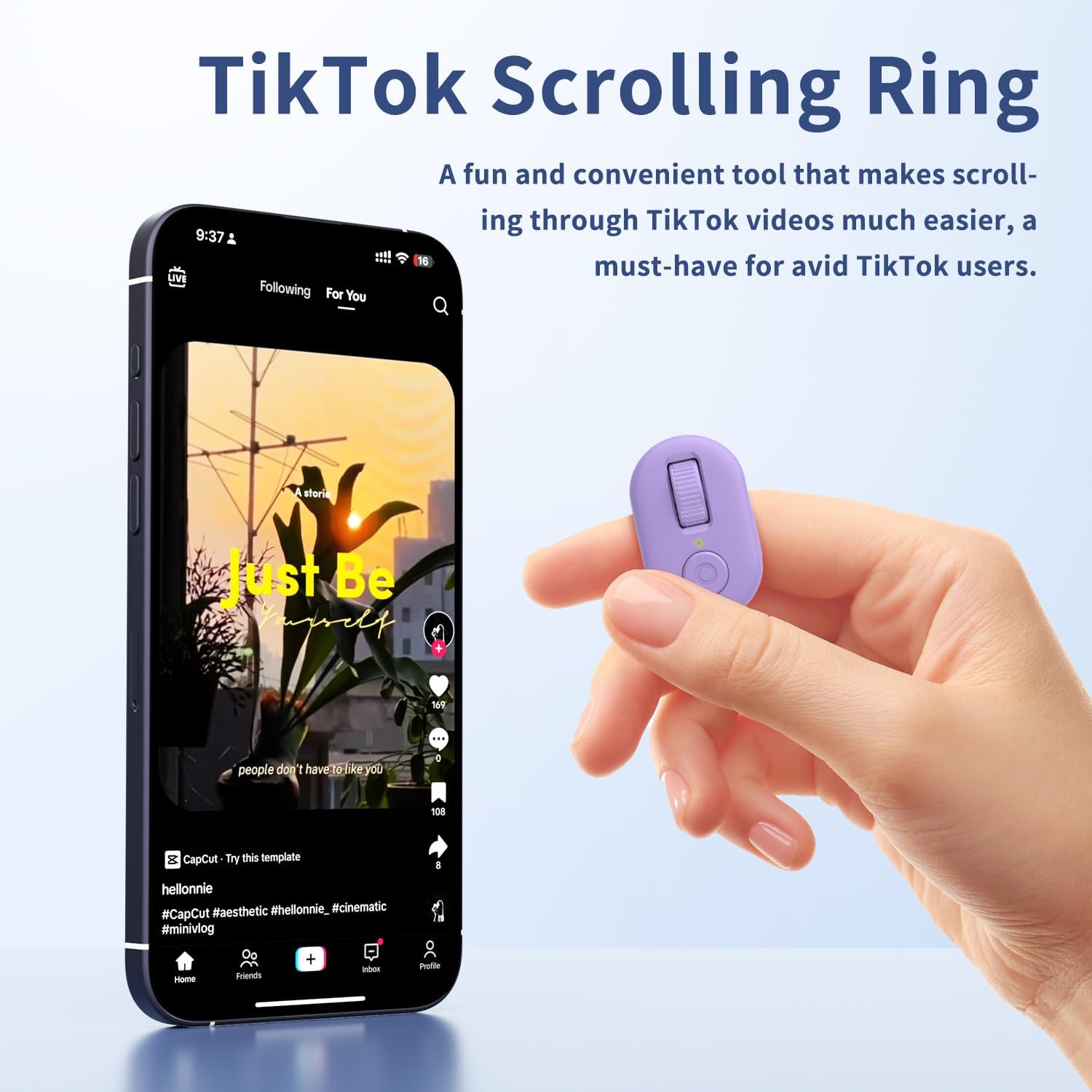
Image: The KINMATES TikTok Scrolling Ring, showing its compact size and accompanying charging case. The ring features a scroll wheel and a button.
Què hi ha a la caixa
- KINMATES TikTok Scrolling Ring (Model T01)
- Estoig de càrrega
- Cable de càrrega USB-C
- Manual d'usuari
Configuració
1. Càrrega del dispositiu
Before first use, fully charge the scrolling ring. Place the ring into its charging case and connect the USB-C cable to a power source. The indicator light on the case will show charging status.

Image: Illustration showing the KINMATES Scrolling Ring in its charging case, connected via USB-C cable, with battery indicators. The text highlights fast charging and ultra-long battery life.
2. Emparellament Bluetooth
- Ensure your device (smartphone or tablet) has Bluetooth enabled.
- Take the scrolling ring out of its charging case. It will automatically enter pairing mode.
- On your device, go to Bluetooth settings and select "T01" or a similar name to connect.
- For iOS devices, ensure AssistiveTouch is enabled for full functionality:
- Vés a Configuració > Accessibilitat > Toca > AssistiveTouch.
- Commuta AssistiveTouch a ON.

Image: A smartphone screen displaying Bluetooth settings with the KINMATES T01 device listed as connected, alongside the scrolling ring and its charging case.

Image: Screenshots illustrating the steps to enable AssistiveTouch on iOS devices: Settings > Accessibility > Touch > AssistiveTouch.
3. Canvi de mode
The KINMATES T01 supports different operating modes. If your device is not responding as expected, you may need to switch modes. Long-press the up and down buttons simultaneously until the indicator light flashes purple three times. This action cycles through available modes.
Video: A setup guide for the KINMATES T01 Scrolling Ring, demonstrating how to pair the device and switch between different operating modes for optimal functionality.
Instruccions de funcionament
The KINMATES T01 features a roller design for intuitive control. Wear the ring comfortably on your finger.

Imatge: Un primer pla view of the KINMATES Scrolling Ring, highlighting its ergonomic ring design and the scroll wheel for easy operation.
1. TikTok and Short Video Scrolling
- Scroll Up/Down: Use the scroll wheel to move through videos.
- Like/Interact: Press the main button (often a double-tap or single press depending on app settings) to like videos or interact with posts.
- Control de volum: Use the side button for adjusting media volume.

Image: A person relaxing while using the KINMATES Scrolling Ring to navigate TikTok videos on a smartphone, demonstrating hands-free operation.
2. E-Book Page Turning
The ring functions as a page turner for compatible e-book applications on iPad and Android tablets. Note: Not suitable for Kindle devices (e.g., Paperwhite, Oasis, Scribe).
- Turn Page Forward/Backward: Use the scroll wheel to navigate through pages.
- Funció de silenci: The mute button ensures quiet operation, ideal for reading without disturbing others.

Image: A person comfortably reading an e-book on a tablet, using the KINMATES Scrolling Ring for hands-free page turning.
3. Control remot de la càmera
Use the ring to remotely trigger your device's camera for photos and videos.
- Fes una foto: Premeu el botó principal una vegada.
- Inicia/Atura l'enregistrament de vídeo: Press and hold the main button (functionality may vary by app).

Image: A family on a beach taking a group photo using the KINMATES Scrolling Ring as a remote camera control, illustrating its use for selfies and group shots.
Manteniment
1. Càrrega
The ring and its charging case are equipped with rechargeable batteries. The charging box can fully charge the ring approximately 5 times. Once fully charged, the ring can operate for up to 12 hours.
- Connect the provided USB-C cable to the charging case and a compatible power adapter.
- Ensure the ring is properly seated in the charging case for optimal charging.
2. Neteja i cura
- Netegeu el dispositiu amb un drap suau i sec.
- Avoid exposing the device to extreme temperatures, moisture, or harsh chemicals.
- Store the device in its charging case when not in use to protect it and keep it charged.
Resolució de problemes
| Problema | Solució |
|---|---|
| El dispositiu no s'encén ni respon. | Ensure the device is charged. Place it in the charging case and connect to power. |
| No s'ha pogut emparellar per Bluetooth. |
|
| Scrolling or button functions not working on iOS. | Verify that AssistiveTouch is enabled in your iOS Accessibility settings (Settings > Accessibility > Touch > AssistiveTouch). |
| Device performs unexpected actions (e.g., makes calls). | The device might be in an incorrect mode. Long-press the up and down buttons simultaneously until the indicator light flashes purple three times to switch modes. |
| Page turning not working on Kindle. | The KINMATES T01 is not compatible with Kindle devices. It works with e-book apps on iPads and Android tablets. |
Especificacions
| Número de model | T01 |
| Marca | PARENTS |
| Connectivitat | Bluetooth |
| Dispositius compatibles | Smartphones, Tablets (iOS 14.8 or later for iPhone/iPad) |
| Característiques especials | TikTok Scrolling, E-book Page Turning, Remote Camera Control |
| Pes de l'article | 3.52 unces |
| Font d'alimentació | Bateria recarregable (USB-C) |
| Battery Life (Ring) | Fins a 12 hores amb una sola càrrega |
| Capacitat de la caixa de càrrega | Provides up to 5 full charges for the ring |
Garantia i Suport
For warranty information and customer support, please refer to the documentation included with your product or visit the official KINMATES weblloc. Conserveu el rebut de compra per a reclamacions de garantia.


