1. Introducció
This manual provides comprehensive instructions for the operation and maintenance of your Symcode MJ-2023 Upgraded 2D Industrial Barcode Scanner. Please read this manual thoroughly before use to ensure proper functionality and to maximize the lifespan of your device.
Característiques principals:
- Unique Designed Screen: 1.9-inch TFT Color LCD Screen displays barcode content, type, number, length, battery power, and transmission status in real-time.
- Switchable Storage Modes: Easily toggle between Storage mode (stores up to 10,000 codes for later upload) and Normal mode (direct transmission to PC).
- High-Resolution Industrial Scan Engine: Equipped with a 1-megapixel optical lens for swift and accurate reading of various printed and screen-displayed barcodes, even if damaged or poorly printed.
- Exceptional Signal Range: 433MHz RF wireless transmission up to 1968 feet (600 meters) in unobstructed environments and 656 feet (200 meters) with obstacles.
- Càrrega sense fils: Convenient wireless charging by placing the scanner on its stand.
- Àmplia compatibilitat: Compatible with Windows, Mac OS, iOS, Android, and software like QuickBooks, Word, Excel.
- Disseny durador: Shock and dust proof, designed to withstand multiple drops from 8 feet (2.5 meters).
2. Configuració
Contingut del paquet:
- Symcode MJ-2023 Barcode Scanner
- Base de càrrega
- Charging Cord (USB Cable)
- Manual d'usuari (aquest document)
Càrrega de l'escàner:
Place the scanner onto the charging cradle. The scanner supports wireless charging. Ensure the charging cradle is connected to a power source via the provided USB cable. A full charge takes approximately 2.5 hours and provides up to 30 hours of battery life.

Figure 2.1: Symcode MJ-2023 Barcode Scanner in its charging cradle, ready for use or charging.
Modes de connexió:
The Symcode MJ-2023 offers multiple connection options for versatility:
- 433MHz Wireless: Connects via the charging base, which has a built-in 433MHz wireless receiver. This mode offers an extended transmission range, ideal for large warehouses.
- Bluetooth: Connects directly to Bluetooth-enabled devices like laptops, tablets, or smartphones.
- USB amb cable: Connects directly to a computer via the USB cable for a stable, direct connection.

Figure 2.2: Illustration of the two primary connection modes: 433MHz wireless via the charging base and direct Bluetooth connection.

Figure 2.3: Transmission range comparison: Bluetooth (15m/49ft interior) and 433MHz Wireless (600m/1968ft outdoor).
3. Instruccions de funcionament
Basic Scanning Operation:
To scan a barcode, aim the scanner's light at the barcode and press the trigger button. The scanner will emit a beep and the display screen will show the scanned data.
Display Screen Functionality:
The 1.9-inch TFT color LCD screen provides real-time feedback on your scanning activities and scanner status.

Figura 3.1: Primer pla view of the scanner's display screen.
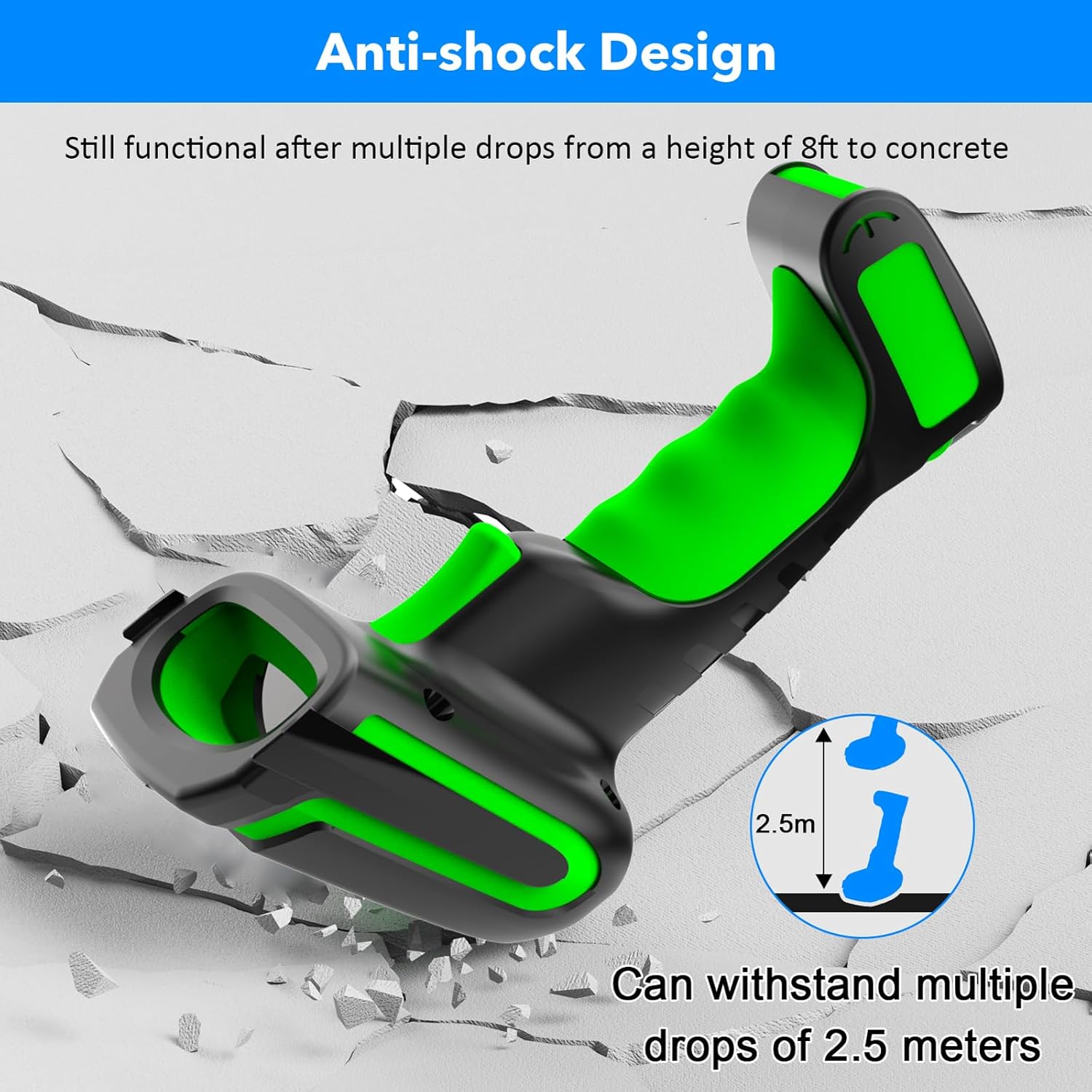
Figure 3.2: Explanation of display screen elements: 1. Time, 2. Connection status, 3. Connection mode, 4. Electricity level, 5. Store (scanned items in storage), 6. Total (total scanned items).
Storage vs. Normal Mode:
A toggle switch allows you to select between two operational modes:
- Mode d'emmagatzematge: When set to 'Storage', the scanner saves scanned barcodes internally. This is useful when working away from a computer. Data can be uploaded later. The scanner can store up to 10,000 codes.
- Mode normal: When set to 'Normal', scanned barcodes are transmitted directly to the connected computer or device in real-time.

Figure 3.3: Illustration of Storage mode (offline saving) and Normal mode (direct transfer).
Tipus de codis de barres compatibles:
The scanner supports a wide range of 1D and 2D barcode symbologies, including:
- 1D: UPC/EAN, UPC/EAN with Supplemental, UCC/EAN 128, Code 39, Code 39 Full ASCII, Trioptic Code 39, Code 128 Full ASCII, Codabar, Interleaved 2 of 5, Discrete 2 of 5, Code 93, MSI, Code 11, RSS variants, Chinese 2 of 5.
- 2D: PDF417, QR Code, Data Matrix.
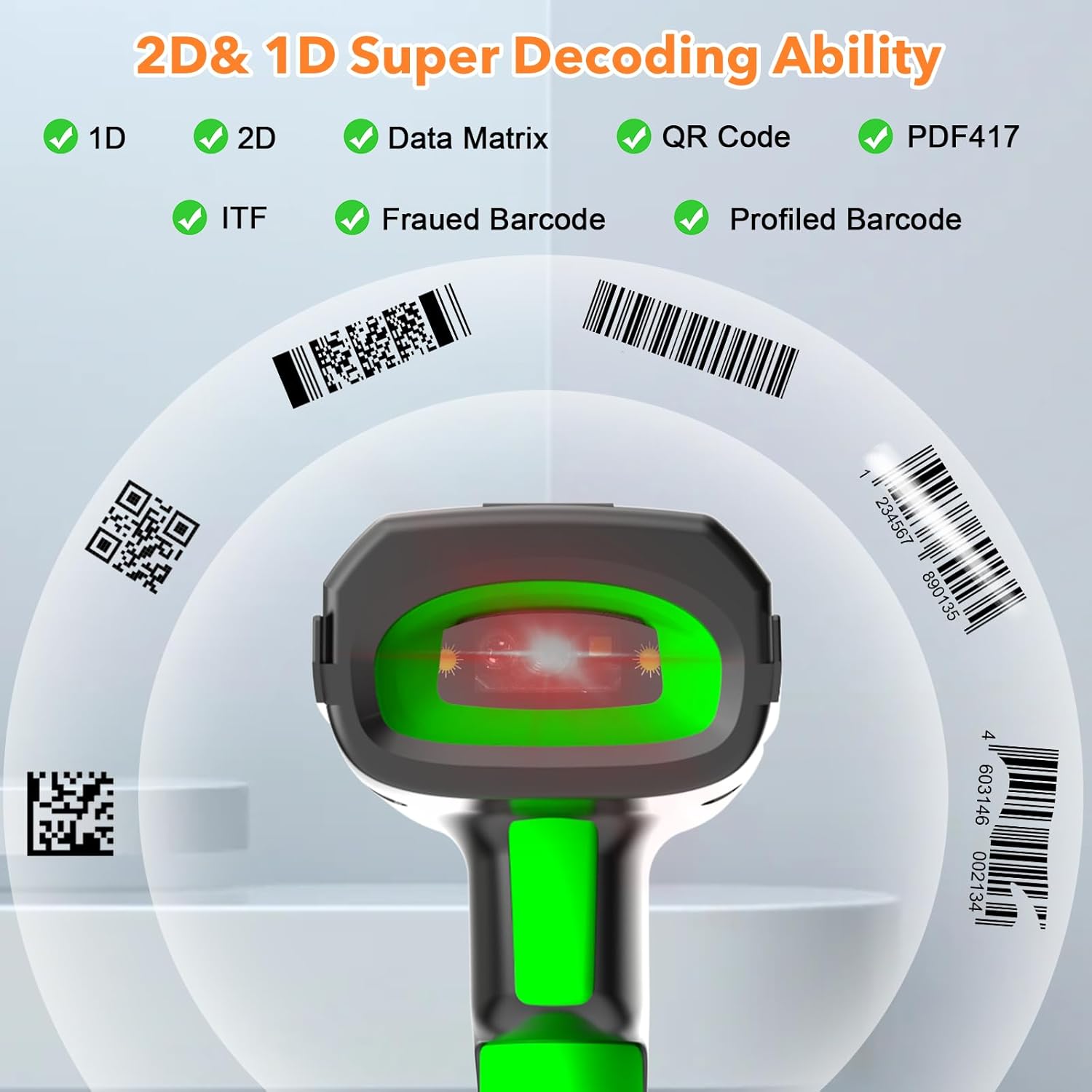
Figure 3.4: The scanner's super decoding ability for 1D and 2D barcodes.
Opcions de configuració:
The barcode reader offers over 180 configuration options. These allow you to customize the scanning output, such as adding prefixes or suffixes to scanned data, deleting starting or ending characters, or even adding keyboard keys/combinations to the scanning operation. Refer to the detailed configuration guide (if provided separately) for advanced settings.
4. Manteniment
Neteja:
Per netejar l'escàner, utilitzeu un drap suau iamp cloth. Do not use abrasive cleaners or solvents, as these can damage the device. Ensure the scanner is powered off before cleaning.
Cura de la bateria:
The scanner is equipped with a 2600 mAh high-capacity rechargeable Lithium Polymer battery. To prolong battery life:
- Eviteu descarregar completament la bateria amb freqüència.
- Guardeu l'escàner en un lloc fresc i sec quan no l'utilitzeu durant períodes prolongats.
- Carregueu la bateria regularment, fins i tot si no l'utilitzeu constantment.

Figure 4.1: Battery specifications: 2600mAh capacity, 4 hours charging time, 30 hours scanning time.
Durabilitat:
The Symcode MJ-2023 is designed with an anti-shock construction, allowing it to withstand multiple drops from a height of 8 feet (2.5 meters) onto concrete surfaces, ensuring reliability in demanding environments.

Figure 4.2: Anti-shock design demonstration.
5. Solució De Problemes
Problemes comuns i solucions:
- L'escàner no s'encén: Ensure the battery is charged. Place the scanner on the charging cradle or connect via USB cable.
- Scanner not connecting to device:
- For 433MHz wireless: Ensure the charging cradle is properly connected to your computer and the scanner is within range.
- For Bluetooth: Ensure Bluetooth is enabled on your device and the scanner is in pairing mode. Re-pair if necessary.
- For USB wired: Ensure the USB cable is securely connected to both the scanner and your computer.
- L'escàner no llegeix els codis de barres:
- Ensure the barcode is clean and not excessively damaged.
- Check if the barcode type is supported by the scanner.
- Ajusteu la distància i l'angle de l'escàner al codi de barres.
- Verify the scanner is in the correct operating mode (Normal or Storage).
- Scanned data is incorrect or incomplete: Check the scanner's configuration settings (e.g., prefix/suffix, data formatting). Reset to factory defaults if necessary (refer to the detailed configuration guide).
6. Especificacions
| Característica | Especificació |
|---|---|
| Número de model | MJ-2023 |
| Entrada Voltage | DC5V±0.25v |
| Current (Work) | 25 mA |
| Current (Instantaneous) | 95 mA |
| Velocitat de descodificació | 100 vegades/s |
| Wireless Range (433MHz) | Up to 600m (1968ft) unobstructed, 200m (656ft) with obstacles |
| Abast sense fil (Bluetooth) | Fins a 15 m (49 peus) |
| Tipus de bateria | Polímer de liti |
| Capacitat de la bateria | 2600 mAh |
| Temps de càrrega | 2.5 hores |
| Durada de la bateria | 30 hores |
| Pantalla de visualització | LCD color TFT de 1.9 polzades |
| Sistema operatiu compatible | Windows, Mac OS, iOS, Android, Linux |
| Dimensions (paquet) | 9.65 x 4.96 x 4.06 polzades |
| Pes de l'article | 1.43 lliures |
7. Informació de la garantia
The Symcode MJ-2023 Barcode Scanner is covered by the manufacturer's standard warranty. Please refer to the warranty card included in your product packaging or contact Symcode customer support for specific details regarding warranty terms and conditions.
8. Suport
For technical assistance, troubleshooting beyond this manual, or general inquiries, please contact Symcode customer support. Contact information can typically be found on the Symcode official weblloc web o a l'embalatge del producte.


