1. Introducció
Thank you for choosing the SnapUp Snapods S510 True Wireless Earbuds. These earbuds are designed to provide a superior audio experience with features like extended playtime, low-latency gaming, environmental noise cancellation, and rich bass. This manual will guide you through the setup, operation, and maintenance of your new earbuds.
2. Contingut del paquet
Marqueu la casella per als elements següents:
- SnapUp Snapods S510 True Wireless Earbuds
- Estoig de càrrega sense fil
- Cable de càrrega tipus C.
- Coixins per a les orelles (diverses mides)
- Orelles
- Manual d'usuari (aquest document)

Image: Snapods S510 Earbuds and Charging Case.
The image displays the SnapUp Snapods S510 True Wireless Earbuds securely placed within their white charging case. The case features a digital display indicating a 100% charge for both left and right earbuds, along with the case's battery level. The earbuds are white with black accents, and the case has a sleek, minimalist design.
3. Configuració
3.1 Càrrega inicial
Before first use, fully charge the Snapods S510 earbuds and their charging case. Connect the provided Type-C charging cable to the charging port on the case and plug the other end into a USB power adapter (not included).
- Insert the Type-C cable into the charging port of the case.
- Connecteu l'extrem USB-A del cable a una font d'alimentació.
- The LED indicator on the case will show charging status. A full charge typically takes about 100 minutes.

Image: Charging and Battery Information.
This image illustrates key battery and charging details for the Snapods S510. It highlights an impressive standby time of up to 8 days, a quick charging time of 100 minutes, and confirms the use of a universal Type-C charging cable. The image also shows the earbuds inside their charging case and the Type-C port on the case.
3.2 Vinculació Bluetooth
To pair your Snapods S510 with a device:
- Assegureu-vos que els auriculars estiguin carregats i col·locats dins de l'estoig de càrrega.
- Obriu la tapa de l'estoig de càrrega. Els auriculars entraran automàticament en mode d'emparellament (ho indicaran els llums LED intermitents dels auriculars).
- Al dispositiu (telèfon intel·ligent, tauleta, etc.), aneu a la configuració de Bluetooth i activeu el Bluetooth.
- Cerca available devices and select "Snapods S510" from the list.
- Once connected, the LED indicators on the earbuds will stop flashing.
The Snapods S510 supports dual pairing, allowing connection to two devices simultaneously. To switch between devices, simply pause audio on the current device and play on the other.
4. Instruccions de funcionament
4.1 Controls tàctils intel·ligents
The Snapods S510 features intuitive touch controls on each earbud:
- Reproduir/pausar música: Un sol toc a qualsevol dels auriculars.
- Pista següent: Toqueu dues vegades l'auricular dret.
- Pista anterior: Toqueu dues vegades l'auricular esquerre.
- Respondre/Finalitzar la trucada: Un sol toc a qualsevol dels auriculars.
- Rebutja la trucada: Long press on either earbud for a few seconds.
- Activate Voice Assistant (SIRI/Google Assistant): Premeu llargament durant 2 segons a qualsevol dels auriculars.
- Activa/desactiva el mode de joc: Toqueu tres vegades qualsevol dels auriculars.
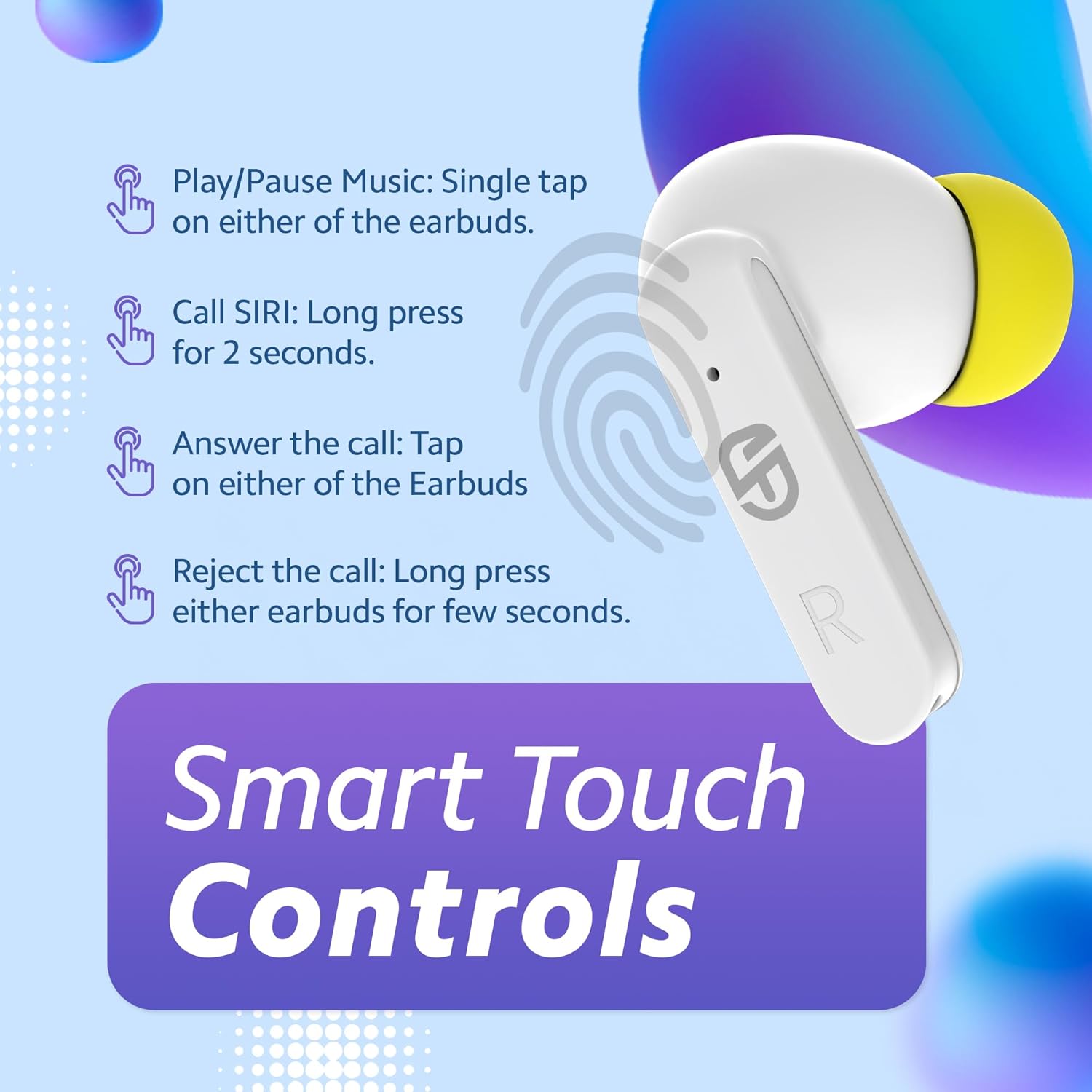
Image: Smart Touch Controls Guide.
This visual guide illustrates the various touch controls available on the Snapods S510 earbuds. It shows how to play/pause music with a single tap, call Siri (or other voice assistants) with a 2-second long press, answer calls with a tap, and reject calls with a long press. A fingerprint icon indicates the touch-sensitive area on the earbud.
4.2 Característiques clau
- 22H Playtime: Enjoy up to 22 hours of continuous audio playback with the charging case.
- 45ms Low Latency Gaming: Experience synchronized audio and visuals for an immersive gaming experience.
- ENC (Environmental Noise Cancellation): Dual microphones ensure clear calls by reducing ambient noise.
- 13mm Rich Bass Drivers: Delivers powerful and clear audio across all frequencies.
- Bluetooth 5.3: Proporciona connectivitat sense fil estable i eficient.

Image: Key Features Overview.
This image highlights four primary features of the Snapods S510: 45ms Ultra Low Latency for gaming, an immersive sound experience, powerful Super Bass, and Environmental Noise Cancellation (ENC). Each feature is presented with a relevant graphic, such as a person gaming, a person enjoying music, a sound wave graphic, and a stylized ear with sound waves.

Image: 13mm Dynamic Sound Driver.
An exploded diagram of the Snapods S510 earbud is shown, emphasizing its internal components, particularly the 13mm dynamic sound driver. This visual demonstrates the engineering behind the earbud's audio capabilities, highlighting the driver's size and its role in delivering rich bass and clear sound.
5. Manteniment
Proper maintenance ensures the longevity and optimal performance of your Snapods S510 earbuds:
- Neteja: Netegeu regularment els auriculars i l'estoig de càrrega amb un drap suau, sec i sense borrissol. No utilitzeu netejadors abrasius ni dissolvents.
- Consells per a les orelles: Remove and clean the ear tips periodically. If necessary, replace them with new ones to maintain hygiene and sound quality.
- Emmagatzematge: Quan no els utilitzeu, guardeu els auriculars a la seva funda de càrrega per protegir-los de la pols i els danys.
- Eviteu l'aigua: The earbuds are not waterproof. Avoid exposure to water, moisture, or extreme temperatures.
- Càrrega: Use only the provided Type-C cable for charging. Avoid overcharging.
6. Solució De Problemes
If you encounter issues with your Snapods S510, refer to the following common solutions:
| Problema | Possible solució |
|---|---|
| Els auriculars no s'aparellen |
|
| Només funciona un auricular |
|
| Volum baix o mala qualitat de so |
|
| Els auriculars no es carreguen |
|
7. Especificacions
| Característica | Detall |
|---|---|
| Nom del model | Snapods S510 |
| Tecnologia de connectivitat | Sense fil (Bluetooth 5.3) |
| Mida del controlador | 13mm Dynamic Sound Driver |
| Hora de joc | Fins a 22 hores (amb estoig de càrrega) |
| Latència baixa | 45 ms (mode de joc) |
| Micròfon | Dual Mic with ENC (Environmental Noise Cancellation) |
| Port de càrrega | Tipus-C |
| Tipus de control | Smart Touch Controls, Voice Control |
| Tipus de bateria | Polímer de liti |
| Temps de càrrega | Aprox. 100 minuts |
| Pes de l'article | 36 grams |
| Dimensions (producte) | 6 x 4 x 2 cm |
| Material | Acrilonitril butadiè estirè (ABS) |
8. Garantia i Suport
This product comes with a minimum six-month seller warranty. For warranty claims or technical support, please contact your point of purchase or refer to the contact information provided by the seller.
For further assistance, please visit the official SnapUp support weblloc o poseu-vos en contacte amb el seu servei d'atenció al client.


