1. Introducció
This manual provides detailed instructions for the setup, operation, and maintenance of your PXN V900 GEN2 PC Racing Wheel. Please read this manual thoroughly before use to ensure proper functionality and to maximize your gaming experience. The PXN V900 GEN2 is designed for use with PC, PlayStation 4, PlayStation 3, Xbox Series X|S, Xbox One, and Nintendo Switch.
2. Contingut del paquet
Verifiqueu que tots els elements que s'enumeren a continuació s'inclouen al vostre paquet:
- PXN V900 GEN2 Racing Wheel
- Pedal Unit (with Hall Magnetic Linear Pedals)
- Muntatge Clamps (2 unitats)
- Cable USB (Tipus C a USB-A)
- Manual d'usuari (aquest document)
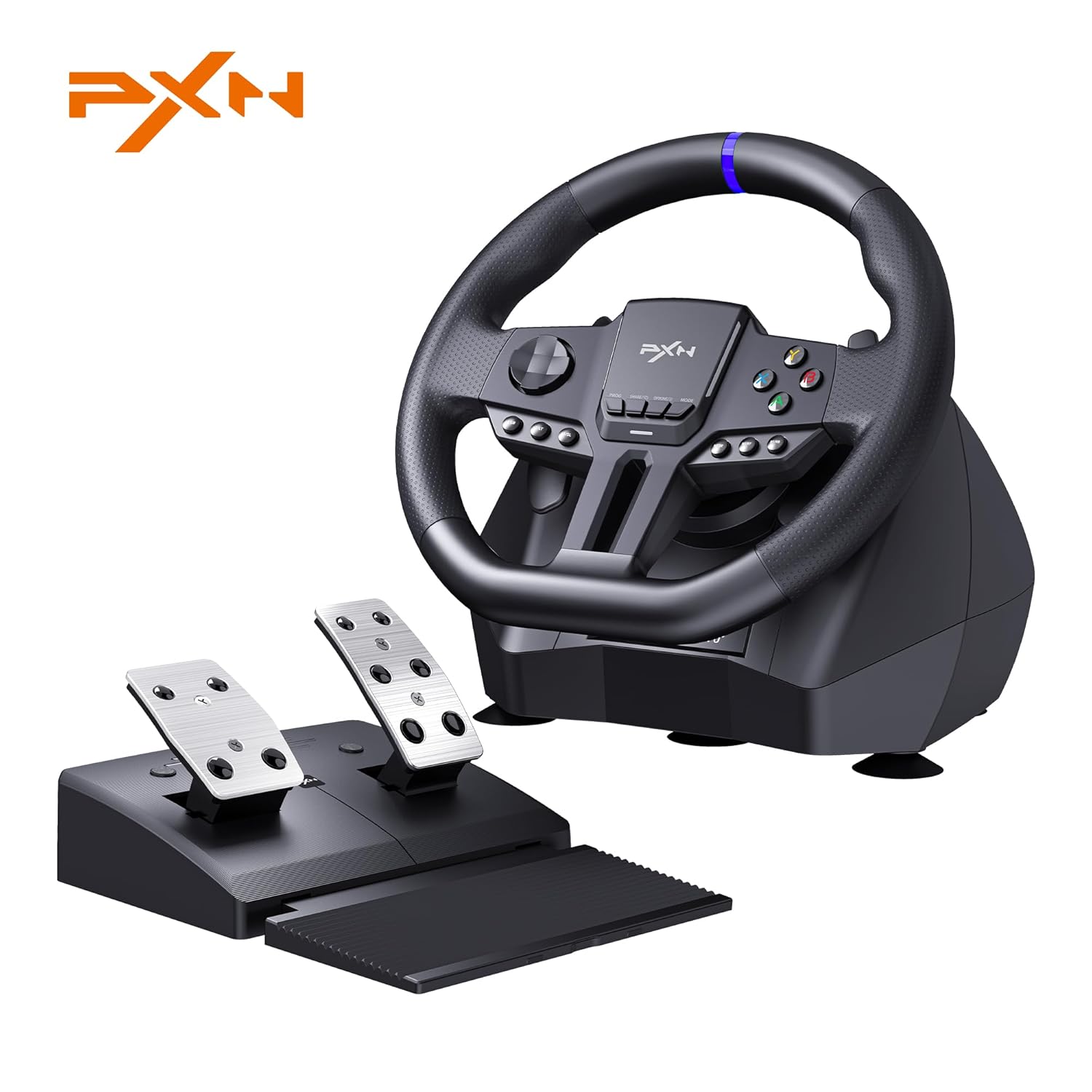
Image 1: PXN V900 GEN2 Racing Wheel and Pedal Unit. This image displays the main racing wheel unit with its integrated buttons and paddle shifters, alongside the separate pedal unit featuring two pedals.
3. Característiques clau
- Dual Mode Rotation: Switch between 270° and 900° steering rotation for various game types.
- Sensors magnètics: High-precision magnetic sensors for accurate steering response.
- 16-Bit High-Precision Steering: Enhanced steering resolution for precise control.
- Upgraded Type-C Interface: Features 4 Type-C + 1 USB interface for stable connectivity.
- RGB Pedals: Dynamic RGB lighting on pedals for an immersive experience.
- Feedback de vibració: Supports dynamic vibration feedback across compatible platforms.
- PXN Wheel App Support: Customize settings such as sensitivity, vibration, and button mapping via the dedicated app.
- Àmplia compatibilitat: Compatible with PC (Windows 7/8/10/11), PS4, PS3, Xbox Series X|S, Xbox One, and Switch (including Switch OLED).

Imatge 2: acabatview of PXN V900 GEN2 features. This image highlights dual vibration feedback, Hall magnetic linear pedals, dynamic RGB lighting, paddle shifters, and the 11-inch steering wheel.
4. Instruccions de configuració
4.1 Muntatge del volant de carreres
- Place the racing wheel on a stable surface, such as a desk or table.
- Secure the wheel using the two included mounting clamps. Insert the clamps into the designated slots on the bottom of the wheel unit and tighten them to the table. The clamps support table thicknesses up to 7.5 cm.
- Alternatively, the wheel base features five suction cups for temporary placement on smooth surfaces.

Image 3: Steering wheel mounting options. This image illustrates how to attach the racing wheel to a desk using the included clamps, showing the maximum supported table thickness.
4.2 Connecting the Pedal Unit
Connect the cable from the pedal unit to the designated port on the back of the racing wheel base. Ensure the connection is secure.
The pedal unit features a foldable, extended foot pad for stability during use. Extend this pad for optimal comfort and grip.
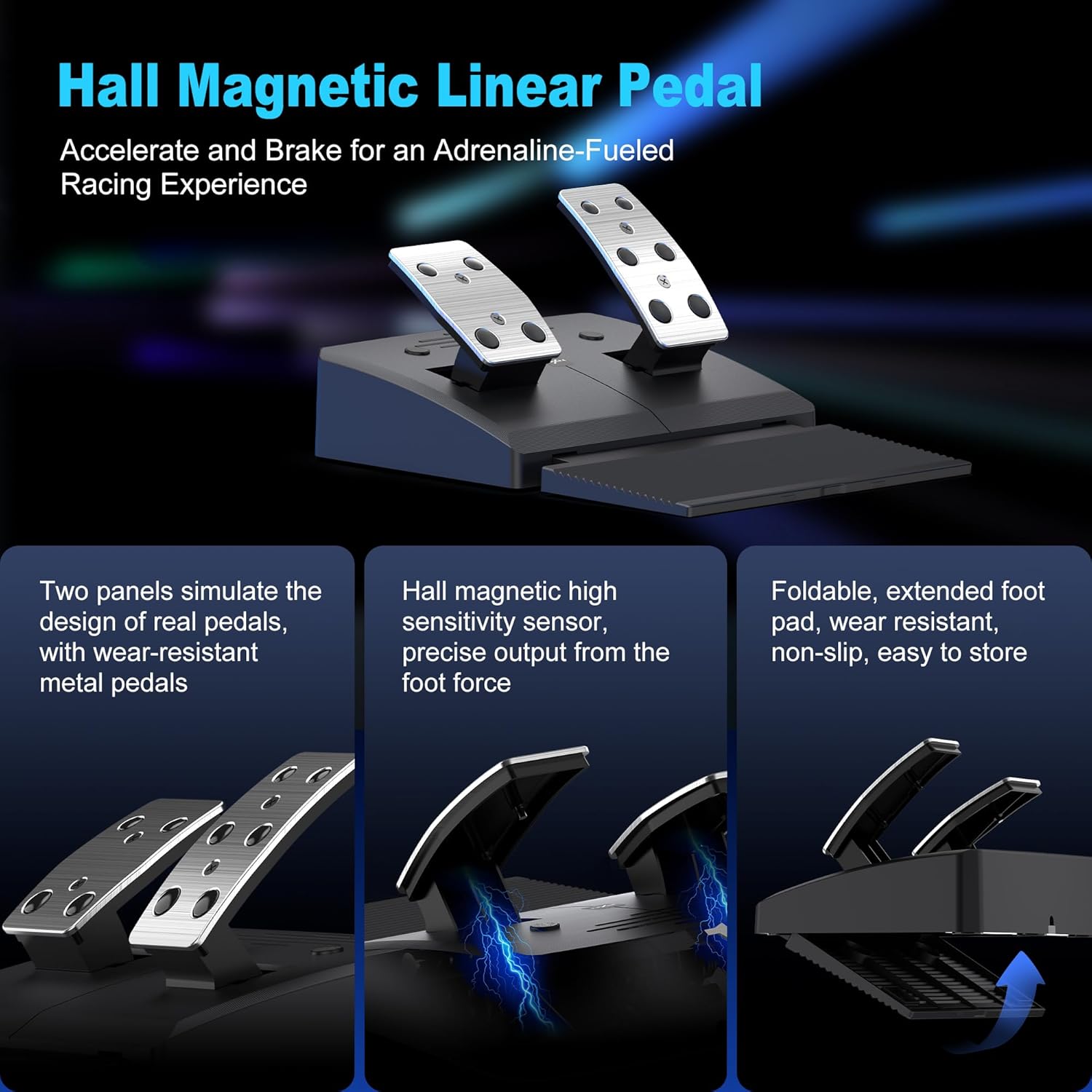
Image 4: Hall Magnetic Linear Pedal unit. This image shows the two-pedal unit with its metal pedals, highlighting the Hall magnetic sensor technology and the foldable foot pad.
4.3 Connecting to Gaming Platforms
The PXN V900 GEN2 racing wheel supports multiple platforms. Connection methods may vary:
- PC (Windows 7/8/10/11): Connect the racing wheel directly to your PC via the USB cable. The system should automatically detect the device. For optimal performance, ensure necessary drivers are installed (if prompted) or use the PXN Wheel App for configuration.
- Nintendo Switch: Connect the racing wheel to the Switch dock via the USB-A port. Ensure the Switch console is in TV mode. The wheel should be automatically recognized.
- PlayStation (PS3/PS4): Connect the racing wheel to the console via the USB cable. For PS4, you may need to connect the original PS4 controller to the wheel's guidance port for initial setup and authentication.
- Xbox (Xbox One/Xbox Series X|S): Connect the racing wheel to the console via the USB cable. You will need to connect the original Xbox controller to the wheel's guidance port for initial setup and authentication. The system may recognize it as a gamepad controller initially; configure it within game settings.
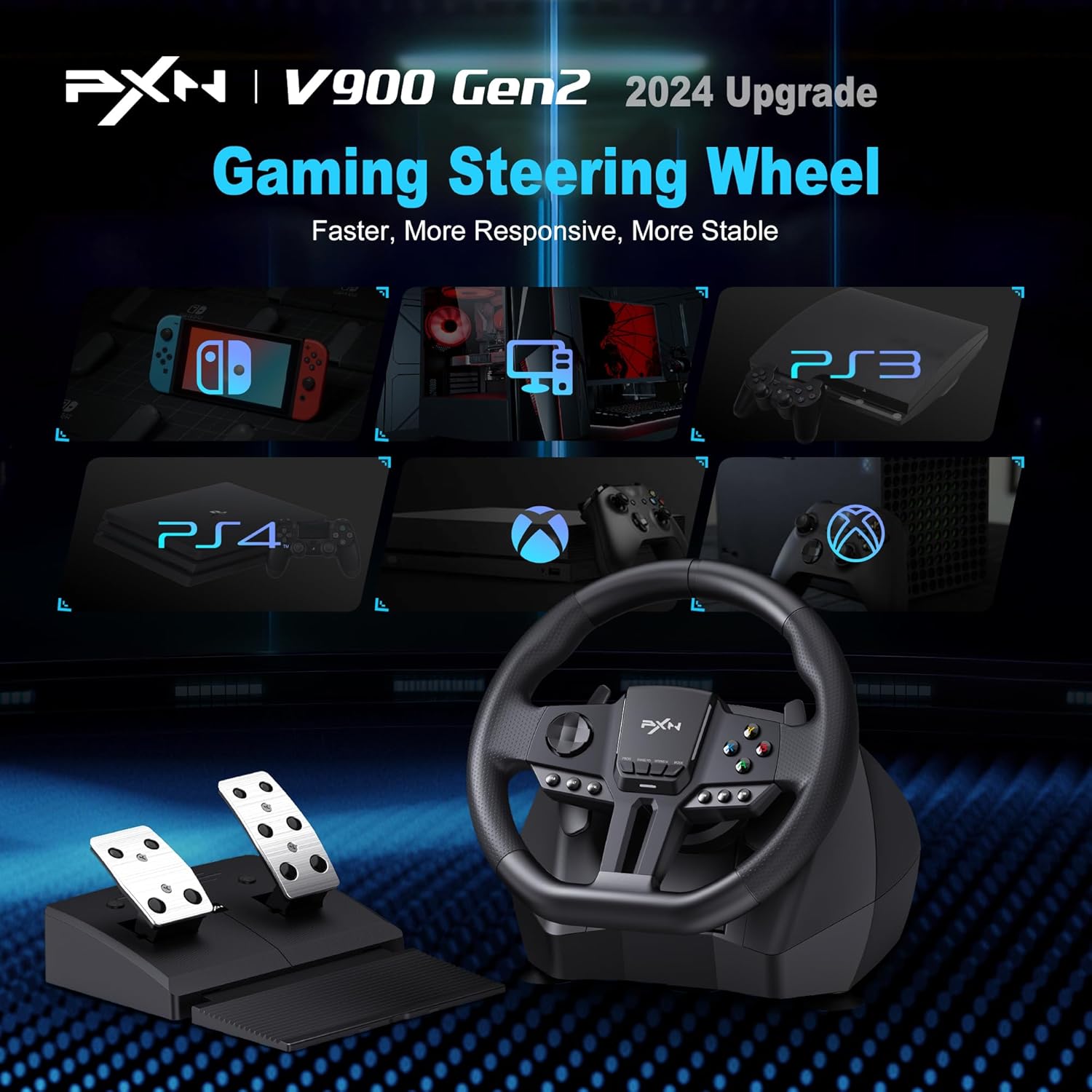
Image 5: Multi-platform compatibility of the PXN V900 GEN2. This image displays the racing wheel connected to various gaming systems including PC, Nintendo Switch, PS3, PS4, Xbox One, and Xbox Series X|S.
5. Instruccions de funcionament
5.1 Steering Rotation Modes (270°/900°)
The PXN V900 GEN2 offers two steering rotation modes:
- Mode 270°: Ideal for fast-paced racing games where quick steering inputs are required.
- Mode 900°: Provides a more realistic driving experience, suitable for simulation games like truck simulators.
To switch between modes, locate the mode switch button on the wheel base. Pressing this button will toggle between 270° and 900° rotation. The current mode is typically indicated by an LED or on-screen display if supported by the game/app.

Image 6: Dual angle and dual input modes. This image illustrates the switch between 270° and 900° steering angles and the dual input modes (X-INPUT for controller, D-INPUT for steering wheel) on PC.
5.2 Pedals and Paddle Shifters
- Pedal d'accelerador: Press the right pedal to accelerate in-game.
- Pedal de fre: Press the left pedal to apply brakes in-game.
- Paletes de canvi: Use the paddles located behind the steering wheel for quick gear changes in games that support manual shifting.
5.3 PXN Wheel App Customization
The PXN Wheel App allows for advanced customization of your racing wheel settings. Download the app on your mobile device (if available) or PC. Through the app, you can:
- Ajustar la sensibilitat de la direcció.
- Modify vibration intensity.
- Remap buttons to suit your preferences.
5.4 PC Dual Input Mode (X-INPUT / D-INPUT)
When connected to a PC, the PXN V900 GEN2 supports two input modes:
- X-INPUT (Controller Mode): The wheel functions as a standard Xbox controller. This mode is widely supported by modern PC games.
- D-INPUT (Steering Wheel Mode): The wheel functions as a dedicated steering wheel device. This mode may be preferred for older games or specific racing simulations.
Refer to your game's settings to select the appropriate input mode if issues arise.
6. Manteniment
- Neteja: Use a soft, dry cloth to clean the racing wheel and pedal unit. Avoid using abrasive cleaners or solvents.
- Emmagatzematge: Quan no l'utilitzeu, guardeu el dispositiu en un lloc net i sec, allunyat de la llum solar directa i de temperatures extremes.
- Cura del cable: Eviteu doblegar o torçar excessivament els cables per evitar danys.
7. Solució De Problemes
- Dispositiu no reconegut:
- Assegureu-vos que tots els cables estiguin ben connectats.
- Proveu de connectar-vos a un port USB diferent.
- For consoles (PS4/Xbox), ensure the original controller is connected to the wheel's guidance port for authentication.
- Reinicieu la consola o l'ordinador.
- Check for updated drivers on PC.
- Paddle Shifters Not Working (Xbox):
- On Xbox, the wheel may be recognized as a standard gamepad. You might need to configure a new controller profile within the game settings to map the paddle shifters correctly.
- Sense retroalimentació de vibració:
- Verify that vibration feedback is enabled in the game's settings.
- Check the PXN Wheel App for vibration intensity settings.
- Ensure the game supports vibration feedback with racing wheels.
- Steering Sensitivity Issues:
- Adjust steering sensitivity via the PXN Wheel App or within the game's controller settings.
- Ensure you are in the correct 270° or 900° rotation mode for your game type.
8. Especificacions

Image 7: Comparison of PXN V900 GEN2 and PXN V900 specifications. This table details differences in supported platforms, steering wheel size, buttons, material, rotation mechanism, steering resolution, base sensor, rear base interface, console audio function, pedal indicator lights, pedal sensor, vibration function, and app support.
| Característica | Especificació |
|---|---|
| Plataformes suportades | PC (Windows 7/8/10/11), PS4, PS3, Xbox Series X|S, Xbox One, Switch (including Switch OLED) |
| Mida del volant | 280 mm (11 polzades) |
| Botons del volant | 10 function buttons, 1 D-pad, 4 auxiliary buttons, 2 paddles |
| Material del volant | ABS material, with rubberized grips on both sides |
| Angle de rotació | 270° / 900° (Switchable) |
| Mecanisme de rotació | Gear + spring (no force feedback) |
| Steering Resolution | 16 bits |
| Base Sensor | Codificador magnètic |
| Rear Base Interface | 4 Type-C + 1 USB |
| Pedal Indicator Lights | Yes, RGB light strips |
| Sensor de pedal | Sensor d'efecte Hall |
| Funció de vibració | Full platform support |
| Suport d'aplicacions | Supported (PXN Wheel App) |
| Dimensions del producte | 12.8 x 12.1 x 11.61 polzades |
| Pes de l'article | 9.78 lliures |
9. Garantia i Suport
For warranty information and technical support, please refer to the official PXN website or contact PXN customer service directly. Keep your purchase receipt for warranty claims.
PXN oficial Weblloc: www.pxn.cn (Nota: Això és un marcador de posició) URL, please verify the actual support URL for PXN products.)


