Introducció
The PXN V900 GEN2 Racing Steering Wheel is a high-performance gaming peripheral designed to elevate your racing experience across multiple platforms. This manual provides essential information for setup, operation, maintenance, and troubleshooting to ensure optimal performance and longevity of your device.
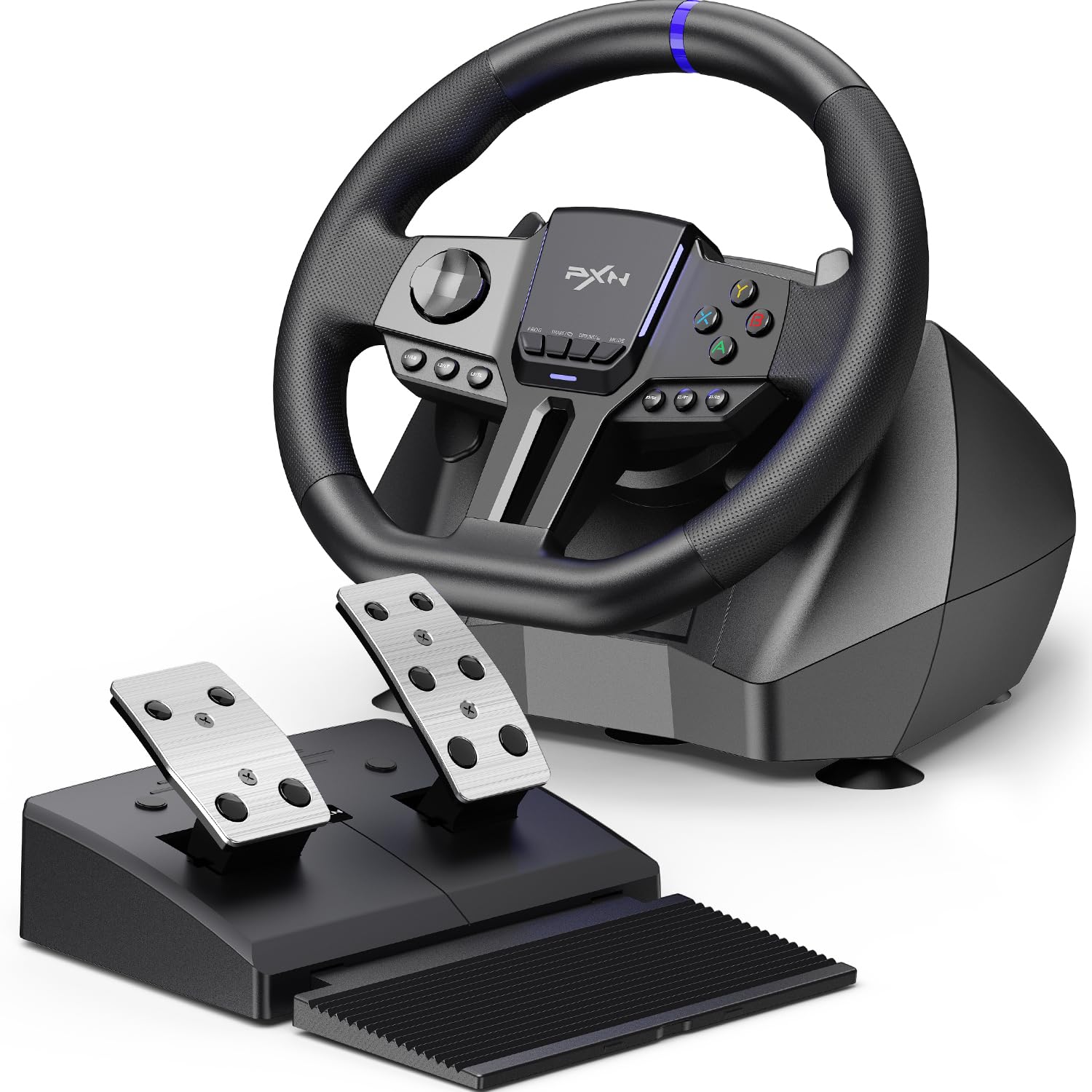
Image: The PXN V900 GEN2 Racing Steering Wheel with its accompanying pedal set, showcasinels components principals.
Característiques del producte
- Pro-Level Precision & Vibration Feedback: Features a 16-bit magnetic encoder for ultra-accurate steering and dual asymmetric vibration motors for realistic road surface and collision feedback. Hall-Effect linear pedals offer consistent, precise throttle and brake control.
- Compatibilitat millorada: Broad compatibility with PC, PS3, PS4, Xbox One, Xbox Series S|X, and Switch via USB wired connection.
- Rotació ajustable: Easily switch between 270° for arcade racers and 900° for true simulation titles.
- X/D-Input Mode: On PC, toggle between X-Input and D-Input to ensure game recognition.
- Immersive RGB Atmosphere: A full-width RGB light strip pulses in real time with pedal inputs, enhancing the gaming experience.
- Customization via PXN Wheel App: Tailor lighting effects, adjust vibration intensity, rotation degree, and remap buttons for a personalized setup.
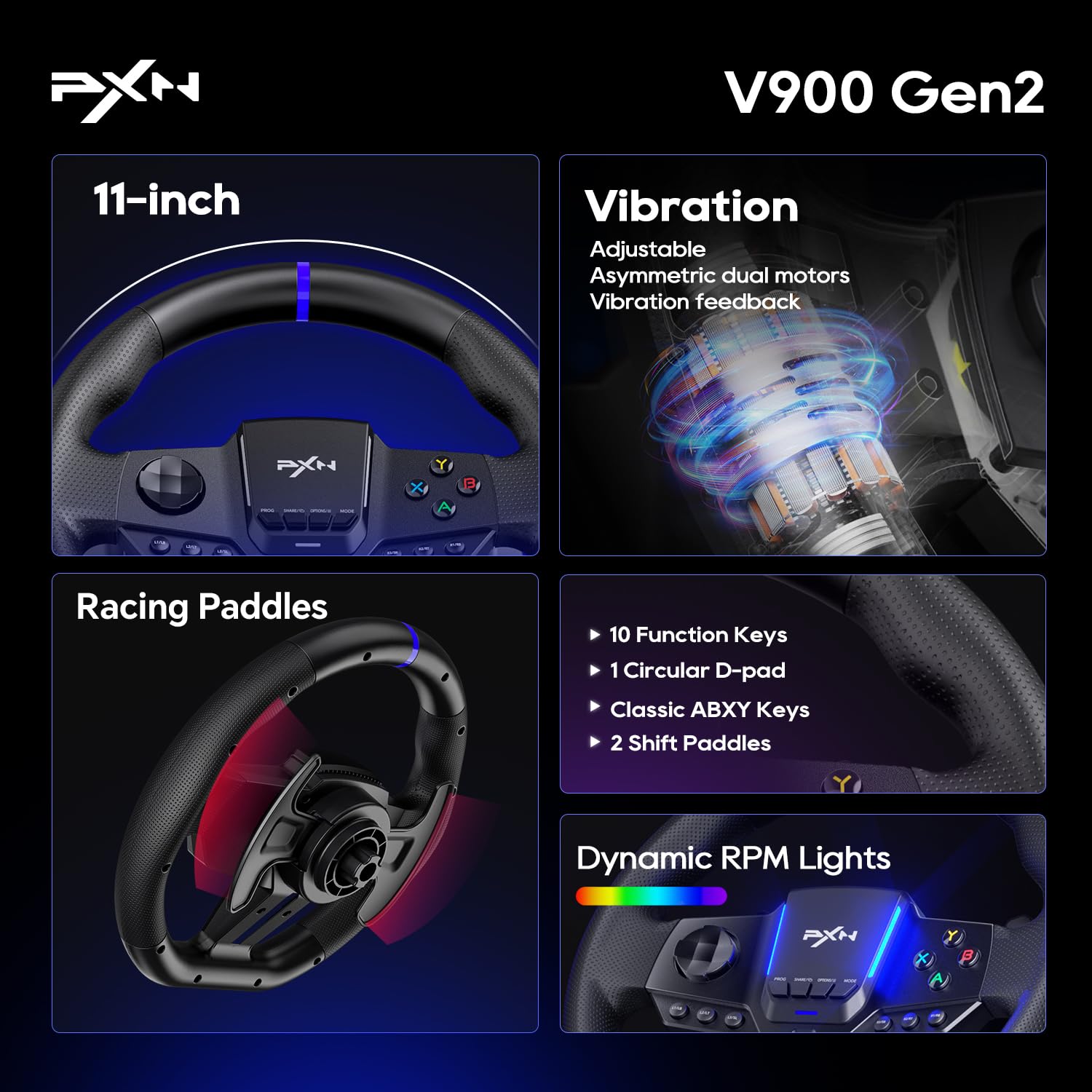
Imatge: Primer pla view highlighting key features such as the 11-inch wheel, vibration feedback, racing paddles, function keys, and dynamic RPM lights.
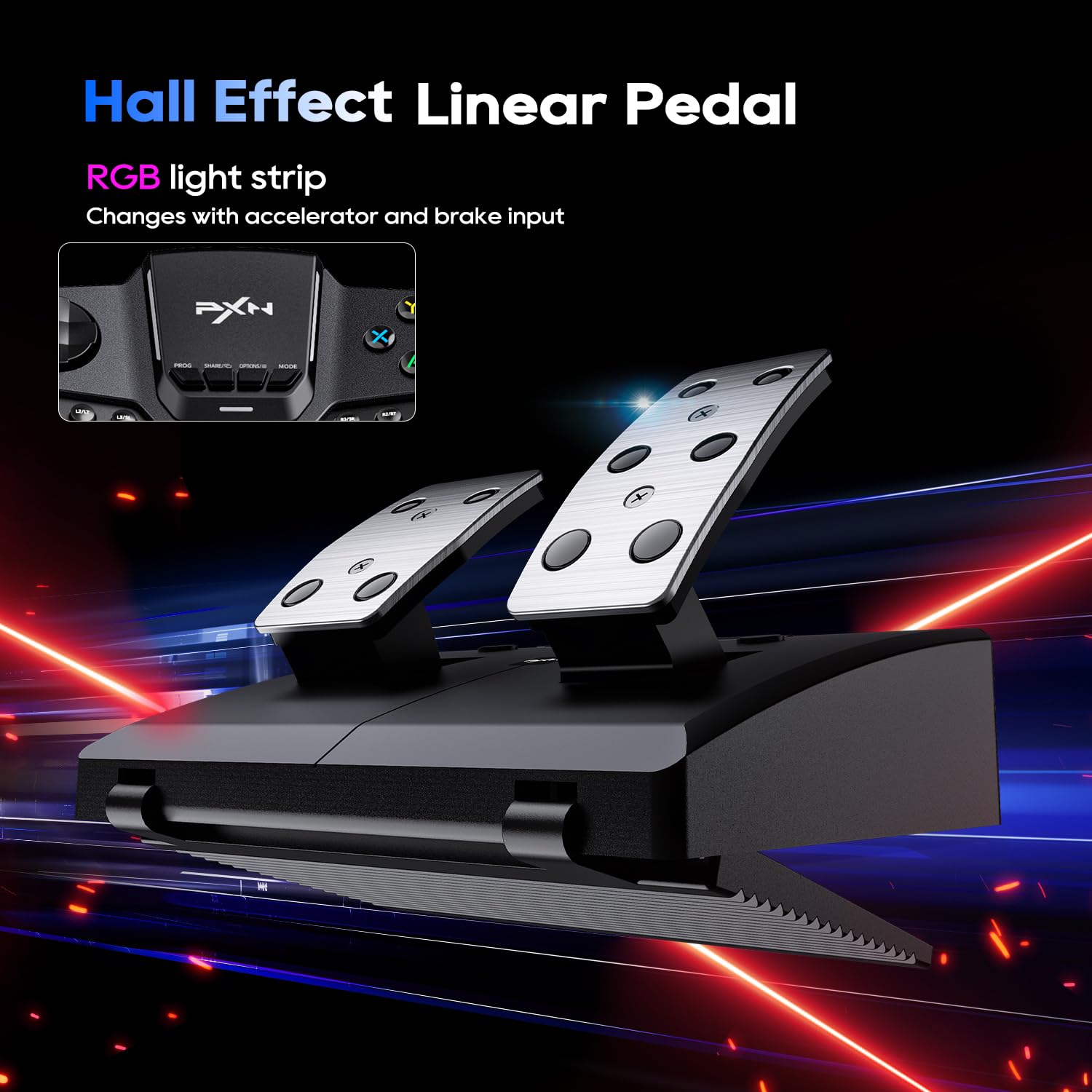
Image: The Hall Effect linear pedal set, featuring an RGB light strip that responds to accelerator and brake input.
Video: An official product video demonstrating the PXN-V900 GEN2 Racing Steering Wheel's features and in-game performance.
Contingut del paquet
The PXN V900 GEN2 package includes the following items:
- PXN V900 GEN2 Racing Steering Wheel
- Hall-Effect 2-Pedal Set (Throttle & Brake)
- Escriptori robust Clamps (for mounting)
- Cable USB
- Detailed User Manual (this document)
Instruccions de configuració
- Muntatge del volant:
Place the steering wheel on a stable surface, such as a desk or racing cockpit. Use the included sturdy desk clamps to secure the wheel firmly. Ensure the wheel is centered and stable before proceeding.
- Connexió dels pedals:
Connect the pedal set to the designated port on the back of the steering wheel base using the provided cable. Ensure the connection is secure.
- Connexió al vostre sistema:
Connect the USB cable from the steering wheel to an available USB port on your PC, PS3, PS4, Xbox One, Xbox Series S|X, or Nintendo Switch. The wheel will typically be recognized automatically by your system.
- Platform-Specific Setup:
For specific platform connection methods and initial setup, please refer to the detailed instructions in the user manual provided in the package or visit the official PXN support website. Some platforms may require specific button presses or mode switches for proper recognition.

Image: An illustration of the steering wheel's connection ports and the foldable design of the pedal set for easy storage.
Instruccions de funcionament
Steering Angle Adjustment (270°/900°)
The PXN V900 GEN2 allows you to switch between two steering angle modes to suit different game types:
- Rotació de 270°: Ideal for arcade racing games that require quick and responsive steering.
- Rotació de 900°: Provides a more realistic simulation experience, suitable for simulation racing games and truck simulators.
To switch between modes, locate the switch on the steering wheel base and toggle it to your desired setting. Refer to the on-screen indicators or the manual for precise switch location.
PC Input Modes (X-Input/D-Input)
When using the steering wheel on a PC, you may need to switch between X-Input and D-Input modes depending on the game. Most modern games support X-Input (Xbox controller emulation), while older titles might require D-Input. Consult your game's settings or the PXN V900 GEN2 manual for instructions on how to switch these modes.
RGB Light Bar Feedback
The integrated RGB light bar on the steering wheel provides dynamic visual feedback, particularly in response to your pedal inputs (throttle and brake). This feature enhances immersion during gameplay.
Hall-Effect Linear Pedals
The Hall-Effect linear pedals offer precise and consistent input. Apply pressure gradually for smooth acceleration and braking. The pedals are designed for durability and accurate force sensing.
Compatibilitat
The PXN V900 GEN2 Racing Steering Wheel is compatible with a wide range of gaming platforms and titles:
- Consoles: PlayStation 3 (PS3), PlayStation 4 (PS4), Xbox One, Xbox Series S, Xbox Series X, Nintendo Switch.
- PC: Sistemes operatius Windows.
The wheel supports most major racing games. For a comprehensive list of compatible titles, please refer to the PXN support team or the official product page.
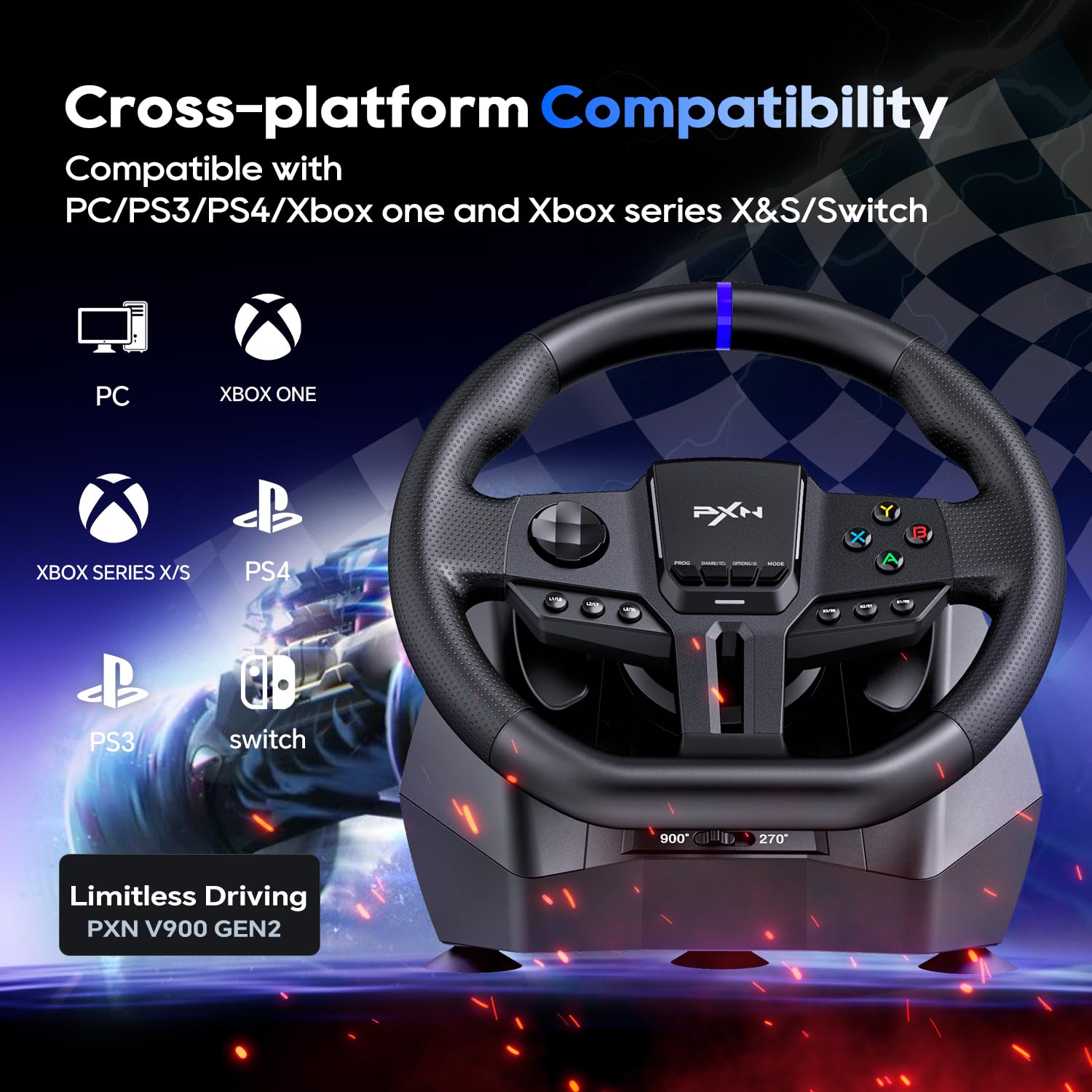
Image: Visual representation of the PXN V900 GEN2's cross-platform compatibility with various gaming systems.
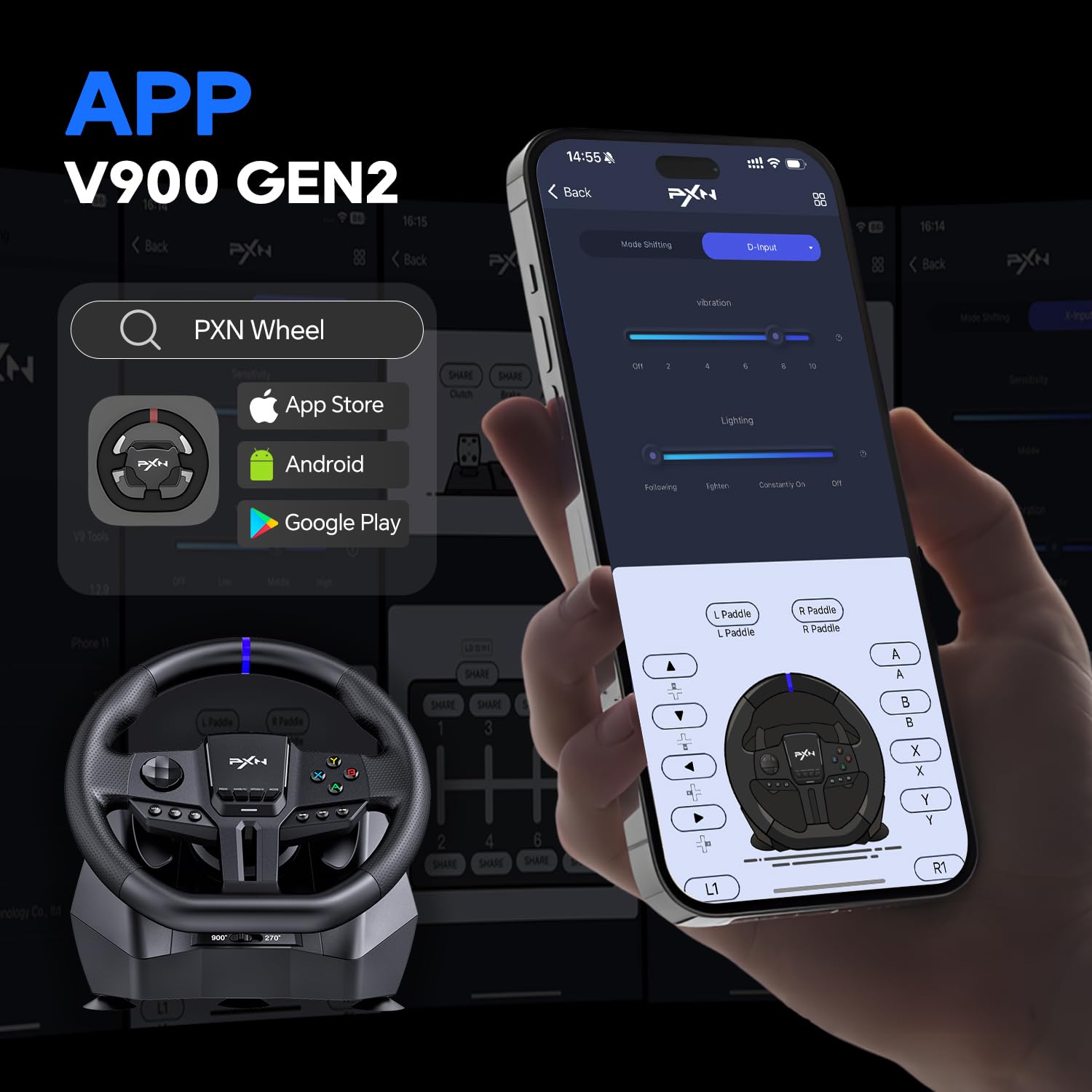
Image: A selection of popular racing and simulation games compatible with the PXN V900 GEN2.
Customization with PXN Wheel App
Enhance your gaming experience by customizing your PXN V900 GEN2 using the dedicated PXN Wheel App. The app allows you to:
- Tailor RGB lighting effects.
- Ajustar la intensitat de la vibració.
- Fine-tune the rotation degree.
- Remap buttons for a personalized control layout.
The PXN Wheel App is available for download on both the App Store (iOS) and Google Play Store (Android). Cerca "PXN Wheel" to find and install the application.
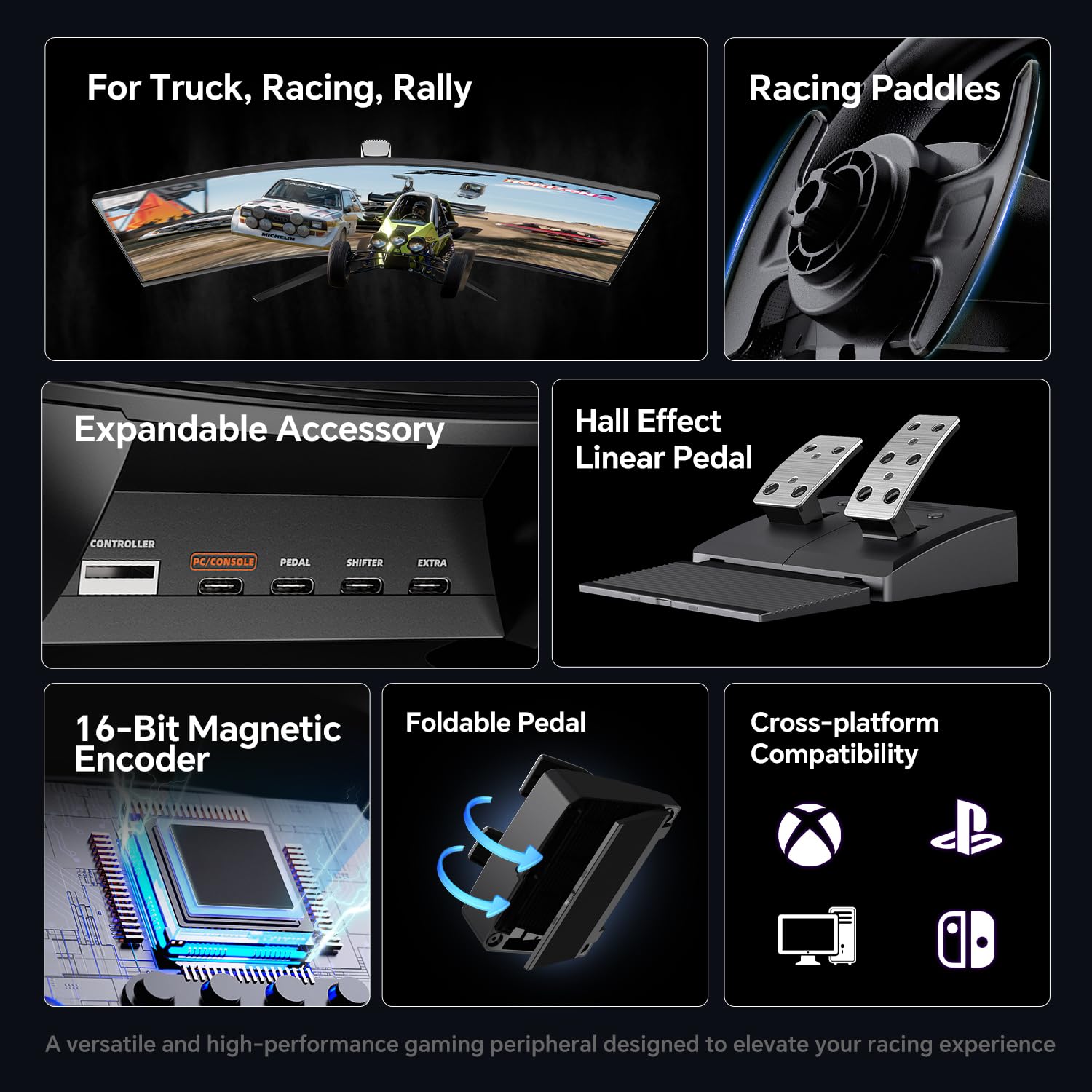
Image: The PXN Wheel App interface displayed on a smartphone, illustrating the various customization options available for the steering wheel.
Manteniment
To ensure the longevity and optimal performance of your PXN V900 GEN2 Racing Steering Wheel, follow these maintenance guidelines:
- Neteja: Use a soft, dry cloth to wipe down the steering wheel and pedals. Avoid using abrasive cleaners or solvents, as they may damage the surface.
- Emmagatzematge: Quan no l'utilitzeu, guardeu el dispositiu en un lloc net i sec, allunyat de la llum solar directa i de temperatures extremes.
- Cura del cable: Avoid sharp bends or kinks in the USB and pedal cables. Do not pull on the cables to disconnect them; always grasp the connector.
- Prevenció de pols: Keep the steering wheel and pedals free from dust and debris, especially around buttons and moving parts.
Resolució de problemes
If you encounter issues with your PXN V900 GEN2, consider the following common troubleshooting steps:
- Sense poder/reconeixement:
- Ensure all cables are securely connected to the steering wheel, pedals, and your gaming system/PC.
- Proveu de connectar-vos a un port USB diferent.
- Restart your gaming system or PC.
- Incorrect Steering Angle/Input:
- Verify the 270°/900° switch is set to your desired mode.
- On PC, ensure the correct X-Input or D-Input mode is selected for the game you are playing.
- Calibrate the wheel through your system's controller settings if available.
- Sense retroalimentació de vibració:
- Revisa la configuració del joc per assegurar-te que la vibració estigui activada.
- Use the PXN Wheel App to verify vibration intensity settings.
- Problemes amb els pedals:
- Ensure the pedal cable is fully inserted into the steering wheel base.
- Test the pedals in a different game or a controller calibration utility.
For more detailed troubleshooting or persistent issues, please refer to the comprehensive user manual included with your product or contact PXN customer support.
Especificacions
| Característica | Detall |
|---|---|
| Número de model | PXN-V900 GEN2 |
| Dimensions del producte | 13.39 x 11.21 x 11.02 polzades |
| Pes de l'article | 10.23 lliures |
| Angle de direcció | 270° / 900° (Switchable) |
| Tipus de pedal | Hall-Effect Linear Pedals (Throttle & Brake) |
| Vibració | Dual Asymmetric Vibration Motors |
| Connectivitat | Cable USB |
| Compatibilitat | PC, PS3, PS4, Xbox One, Xbox Series S|X, Nintendo Switch |
Garantia i Suport
The PXN V900 GEN2 Racing Steering Wheel comes with a Finestra de devolució de 30 dies i a 1 any de garantia del fabricant des de la data de compra. Aquesta garantia cobreix els defectes de materials i de mà d'obra en ús normal.
For warranty claims, technical support, or any product-related inquiries, please contact PXN customer support through their official website or the contact information provided in your product packaging. Please retain your proof of purchase for warranty validation.


