1. Producte acabatview
This manual provides detailed instructions for the Irfora Remote Control, designed specifically for use with the V020 GPS Fishing Bait Boat. The remote control allows for precise navigation and management of your bait boat, enhancing your fishing experience.
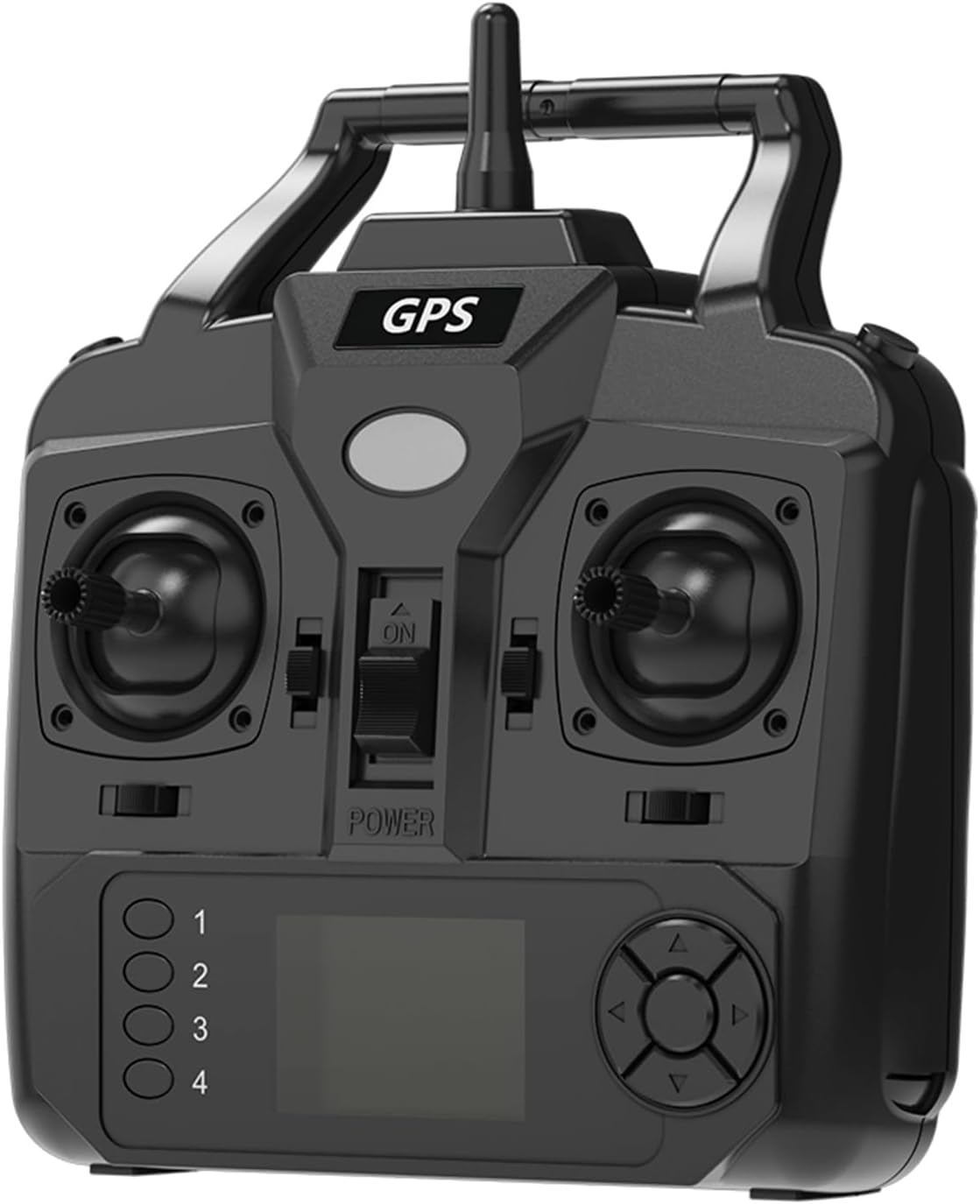
Figura 1.1: Frontal view of the Irfora Remote Control, showing the joysticks, power switch, GPS label, and LCD screen area.
2. Característiques clau
- Enables wireless navigation of your fishing bait boat.
- Features a strong signal with a range of up to 400-500 meters.
- Equipped with an LCD screen displaying essential information such as distance, direction, positioning points, battery life, and light status.
- Compatible with V020 GPS fishing bait boats.
3. Contingut del paquet
Upon unboxing, please ensure all items listed below are present and in good condition:
- 1 x Irfora Remote Control
Nota: The V020 GPS fishing bait boat is sold separately and is not included in this package.

Figure 3.1: The remote control unit with its approximate dimensions (16.9 x 15.2 x 5.5 cm) and net weight (201g) indicated.
4. Configuració
4.1 Instal·lació de la bateria
The remote control requires 4 AA batteries for operation (not included). Follow these steps to install the batteries:
- Localitzeu el compartiment de la bateria a la part posterior del comandament a distància.
- Obriu la tapa del compartiment de la bateria.
- Introduïu 4 piles AA, assegurant-vos de la polaritat correcta (+/-) tal com s'indica a l'interior del compartiment.
- Tanqueu bé la tapa del compartiment de la bateria.
4.2 Initial Pairing with V020 GPS Fishing Bait Boat
Before first use, ensure your V020 GPS Fishing Bait Boat is powered on and within range. The remote control should automatically establish a connection. If connection issues occur, refer to the V020 GPS Fishing Bait Boat's manual for specific pairing instructions.
5. Instruccions de funcionament
5.1 Engegada/apagada
To power on the remote control, slide the 'POWER' switch located on the front panel to the 'ON' position. To power off, slide the switch to the 'OFF' position.
5.2 Navegació bàsica
Use the two joysticks to control the movement of the V020 GPS Fishing Bait Boat. The left joystick typically controls forward/backward movement and turning, while the right joystick may control additional functions or fine-tune direction, depending on the bait boat's capabilities. Familiarize yourself with the boat's response in an open water area before full operation.

Figure 5.1: The Irfora Remote Control positioned next to the V020 GPS Fishing Bait Boat, illustrating their intended use together.
5.3 Pantalla LCD
The LCD screen provides real-time operational data:
- Distància: Shows the current distance of the bait boat from your position.
- Direcció: Indicates the boat's heading.
- Punts de posicionament: Displays saved GPS points for precise bait dropping.
- Durada de la bateria: Shows the remaining battery charge for both the remote control and the bait boat.
- Estat de la llum: Indicates the status of the bait boat's lights.
5.4 Intelligent Cruise Control System
The remote control features an intelligent cruise control system to simplify navigation. To activate cruise mode, press the designated button (refer to the button layout on your remote, typically labeled or indicated by an icon). Once activated, the boat will maintain a set course, freeing your hands for other tasks.
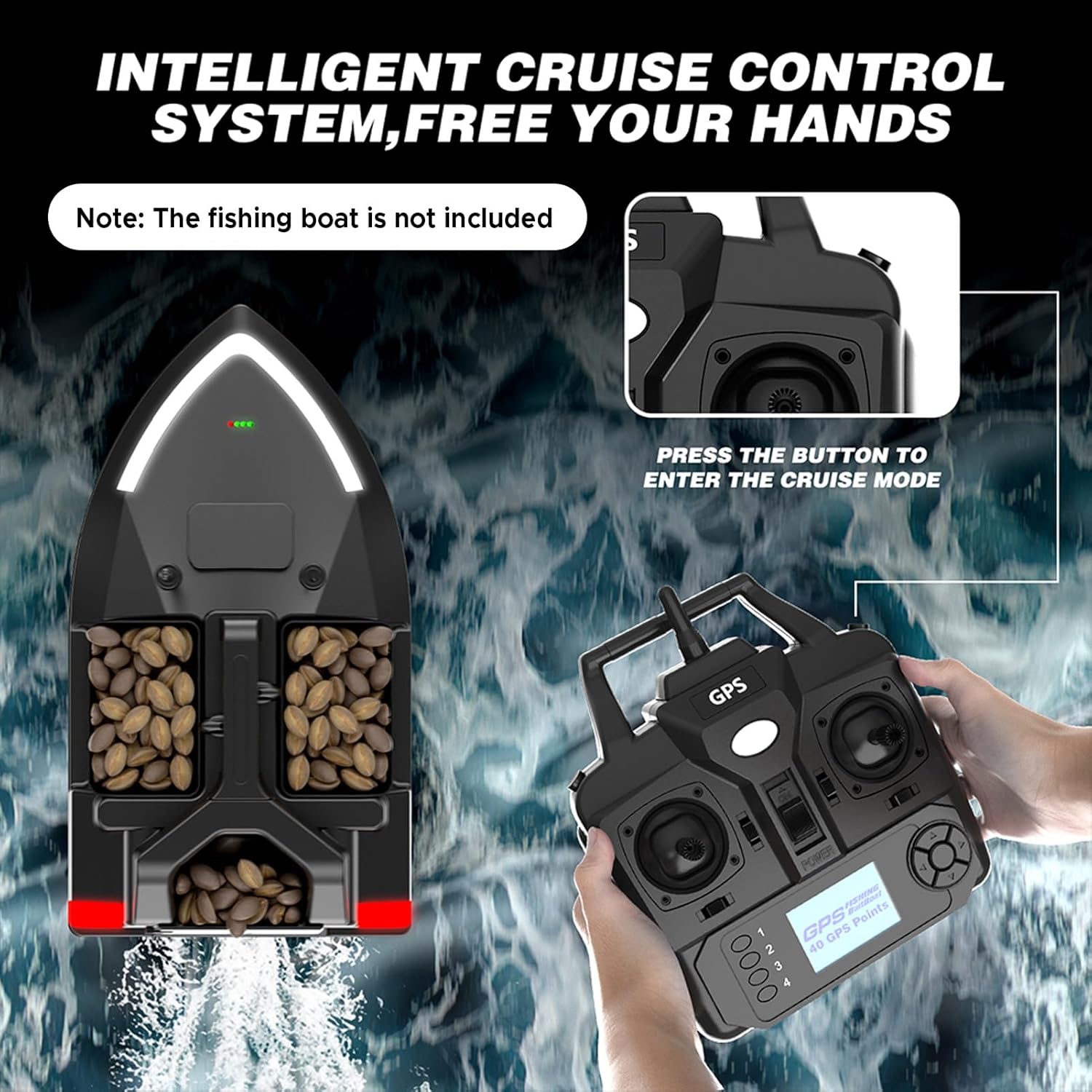
Figure 5.2: A visual representation of the intelligent cruise control system, showing the remote control in use with the bait boat on water, and an inset highlighting the button to enter cruise mode.
5.5 Rang de senyal
The remote control maintains a strong and stable signal with the V020 GPS Fishing Bait Boat up to a distance of 400-500 meters. Operating beyond this range may result in signal loss and loss of control over the bait boat.
6. Manteniment
6.1 Neteja
To clean the remote control, use a soft, dry cloth. For stubborn dirt, a slightly damp es pot fer servir un drap, però assegureu-vos que no entri humitat al dispositiu. No utilitzeu productes químics agressius ni netejadors abrasius.
6.2 Emmagatzematge
When not in use for extended periods, remove the batteries from the remote control to prevent leakage and corrosion. Store the remote control in a cool, dry place, away from direct sunlight and extreme temperatures.
6.3 Cura de la bateria
Always use fresh, high-quality AA batteries. If the remote control's battery indicator shows low power, replace all four batteries simultaneously. Do not mix old and new batteries or different types of batteries.
7. Solució De Problemes
- Remote Control Not Powering On:
- Comproveu si les piles estan instal·lades correctament amb la polaritat correcta.
- Substituïu-les per piles noves.
- Ensure the power switch is fully in the 'ON' position.
- Sense senyal/pèrdua de control:
- Ensure the bait boat is powered on and within the 400-500 meter operating range.
- Check for any obstructions between the remote control and the bait boat.
- Verify both the remote control and bait boat batteries are sufficiently charged.
- LCD Screen Not Displaying Information:
- Assegureu-vos que el comandament a distància estigui encès.
- Comproveu els nivells de bateria.
- Si el problema persisteix, poseu-vos en contacte amb el servei d'atenció al client.
8. Especificacions
| Marca | Irfora |
| Número de model | LAKUSY292998 |
| Material | Plàstic |
| Color | Negre |
| Dimensions del producte | 6.69 x 6.3 x 2.36 polzades (16.9 x 15.2 x 5.5 cm) |
| Pes | 7.1 oz (201g) |
| Font d'alimentació | 4 piles AA (no incloses) |
| Interval de senyal | 400-500 metres |
| Compatible amb | V020 GPS Fishing Bait Boats |
9. Garantia i Suport
This product is covered by a standard manufacturer's warranty against defects in materials and workmanship. For specific warranty terms and conditions, please refer to the product packaging or contact your retailer.
For technical support, troubleshooting assistance, or warranty claims, please contact Irfora customer service through the retailer where the product was purchased. Please have your model number (LAKUSY292998) and purchase information ready when contacting support.