Introducció
Thank you for choosing the Docooler Wireless Gaming Mouse. This dual-mode 2.4G optical cordless mouse is designed for comfort and performance, featuring silent clicks, adjustable movement speeds, and vibrant LED lighting. It is ideal for various uses, from gaming to office work, providing a stable and reliable connection.

Figura 1: Docooler Wireless Gaming Mouse highlighting its 2.4G wireless connection, Nano Receiver, Type-C charging port, 650mAh lithium battery, 7-color slow flashing light, and 4-stage movement speed (800-1200-2400-3600 DPI).
This manual provides detailed instructions on how to set up, operate, maintain, and troubleshoot your new mouse to ensure optimal performance and longevity.
Contingut del paquet
Si us plau, reviseu el paquet amb cura per assegurar-vos que hi hagi tots els elements:
- 1 x Docooler Wireless Gaming Mouse
- 1 x Receptor USB
- 1 x cable de càrrega tipus C
- 1 x Manual d'instruccions (aquest document)
Configuració
1. Connectar el ratolí
- Localitza el receptor USB, que normalment es guarda en un compartiment a la part inferior del ratolí.
- Traieu el receptor USB de la seva ranura d'emmagatzematge.
- Insert the USB receiver into an available USB port on your computer or laptop.
- Turn on the mouse using the power switch located on the underside. The mouse will automatically connect to the receiver. No drivers are required for installation.
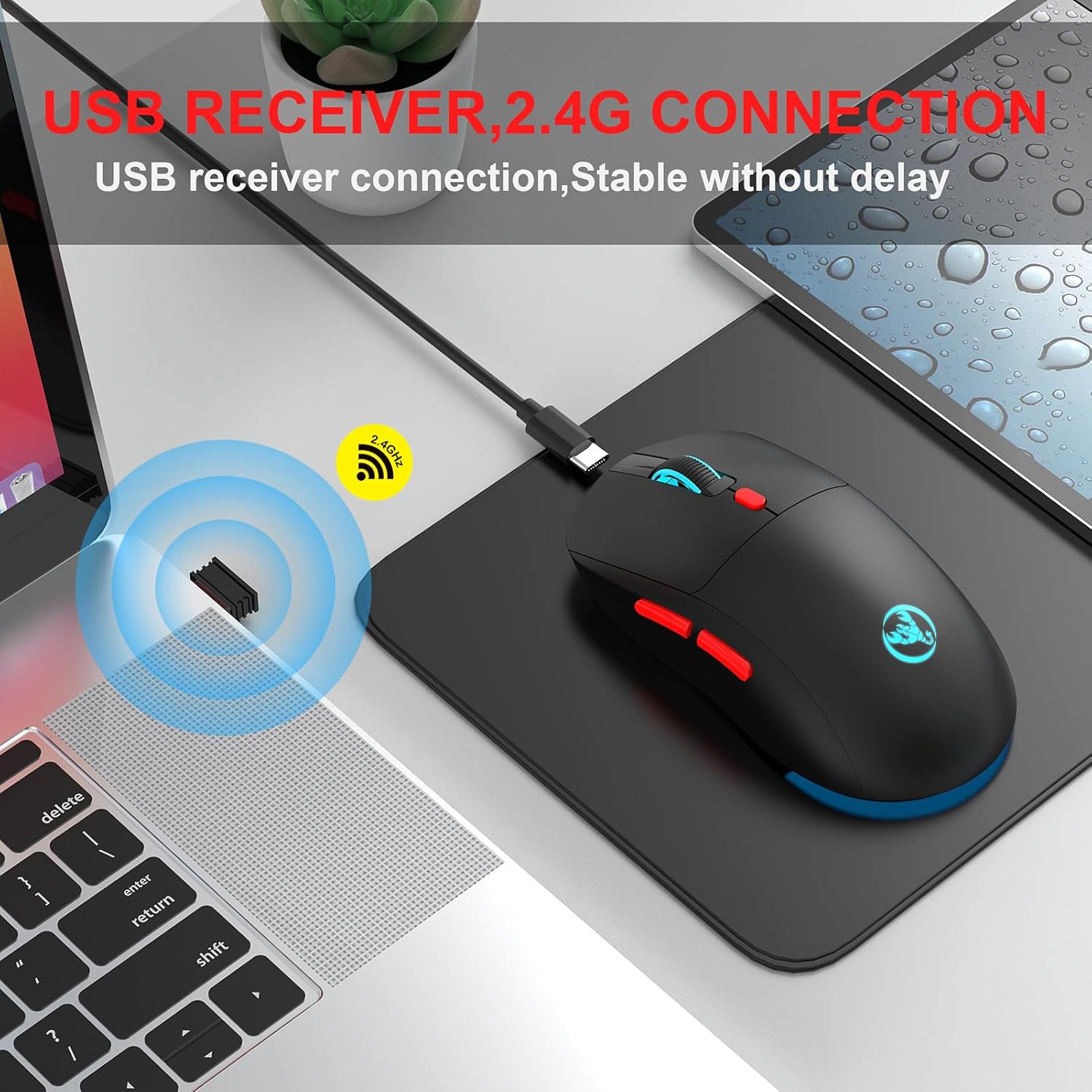
Figura 2: Illustrates the simple plug-and-play connection of the USB receiver for stable 2.4G wireless operation.
2. Càrrega del ratolí
The mouse is equipped with a built-in 650mAh rechargeable lithium battery. When the battery is low, the LED lights may dim or the mouse may become unresponsive.
- Connect the provided Type-C charging cable to the charging port on the front of the mouse.
- Connecteu l'altre extrem del cable a una font d'alimentació USB (per exemple, un port USB de l'ordinador o un adaptador de paret USB).
- The mouse's indicator light will show charging status (specific behavior may vary, refer to visual cues on the mouse).
- A full charge typically takes a few hours. Disconnect the cable once fully charged to preserve battery life.

Figura 3: The mouse being charged via its Type-C port, indicating its 650mAh battery capacity for long standby time.
Instruccions de funcionament
1. Adjusting Movement Speed (DPI)
The mouse features 4 adjustable DPI levels to suit different tasks and preferences. You can switch between these levels on the fly:
- Press the DPI button (usually located behind the scroll wheel) to cycle through the available speeds: 800, 1200, 2400, and 3600 DPI.
- Each press will change the cursor sensitivity, allowing for precise control or rapid movement as needed.

Figura 4: Visual representation of the four adjustable DPI settings, suitable for both office work and gaming.
2. LED Lighting Control
The mouse features a 7-color slow flashing LED light design, adding a vibrant touch to your setup.
- The lights will cycle through 7 colors automatically.
- To save energy or if you prefer to use the mouse without lighting, press the dedicated light control button (usually located on the underside or near the DPI button) to turn the lights off. Press it again to turn them back on.

Figura 5: The mouse showcasing its colorful breathing lights, which add aesthetic appeal to your workspace.
3. Clic silenciós
This mouse is designed with silent click buttons, significantly reducing noise compared to traditional mice. This feature makes it ideal for quiet environments such as libraries, dormitories, or offices, ensuring you do not disturb others.
Manteniment
- Neteja: Use a soft, dry cloth to clean the surface of the mouse. For stubborn dirt, a slightly damp Es pot fer servir un drap, però assegureu-vos que no entri humitat als components interns.
- Emmagatzematge: Quan no l'utilitzeu durant períodes prolongats, guardeu el ratolí en un lloc fresc i sec.
- Cura de la bateria: To prolong battery life, avoid fully discharging the mouse frequently. Charge it when the low battery indicator appears. Do not expose the battery to extreme temperatures.
- Eviteu les gotes: Protect the mouse from drops and impacts, which can damage internal components.
Resolució de problemes
| Problema | Causa possible | Solució |
|---|---|---|
| El ratolí no respon | Low battery; USB receiver disconnected; Mouse power off; Driver issue. | Charge the mouse; Re-insert USB receiver; Turn on mouse; Try a different USB port; Restart computer. |
| El moviment del cursor és erràtic o brusc | Dirty optical sensor; Uneven surface; Interference. | Clean the optical sensor with a soft cloth; Use on a clean, flat mouse pad; Move closer to the receiver or away from other wireless devices. |
| Els llums LED no funcionen | Llums apagades; bateria baixa. | Press the light control button; Charge the mouse. |
| Connection frequently drops | Distance from receiver; Interference; Low battery. | Ensure mouse is within 10 meters of receiver; Reduce interference from other 2.4G devices; Charge the mouse. |
Especificacions

Figura 6: Details of the PAW-3212 sensor, highlighting its tracking capabilities and performance metrics.
| Característica | Detall |
|---|---|
| Model | T20 |
| Connectivitat | Sense fil 2.4G (receptor USB) |
| Sensor | Sensor òptic PAW3212 |
| Movement Speeds (DPI) | 800 / 1200 / 2400 / 3600 (ajustable) |
| Nombre de claus | 6 claus |
| Bateria | Bateria de liti recarregable de 650 mAh |
| Port de càrrega | Tipus-C |
| Il·luminació | 7-Color Slow Flashing LED Light |
| Clic silenciós | Sí |
| Distància de treball | Fins a 10 metres |
| Mida de l'article | 12.4 * 6.3 * 4 cm (4.88 * 2.48 * 1.57 in) |
| Pes de l'article | 88 g (3.1 oz) |
| Color | White (as per current variant) |

Figura 7: Detailed dimensions of the Docooler Wireless Gaming Mouse.
Garantia i Suport
Docooler products are manufactured to high quality standards. For any issues or support inquiries, please refer to the seller's return policy or contact Docooler customer service through the platform where the product was purchased. Please retain your proof of purchase for warranty claims.


