1. Introducció
Welcome to the user manual for your new Xiaomi Dual Mode Wireless Mouse 2. This high-performance mouse is designed for versatility and comfort, offering seamless connectivity through both 2.4GHz wireless and Bluetooth modes. Its ergonomic design and precise tracking make it ideal for various computing tasks, from everyday use to professional applications. Please read this manual carefully to ensure proper use and maintenance of your device.

Figure 1: Xiaomi Dual Mode Wireless Mouse 2 (Black and White variants shown).
2. Contingut del paquet
- Xiaomi Dual Mode Wireless Mouse 2
- Receptor USB (normalment s'emmagatzema dins del ratolí)
- Pila AA (preinstal·lada o inclosa)
- Manual d'usuari (aquest document)
3. Producte acabatview
Familiarize yourself with the components of your Xiaomi Dual Mode Wireless Mouse 2.

Figura 2: superior view of the mouse, showing left/right buttons and scroll wheel.
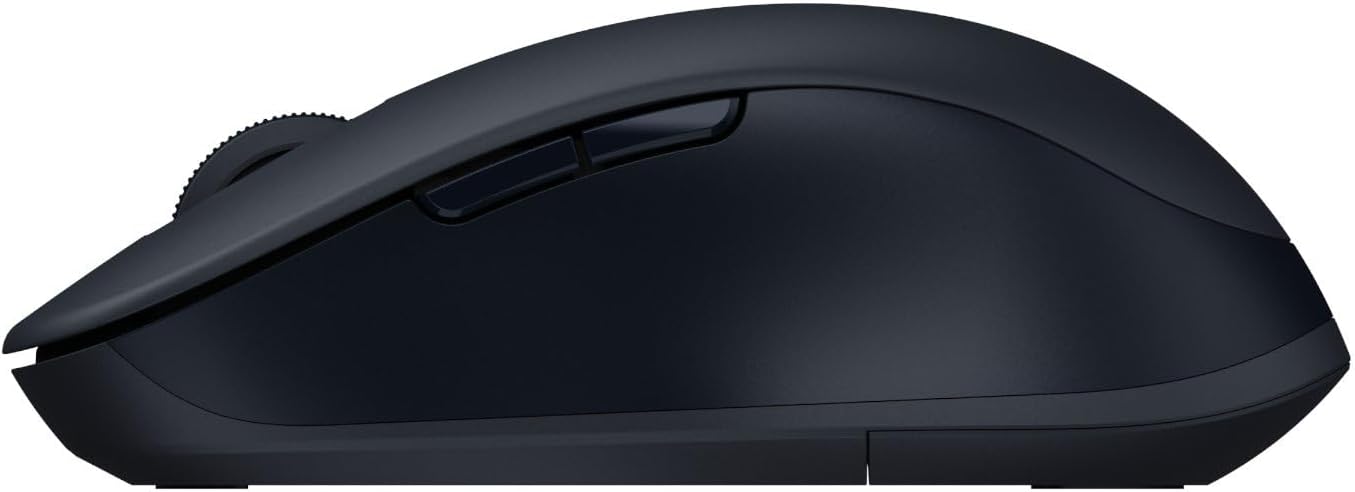
Figura 3: lateral view of the mouse, showing the side buttons.
- Botó de clic esquerre
- Botó de clic dret
- Roda de desplaçament / Botó central de clic
- DPI Switch Button (if applicable, not explicitly mentioned but common)
- Forward Button (Side)
- Backward Button (Side)
- Mode Switch Button / Indicator Light (usually on the bottom or top)
- Battery Compartment / USB Receiver Slot (on the bottom)
- Sensor òptic (a la part inferior)
4. Configuració i instal·lació
4.1. Instal·lació de la bateria
The Xiaomi Dual Mode Wireless Mouse 2 requires one AA battery. The battery compartment is located on the underside of the mouse.
- Gently slide open the battery compartment cover on the bottom of the mouse.
- Inseriu una pila AA, assegurant-vos que els terminals positiu (+) i negatiu (-) s'alineïn correctament amb els indicadors de l'interior del compartiment.
- Tanqueu la tapa del compartiment de la bateria fins que encaixi correctament al seu lloc.
4.2. Connectar el ratolí
Your mouse supports two connection modes: 2.4GHz wireless via USB receiver and Bluetooth.
4.2.1. Connexió sense fil de 2.4 GHz (receptor USB)
- Localitza el receptor USB, que normalment es guarda dins del compartiment de la bateria del ratolí.
- Connecteu el receptor USB a un port USB disponible de l'ordinador.
- Engegueu el ratolí amb l'interruptor d'engegada que es troba a la part inferior.
- The mouse should automatically connect to your computer. If not, press the mode switch button on the mouse to cycle to 2.4GHz mode (indicated by a specific LED color or pattern).
4.2.2. Connexió Bluetooth
- Engegueu el ratolí amb l'interruptor d'engegada que es troba a la part inferior.
- Press the mode switch button on the mouse to cycle to Bluetooth mode. The indicator light will typically blink rapidly, indicating it's in pairing mode.
- A l'ordinador o dispositiu, obriu la configuració de Bluetooth.
- Cerca new devices and select "Xiaomi Mouse 2" (or similar name) from the list of available devices.
- Seguiu les indicacions de la pantalla per completar el procés de vinculació.
5. Funcionament del ratolí
Once connected, your Xiaomi Dual Mode Wireless Mouse 2 is ready for use.
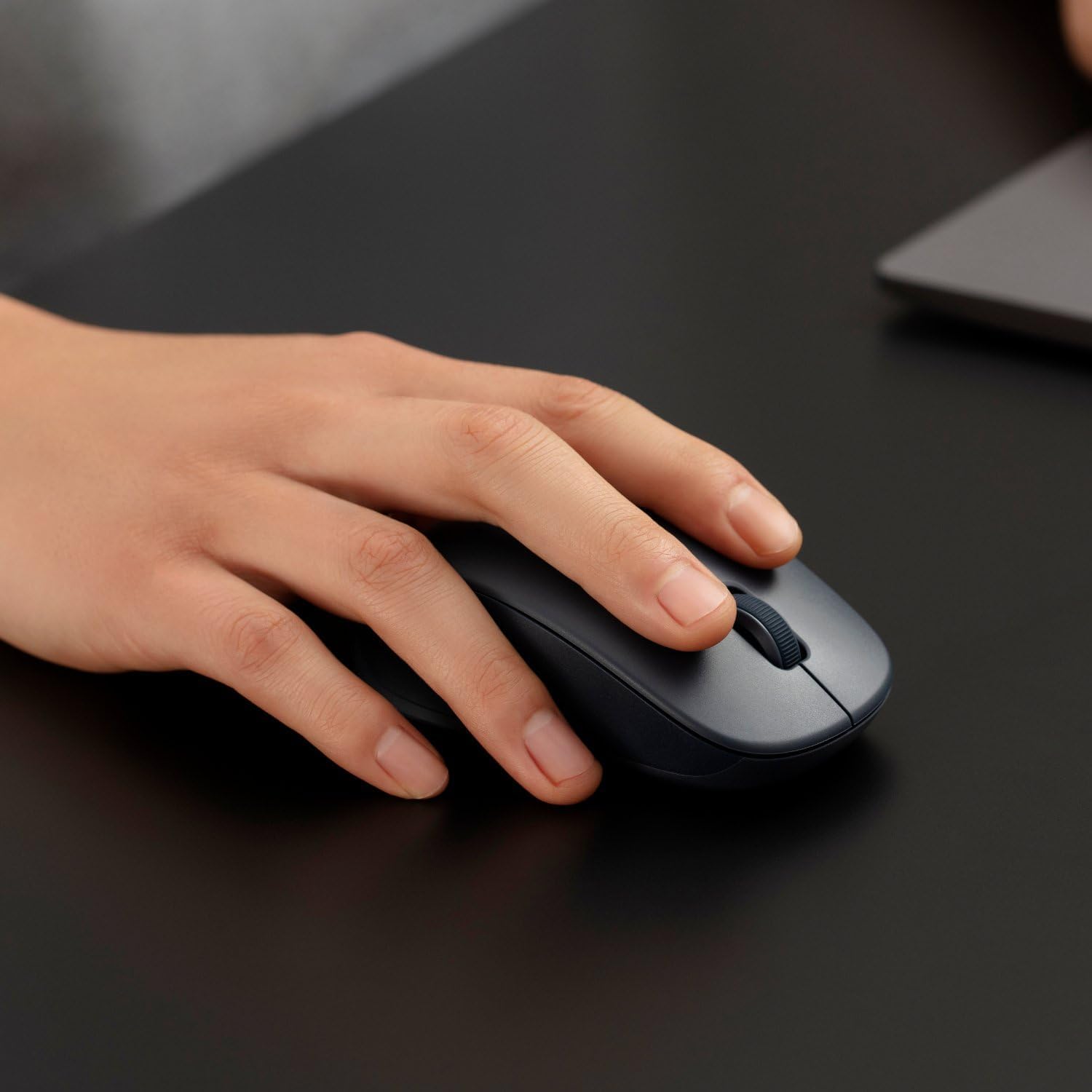
Figure 4: Proper hand placement for using the mouse.
5.1. Funcions bàsiques
- Clic esquerre: Primary action, used for selecting items, opening links, etc.
- Clic dret: Opens context menus, provides additional options.
- Roda de desplaçament: Desplaça't amunt o avall pels documents i web pàgines.
- Middle Click (Scroll Wheel Press): Often used for opening links in new tabs or auto-scrolling.
- Botons laterals (endavant/enrere): Navega web pàgines o carpetes.
5.2. Canvi de modes
To switch between 2.4GHz wireless and Bluetooth modes, press the mode switch button (usually located on the bottom or top of the mouse). The indicator light will change to reflect the active mode.
5.3. DPI Adjustment (If Applicable)
Some models may feature a DPI switch button (often located behind the scroll wheel) to adjust cursor sensitivity. Press this button to cycle through different DPI settings (e.g., 800, 1200, 1600 DPI).
6. Manteniment i cura
- Neteja: Feu servir un drap suau i sec per netejar el ratolí. Per a la brutícia persistent, fregueu lleugerament.ampNetegeu el drap amb aigua. No utilitzeu productes químics agressius ni netejadors abrasius.
- Substitució de la bateria: Quan el rendiment del ratolí disminueixi o l'indicador lluminós indiqui que la bateria està baixa, substituïu la pila AA tal com es descriu a la secció 4.1.
- Emmagatzematge: When not in use for extended periods, turn off the mouse to conserve battery life. Store the USB receiver inside the mouse's compartment to prevent loss.
- Medi ambient: Avoid exposing the mouse to extreme temperatures, direct sunlight, or excessive moisture.
7. Solució De Problemes
| Problema | Possible solució |
|---|---|
| El ratolí no respon |
|
| El moviment del cursor és erràtic o brusc |
|
| No es pot connectar mitjançant Bluetooth |
|
8. Especificacions
| Característica | Detall |
|---|---|
| Marca | XIAOMI |
| Número de model | BHR8850GL |
| Color | Noir (Negre) |
| Tecnologia de connectivitat | Bluetooth, sense fil de 2.4 GHz (mitjançant un receptor USB) |
| Tecnologia de detecció de moviment | Gyroscopic (Optical sensor) |
| Nombre de botons | 4 |
| Característiques especials | LED Light (indicator), Dual Mode |
| Dispositius compatibles | Ordinador personal, portàtil |
| Pes de l'article | 62 grams |
| Tipus de bateria | 1 bateria AA |
9. Garantia i Suport
Your Xiaomi Dual Mode Wireless Mouse 2 comes with a standard manufacturer's warranty. Please refer to the warranty card included in your product packaging for specific terms and conditions, including warranty period and coverage details.
Per a assistència tècnica, assistència per a la resolució de problemes o reclamacions de garantia, poseu-vos en contacte amb el servei d'atenció al client de Xiaomi o visiteu el lloc web oficial d'assistència de Xiaomi. website. Contact information can typically be found on the product packaging or the official Xiaomi weblloc.
Nota: Conserveu el tiquet de compra com a comprovant de compra a efectes de garantia.


