Introducció
This manual provides detailed instructions for the GOBOULT Mirage Smart Watch. Please read this guide thoroughly to ensure proper setup, operation, and maintenance of your device. This smartwatch features a 1.39-inch HD display, Bluetooth calling, comprehensive health monitoring, and various sports modes.
Què hi ha a la caixa
- GOBOULT Mirage Smart Watch
- Cable de càrrega
- Manual d'usuari
- Targeta de garantia
Configuració
1. Càrrega del dispositiu
Before initial use, fully charge your GOBOULT Mirage Smart Watch. Connect the provided charging cable to the charging port on the back of the watch and to a standard USB power adapter (not included). The watch typically charges within 120 minutes.

Image: GOBOULT Mirage Smart Watch displaying its features, including charging capability.
2. Emparellament amb el telèfon intel·ligent
- Download the official GOBOULT companion app from your smartphone's app store (available for iOS and Android).
- Assegureu-vos que el Bluetooth estigui habilitat al vostre telèfon intel·ligent.
- Open the app and follow the on-screen instructions to search for and connect to your GOBOULT Mirage Smart Watch.
- Confirma la sol·licitud d'emparellament tant al rellotge com al telèfon intel·ligent.
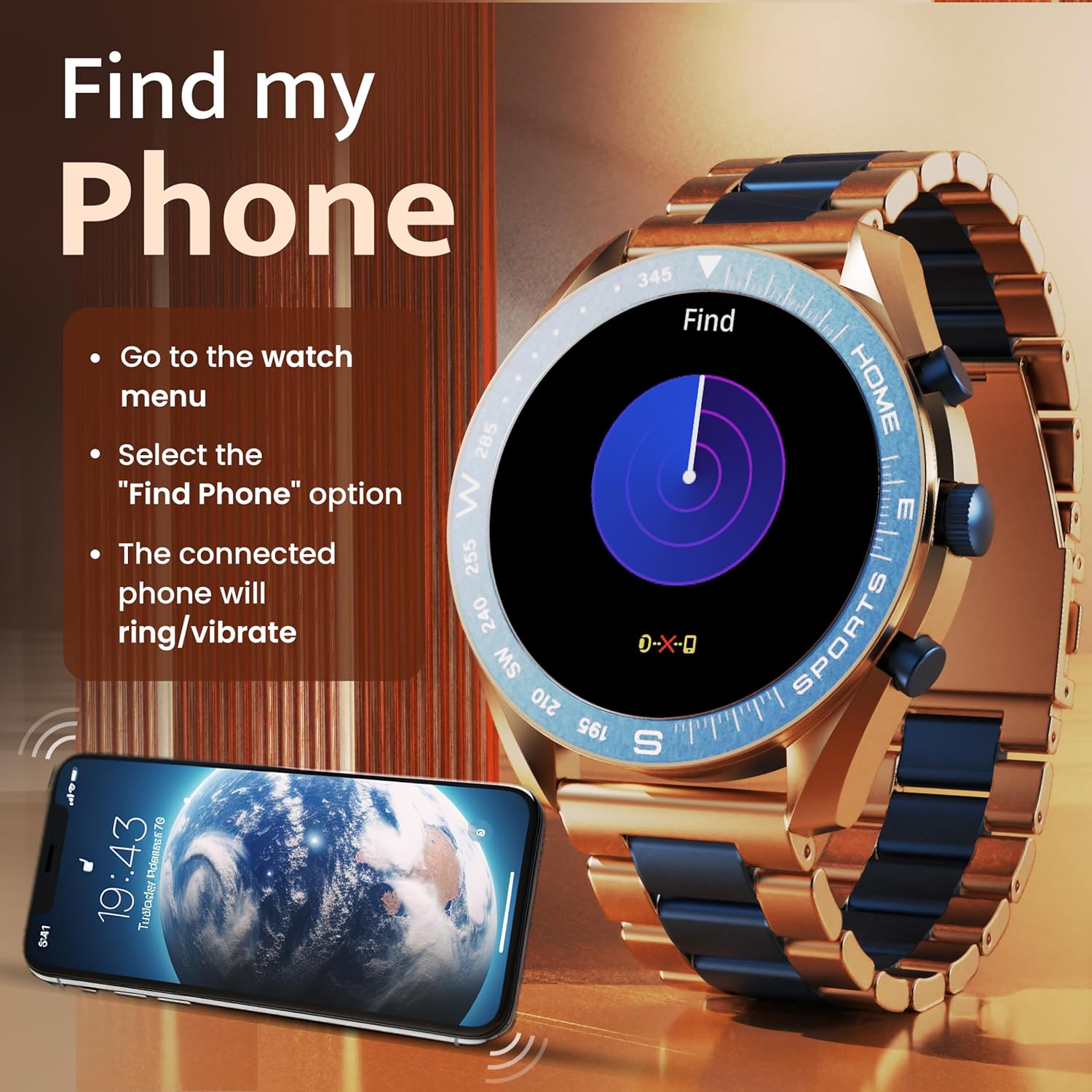
Image: The GOBOULT Mirage Smart Watch connected to a smartphone, illustrating connectivity.
Instruccions de funcionament
1. Pantalla i navegació
The GOBOULT Mirage features a 1.39-inch HD display with 360x360 pixels resolution and 500 nits peak brightness for clear visibility. Navigate the watch interface using touch gestures and the digital crown.
- Corona digital: Press to power on/off, switch UIs, and navigate menus. Rotate to scroll through options.
- Botons laterals: Use for quick access to specific functions, such as launching sports modes.

Image: GOBOULT Mirage Smart Watch highlighting the digital crown and its various functions.
2. Trucades per Bluetooth
With the built-in speaker and microphone, you can make and receive calls directly from your wrist once paired with your smartphone via Bluetooth 5.3.
- To answer a call, tap the green icon on the watch screen.
- To reject a call, tap the red icon.
- To make a call, access the dial pad or contacts through the watch menu.
Image: GOBOULT Mirage Smart Watch showing an incoming call notification.
3. Monitorització de la salut
The GOBOULT Mirage provides comprehensive health tracking features:
- SpO2 Blood Oxygen Monitor: Mesura els nivells d'oxigen a la sang.
- Monitor de freqüència cardíaca: Seguiment de la freqüència cardíaca 24/7.
- Monitor de son: Fa un seguiment dels patrons i la qualitat del son.
- Breath Training Mode: Et guia a través d'exercicis de respiració.
- Recordatori de beure aigua: Et recomana que et mantinguis hidratat/da.
- Recordatori sedentari: Alerts you after periods of inactivity.
- Seguiment de l'activitat: Registra els passos, la distància i les calories cremades.
- Seguiment del cicle menstrual: Ajuda a controlar els cicles menstruals.

Image: GOBOULT Mirage Smart Watch showcasing its complete health suite on the display.
4. Modes esportius
Track your performance across over 120 sports modes. Access these modes quickly using the shortcut buttons.
- Examples include Running, Cycling, Yoga, Cricket, Badminton, and Basketball.

Image: GOBOULT Mirage Smart Watch showing the selection of over 120 sports modes.
5. Esferes de rellotge
Personalize your watch with over 300 cloud-based watch faces. You can also customize the dial to match your style.

Image: GOBOULT Mirage Smart Watch illustrating the variety of 300+ cloud watch faces.
6. Notificacions intel·ligents
Receive SMS and other smart notifications directly on your watch. Ensure your watch is connected to your phone via Bluetooth for this feature to function.

Image: GOBOULT Mirage Smart Watch showing a push notification from a messaging app.
7. Assistent de veu amb IA
Access an intelligent AI voice assistant for hands-free control. Long press the designated button or use the voice assistant icon on the screen to activate.
8. Troba el meu telèfon
If you misplace your connected smartphone, use the 'Find My Phone' feature on your watch:
- Go to the watch menu.
- Select the "Find Phone" option.
- The connected phone will ring or vibrate, helping you locate it.
Image: GOBOULT Mirage Smart Watch showing the 'Find My Phone' interface.
9. Resistència a l'aigua
The GOBOULT Mirage Smart Watch is IP67 water-resistant, offering protection against dust and temporary immersion in water. It is suitable for daily wear and activities like hand washing or light rain.

Image: GOBOULT Mirage Smart Watch demonstrating its IP67 water resistance.
10. Mini Games
The watch includes several mini-games for entertainment during leisure time.
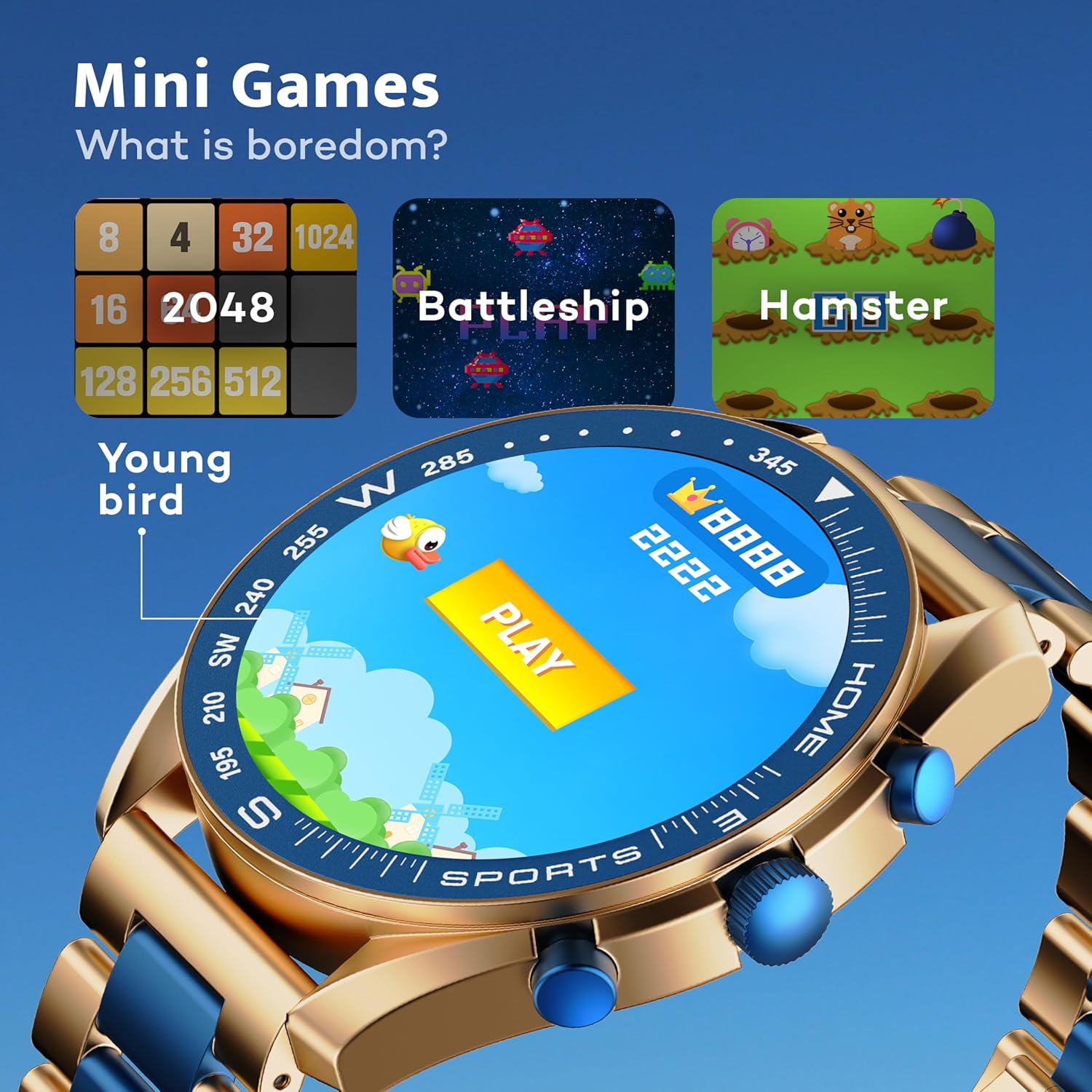
Image: GOBOULT Mirage Smart Watch showing the selection of mini-games.
Manteniment
1. Neteja
- Wipe the watch screen and body with a soft, dry cloth.
- Per a la brutícia tossuda, utilitzeu una mica damp cloth and immediately dry the watch.
- Eviteu utilitzar productes químics agressius o materials abrasius, ja que poden danyar l'acabat.
2. Pautes de resistència a l'aigua
- The IP67 rating means the watch is protected from dust and can withstand immersion in water up to 1 meter for 30 minutes.
- Do not use the watch for swimming, showering with hot water, or diving.
- Avoid exposing the watch to high-pressure water or steam.
- If the watch gets wet, dry it thoroughly before charging or using any buttons.
Resolució de problemes
- El rellotge no s'encén: Assegura't que el rellotge estigui completament carregat. Connecta'l al carregador durant almenys 30 minuts.
- No es pot emparellar amb el telèfon: Make sure Bluetooth is enabled on your phone and the watch is within range. Restart both devices and try pairing again.
- Dades de salut inexactes: Assegureu-vos que el rellotge estigui ben ajustat al canell, ni massa ajustat ni massa fluix. Netegeu els sensors regularment.
- Autonomia curta de la bateria: Redueix la brillantor de la pantalla, desactiva les notificacions innecessàries i limita el control continu de la freqüència cardíaca si no és necessari.
- Problemes de visualització: Restart the watch. If the problem persists, contact customer support.
Especificacions
| Característica | Detall |
|---|---|
| Marca | GOBOULT |
| Número de model | 8906133853464 |
| Mida de la pantalla | 1.39 polzades |
| Brillantor | 500 Nit |
| Material del marc | Aliatge de zinc |
| Tipus sense fil | Bluetooth 5.3 |
| Sistema operatiu | iOS, Android |
| Resistència a l'aigua | IP67 |
| Temps de càrrega de la bateria | 120 minuts |
| Tipus de bateria | Polímer de liti |
| Pes de l'article | 106 g |
Garantia i Suport
Your GOBOULT Mirage Smart Watch comes with a warranty card included in the box. Please refer to this card for details regarding warranty coverage and terms.
For technical support, troubleshooting assistance, or warranty claims, please contact GOBOULT customer service through their official weblloc web o la informació de contacte que apareix a la targeta de garantia.