1. Introducció
Welcome to the user manual for your new SONICAKE QKP-10 Portable Digital Electronic Piano Keyboard. This manual provides essential information for setting up, operating, and maintaining your instrument. Please read it thoroughly to ensure proper use and to maximize your musical experience.
2. Producte acabatview
The SONICAKE QKP-10 is a versatile 61-key digital keyboard designed for beginners and aspiring musicians. It offers a wide array of features to enhance learning and creativity.
- Vast Range of Tones and Features: Includes 300 tones, 300 rhythms, and 80 demo songs, providing diverse sound options.
- Stereo Experience: Equipped with two built-in speakers and Bluetooth connectivity.
- Headphone Connectivity: Permet la pràctica privada sense molestar els altres.
- Enregistrament i reproducció: Built-in function to record and review your performances.
- Practical Functions: Features vibrato, sustain, transpose, Dual-tone mode, 2 chord modes, and Split function.
- Portabilitat: Can be powered by six AA batteries (not included) or a 5V 1A USB connection for use anywhere.

Figura 2.1: Mésview of the SONICAKE QKP-10 Digital Electronic Piano Keyboard with music rest.
3. Configuració
3.1 Engegar el teclat
The QKP-10 keyboard can be powered in two ways:
- Adaptador de CA: Connect the included 5V 1A USB power adapter to the USB-C port on the back of the keyboard and plug it into a standard wall outlet.
- Bateries: For portable use, insert six AA batteries (not included) into the battery compartment located on the underside of the keyboard. Ensure correct polarity.

Figure 3.1: Keyboard dimensions and included power adapter and USB cable.
3.2 Connexió d'accessoris
- Auriculars: Connect standard 3.5mm headphones to the "PHONES" jack on the rear panel for private listening.
- Pedal de sosteniment: Connect an optional sustain pedal (not included) to the "SUSTAIN" jack for extended note decay.

Figure 3.2: Rear panel showing Sustain, Phones, and USB-C ports.
4. Instruccions de funcionament
4.1 Funcionament bàsic
- Encès/apagat: Premeu el botó PODER botó per encendre o apagar el teclat.
- Control de volum: Utilitza el MAIN VOL + / - buttons to adjust the overall volume.

Figure 4.1: User interacting with the keyboard and its control panel.
4.2 Tons i ritmes
The QKP-10 features 300 tones and 300 rhythms.
- Selecció de tons: Premeu el botó TO button, then use the number pad (0-9) to enter the desired tone number.
- Selecció de ritmes: Premeu el botó RITME button, then use the number pad (0-9) to enter the desired rhythm number.
- Volum del ritme: Adjust rhythm volume using RHYTHM VOL + / - botons.
- Tempo: Adjust the tempo of rhythms and demo songs using TEMPO + / - botons.
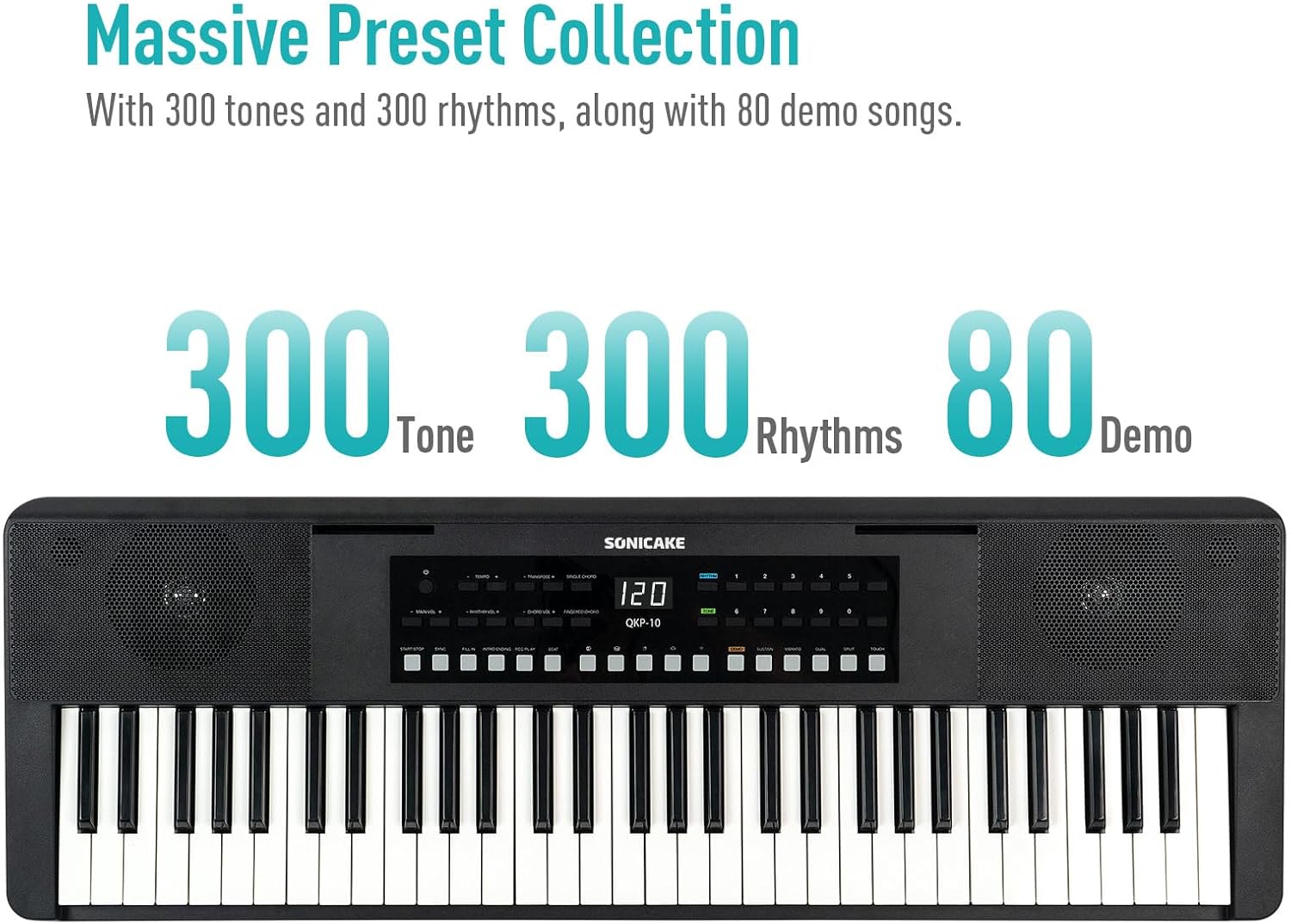
Figure 4.2: Control panel highlighting the 300 Tones, 300 Rhythms, and 80 Demo songs available.
4.3 cançons de demostració
The keyboard includes 80 demo songs for listening and learning.
- Playing Demos: Premeu el botó DEMO button to cycle through the demo songs.
4.4 Enregistrament i reproducció
Grava les teves actuacions i reprodueix-les per tornar-les a reproduirview el teu progrés.
- Registre: Premeu el botó REC button to start recording. Play your desired melody.
- Atura la gravació: Premeu JUGAR or STOP per acabar d’enregistrar.
- Reproducció: Premeu el botó JUGAR botó per escoltar la teva actuació enregistrada.
4.5 Connectivitat Bluetooth
Connect your smartphone or tablet via Bluetooth to play along with your favorite songs or accompaniment audio.
- Activa el Bluetooth: Assegureu-vos que el Bluetooth estigui habilitat al dispositiu extern.
- Maridatge: The keyboard will appear as "SONICAKE QKP-10" (or similar) in your device's Bluetooth settings. Select it to pair.
- Reproducció: Once paired, audio from your device will play through the keyboard's speakers.

Figure 4.3: Illustrates Bluetooth playback support, showing a smartphone wirelessly connected to the keyboard.
4.6 Funcions avançades
Explore these functions to expand your musical expression:
- Vibrat: Adds a slight pitch variation to notes. Press VIBRAT.
- Mantenir: Extends the decay of notes. Press SOSTENIR.
- Transposar: Shifts the pitch of the entire keyboard up or down. Use TRANSPOSE + / -.
- Dual-tone Mode: Layers two different tones simultaneously. Press DUAL.
- Funció de divisió: Divides the keyboard into two sections, each with a different tone. Press SPLIT.
- Chord Modes: Includes Single Chord and Fingered Chord modes.

Figura 4.4: Detallada view of the control panel, showing buttons for various functions like Tempo, Transpose, Chord modes, Demo, Sustain, Vibrato, Dual, Split, and Touch.
5. Manteniment
Proper care will ensure the longevity and performance of your keyboard.
- Neteja: Feu servir un drap suau i sec per netejar la superfície del teclat. Per a la brutícia persistent, netegeu lleugerament.ampNetegeu el drap amb aigua i un detergent suau i, a continuació, eixugueu-lo immediatament. Eviteu productes de neteja o dissolvents abrasius.
- Emmagatzematge: Store the keyboard in a cool, dry place away from direct sunlight, extreme temperatures, and high humidity.
- Manipulació: Avoid dropping the keyboard or subjecting it to strong impacts. Do not place heavy objects on top of it.
- Cura de la bateria: If not using the keyboard for an extended period, remove the batteries to prevent leakage.
6. Solució De Problemes
If you encounter any issues with your keyboard, please refer to the following common problems and solutions:
| Problema | Causa possible | Solució |
|---|---|---|
| No hi ha so dels altaveus/auriculars. | Volume too low; power issue; headphones not fully inserted. | Increase MAIN VOL. Check power connection/batteries. Ensure headphones are fully plugged in. |
| El teclat no s'encén. | No power supply; dead batteries; faulty adapter. | Check power adapter connection. Replace batteries. Try a different USB power source. |
| Problemes de connexió Bluetooth. | Keyboard not in pairing mode; device too far; interference. | Ensure Bluetooth is enabled on both devices. Move devices closer. Restart both devices. |
| Les claus no responen. | Keyboard frozen; internal issue. | Turn the keyboard off and on again. If problem persists, contact customer support. |
7. Especificacions
| Característica | Detall |
|---|---|
| Nom del model | QKP-10 |
| Nombre de claus | 61 |
| Tons | 300 |
| Ritmes | 300 |
| Cançons de demostració | 80 |
| Connectivitat | Bluetooth, USB |
| Tipus de connector | USB Type A, 3.5mm Jack |
| Conector d'auriculars | Jack de 3.5 mm |
| Font d'alimentació | Battery Powered (6x AA), 5V 1A USB |
| Pes de l'article | 10.47 lliures (aprox. 4.75 kg) |
| Dimensions del paquet | 38.19 x 14.37 x 5.91 polzades (aprox. 97 x 36.5 x 15 cm) |
| Color | Negre |
| Fabricant | SONICAKE |
8. Garantia i Suport
For warranty information and customer support, please refer to the documentation included with your purchase or visit the official SONICAKE weblloc web. Conserveu el comprovant de compra per a qualsevol reclamació de garantia.
If you require further assistance or have questions not covered in this manual, please contact SONICAKE customer service.


