Introducció
Gràcies per la compraasing the Fenton Core160 Bluetooth Party Speaker. This powerful and versatile speaker is designed to deliver high-quality audio with deep bass and clear highs, perfect for any occasion. Featuring Bluetooth 5.3 for stable wireless streaming, a long-lasting battery, and a vibrant LED light show, the Core160 offers an immersive audio experience. This manual provides essential information for safe operation, setup, and maintenance of your device. Please read it thoroughly before use.
Instruccions de seguretat
- Font d'alimentació: Feu servir només l'adaptador de corrent proporcionat. Assegureu-vos que el volumtage coincideix amb els requisits de la vostra regió.
- Aigua i humitat: Do not expose the speaker to rain, moisture, or liquids. Keep it away from water sources.
- Ventilació: Assegureu-vos que hi hagi una ventilació adequada. No bloquegeu cap obertura de ventilació.
- Calor: Mantingueu l'altaveu allunyat de fonts de calor com ara radiadors, registres de calor, estufes o altres aparells (inclosos amplificadors) que produeixen calor.
- Neteja: Netegeu només amb un drap sec. No utilitzeu netejadors líquids ni aerosols.
- Manteniment: No intenteu atendre aquest producte vosaltres mateixos. Consulteu tots els serveis a personal de servei qualificat.
- Bateria: The built-in battery should not be exposed to excessive heat such as sunshine, fire or the like. Do not attempt to replace the battery yourself.
Contingut del paquet
Marqueu la casella per als elements següents:
- Fenton Core160 Party Speaker
- Micròfon
- Control remot
- Adaptador d'alimentació

Image: The Fenton Core160 Party Speaker shown with its accessories: a wired microphone, a remote control, and a power adapter. This image illustrates all items included in the package.
Producte acabatview: Controls i connexions
Familiarize yourself with the various controls and connection ports on your Core160 speaker.

Imatge: Una imatge detallada view of the top control panel of the Fenton Core160 speaker. It features knobs for ECHO, GUITAR, MIC, BASS, TREBLE, and MASTER volume, along with buttons for LED lighting, equalizer presets, and media playback controls. Input ports for GUITAR, MIC, AUX, USB, MicroSD, and DC IN are also visible.
Funcions del tauler de control:
- Botó ECO: Ajusta l'efecte d'eco del micròfon.
- GUITAR Knob: Adjusts the volume for the guitar input.
- MIC Knob: Adjusts the volume for the microphone input.
- Pom BASS: Ajusta el nivell de greus de la sortida d'àudio.
- Controlador TREBLE: Ajusta el nivell d'aguts de la sortida d'àudio.
- Pom MÀSTER: Controls the overall master volume of the speaker.
- Botó LED: Toggles the LED light show on/off and cycles through modes.
- Botó EQ: Selects different equalizer presets.
- Controls de reproducció: Play/Pause, Previous Track, Next Track, Mode selection.
Ports d'entrada:
- GUITAR (6.3mm Jack): For connecting a guitar.
- Micròfon (connector de 6.3 mm): Per connectar un micròfon.
- AUX (3.5mm Jack): For connecting external audio devices via an AUX cable.
- Port USB: Per reproduir àudio des d'una unitat flash USB.
- Ranura per a targeta MicroSD: Per reproduir àudio des d'una targeta MicroSD.
- Entrada de CC (15 V/2 A): Power input for charging and operating the speaker.
Configuració
1. Carregant la bateria
Before first use, fully charge the speaker's built-in battery. Connect the provided power adapter to the DC IN port on the speaker and plug it into a wall outlet. The charging indicator will show the charging status. A full charge provides up to 12 hours of continuous playback.

Image: The Fenton Core160 speaker positioned outdoors, with a battery icon overlaid, emphasizing its long battery life for non-stop music playback.
2. Encès / apagat
Locate the power switch on the control panel. Toggle it to the "ON" position to power on the speaker. Toggle it to "OFF" to power off the speaker.
3. Connecting Microphone/Guitar
Plug your microphone into the MIC (6.3mm) input and your guitar into the GUITAR (6.3mm) input. Adjust their respective volume knobs on the control panel to achieve the desired sound level. Use the ECHO knob for microphone effects.
Instruccions de funcionament
1. Emparellament Bluetooth
- Power on the Core160 speaker. It will automatically enter Bluetooth pairing mode, indicated by a flashing Bluetooth icon on the display.
- On your smartphone or other Bluetooth device, enable Bluetooth and search for "Fenton Core160" in the list of available devices.
- Select "Fenton Core160" to pair. Once connected, you will hear a confirmation sound, and the Bluetooth icon will stop flashing.
- Ara pots reproduir àudio en streaming sense fil des del dispositiu a l'altaveu.
2. Stereo-Pairing (TWS Function)
For an enhanced stereo experience, you can pair two Core160 speakers together.
- Ensure both Core160 speakers are powered on and not connected to any Bluetooth device.
- On one speaker (this will be the primary speaker), press and hold the TWS button (if available, otherwise refer to the manual for specific TWS pairing instructions, typically a dedicated button or a long press on the Mode button).
- The speakers will attempt to connect to each other. Once successfully paired, you will hear a confirmation sound.
- Now, connect your Bluetooth device to the primary speaker as described in the "Bluetooth Pairing" section. Audio will play in stereo through both speakers.

Image: Two Fenton Core160 speakers are shown side-by-side, with arrows indicating their ability to connect for stereo sound. This illustrates the True Wireless Stereo (TWS) pairing feature.
3. Reproducció USB/MicroSD
Inseriu una unitat flaix USB o una targeta MicroSD (amb àudio compatible) files) into the respective port. The speaker will automatically switch to USB/MicroSD mode and begin playback. Use the playback controls (Play/Pause, Previous/Next) on the speaker or remote control.
4. Entrada AUX
Connect an external audio device (e.g., MP3 player, laptop) to the AUX (3.5mm) input using an audio cable. Press the "Mode" button on the speaker or remote control to switch to AUX mode. Audio will play from the connected device.
5. Funció de karaoke
With a microphone connected to the MIC input, you can sing along to your music. Adjust the MIC volume and ECHO effect to your preference. The speaker's powerful output makes it ideal for karaoke sessions.
6. Espectacle de llums LED
The Core160 features a dynamic multi-color LED light show. Press the "LED" button on the control panel or remote control to turn the lights on/off or cycle through different light modes and patterns.

Imatge: Un primer pla view of the Fenton Core160 speaker's front panel, showcasing its vibrant, multi-colored LED light rings. This highlights the speaker's party atmosphere feature.
7. Ús del control remot
The included remote control allows you to conveniently manage playback, volume, mode selection, and LED lights from a distance. Ensure the remote control has working batteries and is pointed towards the speaker's IR receiver.
Manteniment
- Neteja: Feu servir un drap suau i sec per netejar l'exterior de l'altaveu. No utilitzeu productes de neteja abrasius, ceres ni dissolvents.
- Cura de la bateria: To prolong battery life, avoid fully discharging the battery frequently. If storing the speaker for a long period, charge it to about 50% every few months.
- Emmagatzematge: Guardeu l'altaveu en un lloc fresc i sec, allunyat de la llum solar directa i de temperatures extremes.
- Transport: When transporting the speaker, ensure it is securely packed to prevent damage.
Resolució de problemes
| Problema | Causa possible | Solució |
|---|---|---|
| Sense poder | La bateria està esgotada; l'adaptador de corrent no està connectat o està defectuós. | Charge the speaker; Check power adapter connection and wall outlet. |
| Sense so | Volume too low; Incorrect input mode; Device not paired (Bluetooth). | Increase master volume; Select correct input mode (Bluetooth, AUX, USB/MicroSD); Re-pair Bluetooth device. |
| Bluetooth no connectat | Altaveu no en mode d'emparellament; Dispositiu massa lluny; Interferències. | Ensure speaker is in pairing mode; Move device closer; Turn off other Bluetooth devices. |
| El micròfon no funciona | Microphone not plugged in correctly; MIC volume too low. | Ensure microphone is fully inserted; Increase MIC volume knob. |
| Els llums LED no funcionen | LED function turned off. | Press the LED button to turn on or cycle modes. |
Especificacions
| Característica | Detall |
|---|---|
| Marca | Fenton |
| Nom del model | Nucli 160 |
| Dimensions del producte | 38 x 41 x 84.5 cm |
| Pes | 13.35 quilos |
| Tecnologia de connectivitat | Bluetooth 5.3 |
| Mode de sortida d'àudio | estèreo |
| Tipus d'altaveu | Woofer (2x 8") |
| Potència de sortida | 240 watts |
| Durada de la bateria | Fins a 12 hores |
| Característiques especials | LED Light Show, Stereo Pairing (TWS), Karaoke Function |
| Ports d'entrada | USB, MicroSD, AUX (3.5mm), Microphone (6.3mm), Guitar (6.3mm) |
| Fabricant | Tronios BV |
| País d'origen | Xina |
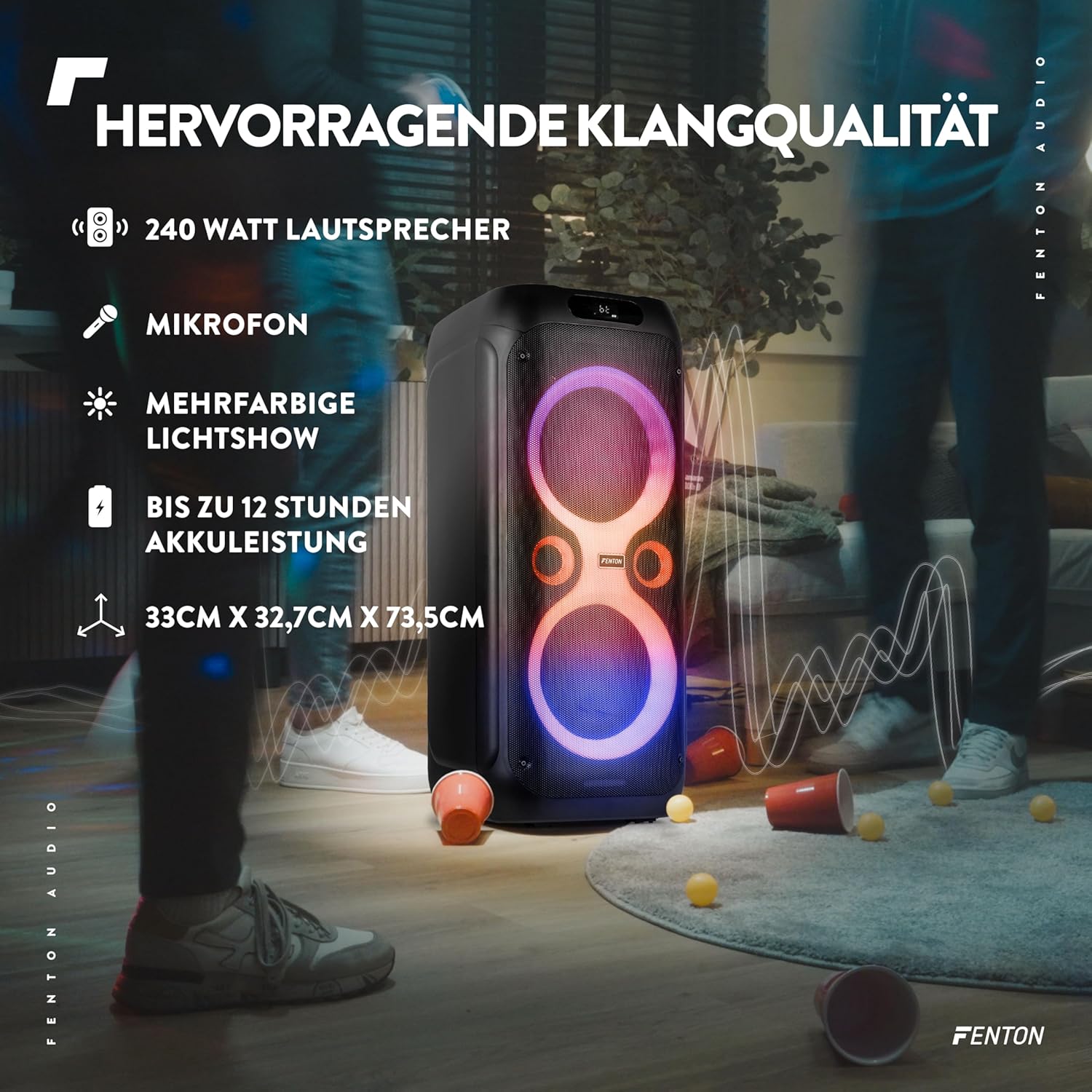
Image: The Fenton Core160 speaker with text overlays highlighting its 240 Watt output, microphone inclusion, multi-color light show, up to 12 hours of battery life, and dimensions (33cm x 32.7cm x 73.5cm).
Garantia i Suport
For warranty information and technical support, please refer to the warranty card included with your product or visit the official Fenton weblloc web. Conserveu el rebut de compra com a comprovant de compra per a qualsevol reclamació de garantia.


