1. Introducció
This manual provides essential information for the proper use and maintenance of your GOODTEL G9 11-inch Android Tablet. Please read this manual thoroughly before operating the device to ensure optimal performance and longevity.
The GOODTEL G9 tablet features an 11-inch 2K display, an octa-core processor, 16GB RAM (8GB fixed + 8GB expandable), 256GB ROM (expandable up to 1TB via Micro SD), an 8600mAh battery, 5G Wi-Fi, Bluetooth 5.0, and 13MP rear and 5MP front cameras. It operates on Android 13 and is GMS certified.

Image 1.1: GOODTEL G9 Tablet overview, highlighting 2K display, 16GB RAM, 256GB ROM, and Android OS.
2. Contingut del paquet
Upon opening the package, please verify that all items are present and in good condition. The standard package includes:
- Tauleta Android GOODTEL G9 de 11 polzades
- Adaptador d'alimentació
- Cable USB-Type C
- Funda protectora
- Protector de pantalla (preaplicat o separat)
- Manual d'usuari (aquest document)
Image 2.1: The GOODTEL G9 Tablet and its standard accessories.
3. Configuració
3.1. Càrrega inicial
Abans del primer ús, carregueu completament la tauleta.
- Connecteu el cable USB tipus C al port de càrrega de la tauleta.
- Connecteu l'altre extrem del cable a l'adaptador d'alimentació.
- Connecteu l'adaptador de corrent a una presa de corrent.
- Allow the tablet to charge until the battery indicator shows 100%.
3.2. Encès / apagat
- Per encendre: Press and hold the Power button until the GOODTEL logo appears.
- Per apagar: Mantingueu premut el botó d'engegada i, a continuació, seleccioneu "Apagar" de les opcions que apareixen a la pantalla.
- Per reiniciar: Press and hold the Power button, then select "Restart" from the options on the screen.
3.3. Assistent de configuració inicial
The first time you power on the tablet, an on-screen setup wizard will guide you through basic configurations:
- Selecció d'idioma: Trieu el vostre idioma preferit.
- Connexió Wi-Fi: Connecteu-vos a una xarxa Wi-Fi per accedir a Internet.
- Compte de Google: Sign in with your Google account or create a new one. This is necessary for downloading apps from the Google Play Store.
- Data i hora: Estableix la data i l'hora correctes.
- Seguretat: Set up a screen lock (PIN, pattern, password, or facial recognition).
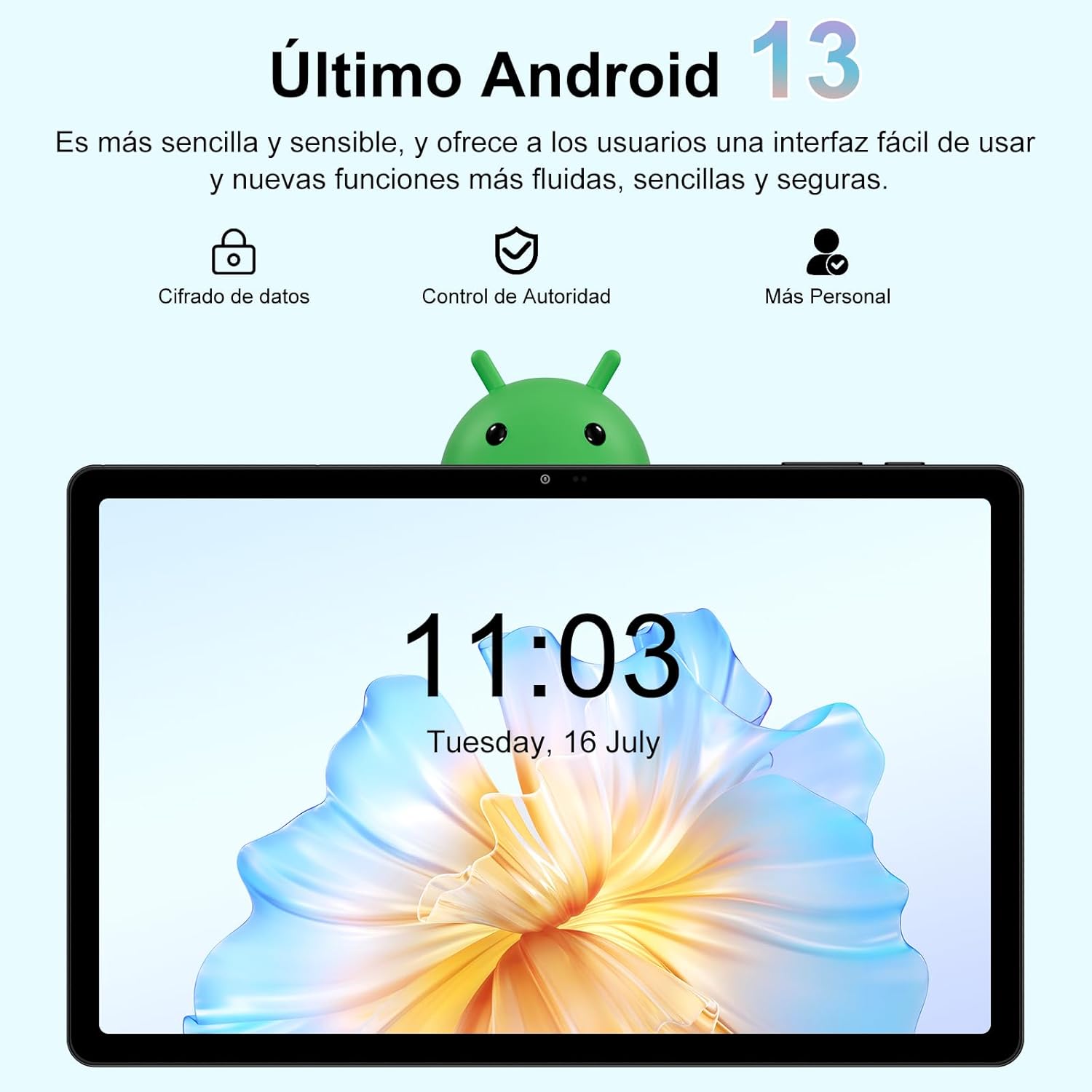
Image 3.1: The Android 13 operating system interface on the GOODTEL G9 Tablet.
4. Funcionament de la tauleta
4.1. Pantalla i navegació
The GOODTEL G9 features an 11-inch 2K Incell HD display with a resolution of 2000x1200 pixels, offering vibrant colors and rich details.
- Gestos tàctils: Navigate the interface using standard Android touch gestures (tap, swipe, pinch-to-zoom).
- Pantalla d'inici: Accedeix a les teves aplicacions i widgets.
- Panell de notificacions: Feu lliscar el dit cap avall des de la part superior de la pantalla fins a view notificacions i configuracions ràpides.
- Aplicacions recents: Tap the square navigation button (or swipe up and hold) to view i canviar entre les aplicacions utilitzades recentment.

Image 4.1: The 11-inch display of the GOODTEL G9 Tablet.
4.2. Rendiment i emmagatzematge
The tablet is equipped with an 8-core 2.0 GHz processor, 16GB RAM (8GB fixed + 8GB expandable), and 256GB internal storage (ROM). Storage can be expanded up to 1TB using a Micro SD card (not included).
- Gestió d'aplicacions: Install and uninstall applications from the Google Play Store.
- File Gestió: Feu servir el preinstal·lat file manager to organize your documents, photos, and videos.
- Multitasca: The generous RAM allows for smooth multitasking and app switching.

Image 4.2: Memory and storage capabilities of the GOODTEL G9 Tablet.
4.3. Càmeres
The GOODTEL G9 features a 13MP rear camera and a 5MP front camera, suitable for capturing photos, videos, and video calls.
- Fent fotos: Obre l'aplicació Càmera, emmarca la foto i toca el botó de l'obturador.
- Gravació de vídeos: Canvia al mode de vídeo a l'aplicació Càmera i toca el botó de gravació.
- Configuració: Adjust camera settings such as resolution, flash, and timer within the Camera app.

Imatge 4.3: Ex.amples of photos taken with the GOODTEL G9 Tablet cameras.
4.4. Connectivitat
- Wi-Fi: Supports dual-band 2.4G and 5G Wi-Fi for stable and fast internet access. Go to Settings > Network & internet > Wi-Fi to connect to a network.
- Bluetooth 5.0: Connect to wireless headphones, speakers, and other Bluetooth-enabled devices. Go to Settings > Connected devices > Bluetooth.
- GPS: Integrated GPS allows for navigation and location-based services.
- OTG (On-The-Go): Supports OTG connectivity for connecting USB peripherals like flash drives or external keyboards/mice.

Image 4.4: Connectivity features of the GOODTEL G9 Tablet.
4.5. Gestió de la bateria
The tablet is equipped with an 8600mAh high-capacity battery, providing extended usage time for reading, browsing, and multimedia consumption.
- Estalvi de bateria: Enable battery saver mode in Settings > Battery to extend battery life.
- Càrrega: Use the provided Type-C charger for optimal charging.
- Salut de la bateria: Eviteu temperatures extremes i descarregueu completament la bateria amb freqüència per allargar-ne la vida útil.

Image 4.5: The 8600mAh high-capacity battery.
5. Manteniment
- Neteja: Feu servir un drap suau i sense borrissol per netejar la pantalla i el cos de la tauleta. Eviteu productes de neteja o dissolvents abrasius.
- Actualitzacions de programari: Regularly check for and install system updates to ensure optimal performance and security. Go to Settings > System > System update.
- Còpia de seguretat de dades: Periodically back up important data to a cloud service or external storage device.
- Gestió d'emmagatzematge: Netegeu regularment innecessaris files and cache to free up storage space and maintain performance.
- Condicions ambientals: Eviteu exposar la tauleta a temperatures extremes, llum solar directa o humitat elevada.
6. Solució De Problemes
- La tauleta no s'encén: Ensure the battery is charged. Connect the charger and try again. If it still doesn't turn on, perform a forced restart by holding the power button for 10-15 seconds.
- Les aplicacions es bloquegen o es bloquegen: Close and reopen the app. Clear the app's cache (Settings > Apps > [App Name] > Storage & cache > Clear cache). If the issue persists, uninstall and reinstall the app.
- Problemes de connexió Wi-Fi: Ensure Wi-Fi is enabled. Restart your router and the tablet. Forget the network and reconnect.
- Rendiment lent: Tanca les aplicacions en segon pla innecessàries. Esborra la memòria cau i les aplicacions temporals files. Si els problemes de rendiment persisteixen després d'altres passos de resolució de problemes (primer feu una còpia de seguretat de les dades), considereu la possibilitat de restablir les dades de fàbrica.
- La pantalla no respon: Restart the tablet. If the issue continues, contact customer support.
7. Especificacions
| Característica | Especificació |
|---|---|
| Model | GOODTEL G9 |
| Sistema operatiu | Android 13 |
| Mida de la pantalla | 11 polzades |
| Resolució de visualització | 2000 x 1200 pixels (2K Incell HD) |
| Processador | MediaTek Octa-Core, 2.0 GHz |
| RAM | 16 GB (8 GB fixed + 8 GB expandable) |
| Emmagatzematge intern (ROM) | 256 GB |
| Emmagatzematge ampliable | Up to 1 TB via Micro SD card |
| Càmera posterior | 13 MP |
| Càmera frontal | 5 MP |
| Capacitat de la bateria | 8600 mAh (ió de liti) |
| Connectivitat | 5G Wi-Fi (802.11a/b/g/n), Bluetooth 5.0, GPS, Type-C, OTG |
| Dimensions | 17 x 12 x 0.8 cm |
| Pes | 480 grams |
8. Garantia i Suport
Your GOODTEL G9 Tablet comes with a standard manufacturer's warranty. Please refer to the warranty card included in your package for specific terms and conditions.
For technical support, troubleshooting assistance, or warranty claims, please contact GOODTEL customer service through the retailer where you purchased the product or visit the official GOODTEL weblloc.
Assistència en línia: Visit the GOODTEL Store on Amazon


