Introducció
The Razer Kraken V4 is a versatile wireless gaming headset designed for immersive audio experiences across multiple platforms. It offers three modes of connectivity: 2.4 GHz wireless, Bluetooth, and a wired USB connection. Key features include a retractable HyperClear Super Wideband Mic for clear voice communication, Razer TriForce Titanium 40 mm drivers for detailed sound, THX Spatial Audio for positional sound, and customizable 9-zone Chroma RGB lighting.

Image: The Razer Kraken V4 Wireless Gaming Headset, showcasing el seu disseny i el dongle USB inclòs.
Contingut del paquet
Verifiqueu que tots els elements siguin presents al vostre paquet:
- Razer Kraken V4 Wireless Gaming Headset
- USB Wireless Transceiver (Dongle)
- Cable de càrrega USB-A a USB-C
- Guia d'informació important del producte

Image: All components included in the Razer Kraken V4 package, laid out on a flat surface.
Producte acabatview
Familiarize yourself with the various components and controls of your Razer Kraken V4 headset.
Retractable HyperClear Super Wideband Mic
The microphone can be extended or retracted as needed. It captures a wide frequency range for clear voice communication.

Imatge: Primer pla view of the Razer Kraken V4 headset, highlighting the retractable HyperClear Super Wideband Microphone in both extended and retracted positions.
Controls On-Earcup
The headset features intuitive controls on the earcups for quick adjustments during use.

Image: Detail of the earcup controls on the Razer Kraken V4, showing buttons for game/chat balance and volume adjustment.
9-Zone Chroma RGB Lighting
Each earcup features customizable RGB lighting zones.

Image: The Razer Kraken V4 headset displaying its 9-zone Chroma RGB lighting on the earcups.
Configuració
1. Càrrega dels auriculars
Before initial use, fully charge your Razer Kraken V4 headset. Connect the included USB-A to USB-C charging cable to the headset's USB-C port and to a powered USB port on your computer or a wall adapter. The LED indicator will show charging status.
2. Connecting via 2.4 GHz Wireless (USB Dongle)
This mode provides a low-latency wireless connection for PC, Mac, PS5, Nintendo Switch, and Steam Deck.
- Insert the USB wireless transceiver into an available USB port on your device.
- Power on your Razer Kraken V4 headset.
- The headset should automatically connect to the transceiver. A status indicator on the headset will confirm the connection.
- On your device, ensure the Razer Kraken V4 is selected as the audio output and input device in your sound settings.

Image: The Razer Kraken V4 headset connected via its USB wireless dongle to a laptop, illustrating the 2.4 GHz wireless connectivity.
3. Connexió mitjançant Bluetooth
Use Bluetooth for connecting to smartphones and other compatible devices.
- With the headset powered on, activate Bluetooth pairing mode (refer to the headset's specific button combination for Bluetooth pairing, usually a long press on the power button or a dedicated Bluetooth button).
- Al dispositiu, aneu a la configuració de Bluetooth i cerqueu els dispositius disponibles.
- Select "Razer Kraken V4" from the list of found devices to pair.
4. Connecting via USB Wired
For a direct, non-stop gaming experience, connect the headset using a USB cable.
- Connect the USB-A to USB-C cable from the headset's USB-C port to an available USB port on your PC, Mac, PS5, Nintendo Switch, or Steam Deck.
- The headset will function as a wired audio device. Ensure it is selected as the default audio device in your system settings.
Instruccions de funcionament
Encès/Apagat
Press and hold the power button located on the earcup to turn the headset on or off.
Control de volum
Adjust the master volume using the volume wheel on the earcup. Rotate up to increase volume, down to decrease.
Ús del micròfon
Extend the retractable microphone for voice communication. To mute the microphone, press the microphone mute button on the earcup. Retract the microphone when not in use.
Game/Chat Mix Balance
Use the dedicated game/chat balance control on the earcup to adjust the audio levels between game sound and voice chat. This allows you to prioritize one over the other without affecting overall volume.
Àudio espacial THX
The headset supports THX Spatial Audio for enhanced positional sound. This feature can be enabled and configured through the Razer Synapse software on compatible devices (PC/Mac) to optimize your audio experience for specific games.
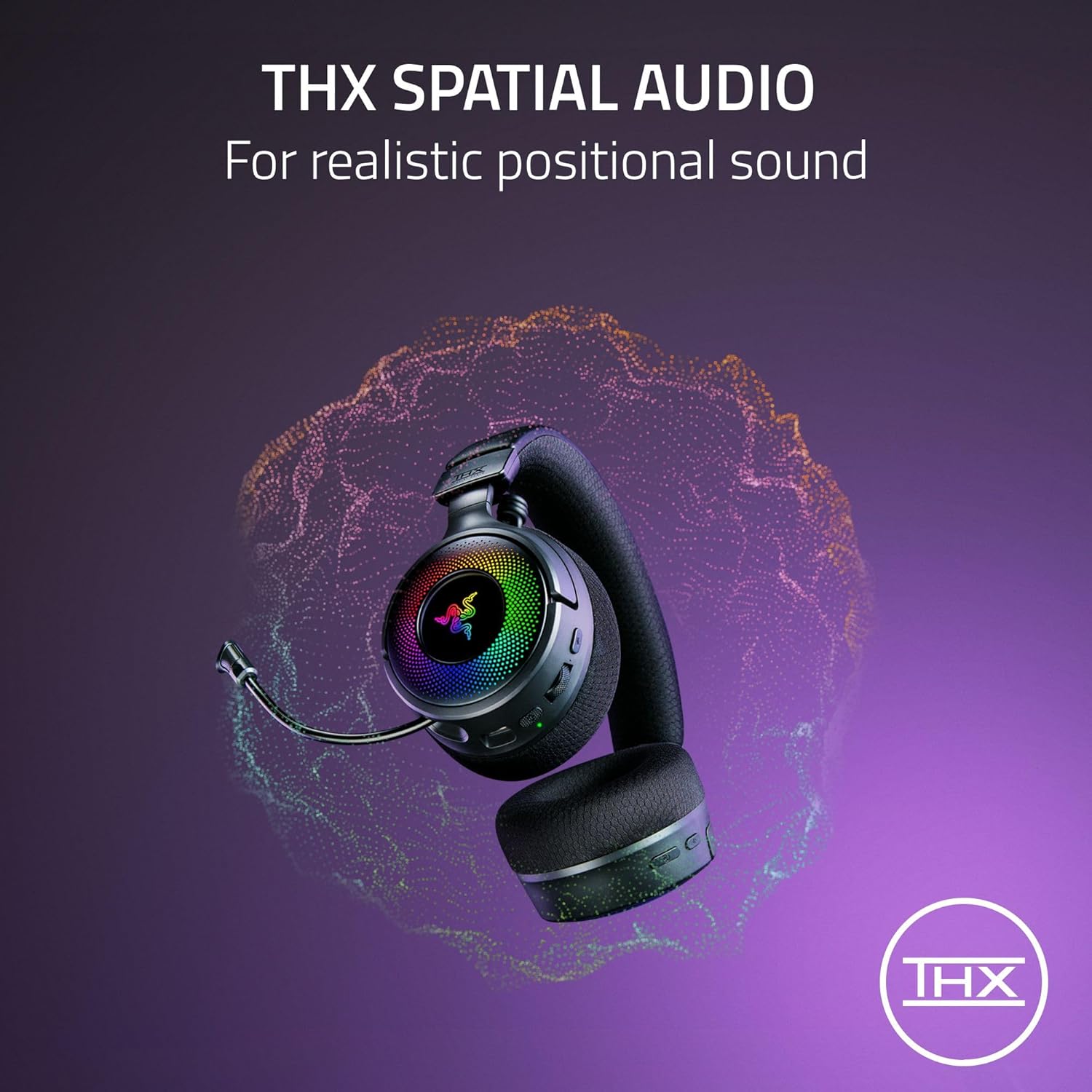
Image: A visual representation of THX Spatial Audio technology, indicating its ability to create realistic positional soundscapes.
Chroma RGB Lighting Customization
Customize the 9-zone RGB lighting on the earcups using the Razer Synapse software. This allows you to select from 16.8 million colors and various lighting effects to personalize your headset.
Manteniment
Neteja
- Netegeu els auriculars amb un drap suau i sec.
- Per als coixins de les orelles, netegeu suaument amb anuncisamp cloth and mild soap if necessary, then allow to air dry completely.
- No utilitzeu productes químics o materials abrasius.
Emmagatzematge
Guardeu els auriculars en un lloc fresc i sec, allunyat de la llum solar directa i de temperatures extremes. Eviteu col·locar objectes pesats a sobre dels auriculars.
Cura de la bateria
To prolong battery life, avoid fully discharging the headset frequently. Charge the headset regularly, even if not in constant use.
Resolució de problemes
If you encounter issues with your Razer Kraken V4 headset, refer to the following common solutions:
- Sense àudio / Volum baix:
- Ensure the headset is powered on and properly connected (2.4 GHz, Bluetooth, or USB wired).
- Check the volume wheel on the headset and your device's system volume settings.
- Verify that the Razer Kraken V4 is selected as the default audio output device.
- El micròfon no funciona:
- Ensure the microphone is extended and not muted (check the mute button).
- Verify that the Razer Kraken V4 is selected as the default audio input device in your system settings and communication applications.
- Wireless Disconnections (2.4 GHz):
- Ensure the USB wireless transceiver is securely plugged into a working USB port.
- Reduce the distance between the headset and the transceiver.
- Minimize interference from other wireless devices (e.g., Wi-Fi routers, other 2.4 GHz devices).
- Try plugging the transceiver into a different USB port or a different device to rule out port issues.
- Problemes de vinculació de Bluetooth:
- Assegureu-vos que els auriculars estiguin en mode d'emparellament Bluetooth.
- Desactiva i activa el Bluetooth del dispositiu.
- Oblida el dispositiu de la llista de Bluetooth i intenta emparellar-lo de nou.
- RGB Lighting Not Functioning:
- Assegureu-vos que els auriculars estiguin encès.
- If customizing, verify that Razer Synapse software is installed and running on your PC/Mac, and the headset is recognized.
Especificacions
| Característica | Detall |
|---|---|
| Nom del model | Kraken V4 |
| Tecnologia de connectivitat | Wireless (2.4 GHz with USB dongle, Bluetooth), USB Wired |
| Tipus de controlador d'àudio | Razer TriForce Titanium 40 mm Dynamic Drivers |
| Interval de freqüència | 20 Hz - 20,000 Hz |
| Micròfon | Retractable HyperClear Super Wideband Mic |
| Àudio espacial | Àudio espacial THX |
| Il·luminació | 9-Zone Earcup Chroma RGB Lighting |
| Dispositius compatibles | PC, Mac, PS5, Nintendo Switch, Steam Deck, Smartphone |
| Mètode de control | App Control (Razer Synapse), On-earcup controls |
| Material | Leather (ear cushions) |
| Pes de l'article | 1.54 lliures |
| Bateries | Necessita 1 bateria de ions de liti |
| UPC | 840272917961 |
Garantia i Suport
Informació de la garantia
The Razer Kraken V4 Wireless Gaming Headset comes with a manufacturer's warranty. Please refer to the Important Product Information Guide included in your package for specific warranty terms and conditions, including duration and coverage details. Keep your proof of purchase for warranty claims.
Suport tècnic
For further assistance, technical support, or to download the latest drivers and software (such as Razer Synapse), please visit the official Razer support weblloc:


