1. Introducció i finalview
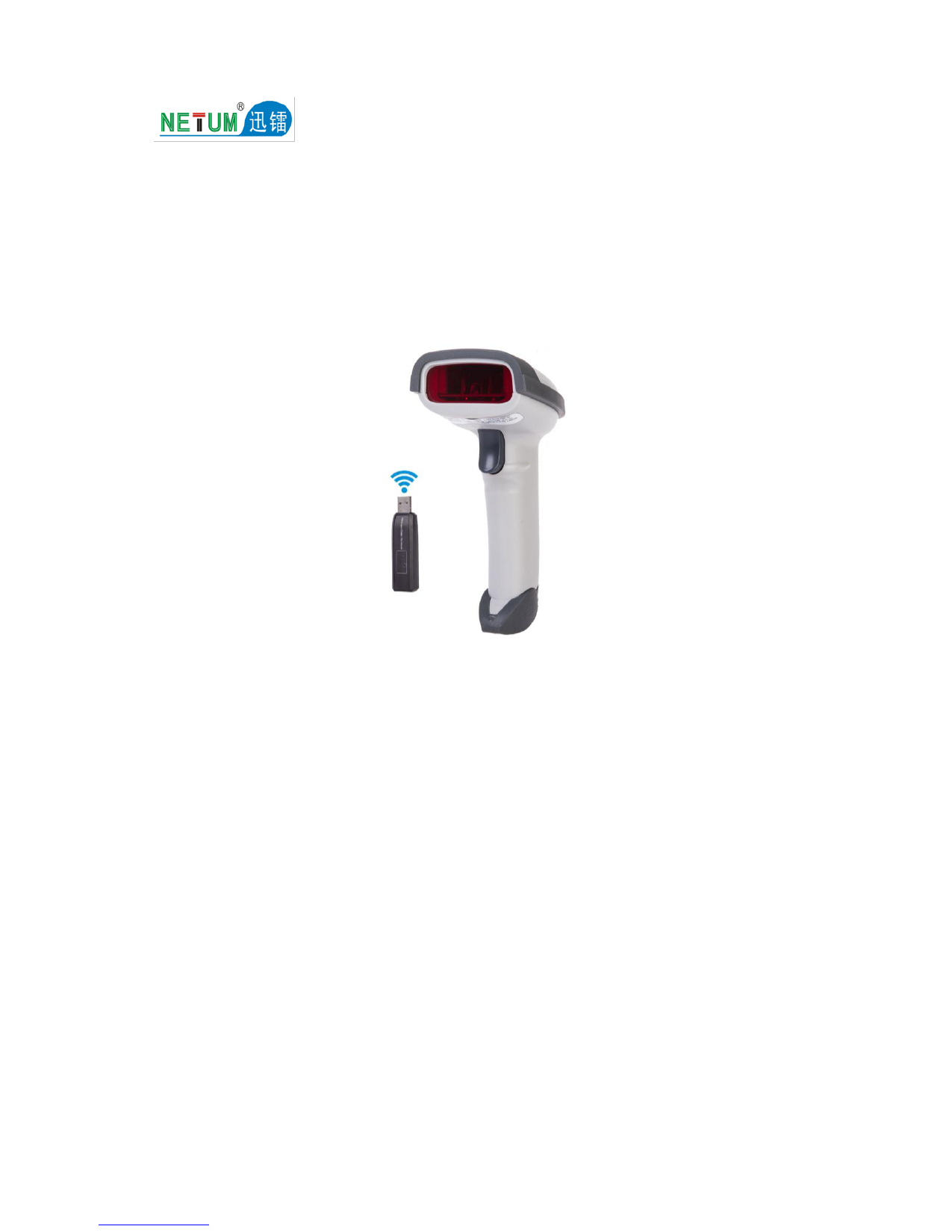
The NETUM F18W is a versatile 2D wireless barcode scanner designed for efficient and reliable data capture. It offers dual connectivity options and robust performance for various applications.
- 2-in-1 Connection: Supports both 2.4GHz wireless and USB cable connections for flexible use.
- Dos modes de treball: Features a built-in memory of 256 KB, capable of storing over 2600 codes, allowing for scanning without an active connection.
- Bateria de gran capacitat: Equipped with an 1800mAh Li-Ion battery, providing continuous scanning for up to 100,000 times on a full charge.
- Alt rendiment: Engineered for excellent performance and stability with a fully ergonomic design.

Figure 1: NETUM F18W 2D Wireless Barcode Scanner with its USB cable and 2.4GHz wireless receiver.
2. Contingut del paquet
En obrir el paquet, comproveu que hi hagi tots els components:
- NETUM F18W 2D Wireless Barcode Scanner
- Mini USB Receiver (2.4GHz)
- Cable USB
- Manual d'usuari (aquest document)
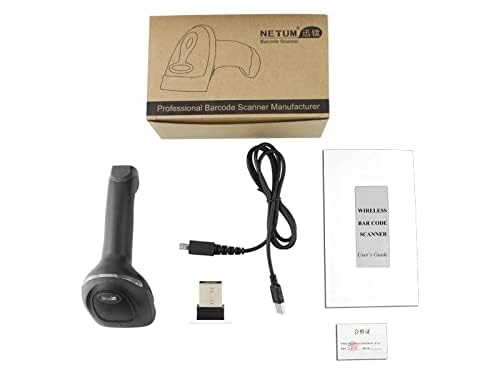
Figure 2: The NETUM F18W package includes the scanner, USB cable, wireless receiver, and user manual.
3. Configuració
The NETUM F18W barcode scanner offers two primary connection methods: 2.4GHz wireless and USB wired. Both methods are plug-and-play, requiring no driver installation.
3.1. Wireless Connection (2.4GHz)
- Locate the Mini USB Receiver.
- Insert the Mini USB Receiver into an available USB port on your computer, laptop, or compatible device.
- The scanner will automatically pair with the receiver. A successful connection is typically indicated by an audible beep and/or a change in the scanner's indicator light.
3.2. Wired Connection (USB Cable)
- Connect one end of the provided USB cable to the scanner's USB port.
- Connect the other end of the USB cable to an available USB port on your computer, laptop, or compatible device.
- The scanner will be recognized as a standard HID keyboard device.
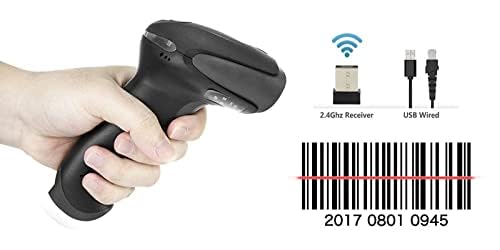
Figure 3: The scanner supports both 2.4GHz wireless (via receiver) and USB wired connections.
4. Instruccions de funcionament
The F18W scanner is designed for ease of use. Once connected, it functions like a keyboard input device, entering scanned data directly into any active text field.
4.1. Escaneig bàsic
- Ensure the scanner is powered on and connected to your device.
- Apunteu la finestra de l'escàner cap al codi de barres que voleu escanejar.
- Press the trigger button. A red scan line will appear.
- Hold the scanner steady until you hear a beep, indicating a successful scan. The data will then be transmitted to your connected device.
4.2. Tipus de codis de barres compatibles
The NETUM F18W supports a wide range of 1D and 2D barcode symbologies, including QR codes, Data Matrix, and MicroPDF417. Its powerful decode capacity covers:
Codabar, Code 93, MSI, Code 128, UCC/EAN-128, Code 39, EAN-8, EAN-13, UPC-A, UPC-E, ISBN, Industrial 25, Interleaved 25, Standard 25, 2/5 Matrix, USPS, FedEx.

Figure 4: The F18W scanner is capable of reading various 2D barcode formats.
4.3. Modes de treball
The scanner features two working modes:
- Mode de càrrega instantània: Scanned data is immediately transmitted to the connected device. This is the default mode.
- Mode d'emmagatzematge: If the scanner is out of range or not connected, scanned data is stored in its internal 256 KB memory (up to 2600 codes). Data can be uploaded later when a connection is re-established.
4.4. Escenaris d'aplicació
The F18W scanner is suitable for a variety of environments due to its versatility and robust design.

Figure 5: The NETUM F18W scanner is ideal for use in retail, logistics, healthcare, and other inventory management settings.
5. Manteniment
To ensure the longevity and optimal performance of your NETUM F18W barcode scanner, follow these maintenance guidelines:
- Neteja: Use a soft, dry, lint-free cloth to clean the scanner's exterior. For the scanning window, use a soft cloth slightly dampNetegeu amb un netejador suau i no abrasiu. Eviteu productes químics agressius o materials abrasius.
- Cura de la bateria: The built-in 1800mAh Li-Ion battery provides extensive usage. For best battery life, avoid fully discharging the battery frequently. Recharge the scanner when the battery indicator suggests low power.
- Emmagatzematge: Guardeu l'escàner en un lloc fresc i sec, allunyat de la llum solar directa i de temperatures extremes quan no l'utilitzeu.
- Manipulació: Handle the scanner with care to prevent drops or impacts, which can damage internal components.
6. Solució De Problemes
If you encounter issues with your NETUM F18W barcode scanner, please refer to the following common troubleshooting steps:
- Scanner not responding:
- Assegureu-vos que l'escàner estigui completament carregat.
- Verify the USB cable is securely connected to both the scanner and the host device.
- If using wireless mode, ensure the Mini USB Receiver is properly inserted and the scanner is within range. Try re-pairing the scanner if necessary (refer to advanced configuration in the full manual if available).
- Test the scanner on a different USB port or a different computer to rule out port or device issues.
- No s'han transmès dades després de l'escaneig:
- Confirm the scanner is successfully connected (e.g., indicator light, beep sound).
- Ensure there is an active text field or application open on your device where the scanned data can be input.
- Check if the barcode is damaged or poorly printed. Try scanning a known good barcode.
- Scanner beeps but no data:
- This might indicate the scanner is in storage mode. Connect the scanner to upload stored data.
- Ensure the correct barcode symbology is enabled if you are scanning a less common type.
For more complex issues, please contact customer support.
7. Especificacions
| Característica | Detall |
|---|---|
| Marca | NETUM |
| Model | F18W |
| Dimensions del producte | 5 x 10 x 6 cm |
| Pes de l'article | 250 g |
| Tecnologia de connectivitat | 2.4GHz Wireless, USB Cable |
| Dispositius compatibles | Ordinador de sobretaula, portàtil, telèfon intel·ligent, tauleta |
| Font d'alimentació | Cable elèctric (per carregar) |
| Bateria | 1800 mAh Li-Ion |
| Memòria | 256 KB (stores over 2600 codes) |
| Codis de barres compatibles | 1D: Codabar, Code 93, MSI, Code 128, UCC/EAN-128, Code 39, EAN-8, EAN-13, UPC-A, UPC-E, ISBN, Industrial 25, Interleaved 25, Standard 25, 2/5 Matrix. 2D: QR, Data Matrix, MicroPDF417. |
8. Garantia i Suport
8.1. Informació de la garantia
Aquest producte ve amb un 6 mesos de garantia des de la data de compra. Si us plau, conserveu el comprovant de compra per a reclamacions de garantia. La garantia cobreix defectes de fabricació i avaries en condicions d'ús normals.
8.2. Atenció al client
For technical assistance, troubleshooting, or warranty inquiries, please contact NETUM customer support:
- Correu electrònic: Sreeprojectors@gmail.com
- WhatsApp: +91 8341888860
- Fabricant: NETUM
També podeu visitar l'oficial NETUM brand page on Amazon per obtenir més informació sobre el producte.