Introducció
Gràcies per la compraasing the ECHTPower Wireless Switch Controller. This controller is designed to provide a versatile and immersive gaming experience across multiple platforms, including Nintendo Switch, Switch Lite, iOS, Android, and PC. Its unique design combines nostalgic retro aesthetics with modern performance features.

Image: The ECHTPower Wireless Switch Controllers in purple and starry sky blue, showcasing els seus dissenys distintius.
1. Configuració
1.1 Càrrega inicial
Before first use, fully charge the controller. Connect the provided USB cable to the controller's charging port and the other end to a USB power source (e.g., console, PC, or USB wall adapter). The indicator lights on the controller will show charging status and turn off when fully charged.
1.2 Pairing with Nintendo Switch/Switch Lite
- Turn on your Nintendo Switch/Switch Lite console.
- Al menú INICI, seleccioneu "Controlants" > "Canvia l'empunyadura/l'ordre".
- On the controller, press and hold the SYNC button (usually a small button on the top or back) for 3-5 seconds until the indicator lights start flashing rapidly.
- Once paired, the corresponding player indicator light(s) on the controller will remain solid.
1.3 Connecting to PC (Wired/Wireless)
Mode per cable: Connecteu el controlador al vostre ordinador amb el cable USB. L'ordinador hauria de detectar i instal·lar automàticament els controladors necessaris.
Mode sense fil (Bluetooth):
- Assegureu-vos que el vostre ordinador tingui el Bluetooth habilitat.
- Go to "Bluetooth & other devices" settings on your PC.
- Select "Add Bluetooth or other device" > "Bluetooth".
- On the controller, press and hold the SYNC button until the indicator lights flash rapidly.
- Select the controller from the list of available devices on your PC to pair.
1.4 Connecting to iOS/Android Devices
- Activa el Bluetooth al teu dispositiu iOS/Android.
- On the controller, press and hold the SYNC button until the indicator lights flash rapidly.
- Cerca and select the controller from the list of available Bluetooth devices on your mobile device to pair.
2. Instruccions de funcionament
2.1 Controls bàsics
The controller features standard gaming buttons including A/B/X/Y, D-pad, Left/Right Analog Sticks, L/R/ZL/ZR shoulder buttons, Home, Capture, Plus (+), Minus (-), and a Turbo button.

Imatge: Una imatge detallada view of the purple controller, highlighting its button layout and ergonomic design.
2.2 Funció Turbo
The controller supports both manual and auto turbo functions, allowing for rapid button presses. The manual turbo function can achieve up to 25 shots per second.
- Configuració del Turbo: Press and hold the button you wish to set for turbo (e.g., A) then press the Turbo button once. The button will now rapidly repeat when held down.
- Configuració del turbo automàtic: Press and hold the turbo-enabled button (e.g., A) and press the Turbo button a second time. The button will now automatically repeat without being held down.
- Turbo de neteja: Press and hold the turbo-enabled button and press the Turbo button a third time to clear the turbo setting for that button. To clear all turbo settings, press and hold the Turbo button for 5 seconds.
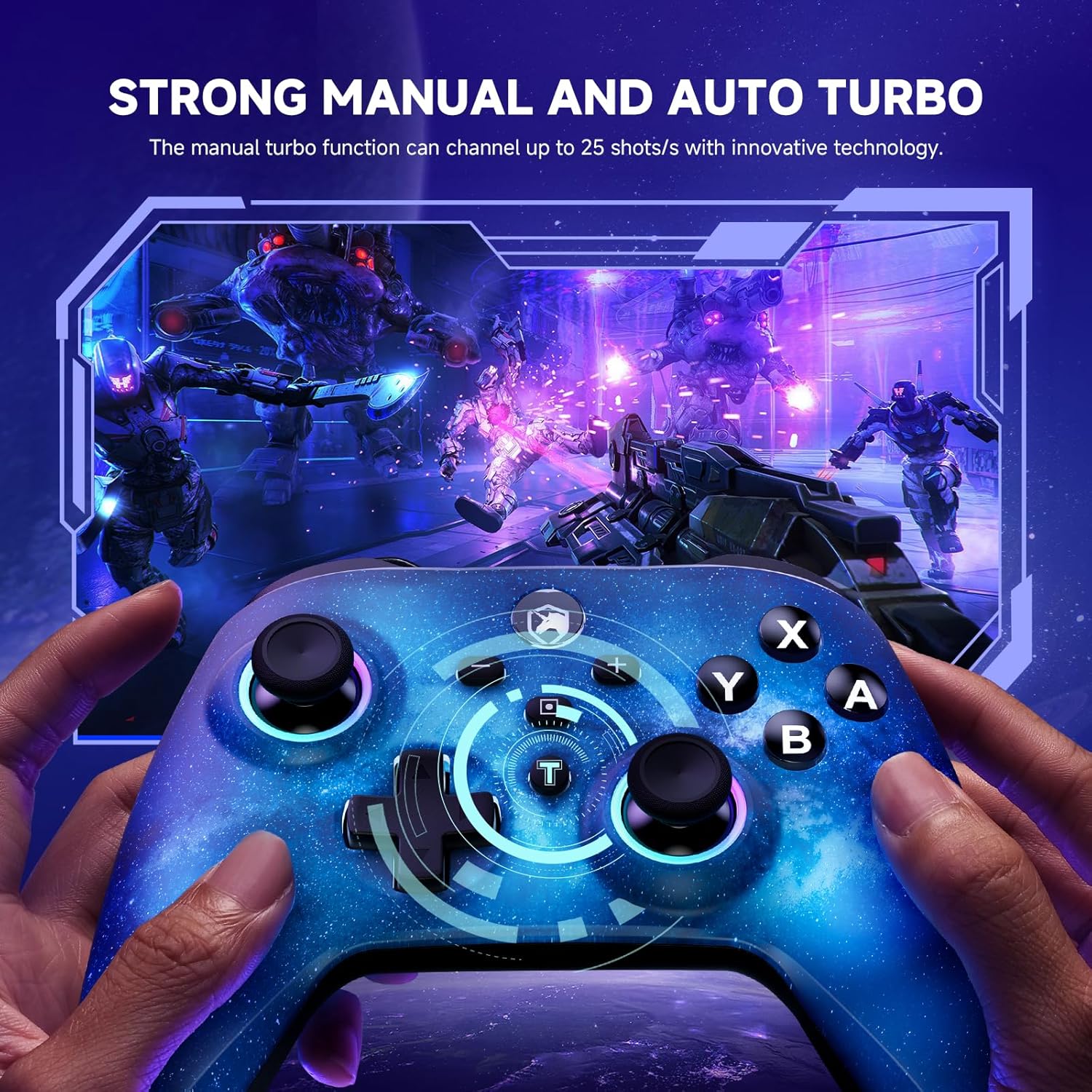
Image: The starry sky blue controller in use, demonstrating the rapid fire capability of the turbo function in a gaming scenario.
2.3 Dual Vibration
The controller features adjustable dual vibration motors, offering 4 vibration speed intensities for a more realistic gaming experience.
- Adjusting Vibration: While connected, press the Turbo button and the Up/Down direction on the D-pad simultaneously to cycle through vibration intensities.
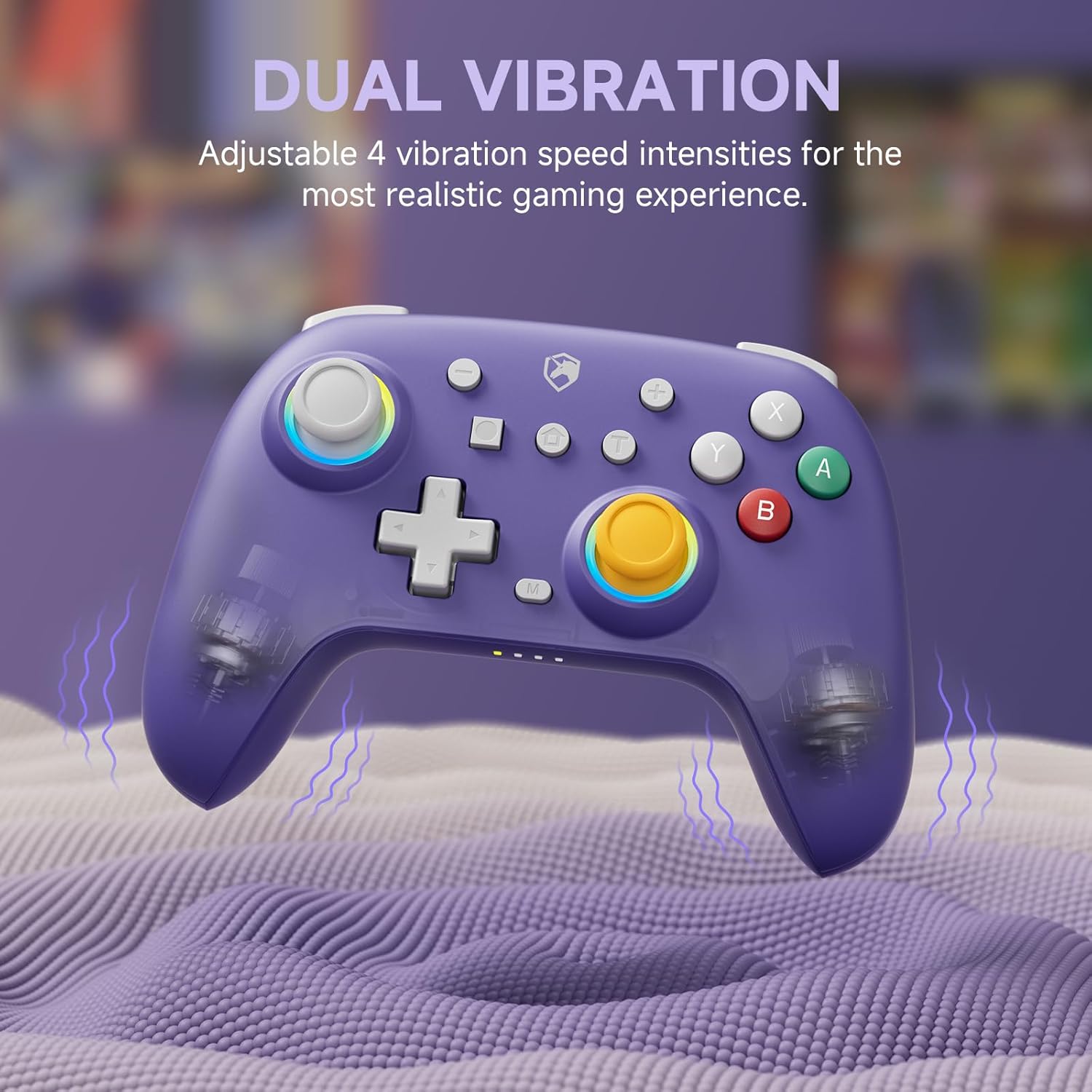
Image: The purple controller illustrating its dual vibration feature, enhancing tactile feedback during gameplay.
Il·luminació RGB 2.4
The controller features sparkly 9 RGB lighting colors and 4 light modes, adding a visual flair to your gaming setup.

Image: The starry sky blue controller showcasing its customizable RGB lighting, creating an immersive visual effect.
Baguetes d'efecte Hall 2.5
Equipped with Hall Effect sticks, the controller offers precise and durable position detection, reducing stick drift and extending lifespan.

Image: A diagram explaining the Hall Effect stick technology, emphasizing its precision and durability for accurate input.
3. Manteniment
- Neteja: Feu servir un drap suau i sec per netejar el controlador. Per a la brutícia persistent, netegeu lleugerament.ampNetegeu el drap amb aigua. No utilitzeu productes químics agressius ni netejadors abrasius.
- Emmagatzematge: Guardeu el controlador en un lloc fresc i sec, allunyat de la llum solar directa i de temperatures extremes.
- Cura de la bateria: Per allargar la durada de la bateria, eviteu descarregar completament el controlador amb freqüència. Carregueu-lo regularment, fins i tot si no l'utilitzeu durant períodes prolongats.
- Eviteu les gotes: Protegiu el controlador de caigudes i impactes, que poden danyar els components interns.
4. Solució De Problemes
| Problema | Causa possible | Solució |
|---|---|---|
| Controller won't turn on. | Bateria baixa. | Charge the controller for at least 30 minutes. |
| Unable to pair with device. | Controller not in pairing mode; device Bluetooth off; interference. | Ensure controller is in pairing mode (flashing lights). Check device Bluetooth settings. Move closer to the device. Try resetting the controller (if applicable, usually a small pinhole button). |
| Input lag or disconnection. | Distance from device; low battery; wireless interference. | Move closer to the device. Charge the controller. Reduce other wireless device interference. |
| Buttons/sticks not responding correctly. | Calibration issue; physical damage; software glitch. | Try recalibrating sticks/buttons via console/PC settings. Reset the controller. If issues persist, contact support. |
5. Especificacions
- Marca: ECHTPower
- Model: B0DNN27RS5
- Connectivitat: Sense fil (Bluetooth), amb cable (USB)
- Dispositius compatibles: Nintendo Switch, Nintendo Switch Lite, iOS, Android, PC
- Color: Purple, Starry Sky Blue
- Font d'alimentació: Funciona amb bateria
- Tipus de controlador: Gamepad
- Característiques especials: Dual Vibration, Turbo Function, Hall Effect Sticks, RGB Lighting
6. Garantia i Suport
ECHTPower products come with a standard manufacturer's warranty. For specific warranty details, please refer to the product packaging or contact ECHTPower customer support.
If you encounter any issues not covered in this manual or require further assistance, please contact ECHTPower customer support via their official weblloc web o el venedor on vau comprar el producte.
Assistència en línia: Visit the ECHTPower Store on Amazon


