1. Introducció
Thank you for choosing the Alvar C201 Smart Projector. This manual provides essential information for setting up, operating, and maintaining your projector to ensure optimal performance and longevity. The Alvar C201 is designed to deliver a superior home entertainment experience with its advanced features, including 1000 ANSI lumens brightness, DBX-TV audio, official licensed streaming apps, and intelligent auto-correction functions.

Imatge: Frontal view of the Alvar C201 Smart Projector, showcasing el seu disseny elegant i la seva lent.
2. Característiques del producte
The Alvar C201 Smart Projector is equipped with cutting-edge technology to enhance your viewing and audio experience:
- Ultra Bright 1000 ANSI Lumens: Delivers a vivid and clear image even in well-lit environments, making it suitable for daytime use.
- DBX-TV Total Sonics Audio: Features professionally tuned cinematic sound with rich bass, balanced highs, and immersive clarity, powered by 30W built-in speakers.
- Suport d'àudio Dolby: Enhances realism and provides immersive surround sound for a theater-like experience.
- Aplicacions de streaming amb llicència oficial: Preloaded with Netflix, Prime Video, and YouTube, allowing direct access to content without external devices.
- 4D Smart System: Includes auto-focus for sharp clarity, auto-keystone correction for tilted placements, obstacle-detecting AI, and intelligent screen alignment for perfect projection.
- 4K 60Hz Supported & HDR10: Supports 4K resolution input and delivers sharp, lifelike images with vibrant colors and deep contrast. Native 1080P resolution.
- Protecció ocular: Certified eye protection to reduce eye strain during long viewsessions de realització.
- Fastest WiFi 6 & Two-way Bluetooth 5.2: Ensures smooth wireless mirroring from devices and stable two-way audio transmission for connecting to external speakers or using the projector as a Bluetooth speaker.
- Múltiples mètodes d'instal·lació: Supports ceiling mount, tabletop mount, and wall mount.
- Connectivitat versàtil: Equipped with 2 HDMI ports, a USB port, and a 3.5mm headphone jack for compatibility with various devices.
- Advanced Touch Pad and Bluetooth Remote: Provides convenient control options.

Imatge: Més deview of Alvar C201 features including 1000 ANSI brightness, officially licensed apps, Dolby Audio, and DBX-TV sound.

Image: Visual comparison demonstrating the projector's ultra brightness and vibrant colors in both daylight and night settings.

Image: Illustration of the projector's powerful 30W (2x15W) speakers, providing 360-degree surround sound.

Image: Display showing the Netflix Officially Licensed Smart System with pre-installed streaming applications like Netflix, YouTube, and Prime Video.
3. Guia de configuració
3.1 Desembalatge i col·locació inicial
Carefully remove the projector and all accessories from the packaging. Place the projector on a stable, flat surface or prepare for mounting. Ensure adequate ventilation around the unit.
- Connexió d'alimentació: Connecteu el cable d'alimentació al projector i després a una presa de corrent.
- Comandament a distància: Introduïu 2 piles AAA (no incloses) al comandament a distància.
3.2 Automatic Adjustments (4D Smart System)
The Alvar C201 features a 4D Smart System for effortless setup:
- Enfocament automàtic: The projector automatically adjusts for razor-sharp clarity.
- Correcció trapezoidal automàtica: Automatically corrects tilted placements, ideal for various mounting positions.
- Evitació d'obstacles automàtics: Detecta i evita objectes a la trajectòria de projecció.
- Alineació automàtica de la pantalla: Intelligently aligns the content perfectly within the screen boundaries.
For optimal clarity, project in a relatively dark environment and keep the tilt angle of the projector less than or equal to 20 degrees.

Image: Diagram illustrating the projector's automatic setup capabilities: Auto Keystone, Auto Focus, Auto Obstacle Avoidance, and Auto Screen Fit.

Image: A visual representation of the auto-focus feature, ensuring a clear and sharp image.
Imatge: Un example of auto keystone correction, automatically adjusting the image to be rectangular even when the projector is at an angle.
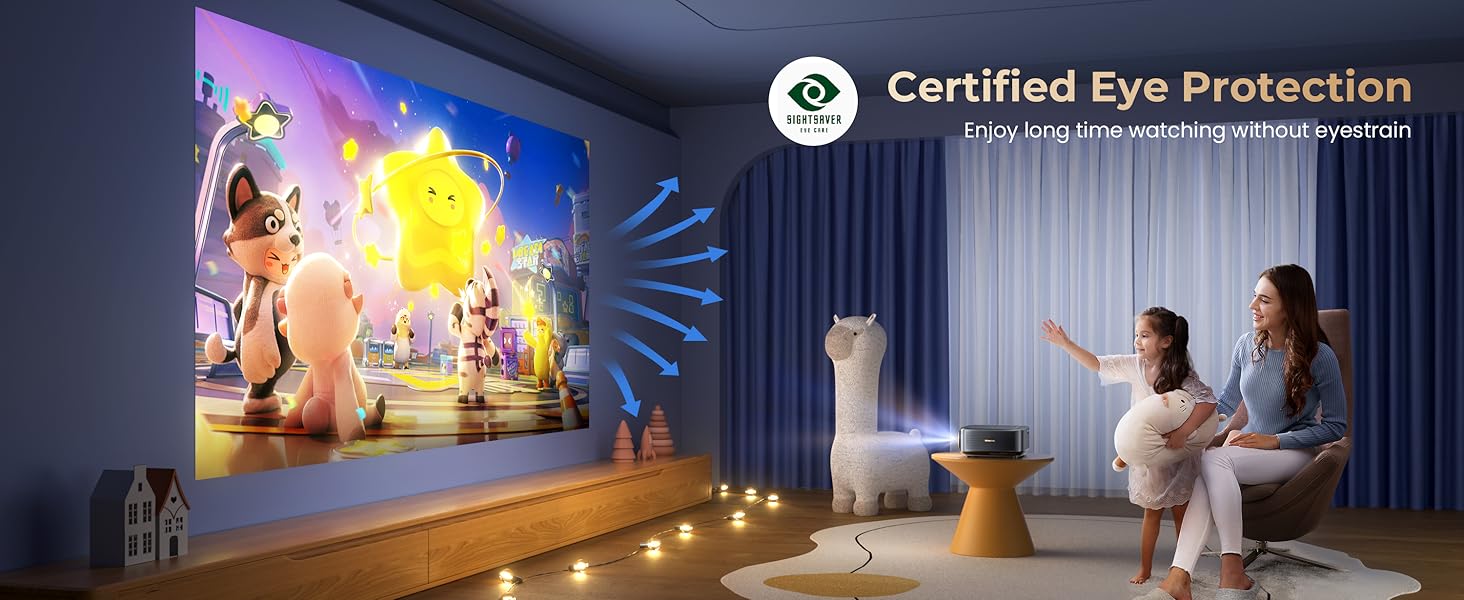
Image: Depiction of auto screen alignment, where the projector automatically fits the image to the screen or projection area.

Image: Illustration of auto obstacle avoidance, showing the projector adjusting its image to bypass obstructions.
3.3 Opcions de muntatge
The Alvar C201 supports various installation methods:
- Muntatge de taula: Col·loqueu el projector sobre una superfície plana.
- Muntatge al sostre: Use the four holes on the bottom of the projector (covered by rubber fillers) for ceiling installation. Remove the fillers and use M5*4 screws.
- Muntatge en paret: Secure the projector to a wall using appropriate mounting hardware (not included).

Image: Step-by-step guide for ceiling mounting the projector, showing how to remove fillers and attach with M5*4 screws.
4. Instruccions de funcionament
4.1 Encès/Apagat
Premeu el botó d'engegada del projector o del comandament a distància per encendre o apagar la unitat.
4.2 Navegació i interfície d'usuari
Use the provided Bluetooth remote control or the integrated touch pad to navigate the projector's smart interface. The intuitive interface allows easy access to settings and applications.

Image: The user interface displaying built-in official licensed apps like Netflix, YouTube, and Prime Video, accessible via the remote control.
4.3 Transmissió en temps real i aplicacions
The projector comes with pre-installed, officially licensed streaming applications. Simply connect to your WiFi network and log in to your accounts to start streaming.
- Netflix, Prime Video, YouTube: Access these apps directly from the home screen.
- Note on Mirroring: Due to copyright restrictions, direct wireless mirroring of streaming services like Disney+ or Crave from mobile devices is not supported. For these services, a TV Stick (purchased separately) is recommended.
4.4 Connectivitat
The Alvar C201 offers multiple ways to connect your devices:
- Ports HDMI (x2): Connect devices such as Fire TV Stick, Roku, laptops, gaming consoles (PS4, PS5, Switch).
- Port USB: Per reproduir contingut multimèdia des d'unitats USB.
- Conector d'àudio de 3.5 mm: Connecteu altaveus externs o auriculars.
- WiFi 6: For high-speed wireless mirroring from iOS, Android, and Windows 10 devices.
- Two-way Bluetooth 5.2:
- Mode transmissor: Connect to Bluetooth speakers or earphones for enhanced audio.
- Mode receptor: Connect your phone to the projector to use its powerful 30W speakers as a Bluetooth speaker.

Image: Illustration of WiFi 6 technology, showing seamless mirroring from iOS, Android, and Windows devices for smoother gaming and streaming.
Image: Diagram explaining bidirectional Bluetooth 5.2, allowing the projector to transmit audio to external speakers or receive audio from a phone.
4.5 Ajust de la imatge
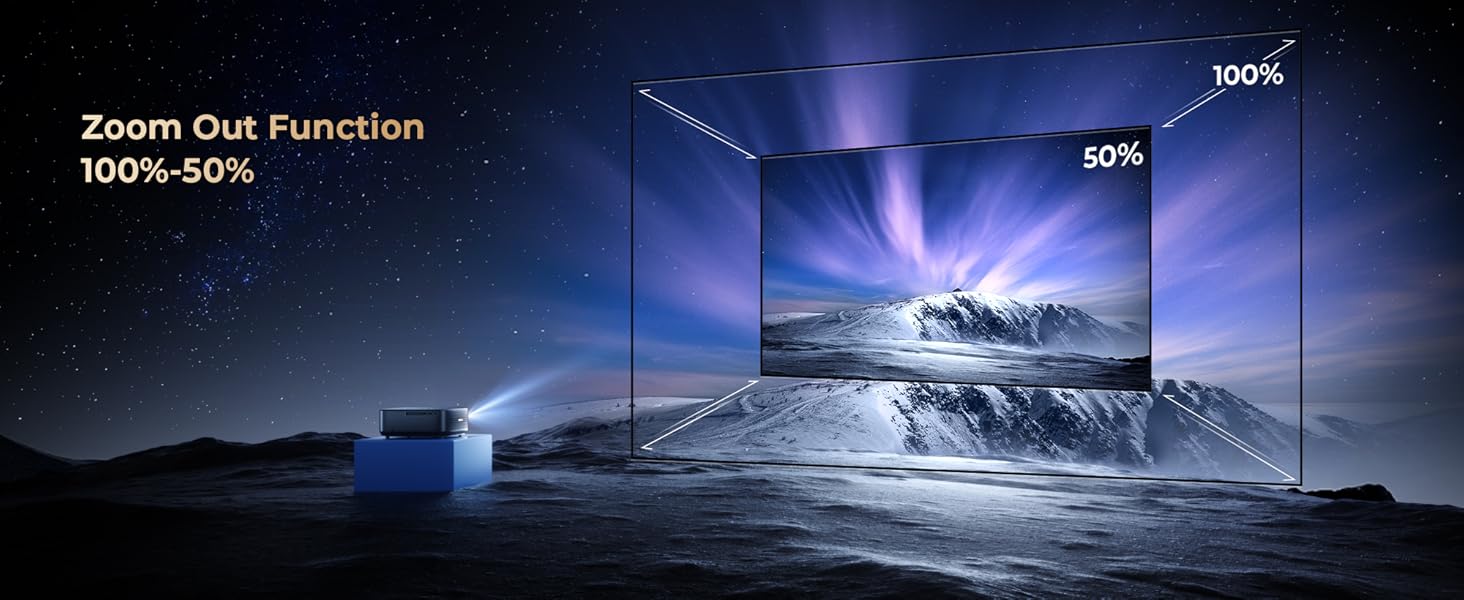
- Funció de zoom (100%-50%): Adjust the screen size without moving the projector. Use the remote control to fine-tune the zoom level.
- Manual Fine-tuning: While auto-correction is robust, you can manually fine-tune settings using the remote if needed.
- Adjustable Screen Size: The projector supports a screen size range of 50 to 300 inches. The recommended projection distance for optimal viewing is approximately 8.2 feet.
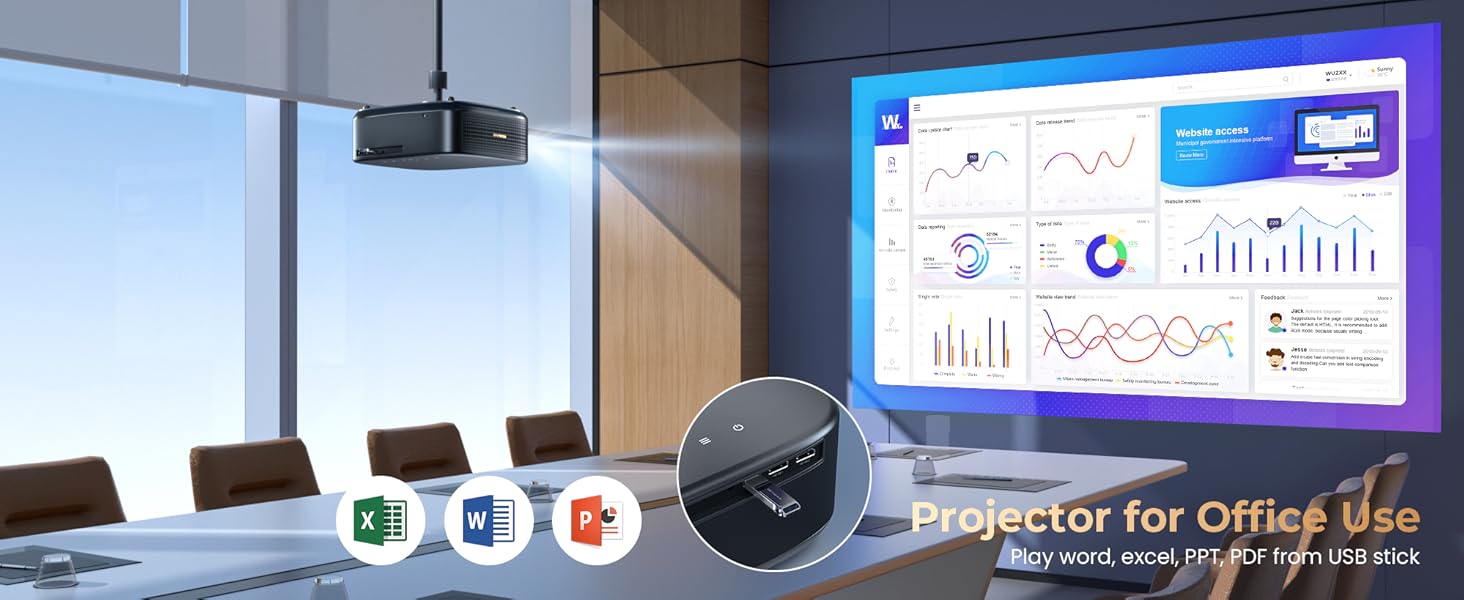
Image: Visual representation of the 100%-50% zoom out function, allowing flexible screen size adjustment.

Image: Diagram showing the adjustable screen sizes from 50 to 300 inches and recommended projection distances.
5. Manteniment
Proper maintenance ensures the longevity and optimal performance of your Alvar C201 projector.
- Neteja de la lent: Use a soft, lint-free cloth specifically designed for optical lenses. Do not use abrasive cleaners or cloths that could scratch the lens.
- Neteja de l'exterior: Netegeu l'exterior del projector amb un drap suau i sec. Per a marques difícils, feu un drap lleugerament sec.amp es pot utilitzar un drap, seguit d'una neteja en sec.
- Ventilació: Assegureu-vos que les obertures de ventilació del projector no estiguin bloquejades per evitar el sobreescalfament. Mantingueu el projector en una zona ben ventilada.
- Emmagatzematge: Quan no l'utilitzeu durant períodes prolongats, guardeu el projector en un lloc fresc i sec, idealment en el seu embalatge original o en una funda protectora.
- LED Lamp Vida: The projector features a long-lasting LED lamp with an estimated life of 100,000 hours. No lamp replacement is typically needed during the product's lifespan.
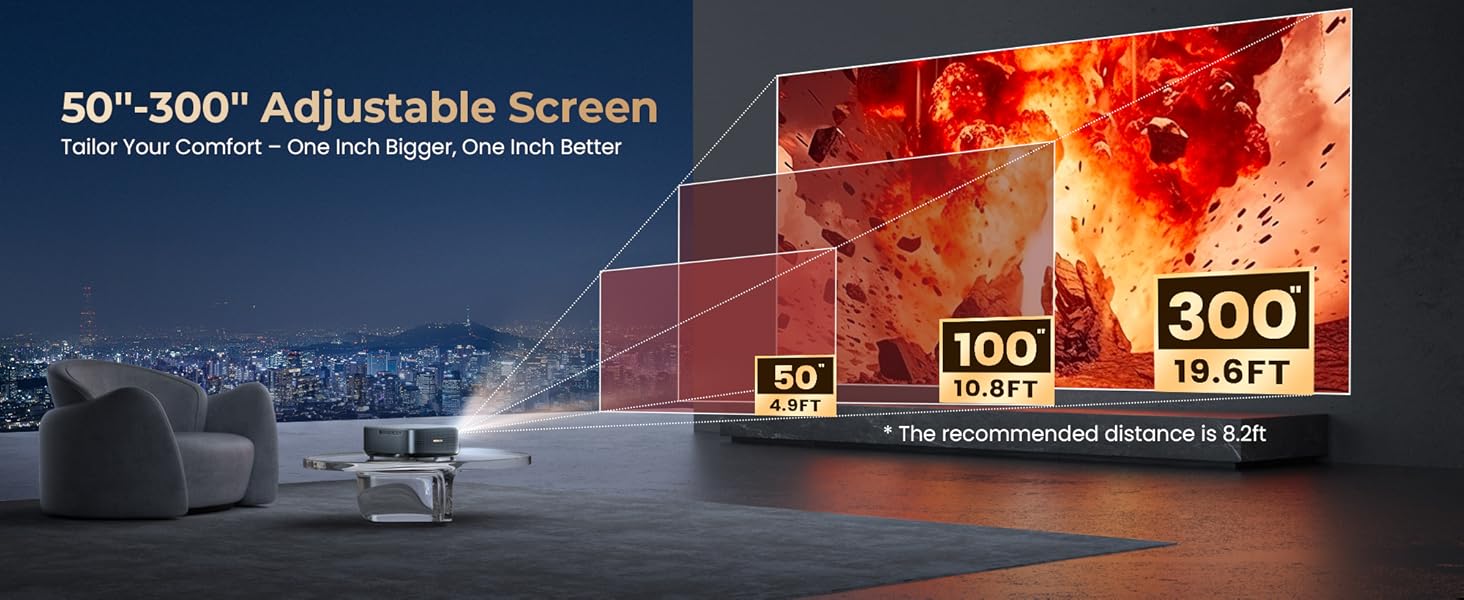
Image: Illustration highlighting the projector's 100,000-hour LED lamp life and its 8-layer coated glass lens system.
6. Solució De Problemes
If you encounter issues with your Alvar C201 projector, refer to the following common problems and solutions:
| Problema | Causa possible | Solució |
|---|---|---|
| No image or "No Signal" message. |
|
|
| La imatge està borrosa o desenfocada. |
|
|
| La imatge és trapezoïdal o distorsionada. |
|
|
| Sense so o so baix. |
|
|
| El soroll del ventilador és fort. |
|
|
| Cannot mirror streaming apps from phone. |
|
|
7. Especificacions
| Característica | Detall |
|---|---|
| Marca | Alvar |
| Model | C201 |
| Brillantor | 1000 lúmens ANSI |
| Resolució nativa | 1920 x 1080 (1080P natiu) |
| Resolució suportada | Up to 4K (4096 x 2160 Pixels) |
| Tecnologia de visualització | LCD |
| Tipus de visualització | DLP |
| Relació de contrast | 30000:1 |
| Relació d'aspecte | 16:9 |
| Altaveus | 30W (2x15W) with DBX-TV Total Sonics & Dolby Audio |
| Connectivitat | WiFi 6, Bluetooth 5.2 (Two-way), 2x HDMI, 1x USB, 1x 3.5mm Audio |
| Característiques especials | Auto Focus, Auto Keystone, Auto Obstacle Avoidance, Auto Screen Fit, Official Netflix/YouTube/Prime Video Apps, HDR10, Eye Protection, 100%-50% Zoom |
| Nivell de soroll | 30 dB |
| LED Lamp La vida | 100,000 hores |
| Dimensions del producte | 29.97 x 22.86 x 9.98 cm |
| Pes de l'article | 2.38 kg |
| Consum d'energia | 130 watts-hora |
| Freqüència d'actualització | 60 Hz |
8. Garantia i Suport
Alvar is committed to providing high-quality products and excellent customer service.
- Garantia: Alvar offers a garantia de tres anys on this product, ensuring peace of mind. Please refer to the warranty card included in the package for registration details and full terms and conditions.
- Atenció al client: For any questions, technical assistance, or support needs, please contact Alvar customer service. They aim to reply within 24 working hours.
- Informació de contacte: Refer to the contact details provided in your product packaging or on the official Alvar weblloc.


