Introducció
Thank you for choosing the LIECTROUX M70 Pro Lidar Robot Vacuum Cleaner. This manual provides essential information for the safe operation, maintenance, and troubleshooting of your device. Please read it thoroughly before using the product and retain it for future reference.
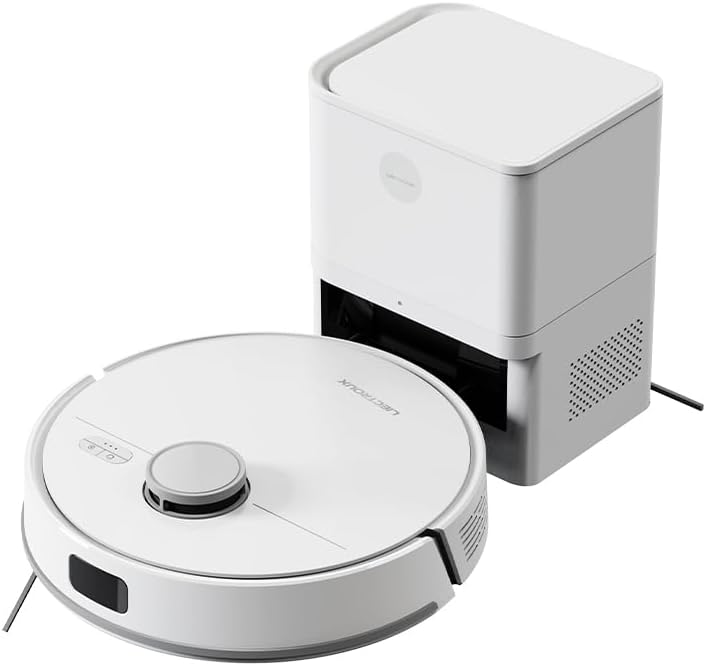
Image: The LIECTROUX M70 Pro robot vacuum cleaner alongside its auto-emptying dustbin station.
Informació de seguretat
Seguiu sempre les precaucions de seguretat següents per evitar lesions o danys al dispositiu:
- Do not disassemble the device. Repairs should only be performed by qualified professionals.
- Mantingueu el dispositiu allunyat de l'aigua i la humitat.
- Assegureu-vos que la font d'alimentació coincideixi amb els requisits del dispositiu.
- Do not use the device on wet surfaces or to clean liquids.
- Supervise children and pets when the device is operating.

Image: A product label displaying various safety warnings and compliance certifications in multiple languages.
Components del producte
The LIECTROUX M70 Pro package includes the following components:
- LIECTROUX M70 Pro Robot Vacuum Cleaner
- Auto-Emptying Dustbin Station
- Adaptador d'alimentació
- Raspalls laterals
- Raspall de rodets en forma de V
- Draps de fregona
- Disposable Dust Bag (3.0L)
- Manual d'usuari
Configuració
1. Desembalatge i col·locació
- Traieu amb cura tots els components de l'embalatge.
- Place the auto-emptying dustbin station against a wall in an open area, ensuring there are no obstacles within 1 meter to the front and 0.5 meters to the sides.
- Connect the power adapter to the station and plug it into a power outlet.
2. Càrrega inicial
Before first use, ensure the robot is fully charged. Place the robot onto the charging station. The indicator lights will show charging status.
3. App Connection (Smart Life Tuya APP)
For full functionality, download the Smart Life Tuya APP from your app store.
- Assegureu-vos que el vostre dispositiu mòbil estigui connectat a una xarxa Wi-Fi de 2.4 GHz.
- Open the app and follow the on-screen instructions to add the LIECTROUX M70 Pro.
- The app allows you to monitor cleaning routes, set schedules, adjust suction and water levels, and create restricted zones.
Instruccions de funcionament
1. Modes de neteja
The M70 Pro offers various cleaning modes to suit your needs:
- Neteja automàtica: The robot intelligently plans its route for whole-house coverage.
- Neteja de vores: Centrat en la neteja de parets i vores de mobles.
- Neteja de zones: Cleans specific areas defined in the app.
- Neteja de punts: Concentrates on a small, dirty area.
- Double Cleaning: Performs two passes for thorough cleaning.
- Timing Cleaning: Schedules cleaning sessions via the app.
- Y-shaped Mopping: Mimics manual mopping for effective wet cleaning.
- Zigzag Modes: Standard cleaning pattern.

Image: The robot vacuum cleaner actively cleaning a floor covered with small debris, demonstrating its powerful suction.
2. Suction Power and Water Flow Adjustment
Adjust suction power (up to 6500Pa) and water flow (3 levels) via the Smart Life Tuya APP to optimize cleaning for different surfaces and dirt levels.

Image: A smartphone displaying the user interface of the robot vacuum's control application, showing options for cleaning modes and settings.
3. Lidar Navigation and Obstacle Avoidance
The M70 Pro uses advanced LDS LiDAR navigation for 360° scanning and rapid mapping of your home. Equipped with a full set of obstacle avoidance sensors, it protects furniture and prevents getting stuck or falling down stairs.

Image: The robot vacuum cleaner navigating smoothly around furniture in a living room, demonstrating its smart obstacle avoidance capabilities.
4. Multi-Floor Mapping and Restricted Areas
The robot can save up to 5 editable maps for multi-story homes. You can set up to 30 virtual forbidden areas via the app to prevent the robot from entering specific zones (e.g., pet areas, carpets during mopping).
5. Auto-Charging and Resume Cleaning
When the battery is low, the robot automatically returns to the charging station. If cleaning is not complete, it will recharge to 80% and then resume cleaning from where it left off.

Image: The robot vacuum cleaner positioned near its charging station, with a cat observing it, illustrating its integration into a home environment.
Manteniment
Un manteniment regular garanteix un rendiment òptim i allarga la vida útil del teu robot aspirador.
1. Auto-Emptying Dustbin and Dust Bag
The 3.0L disposable dust bag in the auto-emptying station can hold debris for up to 60 days. The app will notify you when the bag is full. Replace the dust bag as needed.

Image: A hand demonstrating the replacement of the large 3L dust bag within the auto-emptying station, highlighting the hands-free cleaning feature.
2. Cleaning the Robot Vacuum
- Pinzell principal: Remove and clean the main brush regularly to prevent hair entanglement.
- Raspalls laterals: Check for debris and clean or replace if worn.
- Sensors: Wipe all sensors (Lidar, cliff, obstacle avoidance) with a clean, dry cloth.
- Rodes: Clean any hair or debris from the wheels.
3. Water Tank and Mop Cloth
Empty and clean the 250ml electronic controlled water tank after each mopping session. Wash the mop cloth thoroughly and allow it to air dry.
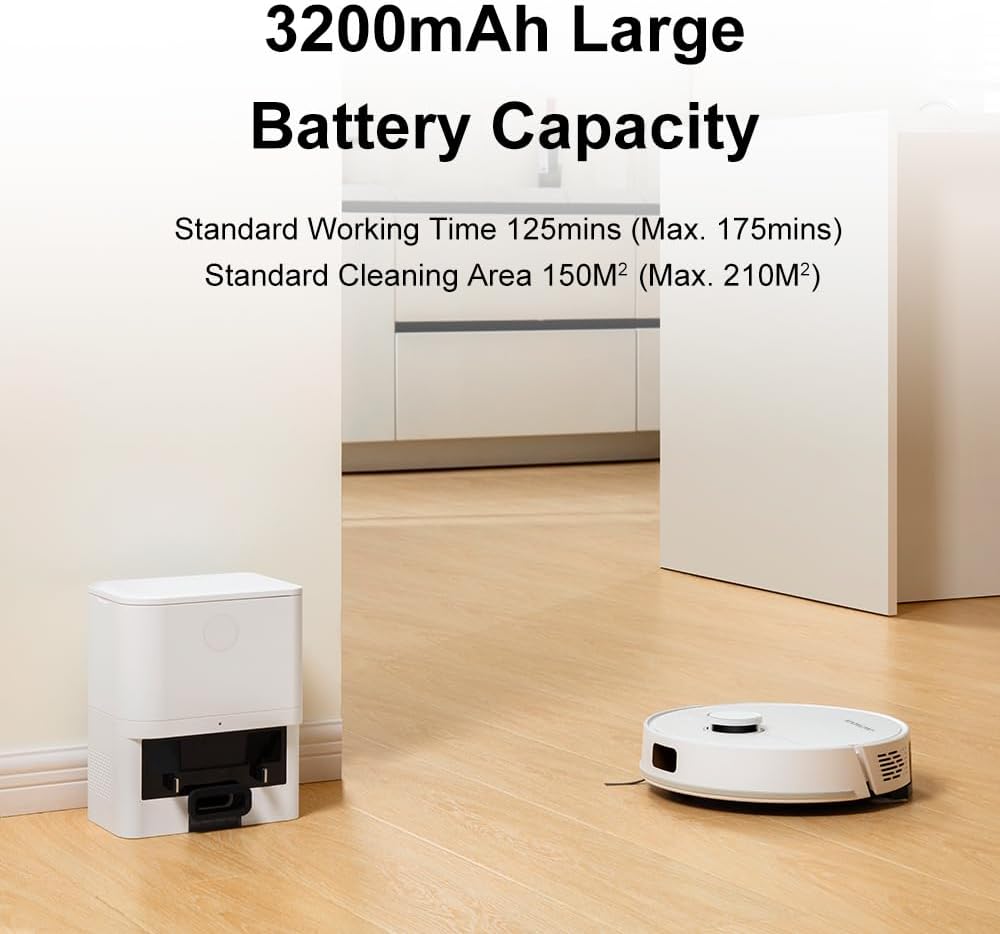
Image: The robot vacuum cleaner actively mopping a wet floor, illustrating its smart electronic controlled water tank and mopping function.
Resolució de problemes
| Problema | Causa possible | Solució |
|---|---|---|
| El robot no s'engega ni respon. | Bateria baixa; interruptor apagat; robot encallat. | Charge the robot; Turn on the power switch; Clear obstacles. |
| Mal rendiment de neteja. | Cubell de pols ple; raspalls obstruïts; sensors bruts. | Empty dustbin/replace dust bag; Clean main/side brushes; Wipe sensors. |
| El robot no pot tornar a l'estació de càrrega. | Estació de càrrega obstruïda; robot massa lluny de l'estació. | Clear area around station; Manually place robot near station. |
| Problemes de connexió de l'aplicació. | Incorrect Wi-Fi (not 2.4GHz); Router issues. | Ensure 2.4GHz Wi-Fi; Restart router and robot. |
Especificacions
- Model: M70 Pro
- Marca: LIECTROUX
- Potència d'aspiració: Fins a 6500Pa
- Capacitat de la bateria: 3200 mAh
- Temps d'execució: 110-175 minutes (depending on settings)
- Capacitat de la bossa de pols: 3.0L (Auto-Emptying Station)
- Capacitat del dipòsit d'aigua: 250ml (Electronic Controlled)
- Navegació: LDS LiDAR
- Obstacle Crossing Ability: 18 mm
- Mètode de control: Smart Life Tuya APP, Voice Control (Alexa, Google Assistant)
- Dimensions: 32L x 9.8W x 32H centimeters (Robot)

Image: A visual representation detailing the dimensions and key features of the robot vacuum cleaner.
Garantia i Suport
For warranty information and technical support, please refer to the official LIECTROUX weblloc web o contacteu directament amb el venedor. Conserveu el rebut de compra com a comprovant de compra.
Venedor: LIECTROUX ROBOTICS SA
Política de devolució: 30 days (refund/replacement)
Per obtenir més ajuda, podeu visitar el fabricant weblloc o poseu-vos en contacte amb el seu servei d'atenció al client.


