1. Introducció
Thank you for choosing the SABLUTE Wireless Keyboard and Mouse Combo. This ergonomic set is designed to provide a comfortable, silent, and efficient typing and navigation experience. Featuring wave keys, a cushioned palm rest, and 2.4G lag-free wireless connectivity, it is compatible with multiple operating systems including Windows and macOS.
This manual provides detailed instructions for setup, operation, maintenance, and troubleshooting to ensure you get the most out of your new device.

Image: The SABLUTE Wireless Keyboard and Mouse Combo, featuring the ergonomic wave keyboard, comfortable mouse, and the included USB-A and USB-C dongles.
2. Què hi ha a la caixa
Si us plau, comproveu el contingut del paquet per assegurar-vos que hi hagi tots els elements:
- Teclat sense fil ergonòmic SABLUTE
- Ratolí sense fil SABLUTE
- 2-in-1 USB Receiver (USB-A and USB-C compatible)
- Manual d'usuari (aquest document)
Nota: 2 AA batteries for the keyboard and 1 AA battery for the mouse are no inclòs i s'han de comprar per separat.
3. Guia de configuració
3.1. Instal·lació de la bateria
- Locate the battery compartment on the underside of the keyboard. Insert 2 AA batteries, ensuring correct polarity.
- Locate the battery compartment on the underside of the mouse. Insert 1 AA battery, ensuring correct polarity.
- Turn on the power switch for both the keyboard and the mouse. The power switch for the keyboard is located on the top right side, and for the mouse, it is on the underside.
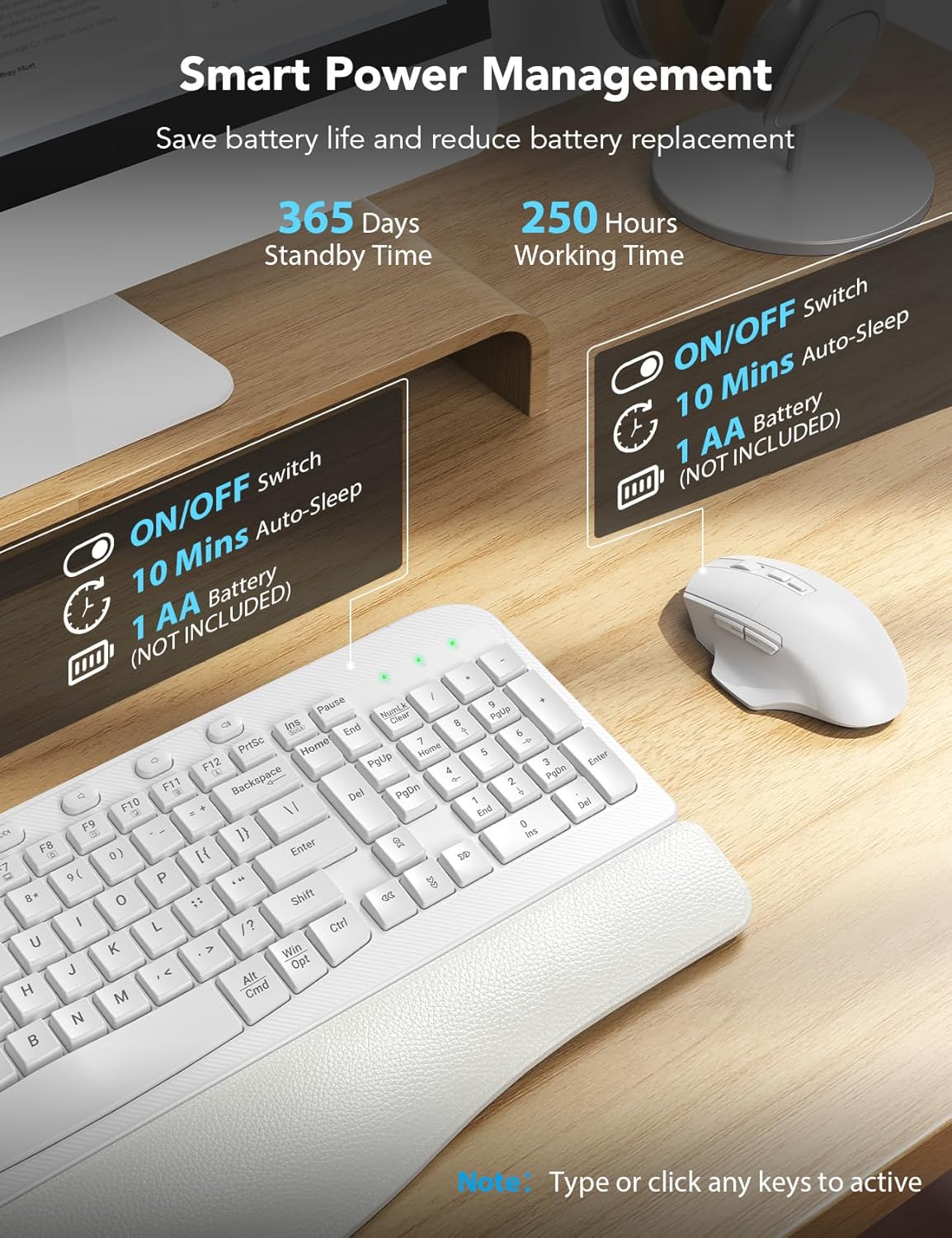
Image: Diagram showing the battery compartments for the keyboard (2 AA batteries) and mouse (1 AA battery), along with the ON/OFF switches and ergonomic tilt legs.
3.2. Connexió del receptor USB
- Locate the 2-in-1 USB receiver. It supports both USB-A and USB-C ports.
- Plug the USB receiver into an available USB-A or USB-C port on your computer.
- The keyboard and mouse should automatically connect. If not, refer to the troubleshooting section for re-pairing instructions.

Image: Illustration demonstrating the compatibility with both USB-A and USB-C ports using the included 2-in-1 USB receiver.

Image: Visual representation of the 2.4G stable wireless link between the keyboard, mouse, and the USB receiver, highlighting plug-and-play functionality with no delay up to 33ft/10m.
4. Instruccions de funcionament
4.1. Ergonomic Design and Comfort
The SABLUTE keyboard features an ergonomic wave design that reduces pressure and promotes a more natural typing posture. The integrated palm rest, made of comfortable leather with high-density foam support and a sturdy plastic bottom, provides excellent wrist support for extended use.

Image: The ergonomic wave-curved keyboard designed for natural and relaxed typing posture.

Imatge: Detallada view of the integrated palm rest, highlighting its Togo-style leather, high-density foam support, and sturdy plastic bottom for all-day comfort.
4.2. Característiques del teclat
- Escriptura silenciosa: The crater membrane structure effectively reduces typing noise by 95%, creating a quieter working environment.
- Tecles d'accés directe eficients: In addition to standard F1-F12 multimedia keys, the keyboard includes 8 one-touch shortcut keys for improved efficiency.
- Inclinació ajustable: The adjustable leg stand allows you to set the keyboard to a comfortable height.

Imatge: Més deview of the keyboard's 20 efficient shortcut keys, including F1-F12 multimedia keys and 8 one-touch shortcut keys.
4.3. Característiques del ratolí
The 6-button mouse is designed for comfort and efficiency:
- Velocitat de seguiment ajustable: Cycle through 3 levels of tracking speed (DPI) to suit your preference.
- Botons Endavant/Enrere: Convenient buttons for quick navigation in web navegadors i file exploradors.
- Silent Micro-Switch: Reduces clicking noise for a quieter experience.

Image: The comfortable ergonomic mouse with its 7-button layout, highlighting the forward, backward, and thumb rest features, along with whisper-quiet operation and 3 tracking speeds.

Imatge: Detallada view of the ergonomic mouse, illustrating its 7 buttons, 3 tracking speeds, whisper click, high sensitivity, and ultralight design.
4.4. Dual System Compatibility
The combo is compatible with any device featuring a USB-A or USB-C port. You can easily switch between Windows and macOS layouts using the following key combinations:
- FN + A: Switch to Windows layout
- FN + S: Switch to macOS layout
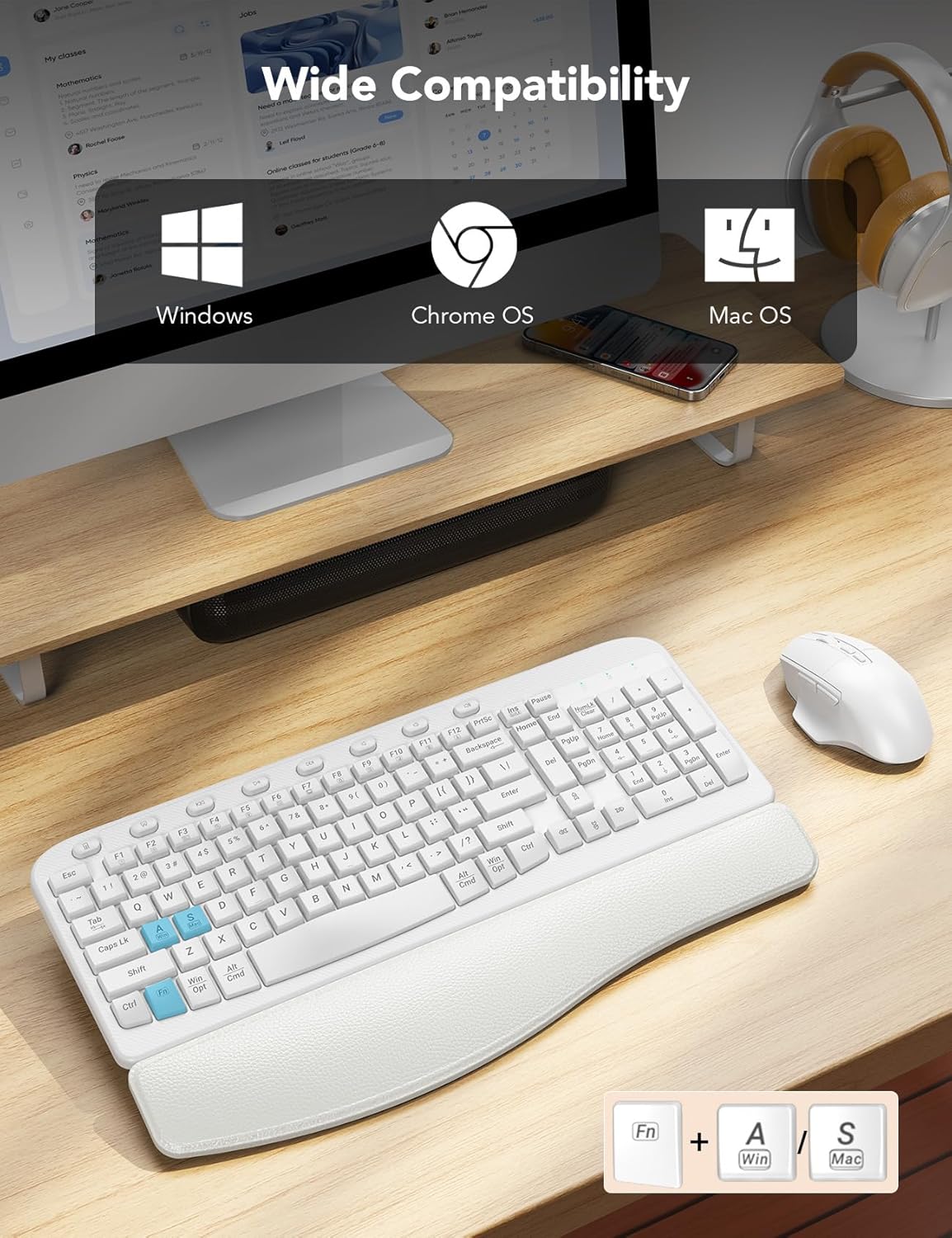
Image: Visual showing the keyboard's wide compatibility with Windows, Chrome OS, and Mac OS, along with the FN+A (Windows) and FN+S (Mac) key combinations for switching layouts.

Image: Close-up of the keyboard highlighting the FN+A and FN+S keys for seamless switching between Windows and Mac OS layouts.
4.5. Smart Power Management
To conserve battery life, both the keyboard and mouse feature a smart auto-sleep mode. If idle for 10 minutes, they will enter sleep mode. Simply type or click any key/button to wake them up.
- Keyboard Standby Time: Fins a 365 dies
- Mouse Working Time: Fins a 250 hores

Image: Illustration of the smart sleep mode feature, showing that both keyboard and mouse enter sleep after 10 minutes of inactivity, with details on standby and working times.
5. Manteniment
Per garantir la longevitat i el rendiment òptim del vostre teclat i ratolí sense fil SABLUTE, seguiu aquestes pautes de manteniment:
- Neteja: Feu servir un drap suau i sec per netejar les superfícies del teclat i el ratolí. Per a la brutícia persistent, netegeu lleugerament.amp cloth with mild soap can be used, but ensure no liquid enters the device. Avoid harsh chemicals or abrasive cleaners.
- Substitució de la bateria: Replace batteries when performance degrades or the low battery indicator (if present) illuminates. Always use new, high-quality AA batteries.
- Emmagatzematge: When not in use for extended periods, turn off the power switches on both devices to conserve battery life. Store in a cool, dry place away from direct sunlight and extreme temperatures.
- Eviteu els vessaments: Keep liquids away from the keyboard and mouse to prevent damage to internal components.
6. Solució De Problemes
If you encounter issues with your SABLUTE Wireless Keyboard and Mouse Combo, please refer to the following common solutions:
6.1. Keyboard or Mouse Not Responding
- Comproveu les bateries: Assegureu-vos que les piles estiguin instal·lades correctament i que tinguin la càrrega suficient. Substituïu-les si cal.
- Encès: Verify that the power switches on both the keyboard and mouse are in the 'ON' position.
- Connexió del receptor USB: Ensure the USB receiver is securely plugged into a working USB port on your computer. Try a different USB port if available.
- Torna a emparellar: If the devices lose connection, you may need to re-pair them with the receiver. For the keyboard, press and hold 'Esc' and '=' keys simultaneously until the red light flashes, then plug in the USB receiver. For the mouse, long press the left, middle, and right buttons for 5-6 seconds, then plug in the USB receiver. Stop pressing after connecting.
- Interferència: Move the keyboard and mouse closer to the USB receiver. Avoid placing them near other wireless devices or large metal objects that might cause interference.
Video: A helpful guide demonstrating how to troubleshoot and re-pair your SABLUTE keyboard and mouse if they are not responding, including steps for both devices.
6.2. Lag or Delayed Response
- Ensure the distance between the devices and the receiver is within the effective range (up to 33ft/10m).
- Check for potential wireless interference from other 2.4GHz devices (e.g., Wi-Fi routers, cordless phones).
- Replace batteries, even if they seem to have some charge left, as low power can affect performance.
7. Especificacions
| Característica | Detall |
|---|---|
| Número de model | KC15 |
| Tecnologia de connectivitat | 2.4G USB sense fil |
| Dispositius compatibles | Laptop, Television, Personal Computer (Windows, macOS, Chrome OS) |
| Dimensions del teclat | 17.32 x 11.31 x 1.88 polzades |
| Dimensions del ratolí | 5.0 x 3.2 x 1.7 polzades |
| Pes de l'article | 2.64 lliures |
| Bateria del teclat | 2 piles AA (no incloses) |
| Bateria del ratolí | 1 bateria AA (no inclosa) |
| Característiques especials | Ergonomic wave keys, cushioned palm rest, 8 one-touch shortcut keys, silent typing, 3-level adjustable DPI mouse |

Image: Diagram illustrating the dimensions of the SABLUTE ergonomic keyboard and mouse.
8. Garantia i assistència
SABLUTE es compromet a oferir productes d'alta qualitat i un excel·lent servei al client.
8.1. Garantia del fabricant
Aquest producte està cobert per a Garantia del fabricant de 360 dies from the date of purchase. This warranty covers defects in materials and workmanship under normal use. It does not cover damage caused by misuse, accidents, unauthorized modifications, or external causes.
8.2. Atenció al client
If you have any questions, require assistance, or need to claim warranty service, please contact us through the following channels:
- Suport per correu electrònic: sabluteservices@outlook.com
- Assistència telefònica (EUA): +1-213-296-1273
- Horari de funcionament: Monday - Friday, 9am-1pm PST and 2pm-6pm PST
We offer prompt replies within 24 hours, 90-day replacements, and dedicated brand care.

Image: Visual representation of SABLUTE's after-sales support, including pre-sales Q&A, troubleshooting, accessories reissue, returns and exchanges, along with contact email and phone number.


