Introducció
Welcome to the Armitron Connect Matrix Smartwatch user manual. This guide provides comprehensive instructions to help you get the most out of your new smartwatch. The Armitron Connect Matrix is designed to seamlessly integrate into your daily life, offering advanced health monitoring, fitness tracking, and communication features. Please read this manual carefully to ensure proper setup and operation.

The Armitron Connect Matrix Smartwatch, featuring a vibrant display and sleek silver design.
1. Configuració
1.1 Què hi ha a la caixa
- Armitron Connect Matrix Smartwatch
- Cable de càrrega
- Manual d'usuari (aquest document)

Davant view of the Armitron Connect Matrix Smartwatch retail packaging.

The Armitron Connect Matrix Smartwatch and its contents as seen when the packaging is opened.
1.2 Càrrega del rellotge intel·ligent
Before first use, fully charge your Armitron Connect Matrix Smartwatch. Connect the provided charging cable to the charging port on the back of the watch and plug the other end into a USB power source (e.g., computer USB port, wall adapter). A full charge typically lasts up to four days, depending on usage.

The rear of the Armitron Connect Matrix Smartwatch, highlighting the charging contacts and IP68 water resistance marking.
1.3 Installing the Armitron Connect App
The full functionality of your smartwatch is unlocked through the Armitron Connect app. Download the app from your device's app store:
- Per a dispositius Android: Cerca "Armitron Connect" on the Google Play Store. (Requires Android 5.0 or higher)
- Per a dispositius iOS: Cerca "Armitron Connect" on the Apple App Store. (Requires iOS 9.0 or higher)
Instal·la l'aplicació i crea un compte o inicia la sessió si ja en tens un.
1.4 Emparellar el rellotge intel·ligent
- Assegureu-vos que el Bluetooth estigui habilitat al vostre telèfon intel·ligent.
- Open the Armitron Connect app.
- Follow the on-screen instructions within the app to search for and connect to your Armitron Connect Matrix Smartwatch. The app will guide you through the pairing process.
- Confirma la sol·licitud d'emparellament tant al teu telèfon intel·ligent com al rellotge intel·ligent si se't demana.
Once paired, your watch will synchronize data with the app and allow access to all features.
2. Com fer funcionar el rellotge intel·ligent
2.1 Navegació i interfície
The Armitron Connect Matrix features an AMOLED High Definition touchscreen display for intuitive interaction. You can navigate through menus and features by swiping across the screen. The side dial can also be used for scrolling and selecting options, as well as turning the watch on/off and controlling volume during calls.
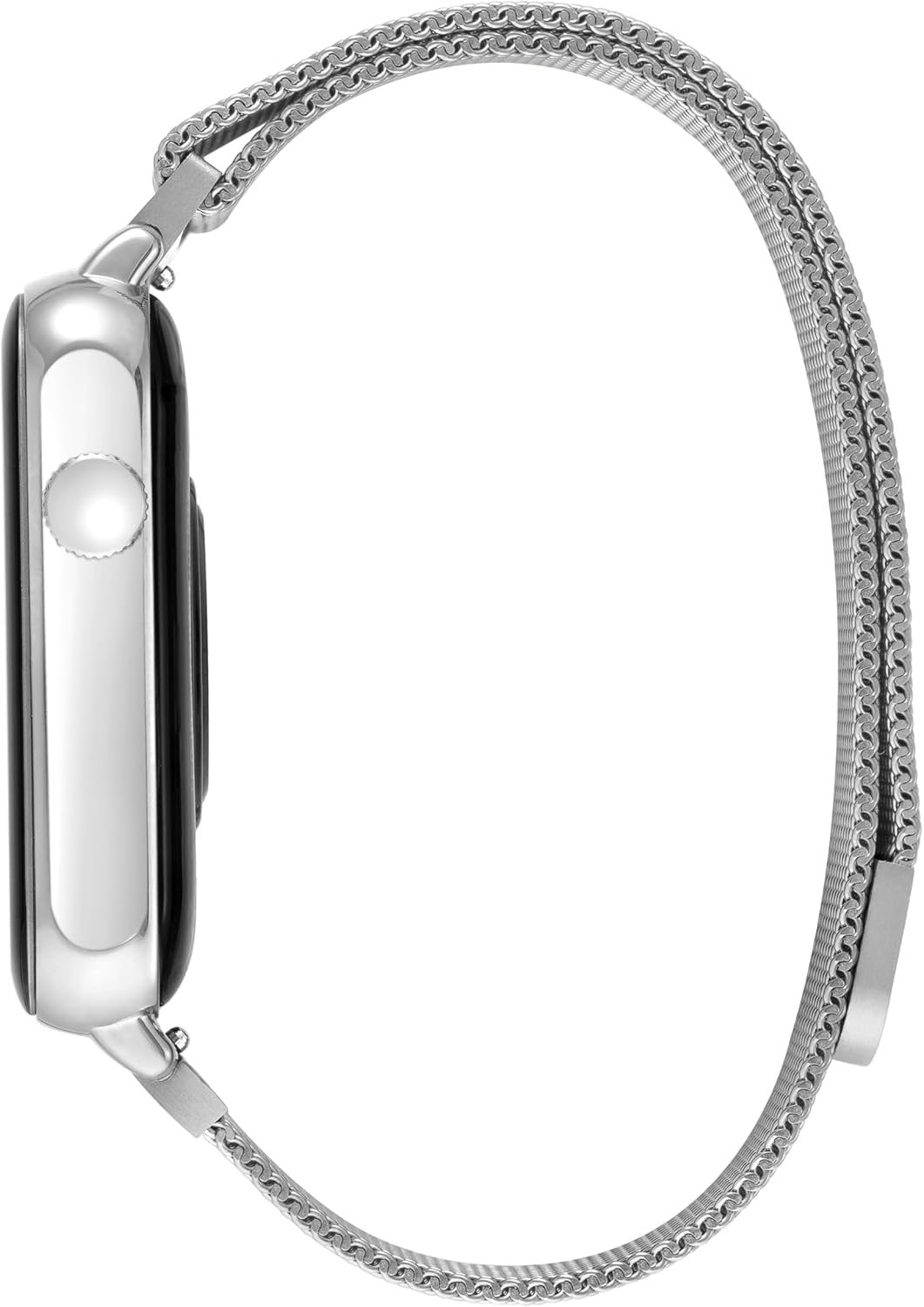
lateral view of the Armitron Connect Matrix Smartwatch, highlighting the functional side dial.
2.2 Vigilància de la salut
Your smartwatch is equipped with sensors to help you monitor various aspects of your health:
- Freqüència cardíaca: Continuously monitors your heart rate throughout the day. You can also initiate a manual measurement from the watch or app.
- Oxigen en sang (SpO2): Mesura els nivells de saturació d'oxigen a la sang.
- Calories: Tracks calories burned based on your activity levels.
- Seguiment del son: Monitoritza els teus patrons de son, incloent-hi el son profund, el son lleuger i els horaris de vigília.
- Cicle menstrual: Provides tracking and predictions for the menstrual cycle (configurable in the app).
2.3 Seguiment de l'aptitud física
Achieve your fitness goals with the built-in tracking features:
- Comptador de passos: Registra els teus passos diaris.
- Modes esportius: Select from various sport modes (e.g., running, walking, cycling) for more accurate tracking during workouts.
- Recordatoris: Set reminders to move and stay hydrated throughout the day.
2.4 Característiques de comunicació
Estigues connectat directament des del teu canell:
- Fer i rebre trucades: Use the integrated microphone and speaker to handle calls directly from your smartwatch when connected to your phone via Bluetooth.
- Notificacions de missatges: Receive notifications for incoming messages (SMS, app notifications) on your watch.
- Save Contacts: Sync and save your favorite contacts for quick dialing.
2.5 característiques addicionals
Explore other convenient functions:
- Assistent de veu: Accedeix a l'assistent de veu del teu telèfon intel·ligent directament des del rellotge.
- Connexió GPS: Connects to your phone's GPS for tracking routes during outdoor activities.
- Control de la càmera: Controla la càmera del teu telèfon intel·ligent de manera remota.
- Control de música: Reprodueix, pausa, salta pistes i ajusta el volum de la música que reprodueixes al teu telèfon intel·ligent.
- Actualitzacions meteorològiques: Obtén informació meteorològica en temps real.
- Alarmes: Configurar i gestionar alarmes.
- Personalització de la cara del rellotge: Personalize your watch face design through the Armitron Connect app.
- Exercicis de respiració: Sessions de respiració guiada per a la relaxació.
- Recordatoris d'hidratació: Prompts to drink water.

Un acabatview of the many features available on the Armitron Connect Matrix Smartwatch.
3. Manteniment
3.1 Neteja del rellotge intel·ligent
To keep your smartwatch in optimal condition:
- Netegeu la pantalla i el cos amb un drap suau i sense borrissol.
- Per a taques persistents, lleugerament dampRenta el drap amb aigua. Evita utilitzar productes químics agressius o materials abrasius.
- Netegeu els contactes de càrrega periòdicament per garantir una bona connexió.
- If the band is removable, clean it according to its material type. For the metal mesh band, a soft brush can help remove debris.
3.2 Resistència a l'aigua
The Armitron Connect Matrix Smartwatch has an Classificació de resistència a l'aigua IP68. This means it is protected against dust ingress and can withstand immersion in water up to 1.5 meters for up to 30 minutes. While it is resistant to splashes, rain, and brief immersion, it is not recommended for swimming, showering, or diving. Avoid exposing the watch to hot water, steam, or high-velocity water.
3.3 Cura de la bateria
Per maximitzar la vida útil de la bateria:
- Eviteu descarregar completament la bateria amb freqüència.
- Carregueu el rellotge només amb el cable de càrrega proporcionat.
- Guardeu el rellotge en un lloc fresc i sec quan no l'utilitzeu durant períodes prolongats.
4. Solució De Problemes
If you encounter issues with your Armitron Connect Matrix Smartwatch, please refer to the following common problems and solutions:
| Problema | Possible solució |
|---|---|
| Watch not turning on or unresponsive. | Ensure the watch is fully charged. Press and hold the side dial for several seconds to force a restart. |
| No es pot emparellar amb el telèfon intel·ligent. |
|
| No message notifications. |
|
| Inaccurate health/fitness data. |
|
| Poor call audio quality. |
|
Si el problema persisteix, consulteu la secció Garantia i assistència per obtenir més ajuda.
5. Especificacions
| Característica | Detall |
|---|---|
| Nom del model | Matriu |
| Marca | Armitron |
| Tipus de visualització | AMOLED High Definition Touchscreen |
| Compatibilitat | Android 5.0+ i iOS 9.0+ |
| Resistència a l'aigua | IP68 (Protected against dust and immersion up to 1.5m for 30 mins) |
| Durada de la bateria | Up to four days (typical usage) |
| Connectivitat | Bluetooth |
| Vigilància de la salut | Heart Rate, Blood Oxygen, Calories, Sleep Tracking, Menstrual Cycle |
| Seguiment de la forma física | Step Counter, Various Sport Modes, Move/Hydration Reminders |
| Comunicació | Make/Receive Calls, Message Notifications, Contact Saving |
| Característiques addicionals | Voice Assistant, GPS Connection, Camera Control, Music Control, Weather Updates, Alarms, Watch Face Customization, Breathing Exercises |
6. Garantia i Suport
Armitron stands behind the quality of its products. For detailed warranty information, including coverage period and terms, please refer to the warranty card included with your product or visit the official Armitron website. For technical support, troubleshooting assistance beyond this manual, or to inquire about repairs, please contact Armitron customer service.
You can often find support contact information on the Armitron website or within the Armitron Connect app.
Note: Protection plans may be available for purchase separately to extend coverage.


