1. Producte acabatview
The Bewinner Body Camera Model Bewinneru0o95dghnv is a portable recording device designed for various applications, including outdoor activities, security monitoring, and professional documentation. It features 2K video recording, a 180° rotatable lens, and a 140° wide-angle view to capture detailed footage. Key functionalities include motion detection and loop recording.

Imatge 1.1: Davant i darrere view of the Bewinner Body Camera. The front shows the screen and control buttons, while the back features a mounting point and a CE mark.
2. Contingut del paquet
Verifiqueu que tots els elements siguin presents al paquet:
- 1 x Bewinner Body Camcorder
- 1 x Cable de càrrega (Tipus C)

Imatge 2.1: The Bewinner Body Camera shown alongside its Type-C charging cable, illustrating the complete package contents.
3. Configuració
3.1. Càrrega del dispositiu
Before first use, fully charge the body camera. Connect the provided Type-C charging cable to the camera's charging port and plug the other end into a standard USB power adapter (not included) or a computer's USB port.
- A charging indicator light will typically illuminate during charging and turn off or change color when fully charged.
- The built-in Li battery has a capacity of 1400mAh.
3.2. Inserció d'una targeta de memòria
The camera requires a small memory card (MicroSD card) for storing recordings. The memory card is not included in the package.
- Localitzeu la ranura de la targeta de memòria al lateral de la càmera.
- Gently insert a compatible MicroSD card (supports up to 512GB) into the slot until it clicks into place. Ensure the card is inserted in the correct orientation.
- To remove the card, gently push it in again until it springs out.

Imatge 3.1: Un costat view of the camera highlighting the TF (MicroSD) card slot and the RST (Reset) button, indicating where to insert the memory card.
4. Instruccions de funcionament
4.1. Encendre/apagar
Press and hold the power button (usually located on the side or front) for a few seconds to turn the camera on or off. The screen will illuminate upon power-on.
4.2. Basic Recording (One-Key Recording)
The camera supports one-key recording for quick activation.
- Assegureu-vos que la càmera estigui engegada.
- Press the designated recording button (often marked with a camera icon or 'REC') to start recording.
- Torneu a prémer el botó per aturar la gravació.
4.3. Adjusting the Lens
The camera features a 180° rotatable lens, allowing for flexible recording angles.
- Manually rotate the lens module to achieve the desired viewangle de ing.
- The 140° wide-angle lens captures a broad field of view sense distorsió.

Imatge 4.1: The camera's 180° rotatable lens is demonstrated, showing its versatility for capturing footage in different situations, such as cycling, meetings, driving, and outdoor activities.
4.4. Detecció de moviment
When enabled, the motion detection feature automatically starts recording when movement is detected within the camera's field of view.
- Refer to the on-screen menu or specific button for activating/deactivating motion detection.
- This feature helps conserve storage space and battery life by only recording relevant events.
4.5. Enregistrament en bucle
Loop recording ensures continuous recording by overwriting the oldest files quan la targeta de memòria està plena.
- Activate loop recording through the camera's settings menu.
- This prevents recording from stopping due to a full memory card. Important footage should be backed up regularly.
4.6. Transferència de dades
Per transferir gravat files a un ordinador:
- Connect the camera to your computer using the provided Type-C USB cable.
- The camera should appear as a removable disk drive.
- Navigate to the camera's storage and copy the desired files al vostre ordinador.
- Alternatively, remove the MicroSD card and insert it into a card reader connected to your computer.
5. Mounting and Portability
The Bewinner Body Camera is designed for versatile mounting options.
- Clip posterior: The camera includes a back clip for attaching it to clothing, bags, or other suitable surfaces.
- Adsorció magnètica: A strong built-in magnet allows the camera to be easily attached to metallic surfaces, providing hands-free operation.

Imatge 5.1: The camera featuring a back clip, illustrating its design for easy attachment to clothing or gear.
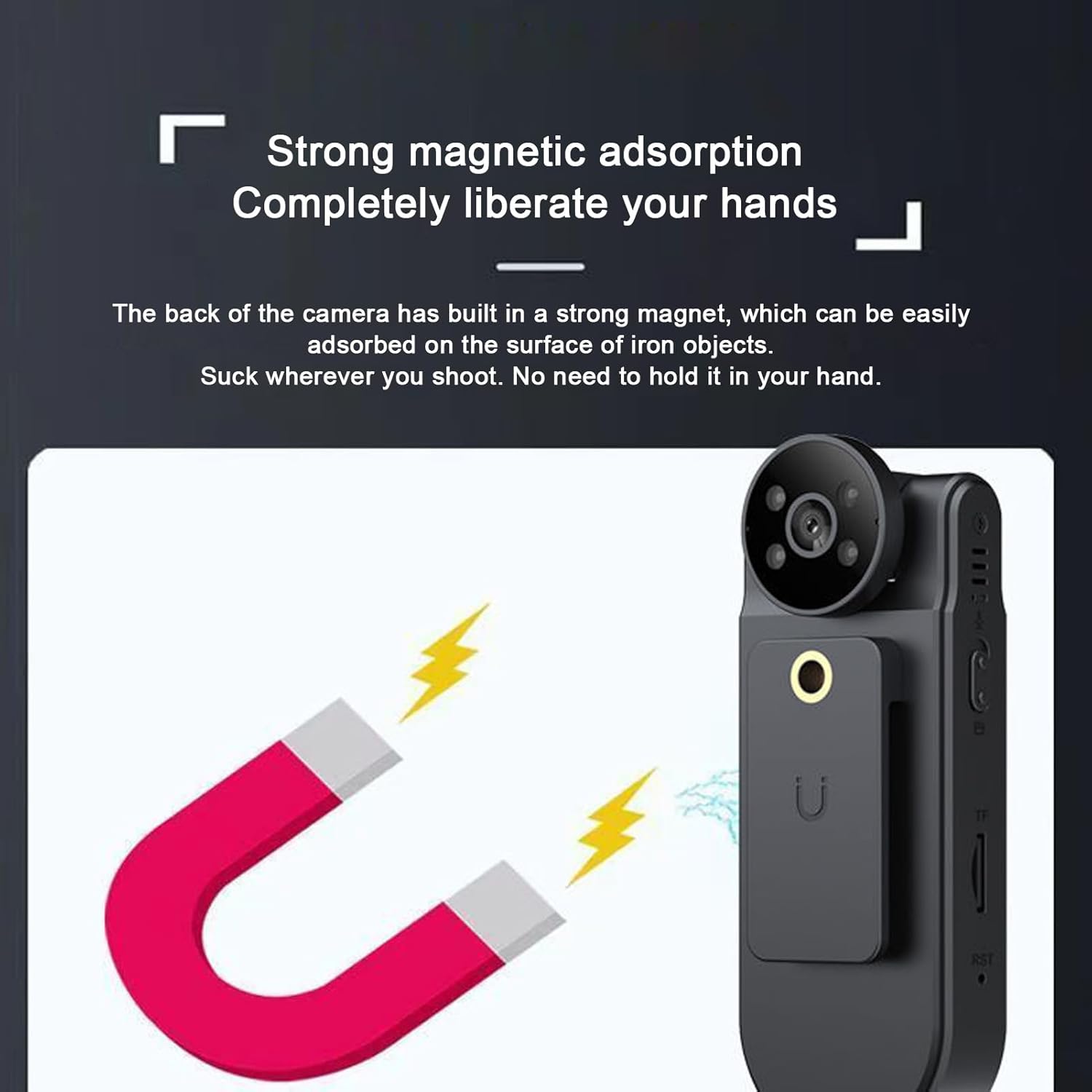
Imatge 5.2: The camera's magnetic back is shown adhering to a magnet, highlighting its strong magnetic adsorption feature for hands-free placement on metal surfaces.
6. Manteniment
- Keep the camera clean by wiping it with a soft, dry cloth. Avoid using harsh chemicals or abrasive materials.
- Protect the lens from scratches and dirt.
- Guardeu la càmera en un lloc fresc i sec, allunyat de la llum solar directa i de temperatures extremes.
- Assegureu-vos que el port de càrrega estigui lliure de pols i deixalles.
- Regularly back up important recordings from the memory card to prevent data loss.
7. Solució De Problemes
7.1. La càmera no s'encén
- Ensure the battery is sufficiently charged. Connect the camera to a power source and allow it to charge for at least 30 minutes.
- Premeu i manteniu premut el botó d'engegada durant un període prolongat (5-10 segons).
- If the issue persists, try resetting the device using the RST (Reset) button, usually a small pinhole requiring a paperclip to press.
7.2. Problemes de gravació
- Sense gravació: Check if a memory card is inserted correctly and if it has sufficient free space.
- Poca qualitat de vídeo: Ensure the lens is clean and free from smudges. Verify that the camera settings are configured for 2K resolution.
- La gravació s'atura de manera inesperada: The memory card might be full (if loop recording is off) or corrupted. Try formatting the memory card (this will erase all data) or using a different card.
7.3. Computer Does Not Recognize Camera
- Assegureu-vos que el cable USB estigui connectat correctament tant a la càmera com a l'ordinador.
- Proveu un port USB diferent a l'ordinador.
- Reinicieu tant la càmera com l'ordinador.
- If possible, try connecting the camera to another computer to rule out computer-specific issues.
8. Especificacions
| Característica | Detall |
|---|---|
| Marca | Guanyador |
| Número de model | Bewinneru0o95dghnv |
| Mida de la pantalla | 1.5 polzades |
| Angle de la lent | 170° (140° wide-angle view) |
| Lent giratòria | 180° |
| Resolució de vídeo | 2K (Maximum) |
| Resolució fotogràfica | 1MP, 2MP, 3MP |
| Capacitat de la bateria | 1400mAh Li Battery (Built-in) |
| Suport per a targetes de memòria | Supports up to 512GB MicroSD Card (Excluded) |
| Interfície de càrrega | Tipus C USB |
| Tecnologia de connectivitat | USB |
| Característiques especials | Motion Detection, Loop Recording, 180° Rotatable Lens, Magnetic Adsorption, Back Clip |
| Pes de l'article | 5.7 unces |
| Dimensions del paquet | 5.12 x 3.15 x 2.36 polzades |

Imatge 8.1: An illustration of the camera's battery performance, indicating approximately 480 minutes (8 hours) of operational time.
9. Notes importants
- No videos were found in the provided product data for embedding.
- Always ensure the camera's firmware is up to date for optimal performance and features. Check the manufacturer's weblloc per a actualitzacions.
- The actual battery life may vary based on usage patterns, recording settings, and environmental conditions.
