1. Producte acabatview
The Rosewill Helium NAS Black ATX Mid Tower Computer Case is engineered for optimal performance and extensive storage capabilities, making it suitable for DIY NAS, media servers, and small business applications. Its design prioritizes airflow, efficient cooling, and versatile component compatibility.
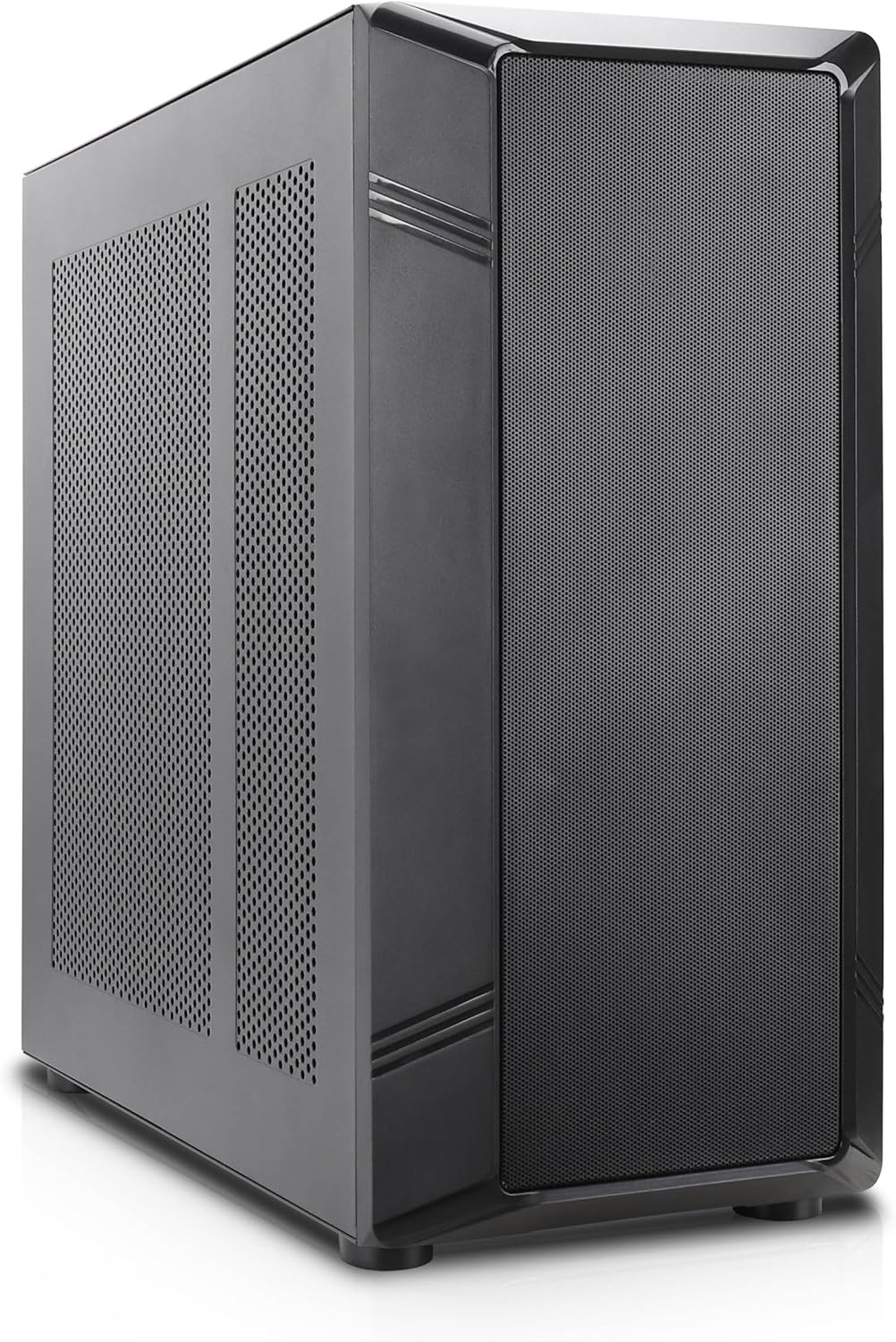
Figura 1: Front inclinat view of the Rosewill Helium NAS Black ATX Mid Tower Computer Case.
Característiques principals:
- Maximized Airflow: All-mesh side panels ensure unrestricted airflow for optimal cooling and prevention of thermal throttling.
- Quiet, Efficient Cooling: Four pre-installed 140mm PWM fans provide silent and efficient cooling, maintaining system stability under heavy workloads.
- Capacitat d'emmagatzematge massiva: Supports up to 10 x 3.5" HDDs and 3 x 2.5" SSDs, ideal for large media libraries, virtual machines, and data-intensive applications.
- Compatibilitat versàtil: Supports ATX motherboards and 360 AIO Radiators, offering flexibility for various system configurations and high-performance cooling solutions.
2. Configuració i instal·lació
Follow these steps for proper installation of your computer components.
2.1 Preparació del cas
- Col·loqueu la caixa sobre una superfície plana i estable.
- Remove the side panels by unscrewing the thumbscrews at the rear and sliding the panels off.

Figure 2: Interior layout of the Rosewill Helium NAS case, showing component mounting areas.
2.2 Instal·lació de la placa base
- Install the I/O shield into the motherboard tray opening.
- Align your ATX motherboard with the standoffs inside the case.
- Fixeu la placa base amb els cargols proporcionats.
2.3 Instal·lació de la unitat d'emmagatzematge
The case supports up to 10 x 3.5" HDDs and 3 x 2.5" SSDs. Utilize the dedicated drive cages for secure mounting.
Video 1: Demonstration of hard drive cage installation and cabling. This video illustrates the process of securing and connecting multiple hard drives within a PC case, which is applicable to the Rosewill Helium NAS case's storage capabilities.
- For 3.5" HDDs, slide the drives into the designated bays within the drive cages and secure them with screws.
- For 2.5" SSDs, mount them in the dedicated SSD trays, typically located behind the motherboard tray or on top of the HDD cages, and secure with screws.
- Connect SATA power and data cables to each installed drive.
2.4 Instal·lació de la font d'alimentació
- Mount the power supply unit (PSU) in the bottom rear compartment of the case.
- Fixeu la font d'alimentació amb els cargols de la part posterior de la carcassa.
- Route the necessary power cables to your motherboard and other components.
2.5 Instal·lació de la targeta gràfica i la targeta d'expansió
- Traieu les cobertes de les ranures PCIe necessàries de la part posterior de la carcassa.
- Inseriu la targeta gràfica o altres targetes d'expansió a les ranures PCIe corresponents de la placa base.
- Fixeu les targetes amb cargols.
2.6 Gestió de cables
Utilize the cable routing cutouts and tie-down points behind the motherboard tray to organize cables. This improves airflow and aesthetics. Zip ties are included for assistance.
3. Instruccions de funcionament
3.1 E/S del panell frontal

Figure 3: Front panel I/O ports located on the top of the case.
- Botó d'encesa: Press to power on/off the system.
- Botó de restabliment: Premeu per reiniciar el sistema.
- Port USB 3.1 tipus C: Per a la transferència de dades d'alta velocitat.
- Ports USB 3.0: Per connectar dispositius compatibles amb USB 3.0.
- Ports USB 2.0: Per connectar dispositius compatibles amb USB 2.0.
- Preses d'àudio HD: Per connectar auriculars i micròfons.
3.2 Encès inicial
- Ensure all components are securely installed and cables are properly connected.
- Connecteu el cable d'alimentació a la font d'alimentació i a una presa de corrent.
- Premeu el botó d'engegada del panell frontal per iniciar el sistema.
4. Manteniment
Regular maintenance ensures optimal performance and longevity of your computer case and components.
4.1 Neteja dels filtres de pols
The Rosewill Helium NAS case features removable dust filters on the top and bottom for easy cleaning.
- Gently pull out the bottom dust filter.
- The top mesh panel is magnetic and can be easily lifted off.
- Netegeu els filtres amb aire comprimit o un raspall suau per eliminar la pols acumulada.
- Reinstall the filters once clean.
4.2 Neteja general
- Feu servir un drap suau i sec per netejar les superfícies exteriors de la carcassa.
- For interior cleaning, use compressed air to remove dust from fans and components. Ensure the system is powered off and unplugged before cleaning.
5. Solució De Problemes
Aquesta secció ofereix solucions per a problemes comuns que podeu trobar.
- El sistema no s'encén:
- Check all power connections, including the PSU, motherboard, and front panel power switch cables.
- Assegureu-vos que l'interruptor de la font d'alimentació estigui a la posició "ON".
- Components de sobreescalfament:
- Verify all case fans are spinning correctly.
- Netegeu els filtres de pols i els components interns per millorar el flux d'aire.
- Ensure CPU cooler and GPU fans are functioning.
- Soroll excessiu del ventilador:
- Check for loose cables or obstructions hitting fan blades.
- Assegureu-vos que els ventiladors estiguin ben muntats.
- Adjust fan speeds through motherboard BIOS or software if supported.
- Front Panel I/O Not Working:
- Verify that all front panel cables (USB, Audio, Power, Reset) are correctly connected to the motherboard headers.
6. Especificacions
| Característica | Especificació |
|---|---|
| Marca | Rosewill |
| Sèrie | Helium NAS |
| Nom del model | Helium NAS |
| Número de model de l'article | B0DP3PQFKW |
| Tipus de cas | Torre mitja |
| Compatibilitat amb la placa base | ATX |
| Color | Negre |
| Material | Alumini, acer inoxidable |
| Pes de l'article | 19.71 lliures |
| Dimensions del producte (LxWxH) | 25 x 24.41 x 12.68 polzades |
| 3.5" HDD Support | Fins a 10 |
| 2.5" SSD Support | Fins a 3 |
| Ventiladors preinstal·lats | 4 x 140mm PWM Fans |
| Mètode de refrigeració | Air, Water (360 AIO Radiator Support) |
| Front Panel USB 2.0 Ports | 2 |
| Front Panel USB 3.0 Ports | 2 |
| Usos recomanats | AI Server, Media Server, NAS, Workstation |
7. Garantia i Suport
For warranty information, technical support, or further assistance, please refer to the official Rosewill weblloc web o poseu-vos en contacte amb el seu departament d'atenció al client. Conserveu el rebut de compra per a reclamacions de garantia.


