Producte acabatview
The LaView 2K 3MP Solar Security Camera system provides comprehensive outdoor surveillance with advanced features. This wireless system includes two cameras designed for home security, offering 360° pan and tilt capabilities, color night vision, two-way audio, and IP65 weather resistance. Powered by integrated solar panels, these cameras offer a wire-free installation solution.

Image: Two LaView 2K 3MP solar security cameras, white, with solar panels on top, designed for outdoor use.
Configuració i instal·lació
Càrrega inicial
Before initial use, fully charge each camera's internal battery using a standard 5V USB power adapter (not included). This ensures optimal performance and battery life from the start.
App Pairing and Wi-Fi Connection
- Baixeu i instal·leu el LaView aplicació al teu telèfon intel·ligent.
- Follow the in-app instructions to add a new device. The app will guide you through presenting a QR code to the camera for pairing.
- Ensure your smartphone is connected to a 2.4GHz Wi-Fi network during the pairing process. The camera supports 2.4GHz Wi-Fi connectivity.
Instal·lació flexible
The cameras are designed for 100% wire-free installation, offering flexibility in placement. They can be wall-mounted using the included hardware. Position the solar panel to receive maximum direct sunlight for continuous charging.

Imatge: Examples of flexible, wire-free installation for the LaView solar security camera, demonstrating wall and eave mounting options.

Image: The LaView camera powered by its portable solar panel, illustrating how 2 hours of charging can provide 1 day of use, highlighting its 5200mAh battery and wireless capability.
Instruccions de funcionament
Funcionalitat de panoràmica i inclinació
Utilize the LaView app to remotely control the camera's 360° pan and 120° tilt movements, allowing for comprehensive coverage of your surveillance area. The camera also supports 6X digital zoom for closer inspection.

Image: The camera's 360° pan and 120° tilt functionality, controlled via the smartphone app, providing extensive coverage.
Visió nocturna en color 2K QHD
The camera features 2K QHD resolution with an f/1.6 aperture, enhancing light capture for clearer images, even in low-light conditions. This enables full-color night vision, providing detailed surveillance around the clock.

Image: Demonstration of 2K QHD Color Night Vision, highlighting the f/1.6 aperture's ability to capture more light for clearer images compared to a standard f/2.0 aperture.
PIR Human Detection and Recording
The camera utilizes Passive Infrared (PIR) technology for human detection, significantly reducing false alarms by focusing on heat signatures. When motion is detected, the camera automatically records and sends notifications to your smartphone.

Image: The camera's PIR Human Detection in action, showing automatic recording upon motion and notification delivery, with a 109° field of view.
Àudio bidireccional i sirena
Engage in real-time two-way communication through the camera's built-in speaker and microphone. Additionally, activate the integrated siren from the app to deter unwanted visitors or alert others.
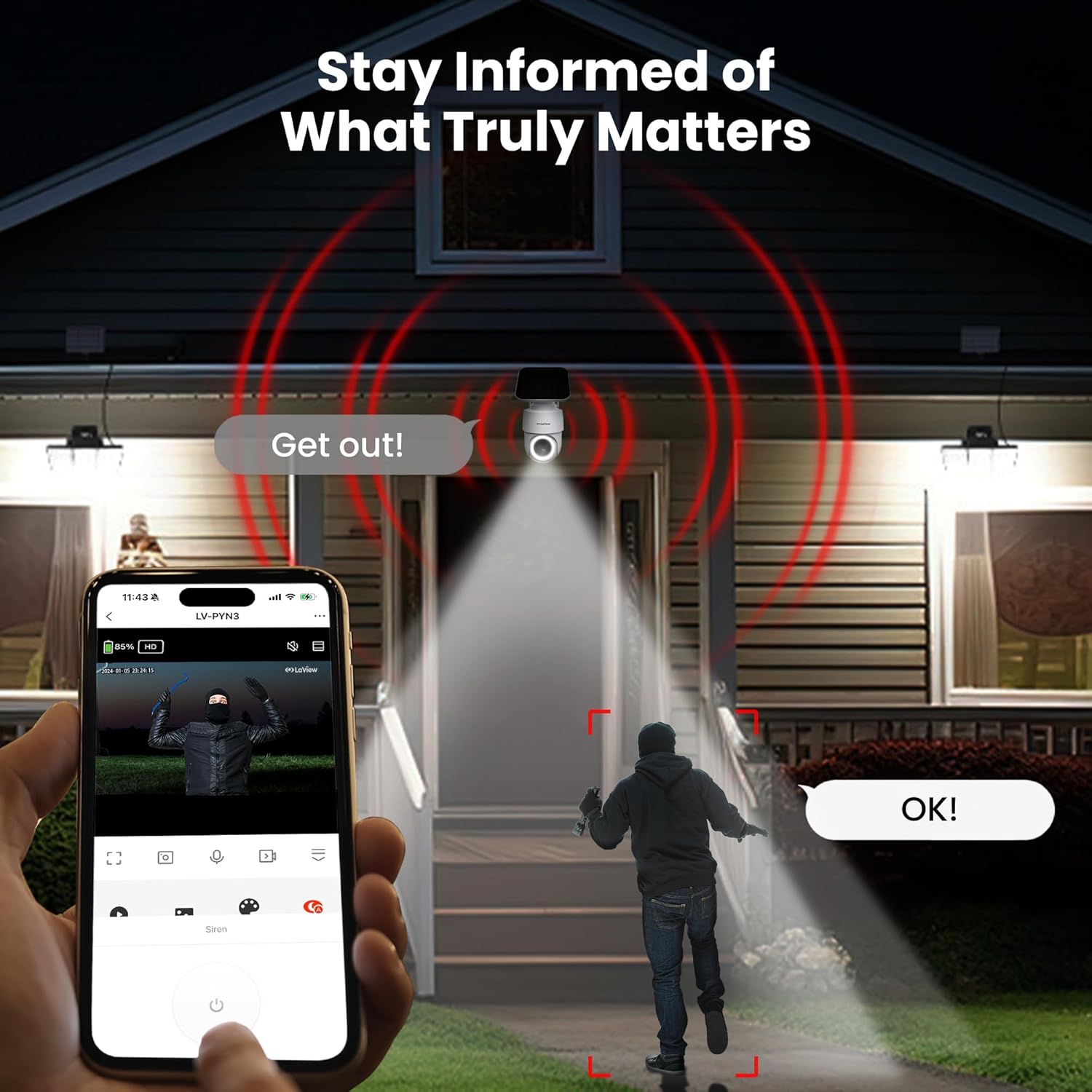
Image: Demonstrating the camera's ability to stay informed, featuring a spotlight, two-way audio, and siren functionality controlled via the app.
Video Compression and Storage
The cameras utilize advanced H.265 video compression technology, which provides smoother viewing, faster downloads, and reduced storage requirements compared to H.264. Footage can be stored locally on a Micro SD card (up to 256GB, not included) or via the optional cloud storage service (30-day free trial available).

Image: Comparison of H.265 and H.264 video compression, illustrating the benefits of H.265 in terms of storage, bandwidth, and loading speed.

Image: Dual storage options for recorded footage, including local Micro SD card storage (up to 256GB) and cloud storage with a 30-day free trial.
Integració d'Alexa
The LaView cameras are compatible with Amazon Alexa, allowing for voice control and integration into your smart home ecosystem.
Manteniment
Cura del panell solar
To ensure continuous and efficient charging, periodically clean the surface of the solar panel to remove any dust, dirt, or debris that may accumulate. Use a soft, damp drap per netejar.
Gestió de targetes SD
If you need to format the Micro SD card, it is recommended to do so using a computer for faster and more reliable results. Formatting the card directly within the camera can be a slow process.
Resolució de problemes
Problemes de connectivitat Wi-Fi
If you experience unstable Wi-Fi connectivity, ensure the camera is installed within a reasonable range of your wireless router. A signal strength of -70 to -80dBm is considered fair, but closer proximity to the router generally provides more reliable connection. If the app hangs or loses connection, try restarting the live video feed to re-establish connection.
Person Detection Sensitivity
The Person Detection feature, while effective, may sometimes trigger for non-human objects or even during live viewing. If this becomes problematic, consider adjusting the sensitivity settings within the app or disabling the feature if not required for your specific monitoring needs.
Camera Offline Alerts
The system is designed to send immediate alerts if a camera goes offline, ensuring you are always informed about the status of your surveillance system.
Especificacions
| Nom del model | LV-PWR28Q-W-2PK |
| Tipus de muntatge | Muntatge de paret |
| Resolució de captura de vídeo | 3K |
| Resolució de fixes efectius | 3 MP |
| Color | Blanc |
| Nombre d'articles | 2 |
| Components inclosos | Cos de la càmera |
| Dimensions de l'article (LxWxH) | 19.8 x 24 x 18.3 centímetres |
| Pes de l'article | 1 kg 810 g |
| Necessites piles? | No (Solar Powered with built-in battery) |
| Format de captura de vídeo | MP4 |
| Usos recomanats | Seguretat exterior |
| Tecnologia de connectivitat | Sense fil |
| Característica especial | Àudio de 2 vies |
| Ús interior/exterior | A l'aire lliure |
| Dispositius compatibles | Smartphone |
| Font d'alimentació | Energia solar |
| Protocol de connectivitat | Wi-Fi |
| Tipus de controlador | Amazon Alexa |
| Classificació IP | IP65 (Outdoor Waterproof) |

Image: The camera's IP65 outdoor waterproof rating, indicating its resilience to various weather conditions and temperature extremes.
Suport
For further assistance, technical support, or warranty inquiries, please refer to the official LaView website or contact their customer service directly. While specific warranty details are not provided in this manual, LaView is known for its responsive customer support.


