Introducció
Thank you for choosing the LaView 2K 3MP Solar Security Camera. This wireless outdoor camera provides advanced home security with its 360° pan and tilt capabilities, ensuring comprehensive coverage without blind spots. Powered by a rechargeable battery and an efficient solar panel, it offers continuous operation with minimal maintenance. Enjoy crystal-clear 2K QHD video, color night vision, smart PIR detection, and two-way audio for enhanced communication and deterrence. This manual will guide you through the setup, operation, and maintenance of your new security camera.
Què hi ha a la caixa
Upon unboxing your LaView Solar Security Camera, please ensure all components listed below are present:
- Cos de la càmera
- Dempeus
- Cargol de muntatge
- Manual d'instruccions
Video: An unboxing demonstration showing the contents of the LaView Solar Security Camera package, including the camera, solar panel, mounting hardware, and cables.

Image: The LaView 2K 3MP Solar Security Camera, showcasing its main unit with the solar panel attached, along with various accessories like mounting screws and cables.
Configuració
Follow these steps for the initial setup of your LaView Solar Security Camera:
- Carregar la càmera: Before installation, fully charge the camera using the provided USB cable. Connect the USB cable to the camera's charging port and a standard USB power adapter (not included).
- Descarrega l'aplicació: Scan the QR code in the Quick Start Guide or search for 'LaView' in your mobile app store (iOS or Android) to download the official LaView aplicació.
- Crea un compte: Obriu el LaView app and follow the on-screen instructions to create a new user account.
- Afegeix un dispositiu: In the app, tap the '+' icon to add a new device. Select your camera model and follow the pairing instructions. Ensure your phone is connected to a 2.4GHz Wi-Fi network during setup.
- Muntar la càmera: Choose an optimal outdoor location for mounting. The camera is 100% wireless and solar-powered, allowing flexible installation. Ensure the solar panel receives adequate direct sunlight for continuous charging. Use the provided mounting screws and bracket to securely attach the camera.

Image: The LaView camera highlighting its solar panel and 5200mAh battery, emphasizing its self-sustaining power feature.

Imatge: Dos examples of flexible installation, showing the camera mounted under an overhang and on a wall, demonstrating its wire-free setup.
Instruccions de funcionament
Once your camera is set up, you can utilize its various features through the LaView aplicació:
- Panoràmica de 360° i inclinació de 120°: Controla la càmera viewing angle directly from your phone. Swipe on the live view screen to pan horizontally (360°) and tilt vertically (120°) to monitor your entire property. This feature allows you to track and follow any movement, eliminating blind spots.
- 2K QHD & Color Night Vision: The camera captures ultra-clear 2K QHD video. With its F/1.6 aperture, it captures 2.5 times more light than standard cameras, providing vivid color images even in low-light conditions. This ensures clear visibility of nighttime visitors.
- Smart PIR Detection: The advanced PIR sensor and intelligent algorithms provide accurate alerts, significantly reducing false alarms. You can customize detection sensitivity and define specific zones for person, vehicle, or pet motion to receive only relevant notifications.
- Two-Way Audio & Siren/Spotlight: Use the two-way audio feature to communicate with visitors or deter intruders. The camera also includes a siren and spotlight that can be triggered manually or automatically upon motion detection to enhance security.
- Opcions d'emmagatzematge: The camera supports both AWS Cloud storage (with a 30-day free trial) and local storage via a Micro SD card (up to 256GB, not included). It utilizes advanced H.265 video compression for smoother viewing, faster downloads, and reduced storage space.
- Integració de la llar intel·ligent: The camera is compatible with Amazon Alexa and Google Assistant, allowing for voice control and seamless integration into your smart home ecosystem.

Image: A visual representation of the camera's 360-degree pan and 120-degree tilt capabilities, showing its wide coverage area.

Image: A side-by-side comparison demonstrating the superior clarity and color of 2K QHD with F/1.6 aperture in low light compared to a standard F/2.0 aperture.

Image: A scene showing the camera detecting human movement with a notification overlay, illustrating the PIR human detection feature.
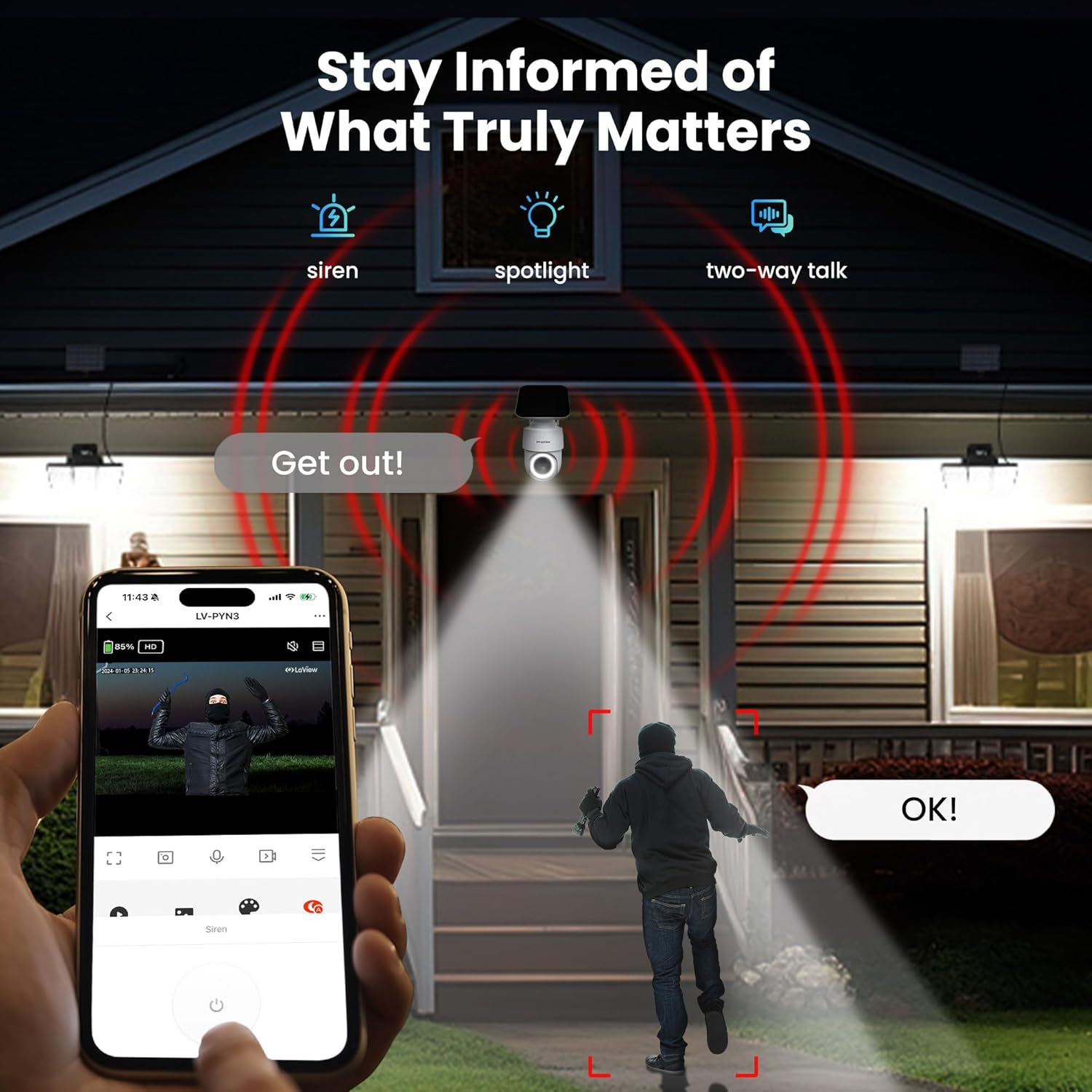
Image: An illustration depicting the camera's ability to activate a siren, spotlight, and two-way talk to deter an intruder.

Image: A graphic illustrating the dual storage options available for the camera: Micro SD card (up to 256GB) and 30-day free trial Cloud storage.

Image: A comparison showing the benefits of H.265 video compression over H.264, including reduced storage space, bandwidth, and faster loading speeds.
Manteniment
To ensure optimal performance and longevity of your LaView Solar Security Camera, follow these maintenance guidelines:
- Neteja: Netegeu regularment la lent de la càmera i el panell solar amb un drap suau i sec.amp cloth to remove dust, dirt, or debris. Avoid using harsh chemicals or abrasive materials that could scratch the surfaces.
- Eficiència del panell solar: Ensure the solar panel is free from obstructions (e.g., leaves, snow) that could block sunlight. Periodically check its position to confirm it receives maximum sun exposure, especially after seasonal changes.
- Salut de la bateria: While solar-powered, the internal rechargeable battery provides backup during cloudy days or at night. If the camera experiences prolonged periods without sunlight, you may need to manually charge it via the USB port.
- Actualitzacions de firmware: Keep the camera's firmware updated through the LaView app. Updates often include performance improvements, new features, and security enhancements.
- Resistència a la intempèrie: The camera is IP65 weatherproof, designed to withstand temperatures from 14°F to 122°F (-10°C to 50°C). While robust, extreme weather conditions may temporarily affect performance.
Resolució de problemes
If you encounter issues with your LaView Solar Security Camera, refer to the following common problems and solutions:
- Càmera fora de línia:
- Check Wi-Fi connection: Ensure your Wi-Fi router is working and the camera is within range.
- Power supply: Verify the solar panel is receiving adequate sunlight or manually charge the camera.
- Router interference: Move the camera closer to the router or consider a Wi-Fi extender if signal is weak.
- Falses alarmes freqüents:
- Adjust PIR sensitivity: Lower the detection sensitivity in the app settings.
- Define detection zones: Set specific activity zones to ignore areas with frequent irrelevant motion (e.g., passing cars, swaying trees).
- Check for obstructions: Ensure no objects are directly in front of the sensor that could trigger false alerts.
- Poca qualitat de vídeo:
- Clean the lens: Gently clean the camera lens with a soft cloth.
- Check Wi-Fi signal: A weak Wi-Fi signal can affect streaming quality.
- Lighting conditions: Ensure adequate lighting for optimal image capture, especially at night.
- Problemes d'àudio bidireccional:
- Check app volume: Ensure your phone's volume and the app's audio settings are correctly configured.
- Microphone/Speaker obstruction: Ensure the camera's microphone and speaker are not blocked.
For further assistance, please contact LaView atenció al client.
Especificacions
| Característica | Especificació |
|---|---|
| Nom del model | LV-PWR28Q-W |
| Ús interior/exterior | A l'aire lliure |
| Font d'alimentació | Energia solar |
| Protocol de connectivitat | Wi-Fi |
| Resolució de captura de vídeo | 2K |
| Resolució de fixes efectius | 3 MP |
| Viewangle ing | 360 graus (panoràmica i inclinació) |
| Gamma de visió nocturna | 33 peus |
| Nivell de resistència a l'aigua | Impermeable (IP65) |
| Dimensions de l'article L x W x H | 7.76 x 4.72 x 6.6 polzades |
| Pes de l'article | 2.05 lliures |
| Supported Flash Memory | 256 GB (Micro SD) |
| Tipus de controlador | Amazon Alexa, App |
Garantia i Suport
LaView is committed to providing excellent customer service. Your LaView Solar Security Camera comes with:
- Garantia de reemplaçament de 1 anys: Enjoy peace of mind with a comprehensive 1-year replacement warranty.
- Suport tècnic de tota la vida: Access lifetime technical support via phone for prompt and reliable solutions to any issues you may encounter.
- 1-on-1 Customer Service: Benefit from dedicated 1-on-1 customer service available all day.
For support, please refer to the contact information provided in your Quick Start Guide or visit the official LaView weblloc.


