Introducció
This manual provides detailed instructions for the operation and maintenance of your Bewinner Student Digital Camera. Please read this manual thoroughly before using the camera to ensure proper function and to maximize your user experience.
The Bewinner Student Digital Camera is designed for daily recording, featuring 2.7K FHD video resolution and 48MP image pixels. It includes an 8X digital zoom, autofocus capabilities, and a built-in fill light for enhanced low-light performance. Its compact and lightweight design makes it ideal for portability.
Producte acabatview
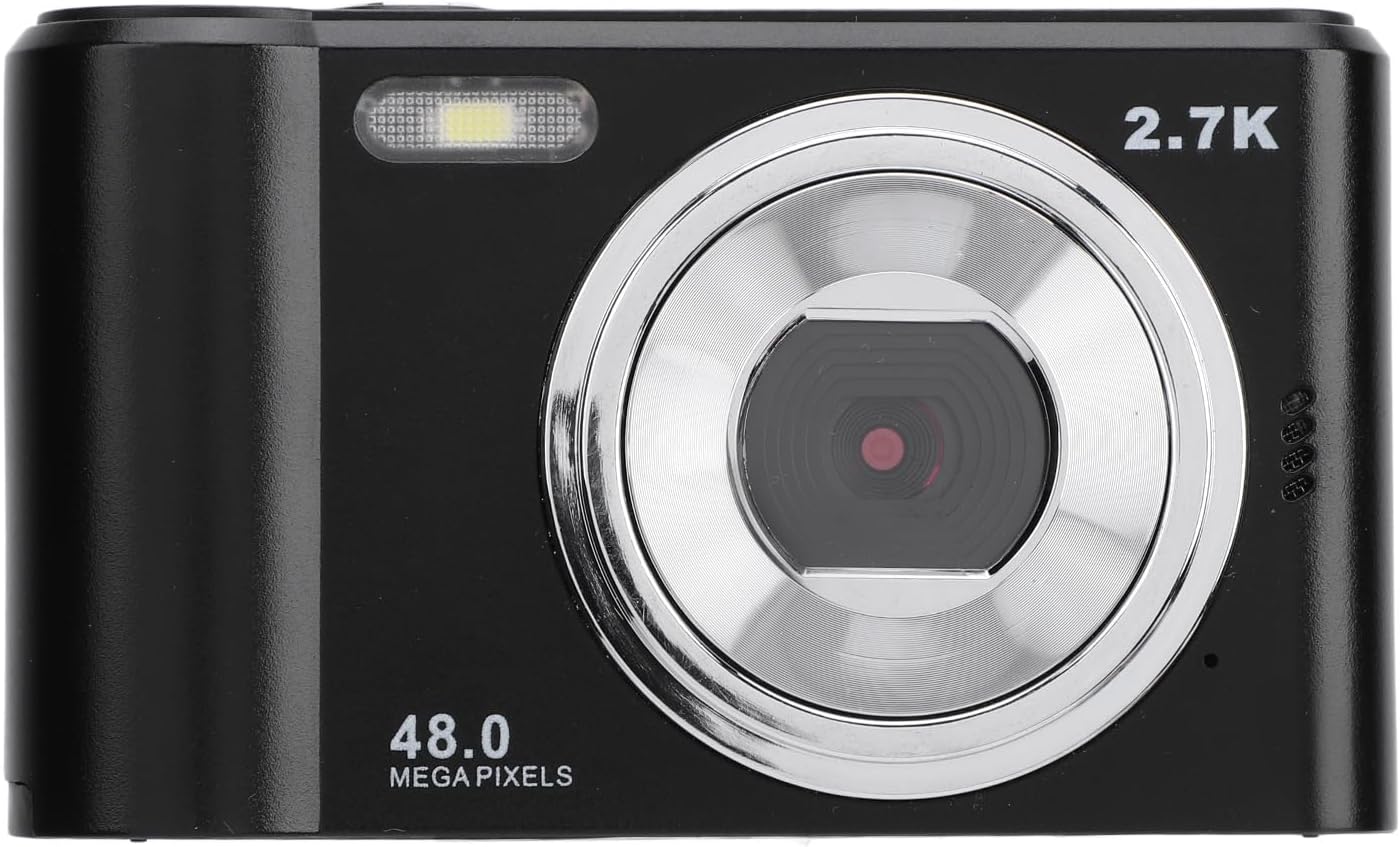
Figura 1: Frontal view of the camera, showing the lens, flash, and 2.7K 48MP markings.

Figura 2: Esquena view of the camera, displaying the 2.4-inch HD screen and control buttons.
Components de la càmera:
- Lent: Component òptic principal per capturar imatges i vídeos.
- Built-in Fill Light: Proporciona il·luminació per a condicions de poca llum.
- 2.4-inch HD Display Screen: Per viewing live feed, playback, and menu navigation.
- Botons de control: Including power, shutter, mode, navigation (W/T for zoom, OK), and delete buttons.
- Ranura per a targeta de memòria: For inserting a small memory card (up to 128GB, not included).
- Port USB: Per a càrrega i transferència de dades.
- Muntatge de trípode: Located at the bottom for attaching to a tripod.
Configuració
1. Inserting the Memory Card:
The camera requires a small memory card (not included) for storing photos and videos. It supports cards up to 128GB.
- Locate the memory card slot on the side or bottom of the camera.
- Gently insert the small memory card into the slot with the gold contacts facing the correct direction (refer to the diagram near the slot).
- Push the card in until it clicks into place. To remove, push it in again until it springs out.

Figura 3: A baix view of the camera, indicating the memory card slot and tripod mount.
2. Càrrega de la bateria:
The camera has a built-in 700mAh lithium battery. Ensure it is fully charged before first use.
- Connecteu el cable de càrrega proporcionat al port USB de la càmera.
- Connecteu l'altre extrem del cable de càrrega a un adaptador de corrent USB (no inclòs) o al port USB d'un ordinador.
- El llum indicador de càrrega s'il·luminarà durant la càrrega i s'apagarà quan estigui completament carregat.
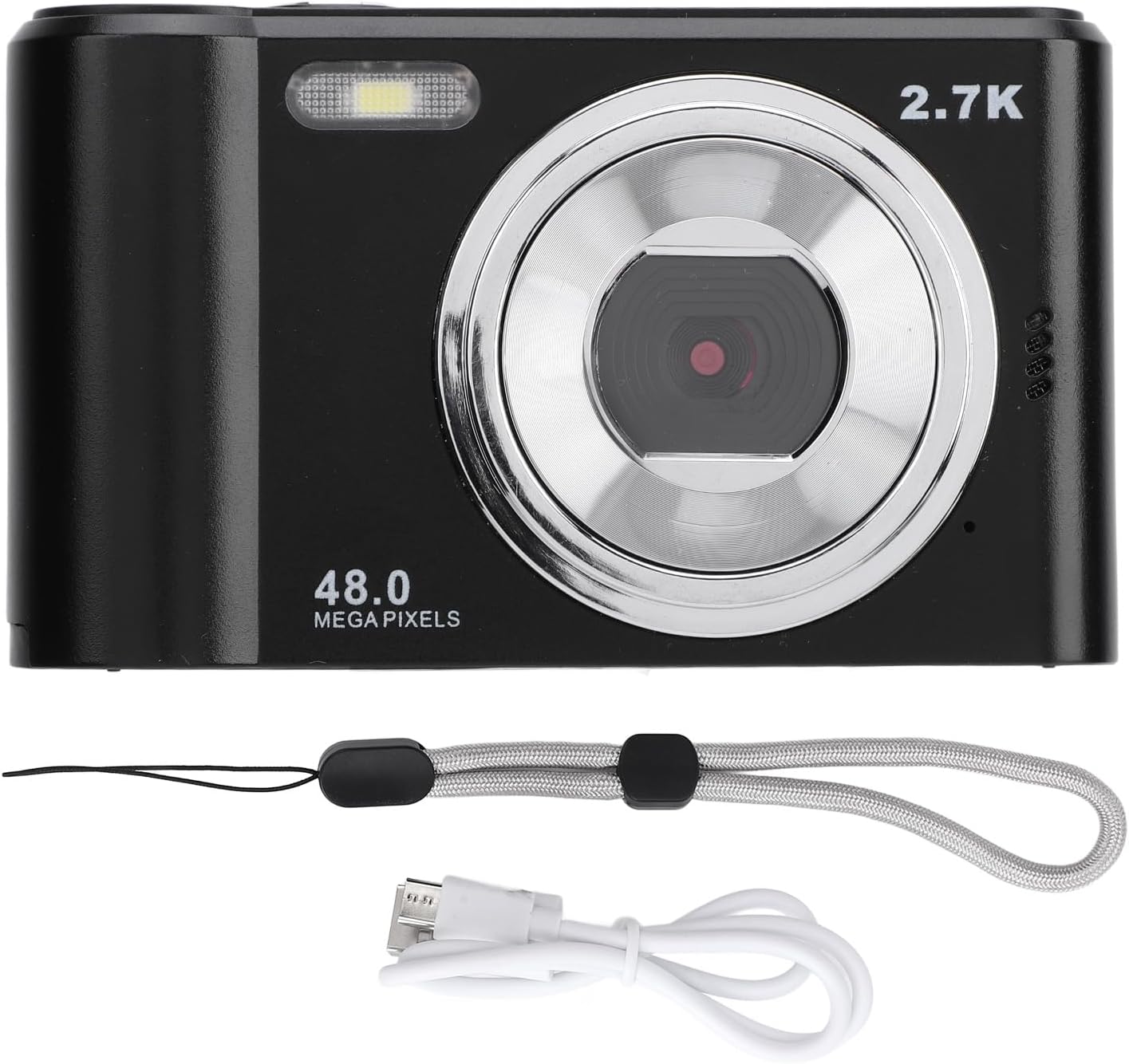
Figure 4: Camera shown with its included charging cable and lanyard.
3. Encendre/apagar:
Press and hold the power button (usually located on the top of the camera) for a few seconds to turn the camera on or off. The camera is designed to power on quickly.
Instruccions de funcionament
1. Fer fotos:
The camera captures photos at 48MP resolution.
- Enceneu la càmera.
- Frame your shot using the 2.4-inch HD display screen.
- The camera features autofocus. A focus frame will appear on the screen to indicate the focus area.
- Press the shutter button (typically on top) to capture the image.
2. Gravació de vídeos:
The camera records videos in 2.7K FHD resolution.
- Switch the camera to video recording mode (if applicable, usually via a mode button).
- Press the record button (often the same as the shutter button, or a dedicated video button) to start recording.
- Premeu de nou el botó de gravació per aturar la gravació.
3. Using Digital Zoom:
The camera supports 8X digital zoom.
- While in photo or video mode, use the "W" (Wide) and "T" (Telephoto) buttons to zoom out or zoom in, respectively.

Figura 5: Primer pla view of the camera's control buttons, highlighting the W and T zoom controls.
4. Using the Fill Light:
The built-in fill light assists in capturing images in dark environments.
- The camera automatically provides colorful images, suggesting the fill light may activate automatically or have a dedicated setting in the menu. Refer to the on-screen menu for specific fill light controls if needed.
5. Playback and Deletion:
- A view captured photos or videos, enter playback mode (usually via a dedicated playback button or menu option).
- Use the navigation buttons to scroll through your media.
- To delete an item, select it and press the delete button (often marked with a trash can icon), then confirm.
Manteniment
- Neteja de la lent i la pantalla: Feu servir un drap suau i sense borrissol dissenyat específicament per a superfícies òptiques. No utilitzeu materials abrasius ni productes químics agressius.
- Emmagatzematge: When not in use, store the camera in a dry, cool place away from direct sunlight and extreme temperatures.
- Cura de la bateria: Although the battery is built-in, avoid fully discharging it frequently. Charge it regularly, even if not using the camera for extended periods, to maintain battery health.
- Evitar l'impacte: Protect the camera from drops and impacts, which can damage internal components or the screen.
Resolució de problemes
| Problema | Causa possible | Solució |
|---|---|---|
| La càmera no s'encén. | La bateria està esgotada. | Charge the camera battery using the provided cable. |
| No es poden fer fotos/vídeos. | Memory card is full or not inserted correctly. | Insert a memory card, or delete existing files to free up space. Ensure the card is inserted correctly. |
| Les imatges són borroses. | Lens is dirty; subject is too close or too far for autofocus; camera shake. | Clean the lens. Ensure subject is within autofocus range. Hold the camera steady. |
| La pantalla està en blanc o congelada. | Error del sistema. | Try turning the camera off and on again. If unresponsive, allow the battery to drain completely and then recharge. |
Especificacions
| Característica | Detall |
|---|---|
| Tipus d'element | Càmera digital |
| Material | ABS |
| Pantalla de visualització | Pantalla HD de 2.4 polzades |
| Màxima resolució de vídeo | 2.7K FHD |
| Píxels màxims de foto | 48MP |
| Zoom digital | 8X |
| Small Memory Card Support | Maximum 128GB (Not Included) |
| Informació de la bateria | Bateria de liti incorporada, 700 mAh |
| Pes de l'article | 7.8 unces (aprox. 221 g) |
| Dimensions del paquet | 5.12 x 3.54 x 2.36 polzades |
| Número de model | Bewinnerngdcgwmy58-11 |
Garantia i Suport
For any questions, technical support, or warranty inquiries regarding your Bewinner Student Digital Camera, please contact Bewinner customer service. Refer to the product packaging or the official Bewinner weblloc web per obtenir la informació de contacte més actualitzada.
Nota: Els termes i condicions específics de la garantia poden variar. Conserveu el comprovant de compra per a les reclamacions de garantia.


