1. Introducció
Thank you for choosing the NETUM DJ-130 Bluetooth Pet Microchip Reader. This device is designed to efficiently and accurately read microchips in pets and other animals, supporting various common standards. Its versatile connectivity options and user-friendly design make it an essential tool for pet owners, veterinarians, and animal rescue organizations.
Característiques principals:
- Suport multiprotocol: Compatible with ISO11784/ISO11785, FDX-B, and EMID microchips. (Note: Does not support AVID microchips.)
- Dual Data Output: Supports both hexadecimal (hex) and decimal data outputs for flexibility.
- Clear TFT Screen: Features a 1.44-inch TFT screen displaying battery status, operating mode, connection type, and microchip data.
- Connectivitat 3 en 1: Offers seamless connection via USB, 2.4GHz wireless, and Bluetooth.
- Dos modes de funcionament: Choose between Instant Upload Mode for real-time data transfer or Storage Mode to save up to 20,000 records for later upload.
- Bateria de llarga durada: Equipped with a built-in 1200mAh rechargeable battery providing up to 20 hours of continuous use.
2. Informació de seguretat
- No exposeu el dispositiu a temperatures extremes, llum solar directa ni humitat elevada.
- Eviteu deixar caure o sotmetre el dispositiu a forts impactes.
- Mantingueu el dispositiu allunyat de l'aigua i altres líquids.
- No intenteu desmuntar ni reparar el dispositiu vosaltres mateixos. Poseu-vos en contacte amb personal qualificat per al servei tècnic.
- Feu servir només els accessoris de càrrega proporcionats o recomanats.
3. Contingut del paquet
Si us plau, comproveu el paquet per veure si hi ha els elements següents:
- 1 x NETUM DJ-130 Pet Microchip Reader
- 1 x cable de càrrega USB
- 1 x USB 2.4GHz Wireless Dongle
- 1 x Sample Tag
- 1 x Manual d'usuari
4. Producte acabatview
The NETUM DJ-130 features a compact and ergonomic design for comfortable handling and ease of use.

Figura 4.1: Frontal view of the NETUM DJ-130 Pet Microchip Reader, highlighting the 1.44-inch TFT screen and control buttons.

Figure 4.2: The 1.44-inch TFT screen provides clear display of battery status, operating mode, connection type, and microchip data.

Figure 4.3: The portable and lightweight design (72x19x157mm, 120g) allows for easy carrying and use in various settings.

Figura 4.4: posterior view of the device, displaying the model number and compliance markings.
5. Configuració
5.1 Càrrega del dispositiu
Before first use, fully charge the microchip reader. Connect the provided USB charging cable to the device's charging port and a compatible USB power source (e.g., computer USB port, USB wall adapter). The battery indicator on the TFT screen will show charging status.

Figure 5.1: The 1200mAh rechargeable battery provides approximately 15 hours of continuous working time after 3 hours of charging.
5.2 Encès/Apagat
- Encès: Press and hold the power button (usually the top large button) until the screen illuminates.
- Apagar: Navigate to the 'Power Off' option in the menu or press and hold the power button until the device shuts down.
6. Instruccions de funcionament
6.1 Scanning Microchips
To scan a microchip:
- Assegureu-vos que el dispositiu estigui encès.
- Select 'Read Tag' from the main menu.
- Position the RFID interrogation zone (the circular part at the top of the device) close to the animal's microchip implantation site. Microchips are typically implanted between the shoulder blades.
- Press the scan button. The device will emit a beep and display the microchip ID on the screen if a compatible chip is detected.
- Move the scanner slowly over the area to ensure the chip is found, as chips can sometimes migrate.
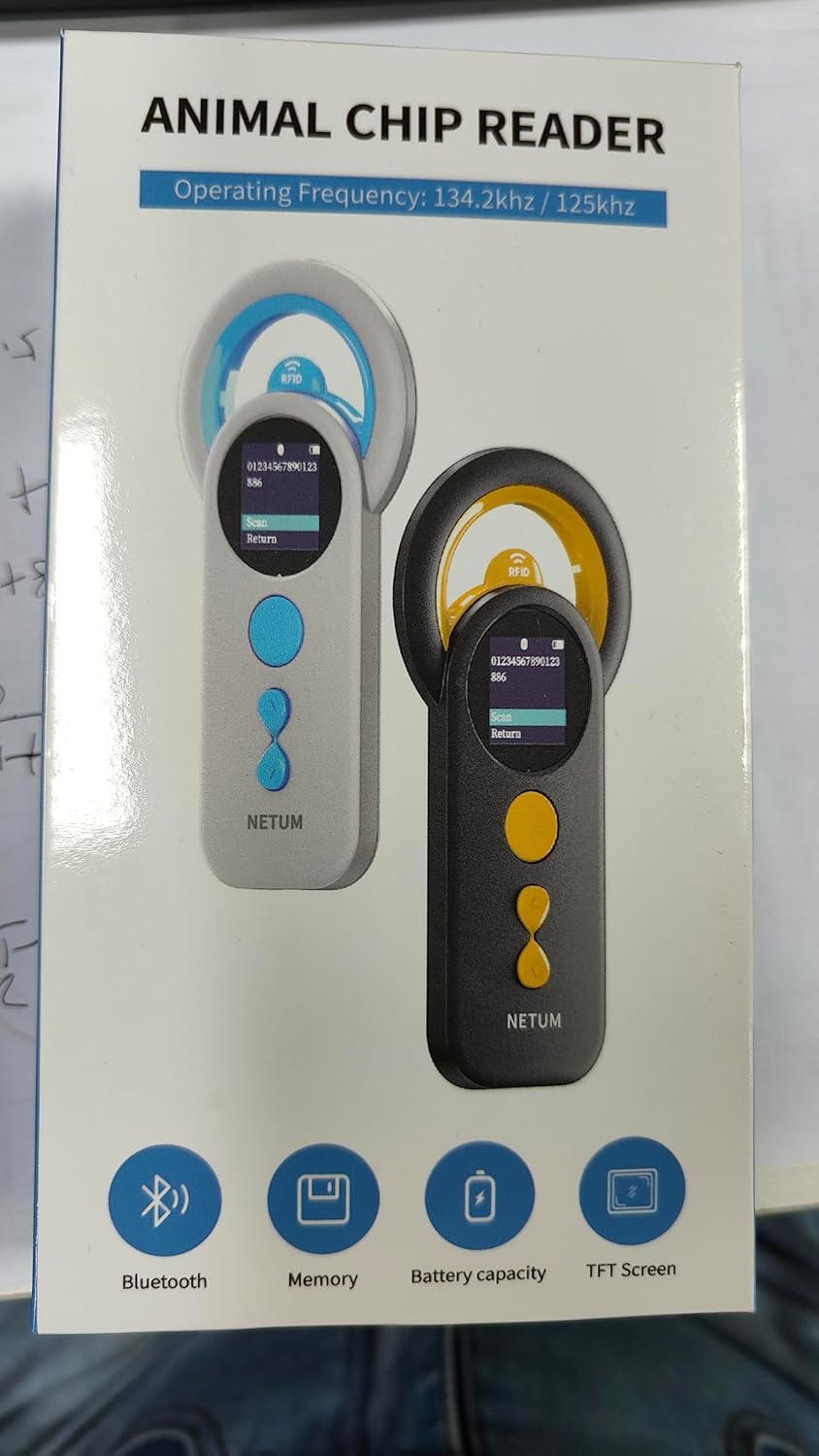
Figure 6.1: The device is compatible with FDX-B (ISO11784/ISO11785) and EMID chips. Ensure the correct chip type for successful reading.

Figure 6.2: The upgraded RFID identification technology allows for efficient reading of various compatible tags and microchips.
6.2 Modes de funcionament
The DJ-130 offers two primary operating modes:
- Mode de càrrega instantània: Data is immediately transmitted to a connected device (e.g., computer, smartphone) as soon as a microchip is read.
- Mode d'emmagatzematge: The scanner saves the microchip data internally. It can store up to 20,000 records. Data can be uploaded later when connected to a computer.
You can switch between these modes via the device's settings menu.

Figure 6.3: Visual representation of the two operating modes: Offline Storage Mode and Instant Upload Mode.
6.3 Opcions de connectivitat
The device supports multiple connection methods for data transfer:
- Connexió Bluetooth: Pair the device with your smartphone or tablet via Bluetooth for wireless data transfer.
- Connexió sense fil de 2.4 GHz: Use the included USB dongle to establish a wireless connection with a computer.
- Connexió per cable USB: Connect the device directly to a computer using the USB cable for data transfer and charging.
The device is plug-and-play, requiring no additional software or drivers for basic functionality.
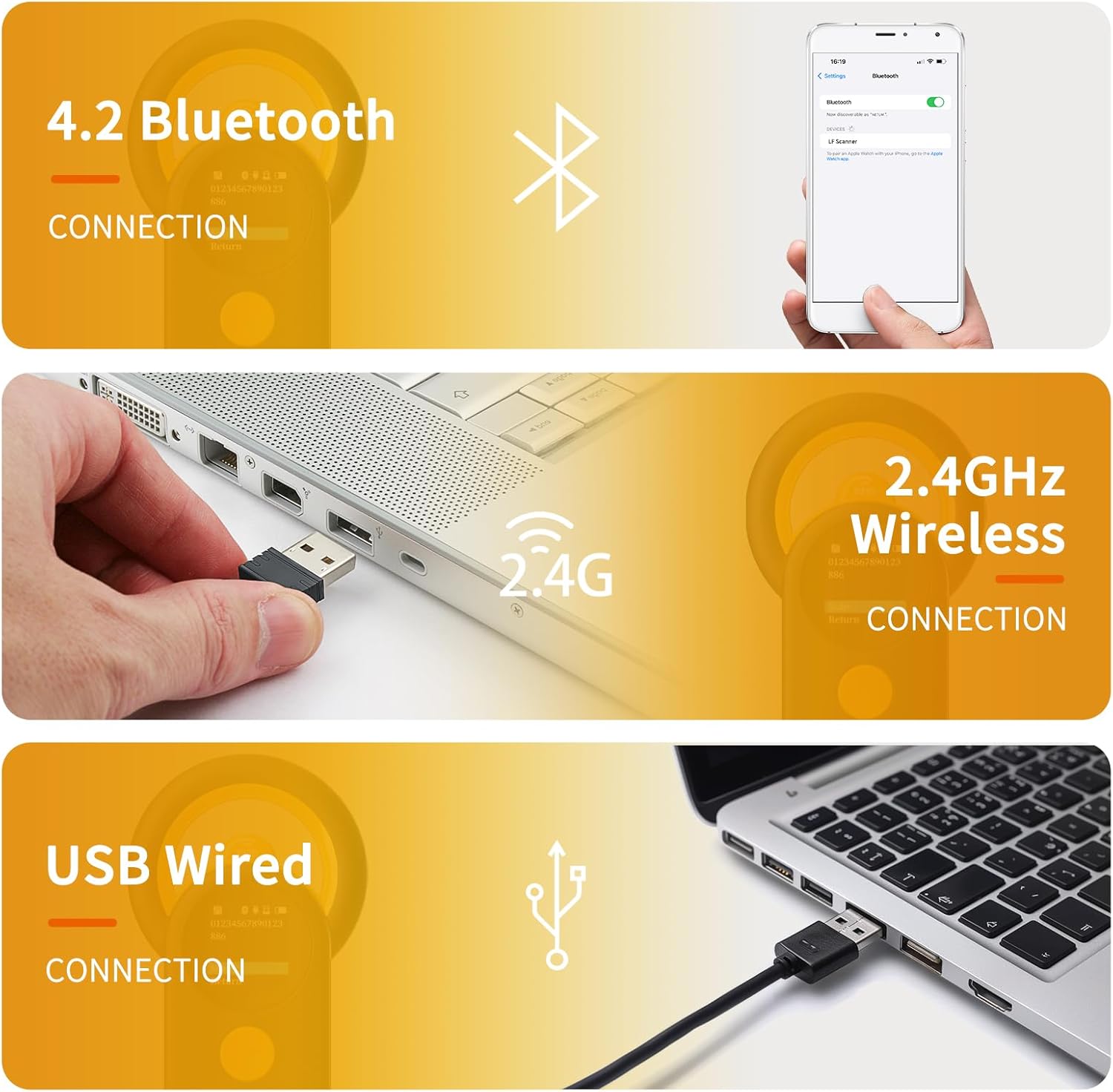
Figure 6.4: The 3-in-1 connectivity options provide flexibility for various usage scenarios.
6.4 Vídeo instructiu
Video 6.1: An official video demonstrating the features and operation of the NETUM Bluetooth Pet Microchip Scanner, Model DJ-130.
7. Manteniment
- Neteja: Feu servir un drap suau i sec per netejar el dispositiu. Per a la brutícia resistent, netegeu lleugerament.amp cloth can be used, but ensure no moisture enters the ports or screen. Do not use abrasive cleaners or solvents.
- Emmagatzematge: Guardeu el dispositiu en un lloc fresc i sec, allunyat de la llum solar directa i de temperatures extremes. Si l'emmagatzemeu durant un període prolongat, assegureu-vos que la bateria estigui parcialment carregada (al voltant del 50%) per allargar-ne la vida útil.
- Cura de la bateria: Eviteu descarregar completament la bateria amb freqüència. Torneu a carregar el dispositiu quan el nivell de bateria sigui baix.
8. Solució De Problemes
| Problema | Causa possible | Solució |
|---|---|---|
| El dispositiu no s'encén. | La bateria està esgotada. | Carregueu el dispositiu durant almenys 3 hores. |
| Cannot read microchips. | Incompatible microchip type (e.g., AVID). Incorrect scanning technique. Microchip has migrated. | Verify the microchip type is ISO11784/ISO11785, FDX-B, or EMID. Ensure the RFID interrogation zone is directly over the chip. Slowly move the scanner over the animal's shoulder blade area to locate the chip. |
| Connectivity issues (Bluetooth/2.4GHz/USB). | Incorrect pairing/connection. Interferència. Driver issues (rare, as it's plug-and-play). | For Bluetooth, ensure the device is in pairing mode and visible. For 2.4GHz, ensure the USB dongle is properly inserted. For USB, try a different port or cable. Restart both the scanner and the connected device. |
| Screen is blank or unresponsive. | Device is off or frozen. | Ensure the device is charged and powered on. If frozen, try a soft reset by holding the power button for 10-15 seconds. |
| Instructions are unclear for advanced features. | Manual limitations. | Refer to the official NETUM website for updated documentation or contact customer support for detailed guidance on specific features like continuous scan settings or data interpretation. |
9. Especificacions
| Característica | Detall |
|---|---|
| Número de model | DJ-130 |
| Supported Microchips | ISO11784/ISO11785, FDX-B, EMID |
| Mida de la pantalla | 1.44 Inches (TFT) |
| Capacitat de la bateria | 1200 mAh (ió de liti) |
| Temps d'ús continu | Fins a 20 hores |
| Capacitat d'emmagatzematge de memòria | 2 MB (Up to 20,000 records) |
| Tecnologia de connectivitat | Bluetooth, 2.4GHz wireless, USB |
| Comunicació sense fils estàndard | Radiofreqüència de 2.4 GHz |
| Pes de l'article | 3.52 unces (0.1 quilograms) |
| Dimensions del paquet | 7.13 x 3.86 x 1.77 polzades |
| Fabricant | NETUM |
| País d'origen | Xina |
10. Garantia i Suport
NETUM provides a standard warranty for its products. For specific warranty terms and conditions, please refer to the warranty card included with your product or visit the official NETUM website. If you encounter any issues or have questions not covered in this manual, please contact NETUM customer support through their official channels for assistance.
Informació de contacte:
- Refer to the contact details provided on the product packaging or the official NETUM weblloc.