Introducció
Thank you for choosing the FUDONI R7B Projector. This manual provides essential information for setting up, operating, and maintaining your projector to ensure optimal performance and longevity. The FUDONI R7B is a versatile projector designed for both indoor and outdoor use, featuring Native 1080P resolution with 4K support, dual-band 2.4G/5G WiFi, Bluetooth 5.1 connectivity, and a large projection size of up to 300 inches.

Figure 1: FUDONI R7B Projector overview, espectacleasing les seves característiques principals.
Què hi ha a la caixa
Si us plau, comproveu el contingut del paquet per assegurar-vos que hi hagi tots els elements:
- Projector
- Control remot
- Cable HDMI
- Cable d'alimentació
- Cable AV
- Manual d'usuari
Característiques del producte
Pantalla d'alta definició
The FUDONI R7B Projector features a native 1920x1080P resolution, supporting 4K input for crisp and clear images. With 15000 lumens brightness and a 10000:1 contrast ratio, it delivers vibrant colors and deep blacks, enhancing your viewexperiència.
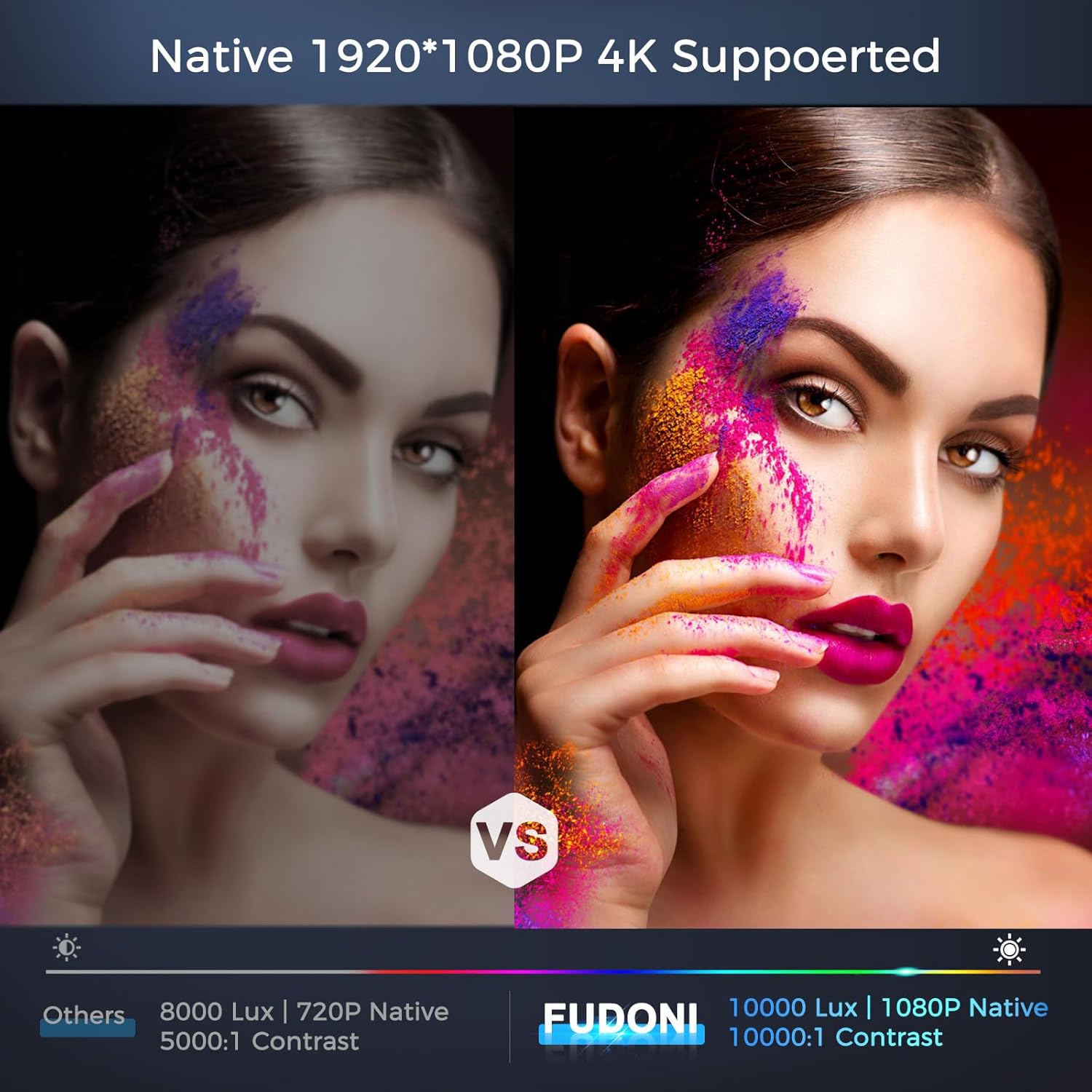
Figure 2: Visual comparison of FUDONI's superior image quality.
Advanced Connectivity (WiFi & Bluetooth)
Equipped with dual-band 2.4G/5G WiFi, the projector allows for stable and fast screen synchronization from your smartphone or other devices. Bluetooth 5.1 enables seamless connection to external audio equipment like speakers and headphones for an immersive sound experience.

Figure 3: Demonstrating the projector's 5G wireless connection capabilities.

Figure 4: Bluetooth connectivity for external sound devices.
Large Projection & Zoom Function
Project an image from 32 inches up to a massive 300 inches, with a projection distance ranging from 3.6ft to 32.8ft. The 50% zoom function allows you to adjust the image size without moving the projector, providing flexibility in various environments.
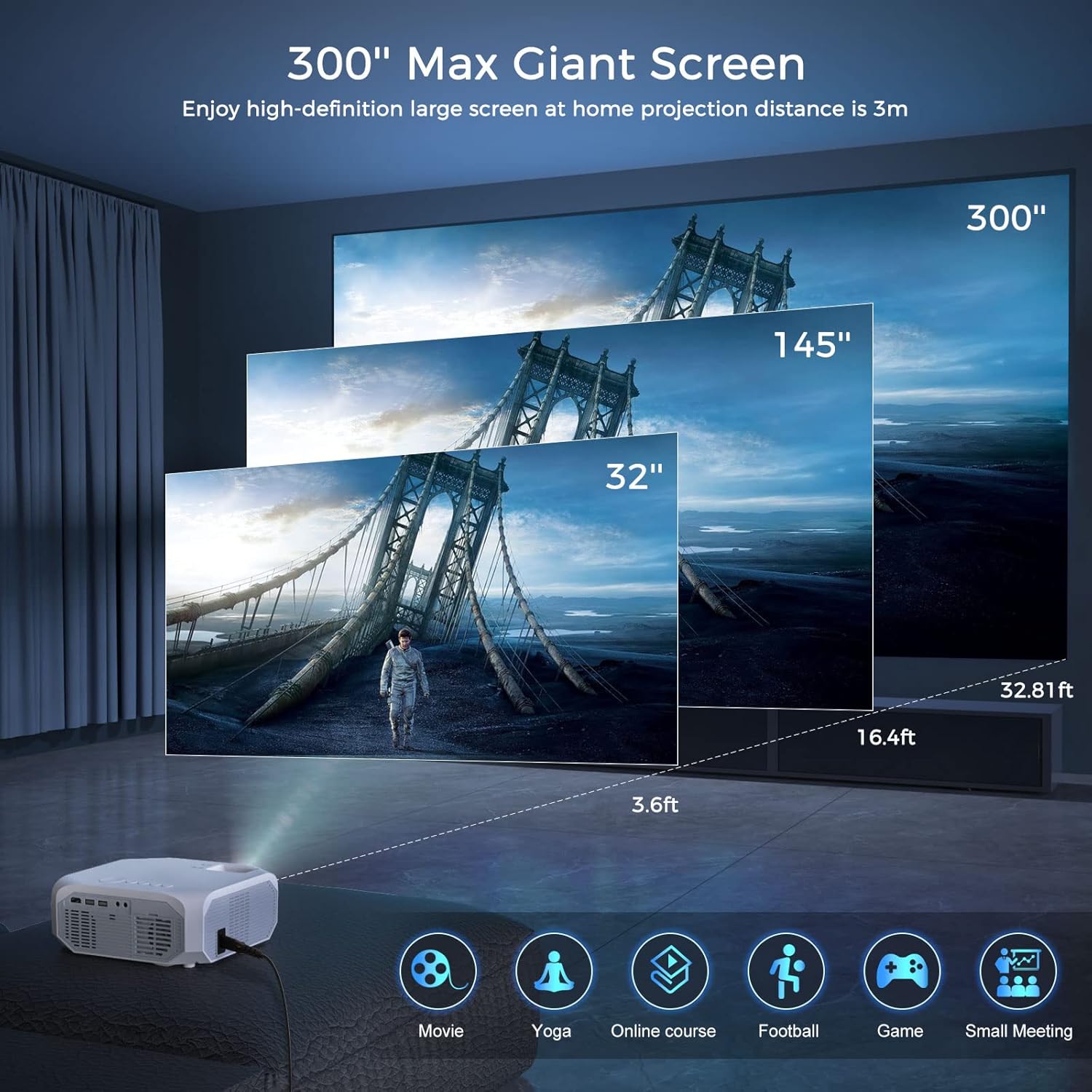
Figure 5: Projection size and distance guide.

Figure 6: Illustration of the 50%-100% zoom function.
Multi-Device Compatibility & Audio
The projector offers HDMI, USB, AV, and 3.5mm audio ports, ensuring compatibility with a wide range of devices including TV sticks, smartphones, laptops, game consoles (PS4), DVD players, and external speakers. Built-in HiFi stereo speakers provide clear audio, and a detachable dust filter simplifies maintenance.
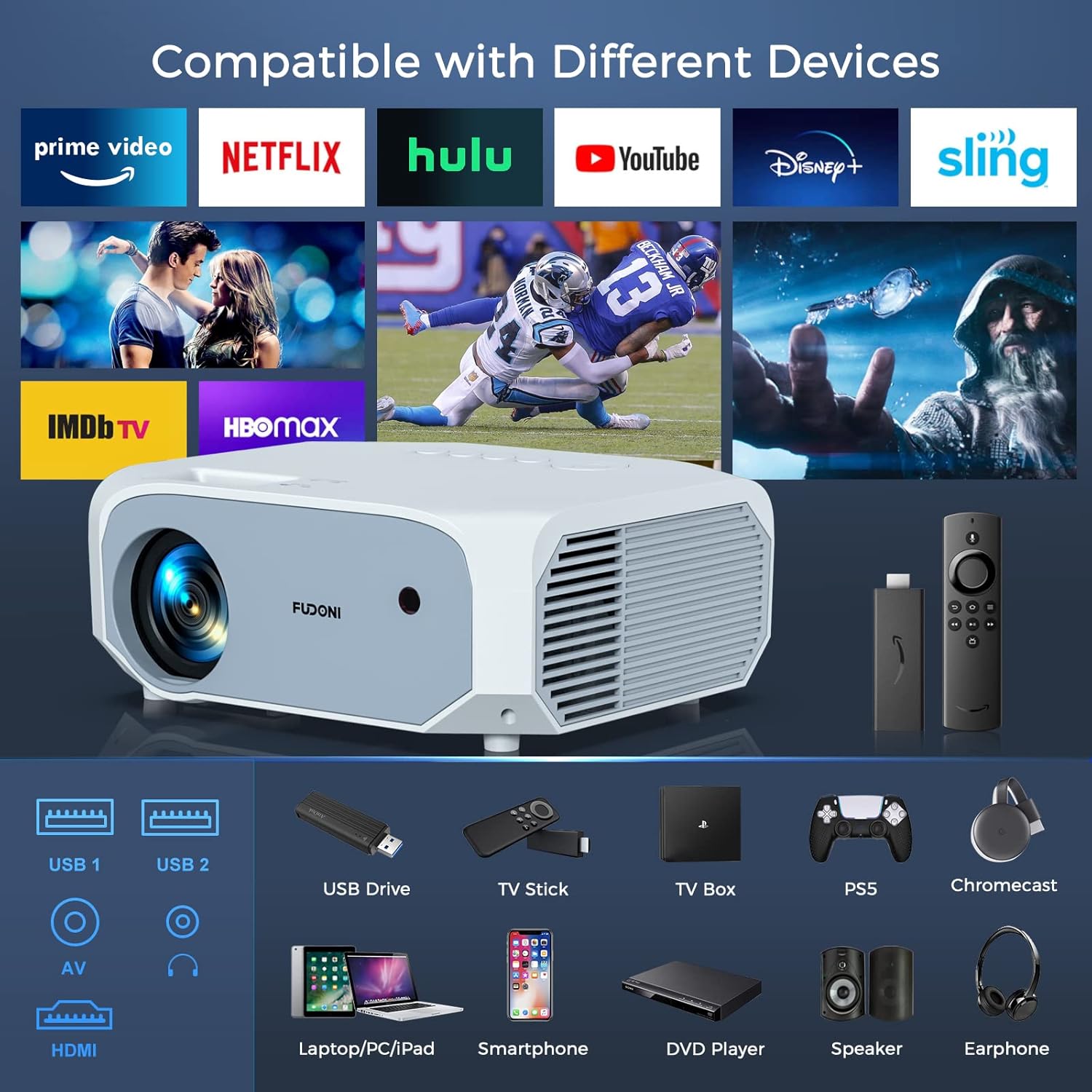
Figure 7: Compatible devices and input ports.

Figure 8: Built-in HiFi stereo speakers for an immersive audio experience.
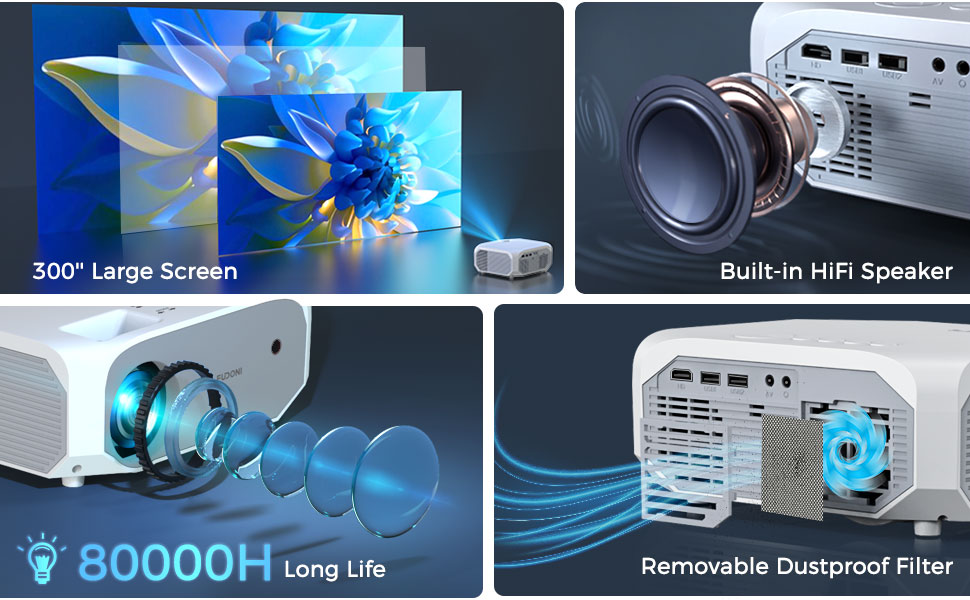
Figure 9: Key features including built-in speaker and removable dust filter.
Guia de configuració
1. Col·locació
Col·loqueu el projector sobre una superfície estable i plana. Assegureu-vos que hi hagi una ventilació adequada al voltant de la unitat. Per a una òptima viewing, place the projector at a distance that achieves your desired screen size. Refer to the projection distance guidelines in the "Product Features" section.
2. Connexió d'alimentació
- Connecteu el cable d'alimentació al port d'entrada d'alimentació del projector.
- Connecteu l'altre extrem del cable d'alimentació a una presa de corrent.
3. Engegada inicial
- Premeu el botó d'engegada del projector o del comandament a distància per encendre la unitat.
- Allow a few moments for the projector to warm up and display the main interface.
4. Enfocament i correcció Keystone
Adjust the focus ring on the projector lens until the projected image is clear and sharp. Use the keystone correction feature (if available via menu or physical dial) to correct any trapezoidal distortion, ensuring a rectangular image.
Instruccions de funcionament
1. Navegant pel menú
Use the arrow keys and OK button on the remote control or the projector's control panel to navigate through the on-screen menu. Access settings for image, sound, network, and more.
2. Selecció de la font d'entrada
Press the "Source" button on the remote control or projector to cycle through available input options: HDMI, USB, AV, and Screen Mirroring (WiFi).
3. Wireless Connection (WiFi)
- Select the "WiFi" or "Screen Mirroring" option from the main menu.
- Choose your WiFi network (2.4G or 5G) from the list and enter the password.
- Once connected, follow the on-screen instructions to mirror your smartphone or tablet screen.
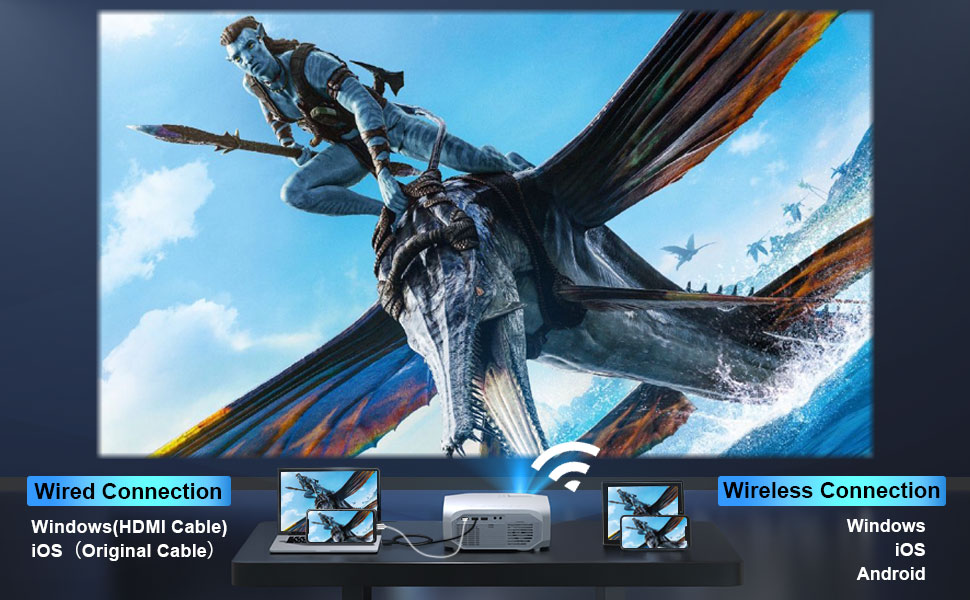
Figure 10: Wired and wireless connection methods.
4. Connexió Bluetooth
- Go to the "Bluetooth" settings in the projector's menu.
- Activa el Bluetooth i cerca els dispositius disponibles.
- Seleccioneu l'altaveu o els auriculars Bluetooth de la llista per emparellar-los.
Note: The projector's Bluetooth function is primarily for connecting to external audio equipment, not for connecting to a phone as an audio source.
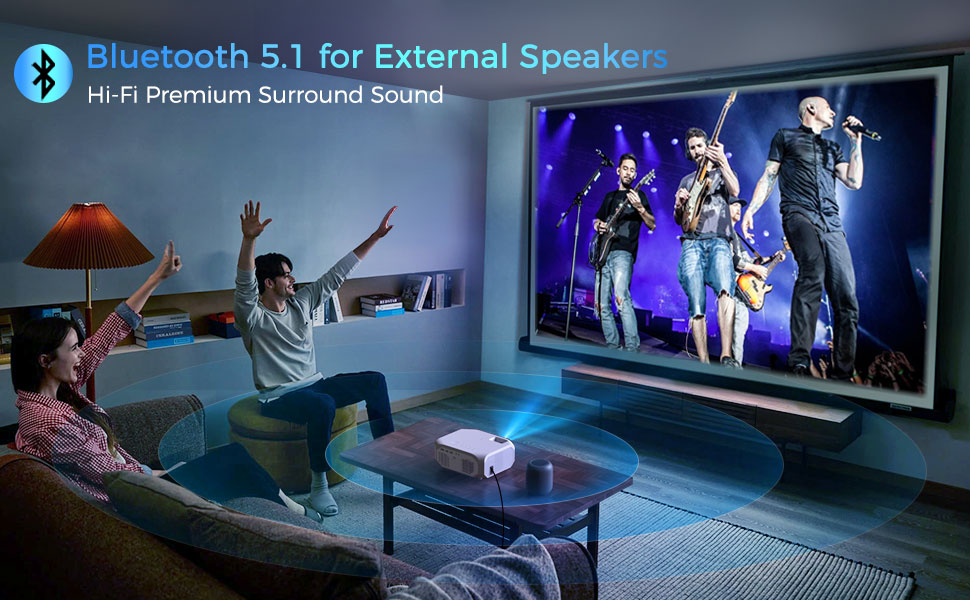
Figure 11: Enhancing audio with Bluetooth external speakers.
5. Ús de la funció de zoom
To adjust the image size without moving the projector, navigate to the "Image" or "Display" settings in the menu and locate the "Zoom" option. You can reduce the image size from 100% down to 50%.
Manteniment
1. Neteja de la lent
Netegeu suaument la lent del projector amb un drap suau i sense borrissol dissenyat específicament per a superfícies òptiques. No utilitzeu productes de neteja abrasius ni força excessiva, ja que això pot ratllar la lent.
2. Neteja del filtre de pols
The FUDONI R7B Projector is equipped with a detachable dust filter. Regularly remove and clean the filter to prevent dust accumulation, which can affect performance and lifespan. Refer to the diagram below for the location of the filter.
Figure 12: Location of the removable dust filter.
3. Emmagatzematge
Quan no l'utilitzeu durant períodes prolongats, guardeu el projector en un lloc fresc i sec, allunyat de la llum solar directa i de temperatures extremes. Feu servir l'embalatge original o una funda protectora per evitar la pols i els danys.
Resolució de problemes
| Problema | Causa possible | Solució |
|---|---|---|
| No es mostra cap imatge |
|
|
| Sense so |
|
|
| Imatge borrosa |
|
|
| Connexió WiFi inestable |
|
|
Especificacions
| Característica | Detall |
|---|---|
| Marca | FUDONI |
| Número de model | R7B |
| Resolució nativa | 1920 x 1080P |
| Resolució suportada | Fins a 4K |
| Brillantor | 15000 lúmens |
| Relació de contrast | 10000:1 |
| Tecnologia de connectivitat | Bluetooth 5.1, Wi-Fi (2.4G/5G), USB, HDMI, 3.5mm Jack, AV |
| Mida de projecció | 32" - 300" |
| Distància de projecció | 3.6 m - 32.8 m |
| Funció de zoom | 50% - 100% |
| Àudio | Built-in HiFi Stereo Speakers |
| Característiques especials | Detachable Dust Filter, Long Lamp Life (80000H) |
| Pes de l'article | 3.08 lliures |
| Dimensions del producte | 12.4 x 4.48 x 8.5 polzades |
Garantia i Suport
FUDONI is committed to providing high-quality products and customer satisfaction. For any product-related inquiries, technical support, or warranty claims, please contact FUDONI customer service through the retailer's platform or the official FUDONI weblloc web. Si us plau, conserveu el comprovant de compra per validar la garantia.
While this product may be eligible for extended protection plans offered by third parties, direct warranty support is provided by FUDONI for manufacturing defects within the standard warranty period.


