1. Introducció
This manual provides comprehensive instructions for the setup, operation, maintenance, and troubleshooting of your HKOORLAMULS S40 Pro Game Projector. Please read this manual thoroughly before using the product to ensure proper functionality and to maximize your user experience. Keep this manual for future reference.
2. Contingut del paquet
En obrir el paquet, comproveu que hi hagi tots els elements següents:
- 1x S40 Pro Projector
- 1x comandament a distància
- 1x cable d'alimentació
- 1x Manual d'usuari (aquest document)
- 1x TF Card
- 2x Wireless Controllers (Gamepads)
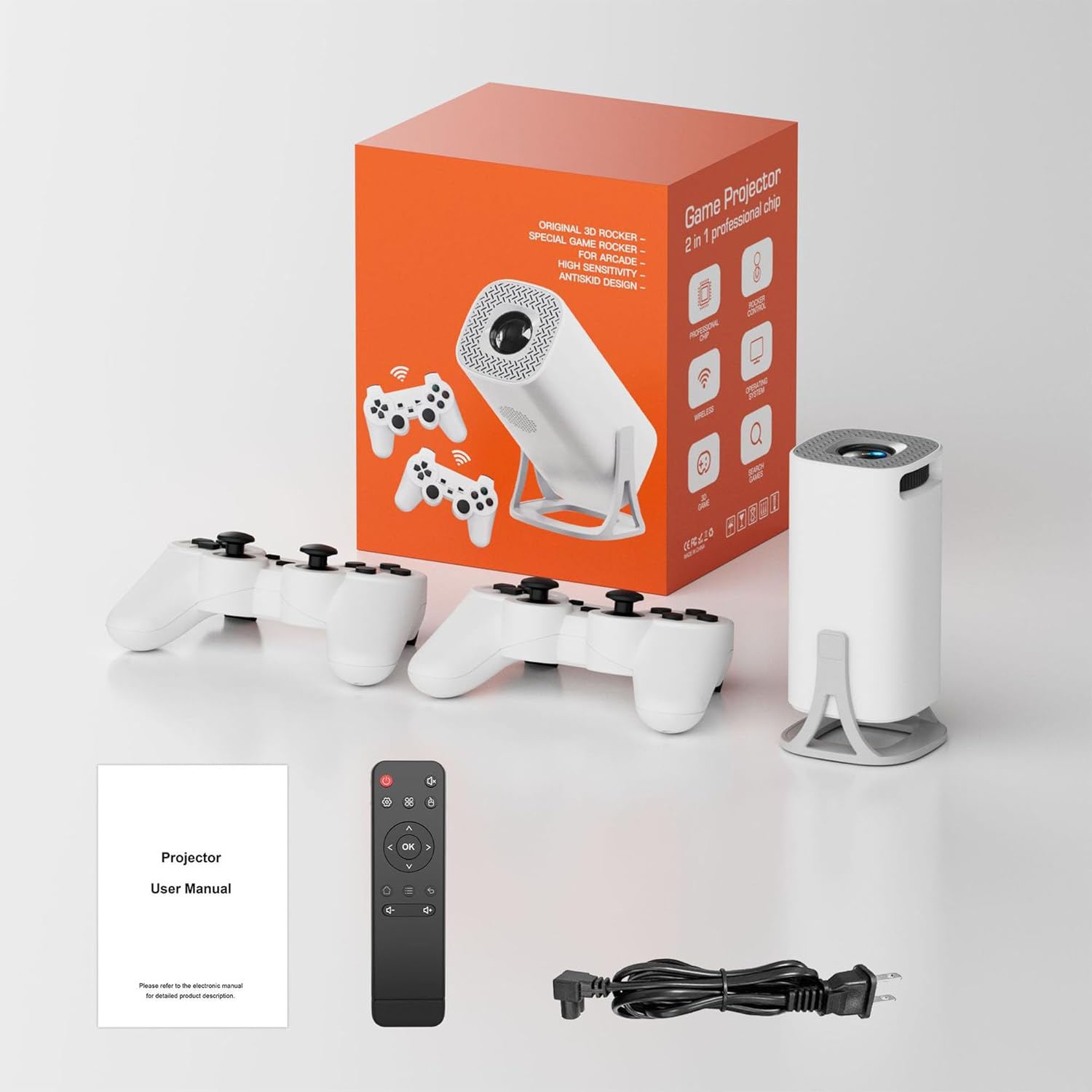
Image: The S40 Pro Game Projector, two wireless gamepads, a remote control, power cable, and user manual laid out, representing the complete package contents.
3. Producte acabatview
3.1 Components i ports del projector
The S40 Pro projector features a compact design with essential ports for connectivity and control buttons. Familiarize yourself with the layout for optimal use.

Image: A technical diagram illustrating the dimensions (103x103x204mm) and port locations on the HKOORLAMULS S40 Pro projector, including USB, HDMI, AUX, and IR receiver ports.
- HDMI-IN Port: Connect external devices such as laptops, gaming consoles, or media players.
- Port USB: Per connectar dispositius d'emmagatzematge USB o altres perifèrics.
- Port AUX: Per connectar dispositius d'àudio externs.
- Receptor IR: For receiving signals from the remote control.
- Entrada d'alimentació: Connecteu el cable d'alimentació subministrat.
- Roda de focus: Manual adjustment for image clarity.
- Tauler de control: On-device buttons for basic navigation and settings.
3.2 Wireless Gamepads
The S40 Pro includes two wireless gamepads for an enhanced gaming experience. These controllers feature standard button layouts for intuitive gameplay.
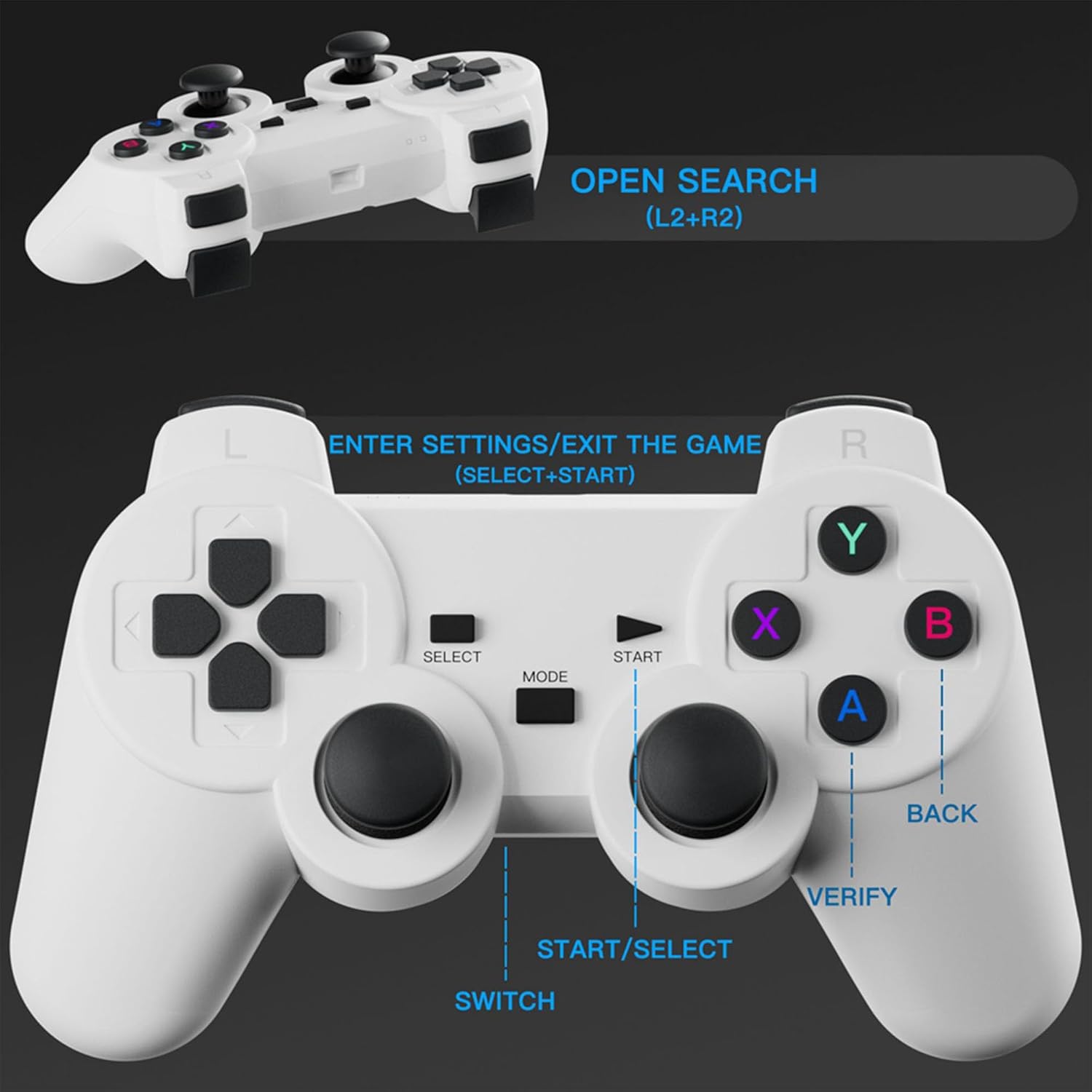
Imatge: Una imatge detallada view of the wireless gamepad, highlighting buttons such as SELECT, START, MODE, SWITCH, A, B, X, Y, BACK, VERIFY, and instructions for OPEN SEARCH (L2+R2) and ENTER SETTINGS/EXIT THE GAME (SELECT+START).
- Coixinet direccional (D-Pad): For movement and menu navigation.
- Botons d'acció (A, B, X, Y): Per a accions dins del joc.
- Manets analògics: For precise control in 3D environments.
- Botons d'espatlla (L1, L2, R1, R2): For additional in-game functions.
- Botons INICI/SELECCIONAR: For pausing games, accessing menus, or confirming selections.
- MODE/SWITCH Button: For changing controller modes or functions.
4. Configuració
4.1 Col·locació
Position the projector on a stable, flat surface. The optimal projection distance is 1.68 meters, allowing for a clear image. The projector supports a projection distance range of 1.2 to 4 meters, yielding a screen size of 40 to 120 inches.
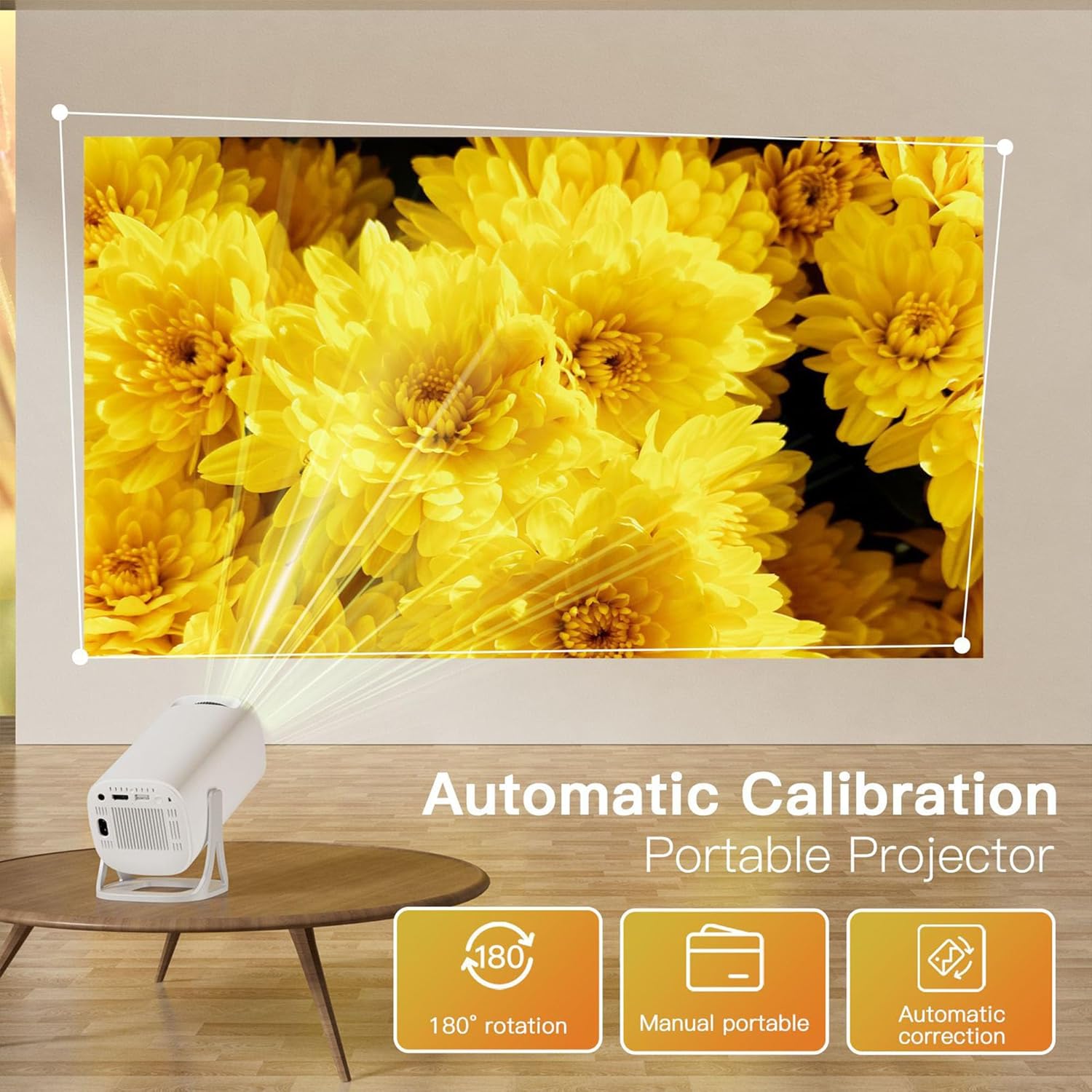
Image: The S40 Pro projector positioned on a table, projecting a large image onto a wall. Text overlays highlight "Automatic Calibration" and "180° rotation" capabilities, demonstrating its flexible placement options.
The projector features a 180° rotating stand, allowing for flexible projection angles, including from the floor to the ceiling.
4.2 Connexió d'alimentació
- Connect the provided power cable to the power input port on the projector.
- Connecteu l'altre extrem del cable d'alimentació a una presa de corrent adequada.
4.3 Encès inicial
Press the power button on the projector or the remote control to turn on the device. The projector will boot up, displaying the Android 11 interface.
4.4 Gamepad Connection
The wireless gamepads are typically pre-paired. If they do not connect automatically, refer to the on-screen instructions or the projector's settings menu for Bluetooth device pairing.
5. Instruccions de funcionament
5.1 Navegació i control
You can navigate the projector's interface using the included remote control or the wireless gamepads. The on-device button panel offers basic controls.
5.2 Game Console Functionality
The S40 Pro comes pre-loaded with over 22,000 classic and modern 3D games. Access the game library from the main menu. Use the wireless gamepads for an immersive gaming experience.
5.3 Reflex de pantalla (connexió sense fil)
To mirror your smartphone or tablet screen:
- Ensure your projector and mobile device are connected to the same Wi-Fi network.
- On the projector's interface, select the "Screen Mirror" or "Wireless Display" option.
- On your iPhone, use AirPlay; on Android, use Cast or Smart View to find and connect to the projector.

Image: The S40 Pro projector projecting a large image, with a smartphone, tablet, and laptop shown nearby, illustrating the "Convenient Screen Mirror" feature via WiFi for various devices.
5.4 Correcció trapezoidal i enfocament
The projector features automatic keystone correction to adjust the image shape for a rectangular display, even if the projector is not perfectly aligned. For image clarity, use the manual focus wheel located on the projector body.
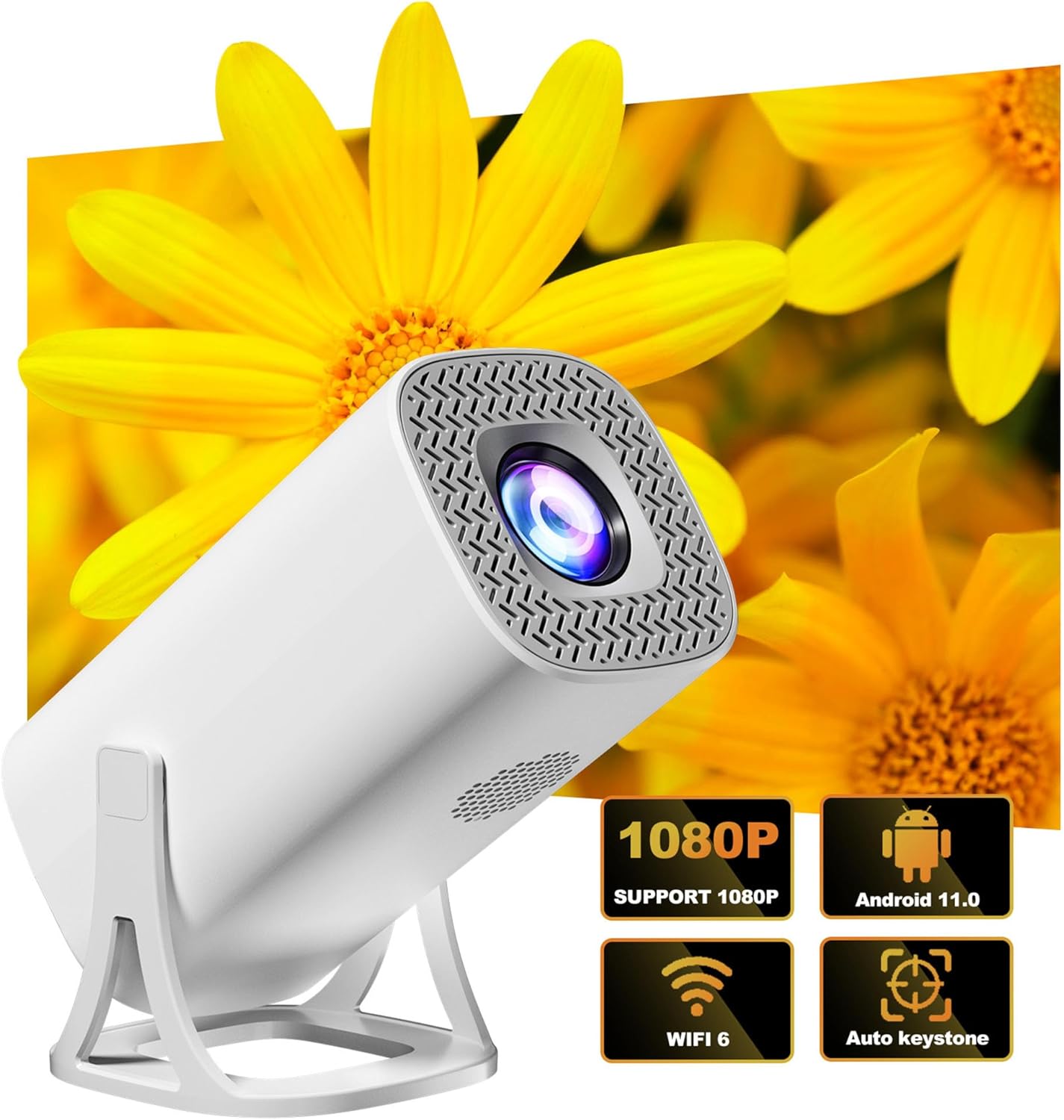
Image: The S40 Pro projector shown with graphical icons indicating its key features: 1080P support, Android 11 operating system, WiFi 6 connectivity, and automatic keystone correction.
5.5 Sortida d'àudio
The projector has a built-in 1*3W speaker. For enhanced audio, you can connect external Bluetooth speakers or headphones using Bluetooth 5.4 technology. Alternatively, use the AUX port for wired audio connections.
5.6 Connectivitat
The S40 Pro supports various connectivity options:
- Wi-Fi 6 (2.4G+5G): For internet access and wireless screen mirroring.
- Bluetooth 5.4: For connecting wireless audio devices and gamepads.
- HDMI-IN: For wired connection to external video sources.
- USB: Per connectar dispositius d'emmagatzematge USB.
6. Manteniment
Per garantir la longevitat i el rendiment òptim del projector, seguiu aquestes pautes de manteniment:
- Neteja: Use a soft, dry cloth to clean the projector's exterior. For the lens, use a specialized lens cleaning cloth and solution. Avoid abrasive cleaners.
- Ventilació: Assegureu-vos que les obertures de ventilació del projector no estiguin bloquejades per evitar el sobreescalfament.
- Emmagatzematge: Quan no l'utilitzeu durant períodes prolongats, guardeu el projector en un lloc fresc i sec, allunyat de la llum solar directa i de la pols excessiva.
- Apagueu correctament: Always power off the projector using the designated power button or remote control to ensure a proper shutdown sequence.
7. Solució De Problemes
If you encounter issues with your S40 Pro Projector, refer to the following common problems and solutions:
| Problema | Causa possible | Solució |
|---|---|---|
| No es mostra cap imatge | Power cable loose, input source not selected, device not powered on. | Check power connection. Ensure the projector is on. Select the correct input source (HDMI, Screen Mirror). |
| La imatge és borrosa | Focus not adjusted, projector too close/far, lens dirty. | Adjust the manual focus wheel. Ensure projector is within optimal projection distance. Clean the lens. |
| La imatge està distorsionada (forma trapezoïdal) | Projector no perpendicular a la pantalla. | The projector has automatic keystone correction. Ensure it is enabled in settings. Adjust projector position if necessary. |
| Sense so | Volume too low, external audio device not connected/selected, mute enabled. | Increase volume. Check Bluetooth connection for external speakers. Ensure projector is not muted. |
| Wireless gamepad not responding | Low battery, not paired, interference. | Replace gamepad batteries. Re-pair the gamepad via Bluetooth settings. Reduce distance to projector. |
| La rèplica de pantalla no funciona | Not on same Wi-Fi network, device compatibility, network issues. | Ensure both devices are on the same 2.4G or 5G Wi-Fi network. Restart both devices. Check device compatibility. |
8. Especificacions
| Característica | Detall |
|---|---|
| Marca | HKOORLAMULS |
| Model | S40 PRO |
| Resolució nativa | 1280*720P |
| Resolució suportada | 720P (supports 4K Video Playback) |
| CPU | Allwinner H713 64-bit quad core ARM Cor-tex A53 CPU |
| RAM | LPDDR4 1 GB |
| Emmagatzematge | 8GB (internal) + 64GB (TF Card included) |
| Sistema operatiu | Android 11 |
| Brillantor | 130 lúmenes ANSI |
| Relació de contrast | 1500:1 |
| Temperatura de color | 8000K ±(1000K) |
| Flip de la imatge | Volteig de 360 graus |
| Correcció de pedra clau | Automàtic |
| Ajust del focus | Enfocament manual |
| Distància de projecció | 1.2 - 4 metres |
| Distància òptima de projecció | 1.68 metres |
| Mida de projecció | 40 - 120 polzades |
| Altaveu | 1 * 3W |
| Connectivitat | Wi-Fi 6 (2.4G+5G), Bluetooth 5.4, HDMI-IN |
| Dimensions del producte | 20.4 x 10.3 x 10.3 cm (aprox. 8 x 4 x 4 polzades) |
| Mode d'operació | Panell de botons i comandament a distància |
| Suport lingüístic | Múltiples idiomes |
9. Garantia i Suport
HKOORLAMULS is committed to providing quality products and customer satisfaction. For any queries, concerns, or technical assistance regarding your S40 Pro Game Projector, please contact our dedicated professional technical support team. Refer to your purchase documentation or the HKOORLAMULS brand store on Amazon for contact information.
Tingueu en compte que els termes i condicions específics de la garantia poden variar segons la regió i el distribuïdor. Conserveu el comprovant de compra per a reclamacions de garantia.


