1. Introducció
This user manual provides detailed instructions for the operation and maintenance of your BOBLOV 007 Mini Body Camera. Designed for ease of use and portability, this camera is ideal for capturing video, audio, and photos in various personal and professional settings. Please read this manual thoroughly before using the device to ensure proper functionality and to maximize your user experience.

Image: The BOBLOV 007 Mini Body Camera shown with its compact design and various accessories like the USB cable, card reader, and TF card.
2. Què hi ha a la caixa
En obrir el paquet, comproveu que hi hagi tots els elements següents:
- 007 Càmera corporal
- Lector de targetes
- Cable USB
- Manual d'usuari
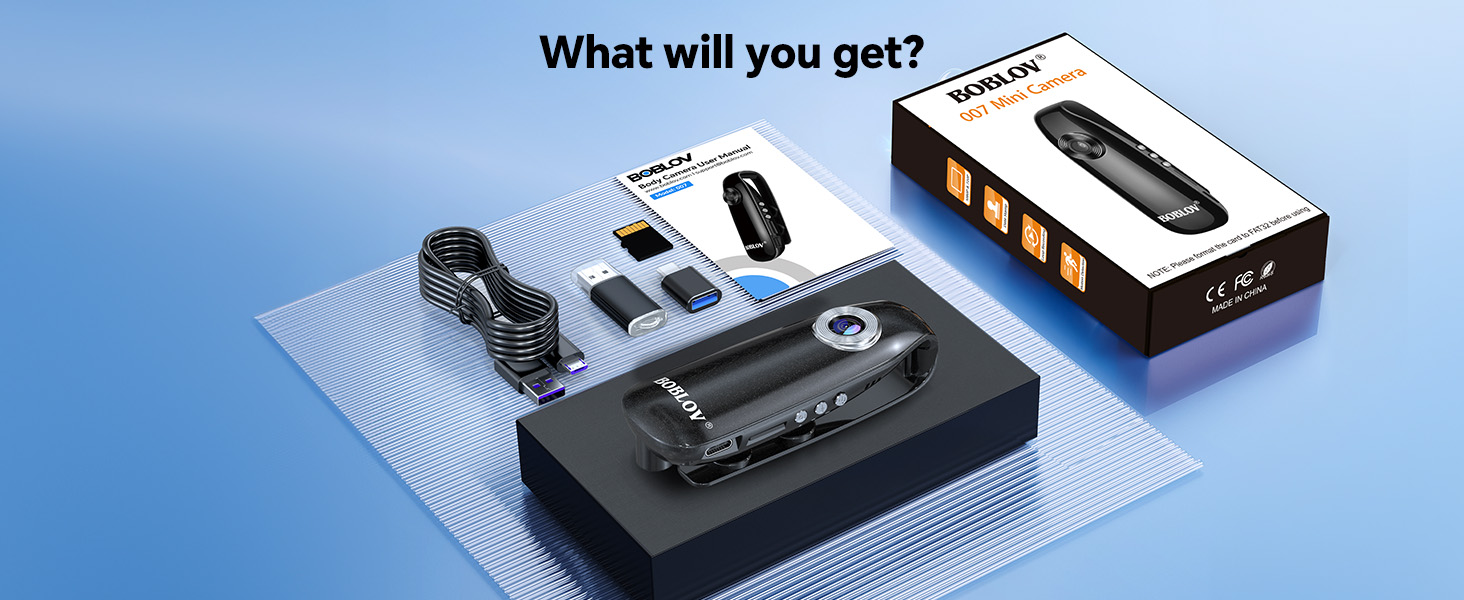
Image: A visual representation of the package contents, including the camera, USB cable, card reader, and user manual.
3. Característiques clau
- Fàcil d'utilitzar: Features three dedicated buttons for video recording, voice recording, and snapshot capture, allowing for one-press operation.
- Lightweight & Compact Size: Measures 1.3x1.1x3.6 inches and weighs only 1.2oz (approximately 35g), making it highly portable.
- Magnetic Back Clip: Equipped with a powerful magnet for secure attachment to pockets, bags, backpacks, or metallic surfaces like refrigerators.
- Includes TF Card: Comes with a pre-installed TF card (up to 128GB supported) for immediate use without additional purchases.
- Casos d'ús flexibles: Suitable for home monitoring, pet recording, nature observation (e.g., bird feeders), and personal security.
- Enregistrament en bucle: Sobreescriu automàticament els més antics files when storage is full, ensuring continuous recording without manual management.
- Temps de gravació llarg: Built-in 560mAh rechargeable battery provides approximately 3 hours of video recording or 7 hours of voice recording on a full charge. Supports recording while charging.

Image: The camera's small size and light weight (35g) are highlighted, showing it easily held in a hand.
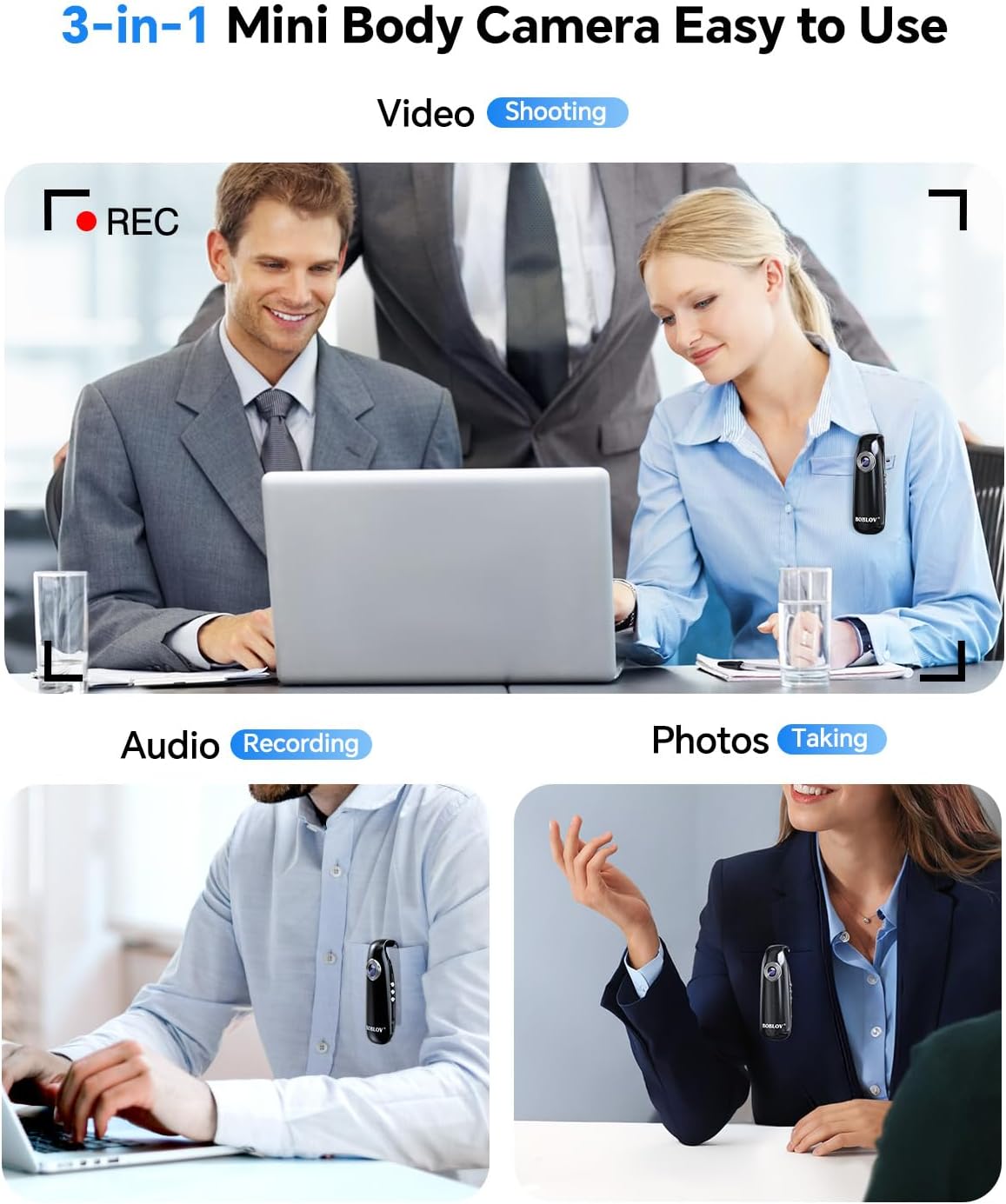
Image: Demonstrates the camera's ability to record video, audio, and take photos, showing it clipped to clothing in different scenarios.

Image: Illustrates the strong magnetic back clip, showing the camera adhering to a phone and a refrigerator.
4. Configuració
4.1. Càrrega del dispositiu
Before first use, fully charge the camera. Connect the provided USB cable to the camera's micro USB port and the other end to a USB power adapter (not included) or a computer's USB port. The indicator lights will show charging status. A full charge takes approximately 1 hour.

Image: The camera connected to a power source via its USB cable, indicating charging in progress.
4.2. Inserció de la targeta TF
The camera comes with a pre-installed TF card. If you need to replace it or re-insert it, gently push the TF card into the designated slot until it clicks into place. Ensure the card is inserted correctly to avoid damage. The camera supports Micro SD cards up to 128GB.
Nota: It is recommended to format the TF card to FAT32 before initial use or if you encounter recording issues. This can typically be done by connecting the camera to a computer or using the provided card reader.
5. Instruccions de funcionament
The BOBLOV 007 Mini Body Camera features a simple three-button interface for various functions.

Image: A close-up of the camera highlighting the three main function buttons: Photo, Audio Recording, and Video Recording.
5.1. Encendre/apagar
- To Power On: Press and hold the Power button (usually the top button) until the indicator light turns on.
- To Power Off: Press and hold the Power button until the indicator light turns off.
5.2. Gravació de vídeo
- To Start Recording: After powering on, press the Video Recording button (typically the middle button) once. The indicator light will change to indicate recording is in progress.
- To Stop Recording: Press the Video Recording button again. The indicator light will revert to standby mode.
- The camera records in 1080P resolution.
5.3. Audio Recording (Non-Video)
- To Start Audio Recording: After powering on, press the Audio Recording button (usually the bottom button) once.
- To Stop Audio Recording: Press the Audio Recording button again.
5.4. Taking Snapshots (Photos)
- To Take a Photo: After powering on, press the Snapshot button (often the top button, or a dedicated photo button) once.
5.5. Accés Files
To access recorded videos and audio files, connect the camera to your computer using the provided USB cable or remove the TF card and insert it into the included card reader, then connect the card reader to your computer. The camera will appear as a removable disk drive, allowing you to browse and transfer files.
5.6. Loop Recording Function
The camera supports loop recording. When the TF card is full, the oldest files will automatically be overwritten by new recordings. This ensures continuous recording without interruption, eliminating the need for manual deletion of old files.

Image: Visual representation of the 1080P loop recording feature, showing the camera continuously capturing footage.
5.7. Vídeo oficial del producte
Video: Official product video demonstrating the features and use cases of the BOBLOV 007 Mini Body Camera, including its compact size, ease of use, magnetic clip, and various recording scenarios.
6. Manteniment
- Neteja: Use a soft, dry cloth to clean the camera body. For the lens, use a specialized lens cleaning cloth. Avoid using liquid cleaners or abrasive materials.
- Emmagatzematge: Guardeu la càmera en un lloc fresc i sec, allunyat de la llum solar directa i de temperatures extremes.
- Cura de la bateria: To prolong battery life, avoid fully discharging the battery frequently. Charge the camera regularly, even if not in use for extended periods.
- Actualitzacions de firmware: Check the official BOBLOV weblloc web periòdicament per a qualsevol actualització de firmware disponible que pugui millorar el rendiment o afegir noves funcions.
7. Solució De Problemes
| Problema | Causa possible | Solució |
|---|---|---|
| La càmera no s'encén. | Bateria baixa; mal funcionament del dispositiu. | Charge the camera fully. If problem persists, contact support. |
| L'enregistrament s'atura inesperadament. | TF card full; card error; low battery. | Check TF card storage. Format TF card to FAT32. Ensure battery is charged. |
| Poor video/audio quality. | Dirty lens; improper lighting; environmental noise. | Clean the lens. Ensure adequate lighting. Minimize background noise for audio. |
| Data / Hora camp és incorrecte. | Time synchronization issue. | Connect the camera to a computer and set the time via the configuration file (refer to advanced settings in the full manual if available). |
| Càmera no reconeguda per l'ordinador. | Faulty USB cable; driver issue; incorrect connection. | Try a different USB port or cable. Ensure the camera is powered on when connected. Try using the external card reader. |
8. Especificacions
| Característica | Detall |
|---|---|
| Marca | BOBLOV |
| Número de model | 007 |
| Pes de l'article | 3.87 unces (aprox. 110 g) |
| Dimensions del producte | 4.72 x 2.36 x 1.57 polzades (aprox. 12 x 6 x 4 cm) |
| Resolució de captura de vídeo | 1080p |
| Tipus de memòria flash | Micro SD (up to 128GB supported) |
| Format de captura de vídeo | MP4 |
| Format d'àudio compatible | WAV |
| Tecnologia de connectivitat | USB |
| Capacitat de la bateria | 560 mAh |
| Temps de gravació de vídeo | Aprox. 3 hores |
| Voice Recording Time | Aprox. 7 hores |
| Temps de càrrega | Aprox. 1 hora |
| Característiques especials | Portable, Magnetic Back Clip, Loop Recording |
9. Garantia i Suport
For warranty information, technical support, or any inquiries regarding your BOBLOV 007 Mini Body Camera, please contact BOBLOV customer service directly. You can often find support contact details on the official BOBLOV weblloc web o a través del venedor on vau comprar el producte.
Visit the official BOBLOV Store for more information: BOBLOV Store on Amazon


