Introducció
The GMKtec Mini PC G5 is a compact and powerful micro desktop computer designed for various applications including business, education, and home use. Featuring the latest 12th Generation Intel Alder Lake N97 processor, it offers efficient and quiet operation with enhanced performance. This manual provides essential information for setting up, operating, maintaining, and troubleshooting your Mini PC G5.
Contingut del paquet
Abans de començar, assegureu-vos que tots els elements estiguin presents al paquet:
- 1 x Nucbox G5 Mini PC
- 1 x cable HDMI
- 1 x Power Adapter (Type-C)
- 1 x Manual d'usuari
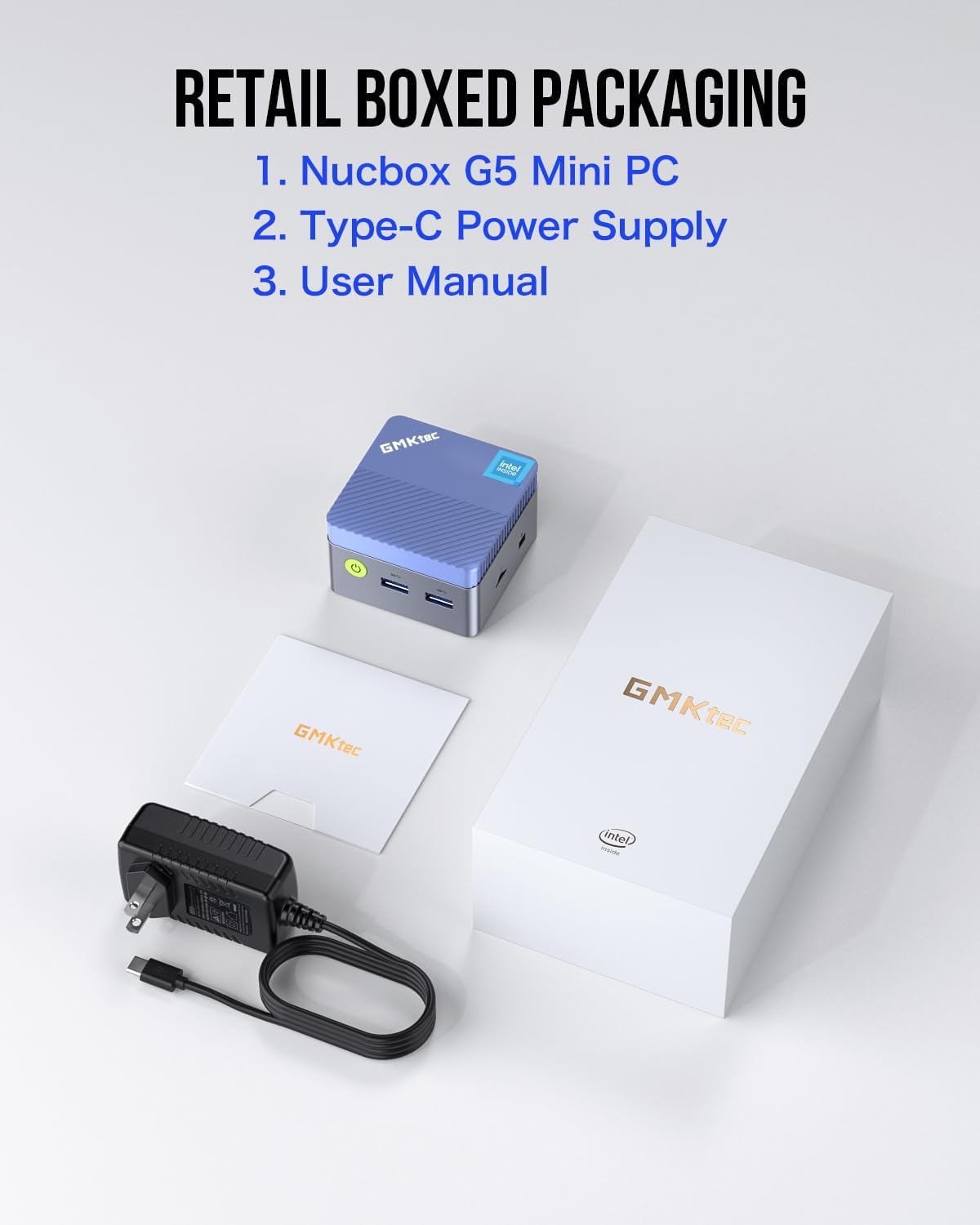
Image: Contents of the GMKtec Mini PC G5 retail box, showing the mini PC, power adapter, HDMI cable, and user manual.
Configuració
Connecting Your Mini PC
The GMKtec Mini PC G5 offers versatile connectivity options. Follow these steps to set up your device:
- Connexió d'alimentació: Connect the provided Type-C power adapter to the Type-C port (Power Only) on the Mini PC and plug it into a power outlet.
- Connexió de visualització: Use the HDMI cable to connect your Mini PC to a monitor or TV. The G5 supports dual 4K UHD displays via its two HDMI ports.
- Perifèrics: Connect your keyboard, mouse, and other USB devices to the available USB 3.2 ports.
- Connexió de xarxa: For a wired connection, connect an Ethernet cable to the Gigabit Ethernet (RJ45) port. The device also supports Wi-Fi for wireless connectivity.
- Àudio: Connecteu altaveus o auriculars al connector d'àudio de 3.5 mm si cal.
- Targeta micro SD: Insert a Micro SD card into the dedicated slot for additional storage.

Imatge: Detallada view of the GMKtec Mini PC G5's rich interface, showing USB 3.2 ports, HDMI ports, Giga LAN (RJ45), Audio Jack, Type-C power port, and TF/MicroSD slot.

Image: The GMKtec Mini PC G5 connected to a network cable, illustrating its strong LAN and wireless network support.
Instruccions de funcionament
Powering On and Initial Boot
After connecting all necessary cables, press the power button located on the front of the Mini PC. The device comes pre-installed with Windows 11 Pro, and it will guide you through the initial setup process for the operating system.
Configuració de doble pantalla
The Mini PC G5 supports connecting two displays simultaneously for an extended workspace or mirrored display. Simply connect two monitors to the two HDMI ports on the device. Windows 11 will automatically detect the displays, and you can configure their arrangement and resolution through the display settings.

Image: The GMKtec Mini PC G5 demonstrating dual HDMI 4K display capability, connected to two monitors showing different content.
Configuració de la BIOS
The Nucbox G5 desktop mini PC allows you to adjust BIOS settings such as Auto Power On and Wake on LAN. Refer to the on-screen instructions during boot-up (usually by pressing DEL or F2) to access the BIOS menu for advanced configurations.
Manteniment
Neteja
To ensure optimal performance and longevity, keep your Mini PC clean. Use a soft, dry cloth to wipe the exterior. For dust accumulation in vents, use compressed air. Ensure the device is powered off and unplugged before cleaning.
Ventilació
The Mini PC G5 features a quiet fan designed for efficient cooling. Ensure that the ventilation openings are not obstructed to allow proper airflow. Minimal fan noise is normal, even under load, contributing to a focused work environment.
Resolució de problemes
If you encounter issues with your GMKtec Mini PC G5, refer to the following common troubleshooting tips:
- Sense energia:
- Assegureu-vos que l'adaptador de corrent estigui connectat correctament tant al Mini PC com a una presa de corrent que funcioni.
- Verifiqueu que la presa de corrent funciona connectant-hi un altre dispositiu.
- Sense pantalla:
- Check that the HDMI cable is firmly connected to both the Mini PC and the monitor/TV.
- Ensure the monitor/TV is set to the correct input source (e.g., HDMI 1, HDMI 2).
- Prova un altre cable HDMI o monitor si és possible.
- Sense connexió a Internet:
- Per a la connexió per cable, comproveu l'estat del cable Ethernet i del router.
- Per al Wi-Fi, assegureu-vos que el Wi-Fi estigui habilitat a la configuració de Windows i que estigueu connectat a la xarxa correcta amb la contrasenya correcta.
- Alentiment del sistema:
- Tanca les aplicacions innecessàries que s'executen en segon pla.
- Assegureu-vos que hi hagi prou espai lliure al disc dur.
- Comproveu i instal·leu les actualitzacions de Windows disponibles.
Per a problemes persistents, consulteu la secció Garantia i assistència per obtenir informació de contacte.
Especificacions
Below are the detailed specifications for the GMKtec Mini PC G5:
| Característica | Detall |
|---|---|
| Marca | GMKtec |
| Número de model | GMKtec G5 |
| Sèrie | GMKtec NUCBOX |
| Sistema operatiu | Windows 11 Pro |
| Marca del processador | Intel |
| Tipus de processador | Mobile CPU (Intel Alder Lake N97) |
| Nuclis de processador | 4 (4 Cores / 4 Threads) |
| Velocitat del processador | Fins a 3.6 GHz |
| Memòria del sistema (RAM) | 12 GB DDR5 (On-board) |
| Mida del disc dur | SSD de 512 GB |
| Tecnologia de disc dur | SSD |
| Interfície de disc dur | PCIE x 4 |
| Max Expandable Storage | Fins a 2 TB |
| Suport de targeta Micro SD | Màxim 512 GB |
| Xipset gràfic | Llac Alder N97 |
| Processador gràfic | Gràfics Intel UHD integrats |
| Display Resolution (Max) | 4096 x 2160 (4K UHD) |
| Connectivitat sense fil | Bluetooth, Wi-Fi (802.11a/b/g/n/ac) |
| Connectivitat per cable | Gigabit Ethernet (RJ45) |
| Ports USB | 3 x USB 3.2 |
| Ports HDMI | 2 |
| Port d'àudio | 1 presa d'àudio de 3.5 mm |
| Entrada de potència | 1 x Type-C (Power Only) |
| Característiques especials | Lector de targetes |
| Dimensions del paquet | 18.4 x 11.1 x 5.7 cm |
| Pes | 570 grams |
Note: Processor core count is based on product description (4C/4T) for Intel N97, which is more typical for this CPU generation.
Garantia i Suport
GMKtec provides comprehensive support for your Mini PC G5:
- Garantia: GMKtec offers a one-year warranty for each mini PC, starting from the date of purchase. This covers defects due to design and workmanship.
- Suport d'Amazon: For assistance, you can contact Amazon Support. Log in to your Amazon account, go to "Your Orders," and select "Ask Product Question" for the relevant order.
- Suport postvenda: For direct after-sales support, you can send an email to the GMKtec After-Sales Team at support@gmktec.com. They provide 24/7 customer support.

Image: Visual representation of GMKtec's warranty and support, including contact methods for Amazon Support and direct email support.


