Introducció
This manual provides comprehensive instructions for setting up, operating, maintaining, and troubleshooting your KanDao QooCam Ego 3D VR Camera. Please read this manual carefully before using the device to ensure optimal performance and longevity.

The KanDao QooCam Ego 3D VR Camera, featuring its main body and the detachable screen module displaying a vibrant image of a dog.
Què hi ha a la caixa
Upon unboxing, verify that all the following components are present:
- KanDao QooCam Ego Camera Body
- Bateria recarregable
- Cable USB (per a la càrrega i la transferència de dades)
- Mirall de selfie
- Corretja de mà
- Bossa d'emmagatzematge
- Drap de lent
Guia de configuració
1. Carregant la bateria
Before first use, fully charge the camera's battery. Insert the provided battery into the camera's battery compartment. Connect the USB cable to the camera's USB-C port and the other end to a compatible USB power adapter (not included) or a computer's USB port. The charging indicator light will show the charging status.
2. Inserció d'una targeta Micro SD
The KanDao QooCam Ego requires a Micro SD card (not included) for storing photos and videos. Locate the Micro SD card slot, typically near the battery compartment. Insert the card with the gold contacts facing down until it clicks into place. Ensure the card is formatted within the camera settings before first use.
3. Encès / apagat
To power on the camera, press and hold the power button located on the top or side of the device until the screen illuminates. To power off, press and hold the power button again until the shutdown prompt appears, then confirm.
Funcionament de la càmera
Controls bàsics i interfície
The QooCam Ego features a user-friendly interface accessible via its integrated screen. Navigate through menus using the physical buttons or touch controls if available. The 1000-nit screen brightness ensures clear visibility even in bright outdoor conditions, allowing for accurate framing and previewing of shots.

The camera's bright 1000-nit display, showing a clear image of a bicycle in an outdoor setting, demonstrating its visibility under sunlight.

A visual comparison illustrating the superior brightness and vivid colors of the QooCam Ego's 1000-nit display compared to a standard 100-nit display.
Capturing 3D Photos
The QooCam Ego captures exquisite 24MP 3D photos, supporting both JPG for quick sharing and DNG (RAW) for professional post-processing. The dual-lens system is designed to mimic human eye vision, providing natural depth and realism.

Un example of a 24MP 3D photo, highlighting the clarity and stunning details captured by the QooCam Ego.
Recording 3D Videos
Record smooth 4K at 60 frames per second (4K/60fps) 3D videos. The dual-sensor synchronization technology ensures zero blur or jitter, capturing dynamic moments with exceptional clarity and stability.

A visual comparison demonstrating the superior smoothness of 4K 60fps video recording with the QooCam Ego, minimizing blur and jitter compared to other cameras.
Dual-Lens Human-Eye Design
The QooCam Ego features a unique 65mm dual-lens design, precisely matching the average human inter-pupillary distance. This design delivers immersive 3D realism that feels natural to human vision.

An illustration highlighting the 65mm dual-lens configuration of the QooCam Ego, designed to replicate human eye perception for natural 3D capture.
Versatile 3D Playback and Integration
Your captured 3D content can be enjoyed across various platforms, offering a truly immersive experience. The QooCam Ego is compatible with VR headsets, AR glasses, and projectors, allowing you to step into your scenes rather than just watching them.
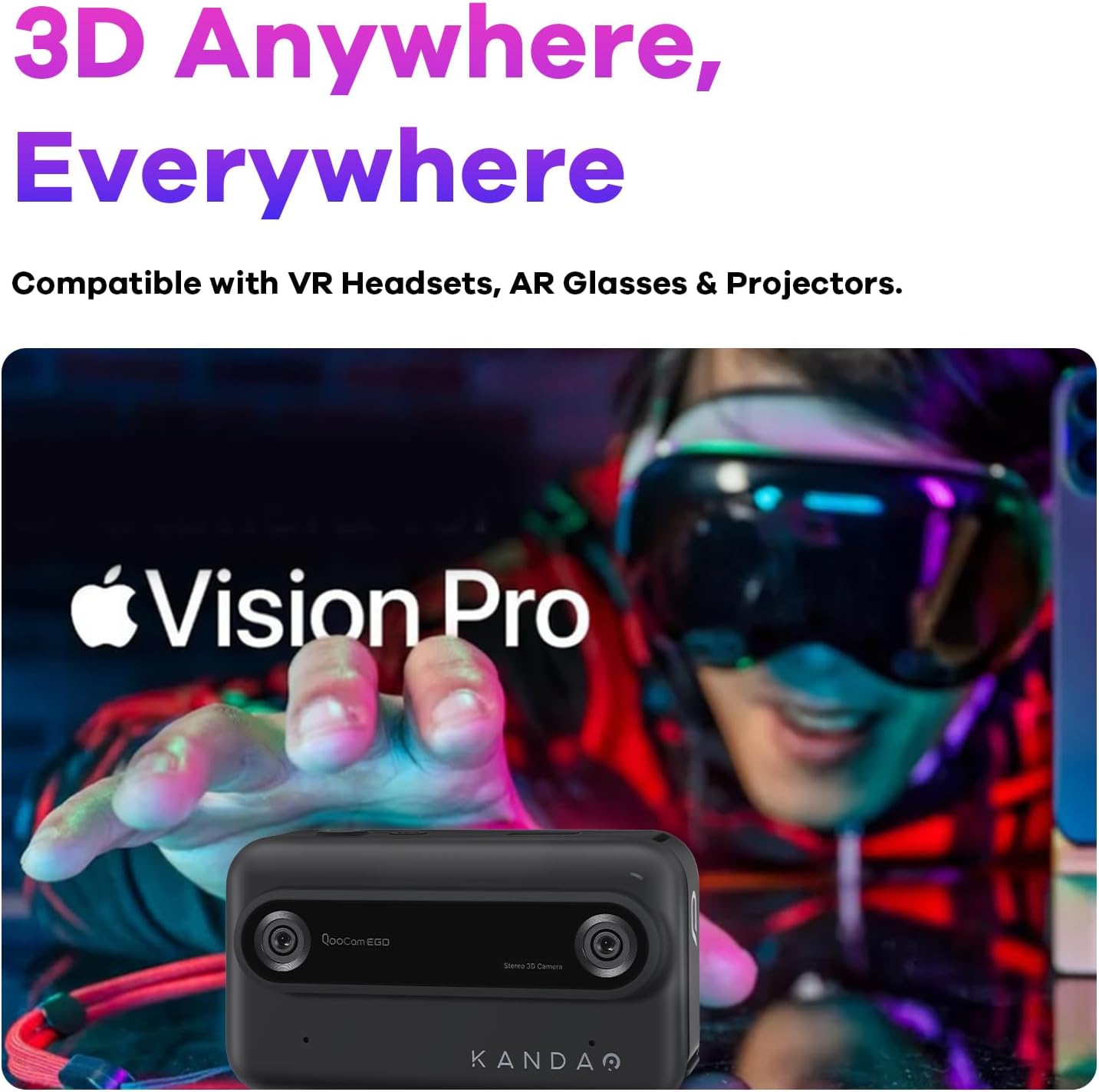
The QooCam Ego camera shown alongside a person wearing a VR headset, emphasizing its compatibility for immersive 3D content viewing.

A visual comparison demonstrating the difference between immersive 3D content captured by the QooCam Ego and traditional 2D viewing.
Portabilitat
Weighing less than 160g, the KanDao QooCam Ego is designed for ultimate portability, allowing you to capture stunning 3D content anywhere, anytime, with ease.

The compact and lightweight design of the QooCam Ego, shown being held comfortably in one hand, highlighting its portability.
Manteniment
Neteja
- Lents: Use the provided lens cloth or a soft, lint-free microfiber cloth specifically designed for optical surfaces. Gently wipe the lenses in a circular motion. Avoid using harsh chemicals or abrasive materials.
- Pantalla: Wipe the screen with a clean, soft cloth. For stubborn smudges, slightly dampen el drap amb aigua.
- Cos de la càmera: Use a dry, soft cloth to wipe the camera body.
Cura de la bateria
- Per allargar la durada de la bateria, eviteu descarregar-la completament amb freqüència.
- Store the camera and battery in a cool, dry place when not in use for extended periods.
- If the camera will not be used for a long time, charge the battery to about 50% before storage.
Emmagatzematge
Store the camera in its provided storage bag to protect it from dust and scratches. Keep it away from extreme temperatures, high humidity, and strong magnetic fields.
Resolució de problemes
| Problema | Possible causa/solució |
|---|---|
| La càmera no s'encén. | Battery may be depleted. Charge the battery fully. Ensure the battery is correctly inserted. |
| Slow startup time. | This can be normal for some devices. Ensure firmware is up to date. |
| Photos/Videos are blurry. | Ensure lenses are clean. Check focus settings (if applicable). Hold the camera steady during capture. Ensure sufficient lighting. |
| Durada de la bateria curta. | Battery performance can vary. Reduce screen brightness, disable unnecessary features, or carry a spare battery. Ensure the battery is fully charged before use. |
| Difficulty opening battery access panel. | Refer to the quick start guide or online tutorials for the correct method to open the battery compartment. Avoid using excessive force. |
| No es pot transferir files a l'ordinador. | Ensure the USB cable is securely connected. Try a different USB port or cable. The camera should appear as an external drive. If using an app, ensure proper connection. |
Especificacions
| Característica | Detall |
|---|---|
| Nom del model | QooCam EGO |
| Marca | KanDao |
| Màxim WebResolució d'imatge de càmera | 24 MP |
| Apertura màxima | 1.8 f |
| Distància focal màxima | 28 mil·límetres |
| Estabilització d'imatge | Digital |
| Admet File Format | MP4 / JPG / DNG |
| Tecnologia del sensor fotogràfic | CMOS |
| Relació d'aspecte | 3:2 |
| Muntatges compatibles | Micro Quatre Terços |
| Pes de l'article | 11.3 unces |
| Dimensions del paquet | 4.49 x 2.91 x 2.83 polzades |
| Piles necessàries | 1 bateria LR44 (inclosa) |
Nota: les especificacions estan subjectes a canvis sense previ avís.
Garantia i Suport
KanDao provides a 12-month / 1-year warranty for the QooCam Ego camera from the date of purchase. This warranty covers manufacturing defects under normal use. Please retain your proof of purchase for warranty claims.
Suport tècnic
For technical assistance, firmware optimization, or any inquiries regarding your KanDao QooCam Ego, please visit the official KanDao support website or contact their customer service. KanDao is committed to providing quick responses and comprehensive technical support.
Podeu trobar més informació i recursos de suport a KanDao Official Store on Amazon.
Informació important de seguretat
- Do not expose the camera to water or moisture unless explicitly stated as waterproof.
- Eviteu deixar caure la càmera ni sotmetre-la a impactes forts.
- Do not attempt to disassemble or modify the camera. Unauthorized modifications will void the warranty.
- Keep the camera away from direct sunlight for prolonged periods to prevent overheating.
- Feu servir només accessoris i adaptadors d'alimentació aprovats.


