Introducció
Thank you for choosing the Kioson 415W USB C Charger. This 8-port GaN IV Fast Charging Station is designed to provide efficient and simultaneous charging for a wide range of devices, including laptops, smartphones, tablets, and wearables. Featuring advanced GaN IV chip technology, it offers high power output in a compact form factor, ensuring safety and optimal performance. Please read this manual thoroughly before use to ensure proper operation and to maximize the lifespan of your device.
Què hi ha a la caixa
- 1 x Kioson 415W USB C Charger (Main Adapter)
- 1 x Power Cord (5FT/1.5m detachable)
- 1 x Manual d'usuari (Aquest document)
- 2 x cables USB
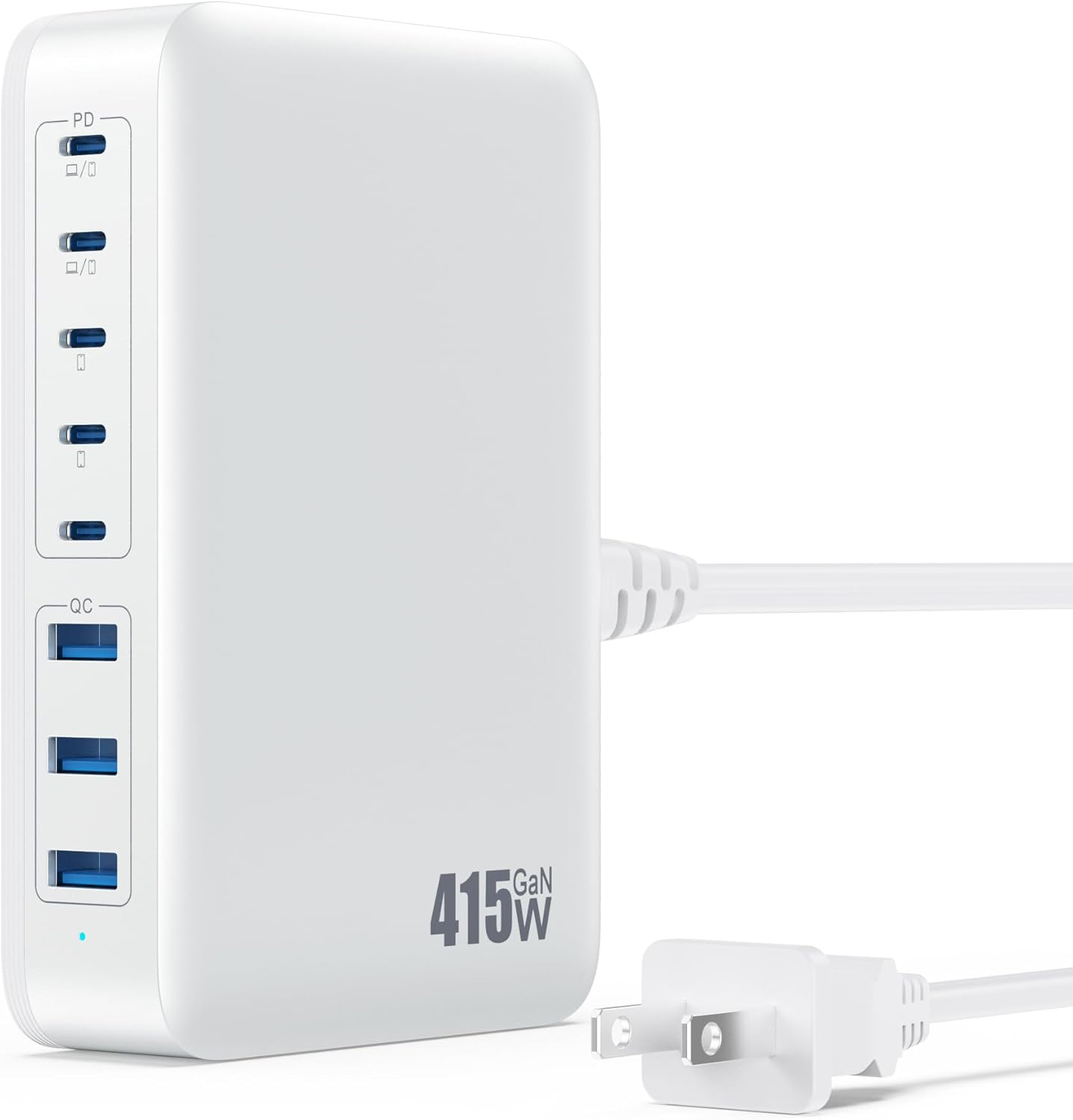
Image: The Kioson 415W USB C Charger with its detachable power cord, illustrating the main components included in the package.
Especificacions
| Número de model | HX100P7 |
| Potència total | 415 W (màx.) |
| Entrada Voltage | CA 100-240V / 50-60Hz |
| Ports USB-C | 5 Ports (USB-C1 & C2: up to 100W each; USB-C3, C4, C5: up to 40W each) |
| Ports USB-A | 3 Ports (USB-A1: up to 65W; USB-A2, A3: up to 15W each) |
| Dimensions (L x A x A) | 4.92 x 3.09 x 1.18 polzades (aprox. 12.5 x 7.8 x 3 cm) |
| Pes de l'article | 1.34 lliures (aprox. 0.6 kg) |
| Tecnologia | GaN IV Chip Technology |
| Característiques de seguretat | Over-current protection, Over-voltage protection, Short-circuit protection, Over-temperature protection |

Imatge: Detallada view of the Kioson 415W charging station highlighting the different port types and their maximum power delivery capabilities.
Característiques clau
- ✓
Upgraded Dual PD 100W Ports
The USB-C1 and USB-C2 ports are capable of delivering up to 100W each, allowing for simultaneous fast charging of two high-power devices like MacBook Pro 16'' M1/M2 models. A MacBook Pro 16'' can charge from 0% to 55% in approximately 30 minutes.
- ✓
Estació de càrrega 8 en 1
Equipped with 5 USB-C ports and 3 USB-A ports, this station can charge up to 8 devices concurrently. It intelligently distributes power to each port to ensure optimal charging efficiency for all connected devices, from laptops to smartwatches.
- ✓
Advanced GaN IV Chip Technology
Utilizes GaN IV Pro chip technology for more efficient power delivery, reduced heat generation, and a smaller overall size compared to previous generations. This technology enhances charging performance and ensures device safety through multiple built-in protections.
- ✓
Wide Universal Compatibility
Compatible with over 1000 devices, including MacBook Pro/Air, Microsoft Surface, Dell XPS, iPhone series (16/15/14/13/12), Samsung Galaxy series (S24/S23/S22), iPad Pro/Mini/Air, Google Pixel, Steam Deck, AirPods, Apple Watch, and more. This eliminates the need for multiple chargers.
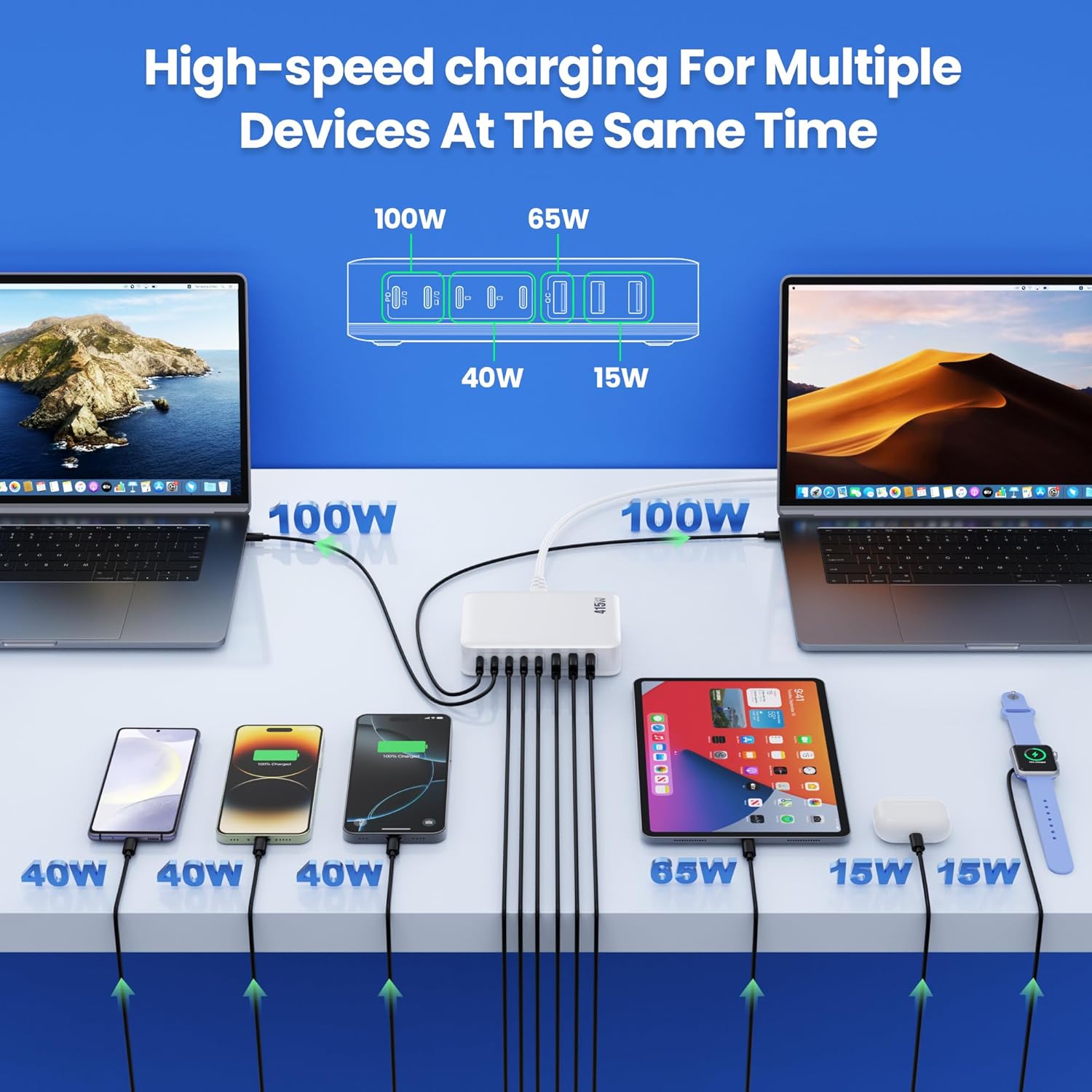
Image: High-speed charging for multiple devices, demonstrating the charger's ability to power various electronics simultaneously with optimized power delivery.
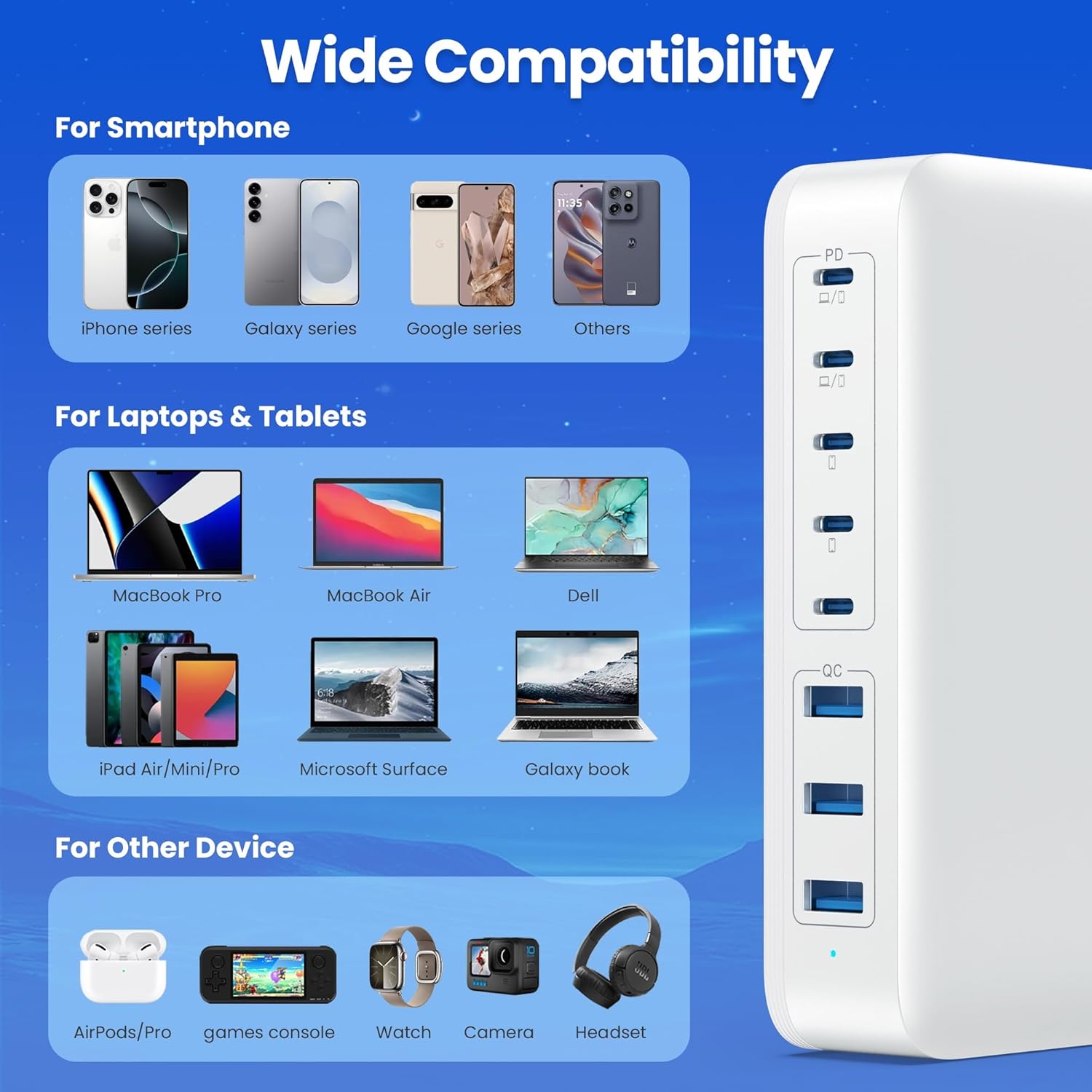
Image: Wide compatibility overview, detailing the range of smartphones, laptops, tablets, and other gadgets that can be charged by this station.

Image: Safety Protection & GaN IV Technology, illustrating the advanced chip and its benefits for performance and safety.
Configuració
- Desembaleu el carregador: Carefully remove the Kioson 415W USB C Charger, power cord, and any included USB cables from the packaging.
- Connecteu el cable d'alimentació: Insert the detachable power cord firmly into the AC input port on the back of the charging station.
- Connecteu-vos a la presa de corrent: Plug the other end of the power cord into a standard AC wall outlet (100-240V). The charging station is now ready for use.
- Col·locació: Place the charging station on a stable, flat surface, away from direct sunlight, heat sources, and liquids. Ensure adequate ventilation around the unit.
Instruccions de funcionament
- Identify Port Types: The charging station features 5 USB-C ports (labeled C1-C5) and 3 USB-A ports (labeled A1-A3). Refer to the specifications section for individual port power outputs.
- Connecteu els vostres dispositius:
- For laptops and other high-power devices, use the USB-C1 or USB-C2 ports for optimal 100W Power Delivery.
- For smartphones, tablets, and other compatible USB-C devices, use USB-C3, C4, or C5.
- For devices requiring USB-A, use ports A1, A2, or A3.
- Indicador de càrrega: A blue LED indicator light on the unit will illuminate when the charger is powered on and functioning correctly.
- Distribució intel·ligent d'energia: The charger automatically detects the connected devices and delivers the optimal charging current. You can charge multiple devices simultaneously without concern for overcharging or power imbalance.

Image: 8-in-1 USB Charging Station in action, showing dual PD 100W fast charging for two laptops and other devices in a collaborative setting.

Image: Create a clean desktop, reject clutter and chaos. This visual demonstrates how the 8-port charging station helps organize your workspace by consolidating multiple chargers.
Manteniment
- Neteja: Disconnect the charger from the power outlet before cleaning. Use a soft, dry cloth to wipe the surface. Do not use liquid cleaners or aerosol sprays.
- Emmagatzematge: When not in use for extended periods, store the charger in a cool, dry place, away from extreme temperatures and humidity.
- Gestió de cables: Avoid bending or crimping the power cord and USB cables excessively to prevent damage.
- Ventilació: Ensure the charger's ventilation openings are not blocked during use to prevent overheating.
Resolució de problemes
| Problema | Solució |
|---|---|
| Charger not powering on (LED off) |
|
| El dispositiu no es carrega o es carrega lentament |
|
| El carregador se sent calent durant l'ús |
|
Garantia i Suport
Kioson stands behind the quality of its products. This Kioson 415W USB C Charger comes with a 3 any de garantia des de la data de compra. Aquesta garantia cobreix els defectes de fabricació i els problemes derivats de l'ús normal.
La garantia no cobreix:
- Danys causats per mal ús, abús, accident o negligència.
- Reparacions o modificacions no autoritzades.
- Desgast normal.
- Damage from external causes such as power surges or natural disasters.
For warranty claims, technical support, or any questions regarding your Kioson product, please contact our customer service team. We offer Servei d'atenció al client amable les 24 hores per ajudar-te.
Informació de contacte: Please refer to the contact details provided on the Kioson official weblloc web o l'embalatge dels canals d'assistència més actualitzats.