Introducció
Thank you for choosing the Warmco USB Desk Fan. This compact and portable fan is designed to provide strong, adjustable airflow for your personal space, whether at home or in the office. It features a USB-C corded power supply, eliminating the need for batteries, and offers three-speed settings with a 180° tilt folding design for versatile positioning. This manual provides essential information for the safe and efficient use of your fan.
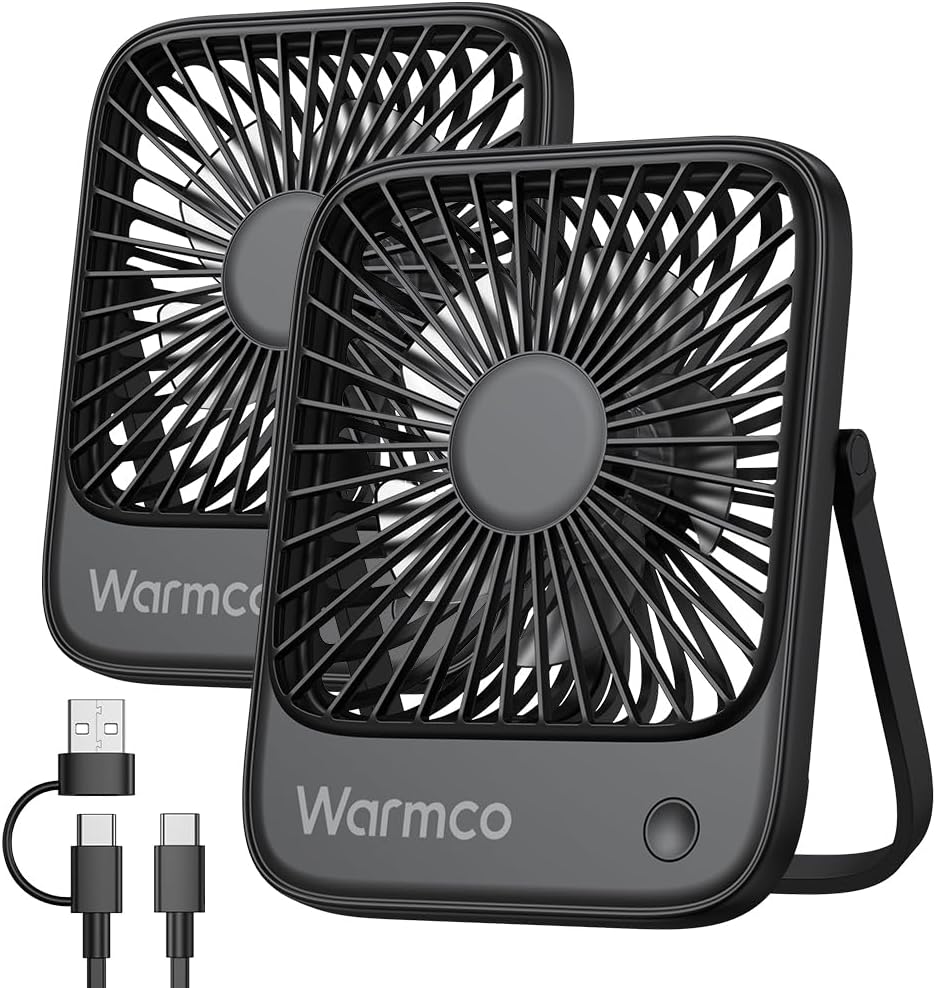
Image: Two Warmco USB Desk Fans, highlighting the compact design and included USB-C cable.
Configuració
The Warmco USB Desk Fan is designed for simple, plug-and-play operation. No assembly is required.
Connectant el poder
- Locate the included USB-C charging cable.
- Insert the USB-C end of the cable into the Type-C port on the back of the fan.
- Connect the USB-A end of the cable to any standard USB-A power source, such as a computer's USB port, a wall adapter (not included), a power bank, or a laptop.

Image: The Warmco USB Desk Fan powered by a laptop, demonstrating its USB connectivity.

Image: A close-up of the fan's Type-C port, illustrating the secure power connection.
Instruccions de funcionament
Once connected to a power source, the fan is ready for operation.
Engegada/Apagada i Ajust de Velocitat
- Botó d'encesa: Locate the single push button on the front base of the fan.
- Encendre: Press the power button once to activate the fan at its lowest speed setting (Speed 1).
- Per ajustar la velocitat: Press the power button repeatedly to cycle through the three available speed settings:
- First press: Speed 1 (Soft wind, approx. 3.1m/s)
- Second press: Speed 2 (High wind, approx. 4.0m/s)
- Third press: Speed 3 (Strong wind, approx. 4.8m/s)
- Apagar: After Speed 3, pressing the button again will turn the fan off.

Image: The fan demonstrating its three wind speed settings and the powerful brushless motor.
Ajust de l'angle
- The fan features a 180° tilt folding support stand.
- Gently adjust the fan head up or down to direct the airflow to your desired angle.
- The stand also allows the fan to be hung, providing additional placement options.

Image: The fan's 180-degree rotation capability, allowing for versatile positioning and hanging.
Funcionament silenciós
The fan is equipped with a high-quality brushless motor designed to minimize operational noise, ensuring a quiet environment. Its noise level is approximately 35-50dB, suitable for undisturbed use in various settings.
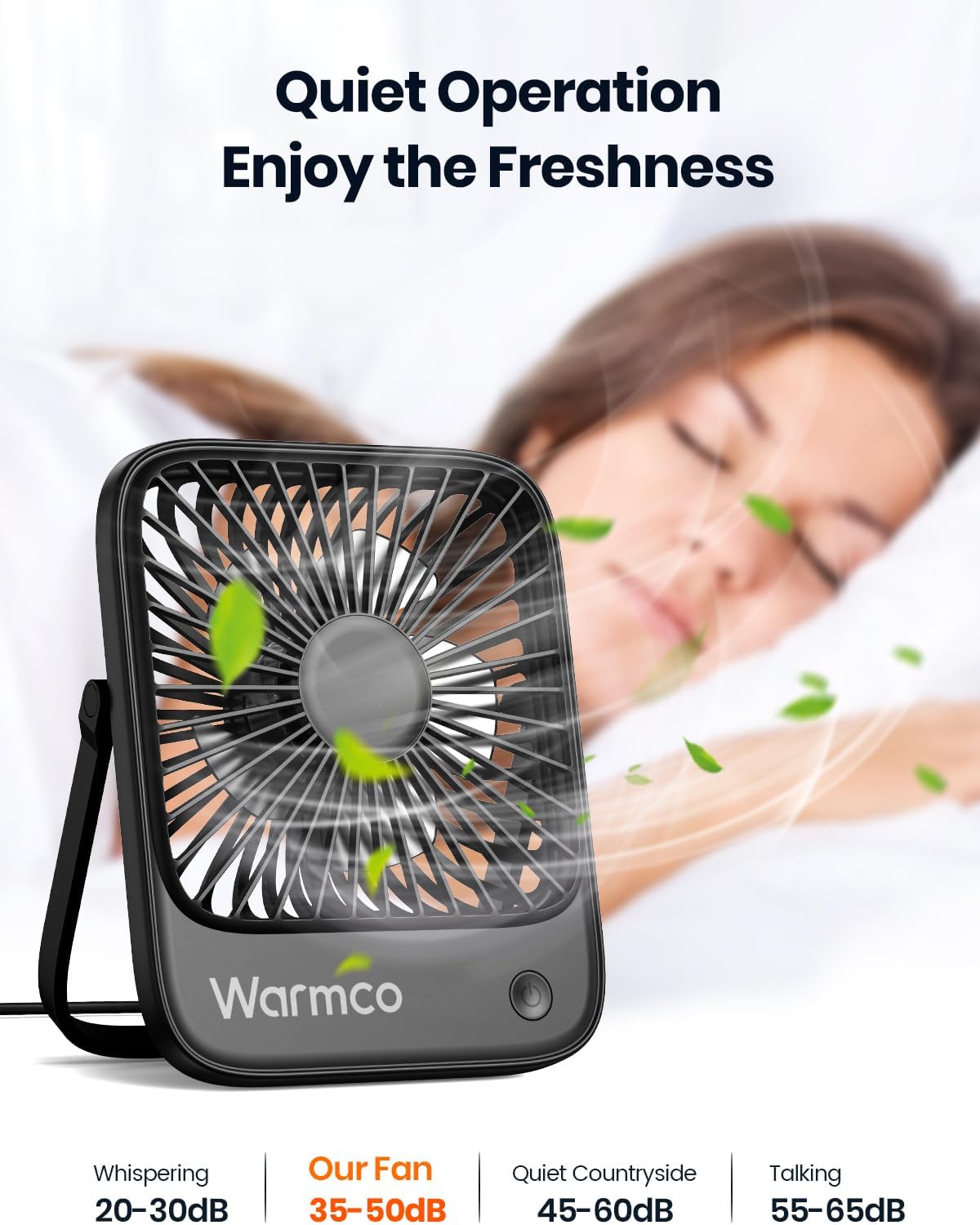
Image: The fan's quiet operation, ideal for use in bedrooms or quiet office environments.
Manteniment
Regular maintenance helps ensure the longevity and optimal performance of your Warmco USB Desk Fan.
Neteja
- Abans de la neteja: Always ensure the fan is unplugged from its power source.
- Neteja exterior: Utilitzeu un suau, damp drap per netejar les superfícies exteriors del ventilador. No utilitzeu productes de neteja abrasius ni dissolvents, ja que poden danyar l'acabat.
- Pales de ventilador: Carefully use a dry cloth, soft brush, or compressed air to remove dust and debris from the fan blades and grille. Do not insert fingers or objects into the fan while it is connected to power.
- Emmagatzematge: When not in use for extended periods, store the fan in a cool, dry place, away from direct sunlight and excessive dust.
Resolució de problemes
If you encounter issues with your Warmco USB Desk Fan, please refer to the following common troubleshooting steps:
| Problema | Causa possible | Solució |
|---|---|---|
| El ventilador no s'encén. | Sense font d'alimentació o connexió fluixa. | Ensure the USB cable is securely connected to both the fan and the power source. Try a different USB port or power adapter. |
| Flux d'aire feble. | Fan is on lowest speed setting or obstructed. | Press the power button to increase the speed setting. Check for any obstructions around the fan grille and remove them. |
| Soroll inusual durant el funcionament. | Dust or debris on blades, or fan not on a stable surface. | Unplug the fan and carefully clean the blades. Ensure the fan is placed on a flat, stable surface. |
Especificacions
Detailed technical specifications for the Warmco USB Desk Fan (Model D1).
- Marca: Warmco
- Nom del model: D1
- Color: Negre
- Disseny de ventilador elèctric: Ventilador de taula
- Font d'alimentació: DC (USB Corded)
- Voltage: 5 volts (CC)
- Nombre de nivells de potència: 3
- Mètode de control: Pulsador
- Dimensions del producte: 4 cm de profunditat x 13.4 cm d'amplada x 16.5 cm d'alçada
- Pes de l'article: 0.41 quilograms (14.4 unces)
- Característiques especials: Adjustable Tilt (180°), Foldable
- Nivell de soroll: 35-50 dB (approximate)
- Components inclosos: 2 x USB Desk Fan, 2 x USB Cable, 1 x Manual
- Ús interior/exterior: Indoor, Outdoor (with appropriate power source)

Imatge: Dimensional overview of the Warmco USB Desk Fan, highlighting its ultra-thin and portable design.
Garantia i Suport
Warmco is committed to providing high-quality products. While specific warranty details are not provided in this manual, please retain your proof of purchase for any warranty claims.
Atenció al client
For any questions, concerns, or technical assistance regarding your Warmco USB Desk Fan, please contact the seller or Warmco customer support through the platform where you purchased the product. Provide your model number (D1) and a detailed description of the issue to facilitate a quicker resolution.
You can often find seller contact information on your order details page or by visiting the Warmco store page on the retailer's weblloc.
Visit the Warmco Store: Warmco Store on Amazon


