1. Introducció
This manual provides essential instructions for the proper installation, operation, and maintenance of your Insta360 Connect TV Mount. Please read this manual thoroughly before use to ensure safe and efficient operation. Keep this manual for future reference.
2. Producte acabatview
The Insta360 Connect TV Mount is designed to securely position your Insta360 Connect device either above or below your television. It features VESA-compatible support and a multifunctional arm for versatile placement and adjustment.

Figura 1: Una figura completa view of the Insta360 Connect TV Mount, showcasing its V-shaped design and adjustable arms.
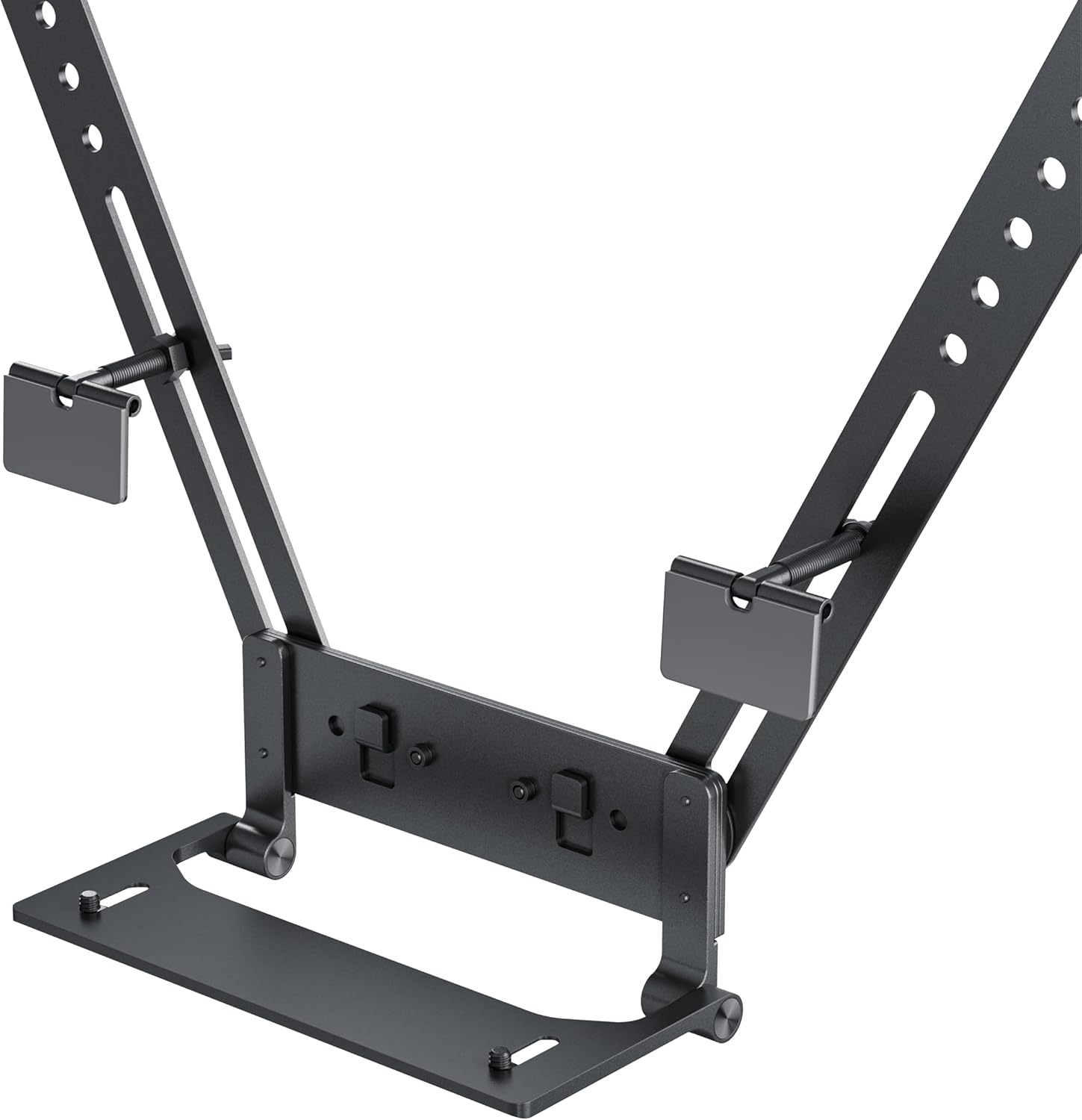
Figura 2: Detall view of the mount's base and connection points, highlighting the adjustable screws and VESA compatibility.
Característiques principals:
- Mounts your Insta360 Connect above or below your TV.
- VESA-compatible support with multifunctional arm.
- Swivel and depth adjustment for full-room coverage.
- Designed for quick installation and removal.
3. Contingut del paquet
Verifiqueu que tots els components siguin presents abans de continuar amb la instal·lació:
- Insta360 Connect TV Mount assembly
- Ferramenteria de muntatge (cargols, volanderes)
- Manual d'instruccions

Figure 3: Individual components of the mount, including the main arms and connection pieces, laid out for assembly.
4. Configuració i instal·lació
Follow these steps to install your Insta360 Connect TV Mount:
4.1 Attaching to the TV
- Identify the VESA mounting holes on the back of your television.
- Align the mount's arms with the VESA holes. The mount can be positioned to place the Insta360 Connect device either above or below the TV.
- Secure the mount to the TV using the provided screws and washers. Ensure the screws are tightened firmly but do not overtighten.

Figure 4: An illustration showing the Insta360 Connect TV Mount positioned above a television, with the device attached.
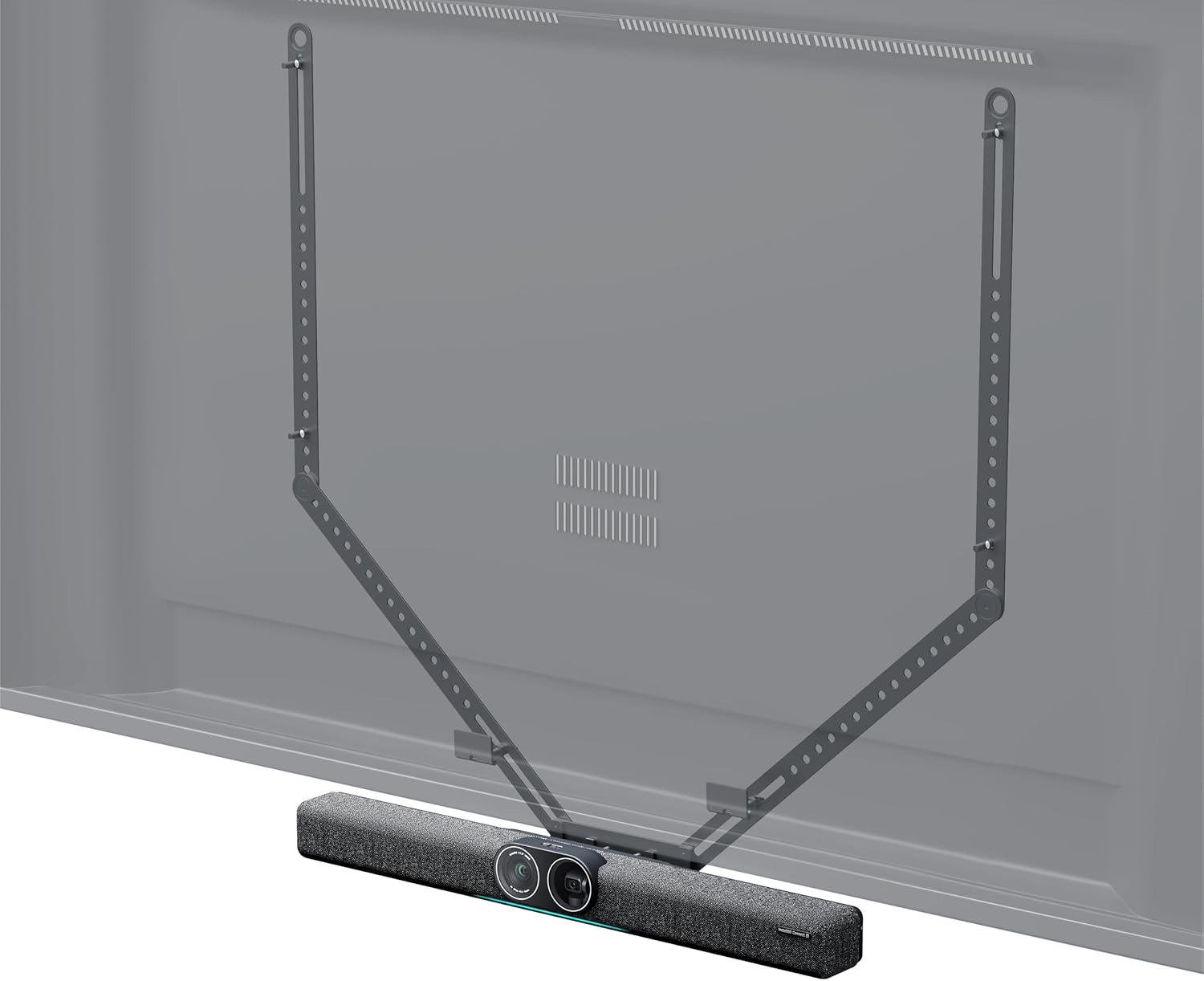
Figure 5: An illustration showing the Insta360 Connect TV Mount positioned below a television, with the device attached.
4.2 Attaching the Insta360 Connect Device
- Place your Insta360 Connect device onto the designated platform of the TV mount.
- Secure the device using its integrated mounting mechanism or any additional fasteners provided with your Insta360 Connect device.
5. Funcionament i ajustos
The Insta360 Connect TV Mount allows for flexible positioning of your device to achieve optimal room coverage.
5.1 Ajustament del gir
The mount features a swivel mechanism. Gently rotate the mounted device to adjust its horizontal angle for desired room coverage. Ensure the device is stable after adjustment.
5.2 Ajust de profunditat
The mount offers 50mm (2.0in) depth and 15mm (0.6in) front-to-back adjustment capabilities. Loosen the adjustment screws, slide the device to the desired depth, and then re-tighten the screws to secure its position.

Figure 6: A diagram illustrating the 50mm depth and 15mm front-to-back adjustment capabilities of the mount.
6. Manteniment
To ensure the longevity and proper function of your TV mount, follow these maintenance guidelines:
- Neteja: Wipe the mount with a soft, dry cloth. Avoid using abrasive cleaners or solvents that may damage the finish.
- Inspecció: Reviseu periòdicament tots els cargols i connexions per assegurar-vos que estiguin ben ajustats i segurs. Torneu a apretar-los si cal.
- Emmagatzematge: If storing the mount for an extended period, ensure it is clean and dry, and store it in a cool, dry place away from direct sunlight.
7. Solució De Problemes
If you encounter issues with your Insta360 Connect TV Mount, refer to the following common problems and solutions:
- La muntura sembla inestable: Ensure all mounting screws attaching the mount to the TV are securely tightened. Verify that the TV's VESA holes are not stripped or damaged.
- Difficulty adjusting swivel or depth: Check if the adjustment screws are sufficiently loosened before attempting to move the mount. If resistance persists, inspect for any obstructions or debris in the mechanism.
- Device not sitting flush: Confirm that the Insta360 Connect device is correctly aligned and secured to the mount's platform according to its own instructions.
8. Especificacions
| Atribut | Valor |
|---|---|
| Marca | Insta360 |
| Número de model | CINSBABC |
| Pes de l'article | 2.2 lliures |
| Dimensions del paquet | 39.37 x 7.28 x 4.21 polzades |
| Color | Negre |
| Tipus de muntatge | Suport de paret (compatible amb VESA) |
| Tipus de moviment | Giratòria |
| Material | Plàstic |
| Dispositius compatibles | Televisió |
| Angle d'inclinació màxim | 15 graus |
| UPC | 842126108310 |
9. Garantia i Suport
For warranty information and customer support, please refer to the official Insta360 weblloc web o contacteu directament amb el servei d'atenció al client. Conserveu el comprovant de compra per a reclamacions de garantia.


