1. Introducció
This manual provides instructions for the ELECOM OSMOD Six Rechargeable Silent Wireless Mouse (model M-MY35MBSBK-G). The OSMOD series is designed for ease of use, featuring essential functions in a symmetrical, comfortable shape suitable for any user, regardless of hand preference or grip style.
Key features include dual wireless connectivity (2.4GHz and Bluetooth), multi-pairing for up to two devices, six programmable buttons, silent click operation, a rechargeable lithium-ion battery, and a precise BlueLED sensor.
2. Contingut del paquet
- ELECOM OSMOD Six Wireless Mouse (M-MY35MBSBK-G) x 1
- USB Wireless Receiver x 1
- USB-A to USB Type-C Charging Cable (approx. 0.5m) x 1

Image: The ELECOM OSMOD Six Wireless Mouse and its accompanying USB receiver.
3. Característiques del producte
- Connectivitat sense fil dual: Supports both 2.4GHz wireless (via USB receiver) and Bluetooth Low Energy connections.
- Funció de multi-emparellament: Connects to up to two devices (one via 2.4GHz, one via Bluetooth) with easy switching.
- Disseny de 6 botons: Includes left/right click, scroll wheel, forward/back buttons, and a customizable function button.
- Clic silenciós: All buttons are designed for silent operation, minimizing noise in quiet environments.
- Bateria recarregable: Built-in lithium-ion battery, rechargeable via the included USB Type-C cable.
- Sensor LED blau: 1000 DPI sensor for accurate tracking on various surfaces, including wood, resin, glass, and fabric.
- Disseny simètric: Ergonomic, ambidextrous shape for comfortable use over extended periods.
- Botons personalitzables: Utilize the free 'ELECOM Mouse Assistant' software (Windows/macOS only) to assign functions to the buttons.

Imatge: Un cop mésview of the OSMOD Six mouse's features, including Blue LED sensor, 6 buttons, silent design, pairing switch, rechargeable battery, 2.4GHz wireless, and Bluetooth connectivity.

Image: A diagram labeling the six buttons on the mouse: left, right, scroll wheel, forward, back, and function button.
4. Configuració
4.1 Preparació inicial
- Carrega el ratolí: Connect the included USB-A to USB Type-C charging cable to the mouse's Type-C port and a USB power source (e.g., computer USB port, USB charger). The charging indicator will light up.
- Traieu la pel·lícula protectora: Before use, peel off the protective film from the bottom glide pads of the mouse.
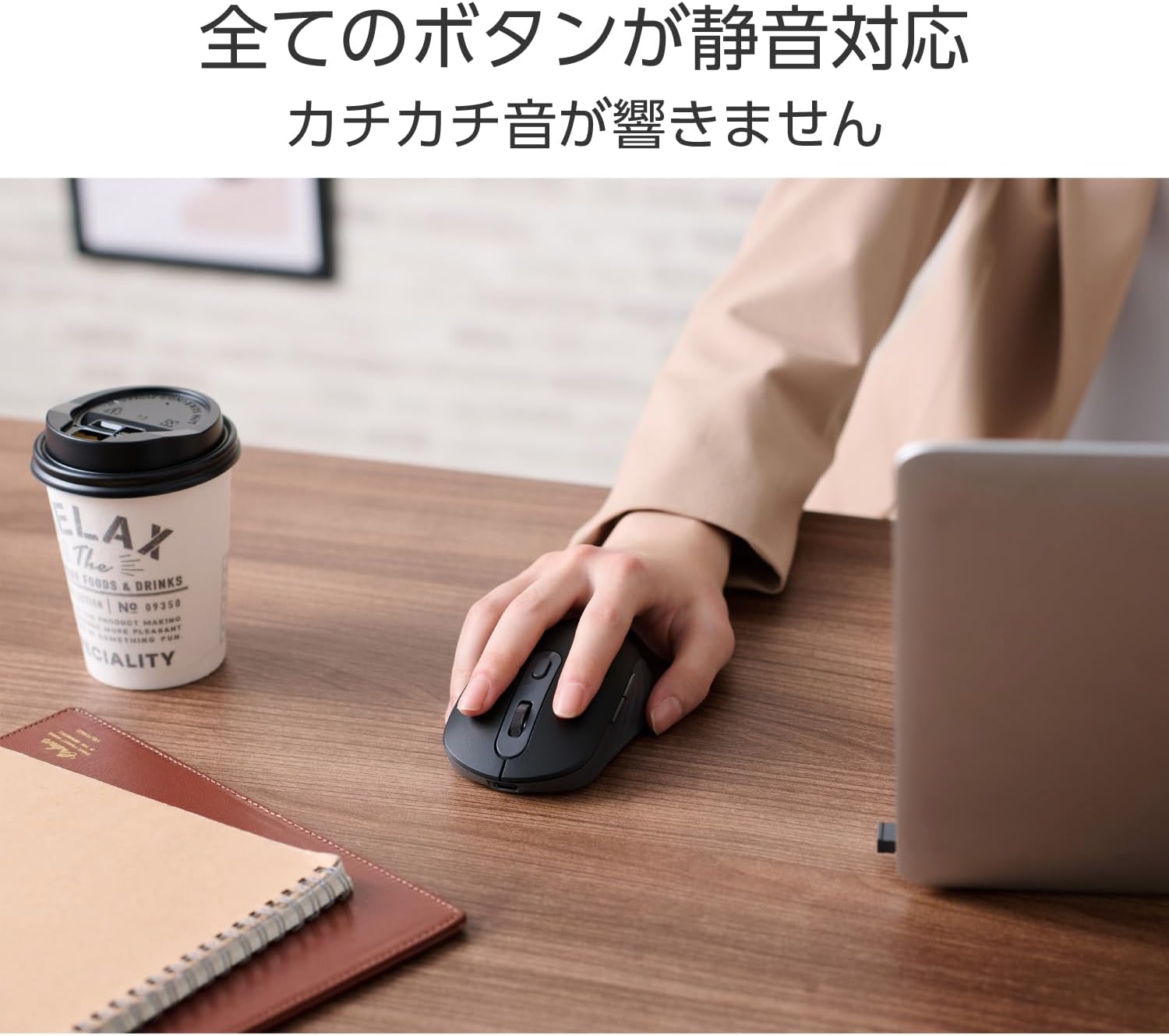
Image: The ELECOM OSMOD Six mouse connected to a laptop via its USB Type-C charging cable.

Image: A white variant of the ELECOM OSMOD Six mouse with a USB-C cable plugged in for charging.

Image: A hand peeling a transparent protective film from the bottom glide pad of the mouse.
4.2 Connexió mitjançant una xarxa sense fil de 2.4 GHz
- Enceneu el ratolí amb l'interruptor d'encesa a la part inferior.
- Set the connection switch on the bottom of the mouse to the '2.4GHz' position (indicated by a USB icon).
- Insert the USB wireless receiver into an available USB-A port on your computer.
- The computer should automatically detect the mouse.
4.3 Connexió mitjançant Bluetooth
- Enceneu el ratolí amb l'interruptor d'encesa a la part inferior.
- Set the connection switch on the bottom of the mouse to the 'Bluetooth' position (indicated by a Bluetooth icon).
- Press and hold the pairing button on the bottom of the mouse until the LED indicator starts flashing, indicating pairing mode.
- On your device (PC, tablet, smartphone), go to Bluetooth settings and search for new devices.
- Select 'ELECOM OSMOD Six' (or similar name) from the list of available devices to complete pairing.

Image: The ELECOM OSMOD Six mouse connected to both a laptop (via 2.4GHz receiver) and a tablet (via Bluetooth), demonstrating multi-pairing capability.

Imatge: Un primer pla view of the multi-pairing switch on the bottom of the mouse, showing options for 2.4GHz wireless and Bluetooth connections.
5. Instruccions de funcionament
5.1 Funcions bàsiques
- Clic esquerre: Selecció i activació primàries.
- Clic dret: Obre els menús contextuals.
- Roda de desplaçament: Desplaça el contingut verticalment. També es pot fer clic amb el botó central per a la funcionalitat de clic.
- Botons Endavant/Enrere: Navegueu cap endavant i cap enrere web navegadors o file exploradors.
5.2 Personalització de botons
The function button and other buttons can be customized using the 'ELECOM Mouse Assistant' software. This software is available for free download from the ELECOM website and is compatible with Windows and macOS operating systems.
- Download and install 'ELECOM Mouse Assistant' from the official ELECOM weblloc.
- Launch the software and follow the on-screen instructions to assign desired functions to each button.
5.3 Dispositius de commutació
To switch between a 2.4GHz connected device and a Bluetooth connected device, simply use the connection switch located on the bottom of the mouse.

Image: A hand holding the black ELECOM OSMOD Six mouse, demonstrating its ergonomic fit.

Image: A person using the ELECOM OSMOD Six mouse on a desk, highlighting its silent operation suitable for various environments.
6. Manteniment
6.1 Neteja
To clean the mouse, gently wipe it with a soft, dry cloth. Avoid using harsh chemicals or abrasive materials, as these may damage the surface.
6.2 Càrrega
When the battery is low, connect the mouse to a USB power source using the provided USB-A to USB Type-C cable. A full charge provides approximately 7 months of use, though this may vary based on usage conditions.
7. Solució De Problemes
7.1 El ratolí no respon
- Assegureu-vos que el ratolí estigui encès.
- Comproveu el nivell de la bateria i carregueu si cal.
- Verify the connection method switch (2.4GHz/Bluetooth) is set correctly.
- For 2.4GHz: Ensure the USB receiver is securely plugged into a working USB port. Try a different USB port.
- For Bluetooth: Ensure Bluetooth is enabled on your device and the mouse is paired. Try re-pairing the mouse.
7.2 Pointer Movement Issues
- Ensure the BlueLED sensor on the bottom of the mouse is clean and free from obstructions.
- Try using the mouse on a different surface to rule out surface-related issues.
7.3 Scroll Wheel Feels Stiff or Inaccurate
- Some users have reported the scroll wheel feeling stiff initially. Continued use may improve its smoothness.
- Ensure no debris is lodged around the scroll wheel.
8. Especificacions
| Característica | Especificació |
|---|---|
| Número de model | M-MY35MBSBK-G |
| Connector Shape (Receiver) | Endoll USB-A |
| Connector Shape (Mouse) | Port USB Type-C™ |
| Mètode de connexió | USB 2.4GHz Wireless / Bluetooth® Wireless |
| Estàndard Bluetooth | Bluetooth de baixa energia |
| Compatible Devices (USB) | WindowsOS, macOS, ChromeOS devices with USB port or Bluetooth Low Energy support |
| Compatible Devices (Bluetooth) | WindowsOS, macOS, ChromeOS, Android, iOS, iPadOS devices with USB port or Bluetooth Low Energy support |
| Sistema operatiu compatible | Windows 11/10, Android 14, macOS 15 Sequoia, iOS 18, iPadOS 18, ChromeOS |
| Freqüència de ràdio | Banda de 2.4 GHz |
| Radio Wave Reach | Max approx. 10m (varies by environment) |
| Canvi de connexió | Supported (1x 2.4GHz, 1x Bluetooth) |
| Mètode de lectura | LED blau |
| Resolució del sensor | 1000 DPI |
| Nombre de botons | 6 buttons (including scroll wheel button) |
| Nombre de rodes | 1 |
| Emmagatzematge del receptor | Supported (inside mouse body) |
| Font d'alimentació | Bateria recarregable d'ió de liti integrada |
| Durada de la bateria | Max approx. 7 months (on full charge, varies by usage) |
| Classificació de mides | Talla M |
| External Dimensions (Mouse) | Aprox. 65 mm (A) x 107 mm (F) x 38 mm (Al) |
| Dimensions externes (receptor) | Aprox. 13 mm (A) x 19 mm (F) x 6 mm (Al) |
| Pes (ratolí) | Aprox. 89 g |
| Pes (receptor) | Aprox. 2 g |
| Color | Negre |
| Període de garantia | 1 any |
9. Garantia i Suport
9.1 Garantia
This product comes with a 1-year manufacturer's warranty from the date of purchase. Please retain your proof of purchase for warranty claims.
9.2 Suport
For further assistance, technical support, or detailed product information, please visit the official ELECOM homepage. Contact information and FAQs can typically be found in the support section of their weblloc.


