Manual d'usuari dels auriculars estèreo sense fil Edifier K750W
Model: K750W | Marca: Edificador
1. Introducció
Thank you for choosing the Edifier K750W Wireless Stereo Headset. This headset is designed to provide a superior audio experience for calls, music, and various multimedia applications. Featuring advanced AI call noise cancellation, a detachable swivel microphone, long-lasting battery life, and multipoint Bluetooth 5.4 connectivity, the K750W offers versatility and comfort for all-day use.
This manual provides detailed instructions on how to set up, operate, and maintain your headset to ensure optimal performance and longevity.
2. Contingut del paquet
Si us plau, comproveu el contingut del paquet per assegurar-vos que hi hagi tots els elements:
- Edifier K750W Wireless Stereo Headset
- Detachable Swivel Microphone
- Cable de càrrega USB-A a USB-C
- Manual d'usuari (aquest document)

Image: The Edifier K750W headset with its detachable microphone.
3. Producte acabatview
The Edifier K750W headset features a lightweight, ergonomic design for extended comfort. Key components include:
- Orelles: Soft, circum-aural earcups provide comfort and passive noise isolation.
- Diadema: Ajustable per a un ajust segur i còmode.
- Controls: Integrated buttons on the earcup for power, volume, and multi-function operations.
- Port del micròfon: Dedicated port for attaching the detachable swivel microphone.
- Port de càrrega USB-C: Per a una càrrega còmoda i ràpida.
- Controladors dinàmics de 40 mm: Deliver rich and delicate musical sound effects.

Image: An illustration showing the internal structure of the 40mm dynamic driver.

Image: A person wearing the Edifier K750W headset, highlighting its comfortable and lightweight design (weighs only 178 grams).
4. Configuració
4.1 Càrrega dels auriculars
Before first use, fully charge the headset. Connect the provided USB-A to USB-C charging cable to the headset's USB-C port and a power source (e.g., computer USB port, USB wall adapter).
- A full charge provides up to 55 hours of music playback or 33 hours of talk time.
- The headset supports fast charging: 10 minutes of charge provides approximately 4.5 hours of use.
- El llum indicador de càrrega mostrarà l'estat de càrrega.

Image: The headset being charged, illustrating its 55 hours of music mode battery life, 33 hours of sidetone mode, and fast charging capability (10 minutes charge for 4.5 hours use).
4.2 Connectar el micròfon
The K750W features a detachable swivel microphone for clear voice pickup during calls. To attach:
- Locate the microphone port on the left earcup.
- Align the microphone's 3.5mm jack with the port and insert firmly until it clicks into place.
- Adjust the flexible boom arm to position the microphone optimally near your mouth.
Per desconnectar-lo, estireu suaument el micròfon cap a fora del port.
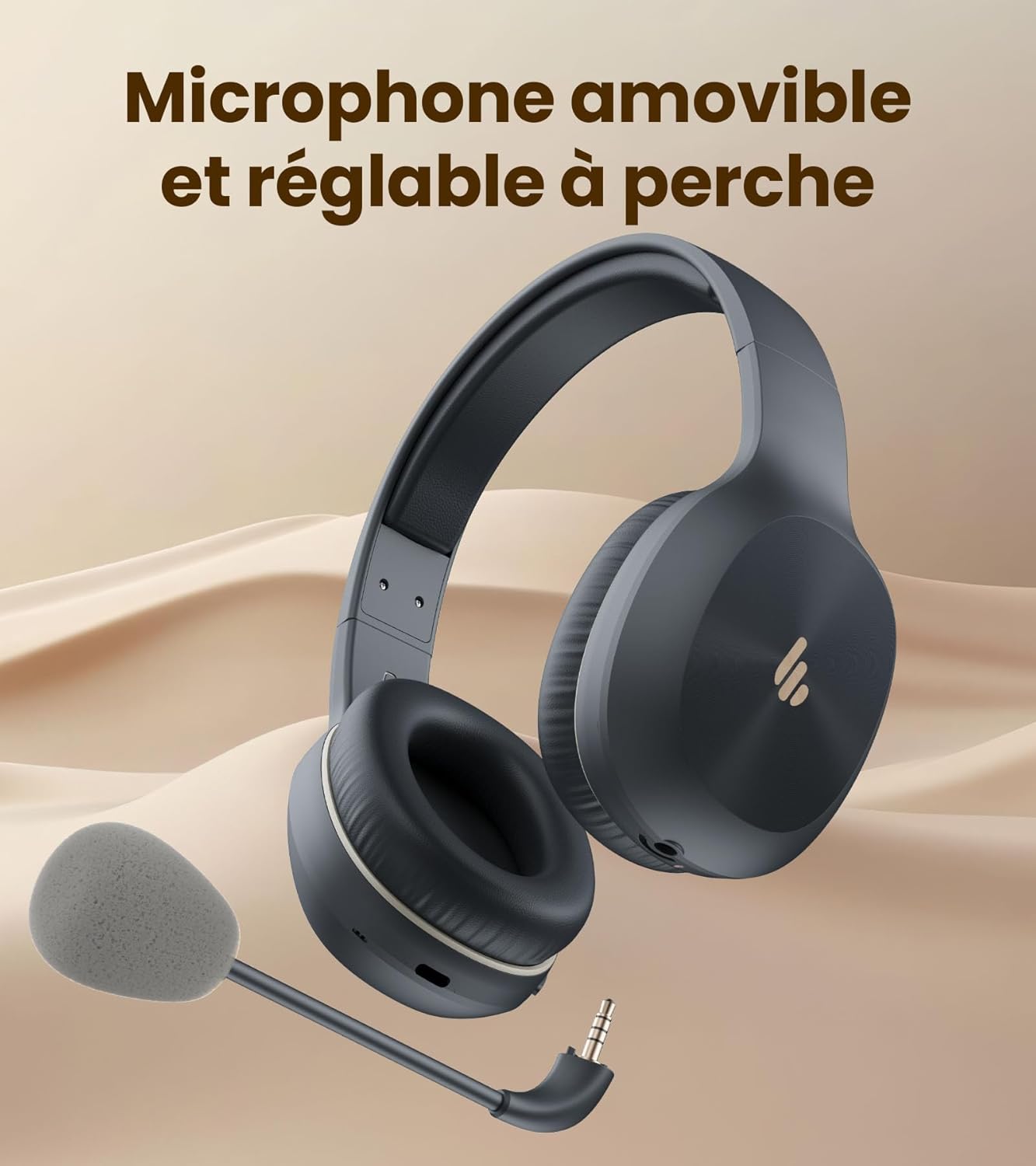
Image: The headset shown with its removable and adjustable boom microphone.
4.3 Vinculació Bluetooth
The K750W uses Bluetooth 5.4 for fast, stable, and energy-efficient wireless connection.
- Encès: Press and hold the multi-function button until the indicator light flashes, indicating pairing mode.
- Activa el Bluetooth: On your device (smartphone, laptop, etc.), enable Bluetooth.
- Seleccioneu el dispositiu: In your device's Bluetooth settings, select "Edifier K750W" from the list of available devices.
- Confirmeu la connexió: Once paired, the headset will provide an audio prompt, and the indicator light will change.
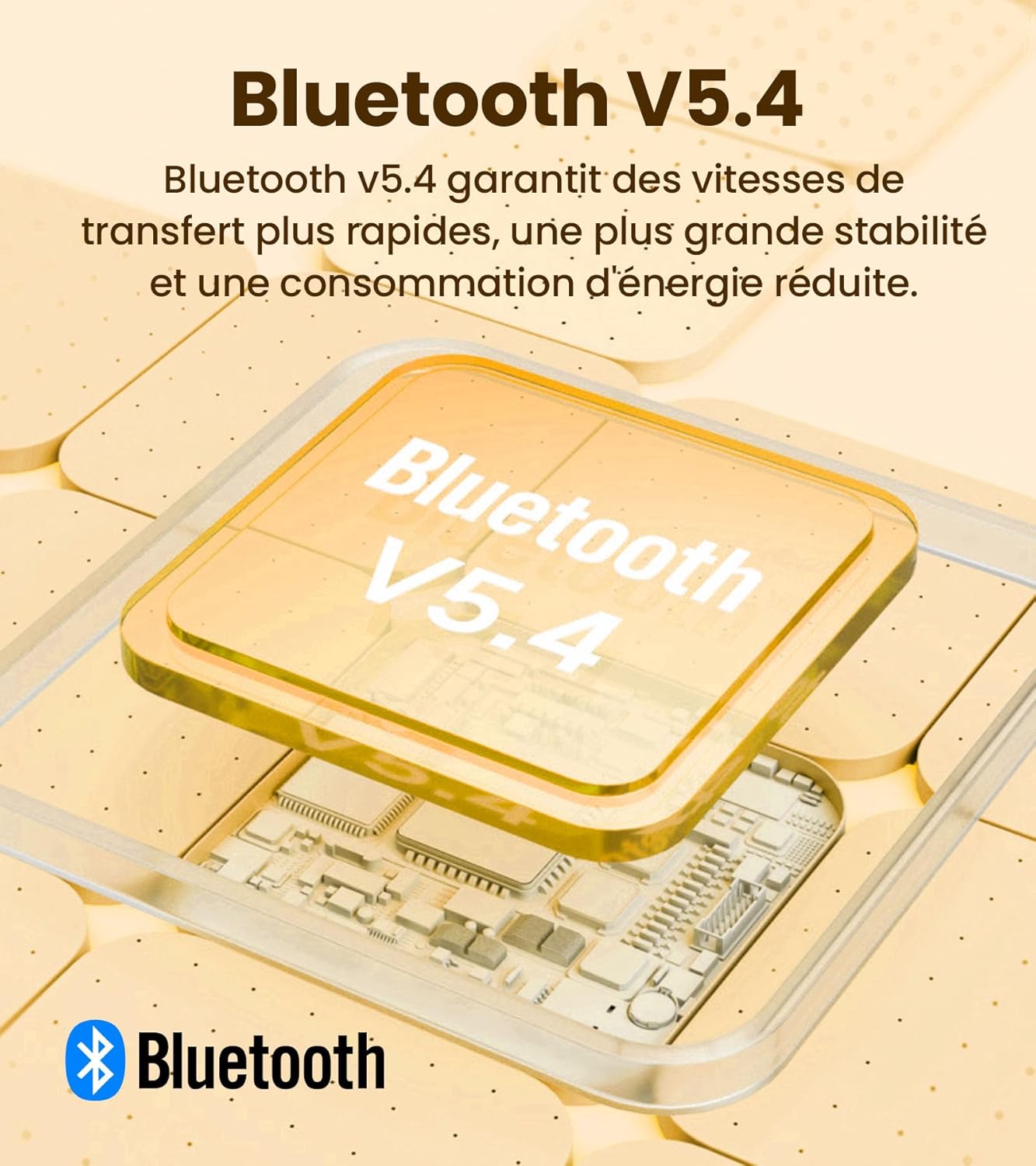
Image: An illustration of the Bluetooth V5.4 chip, emphasizing faster transfer speeds, greater stability, and reduced power consumption.
4.4 Connexió multipunt
The K750W supports multipoint connection, allowing you to connect to two Bluetooth devices simultaneously (e.g., a laptop and a smartphone). This enables seamless switching between audio sources.
- Pair the headset with the first device as described in section 4.3.
- Disconnect the headset from the first device (or put the headset back into pairing mode if it automatically reconnects).
- Emparella els auriculars amb el segon dispositiu.
- Reconnect the headset to the first device from its Bluetooth settings. The headset should now be connected to both devices.
L'àudio canviarà automàticament al dispositiu que estigui reproduint contingut multimèdia o rebent una trucada activament.
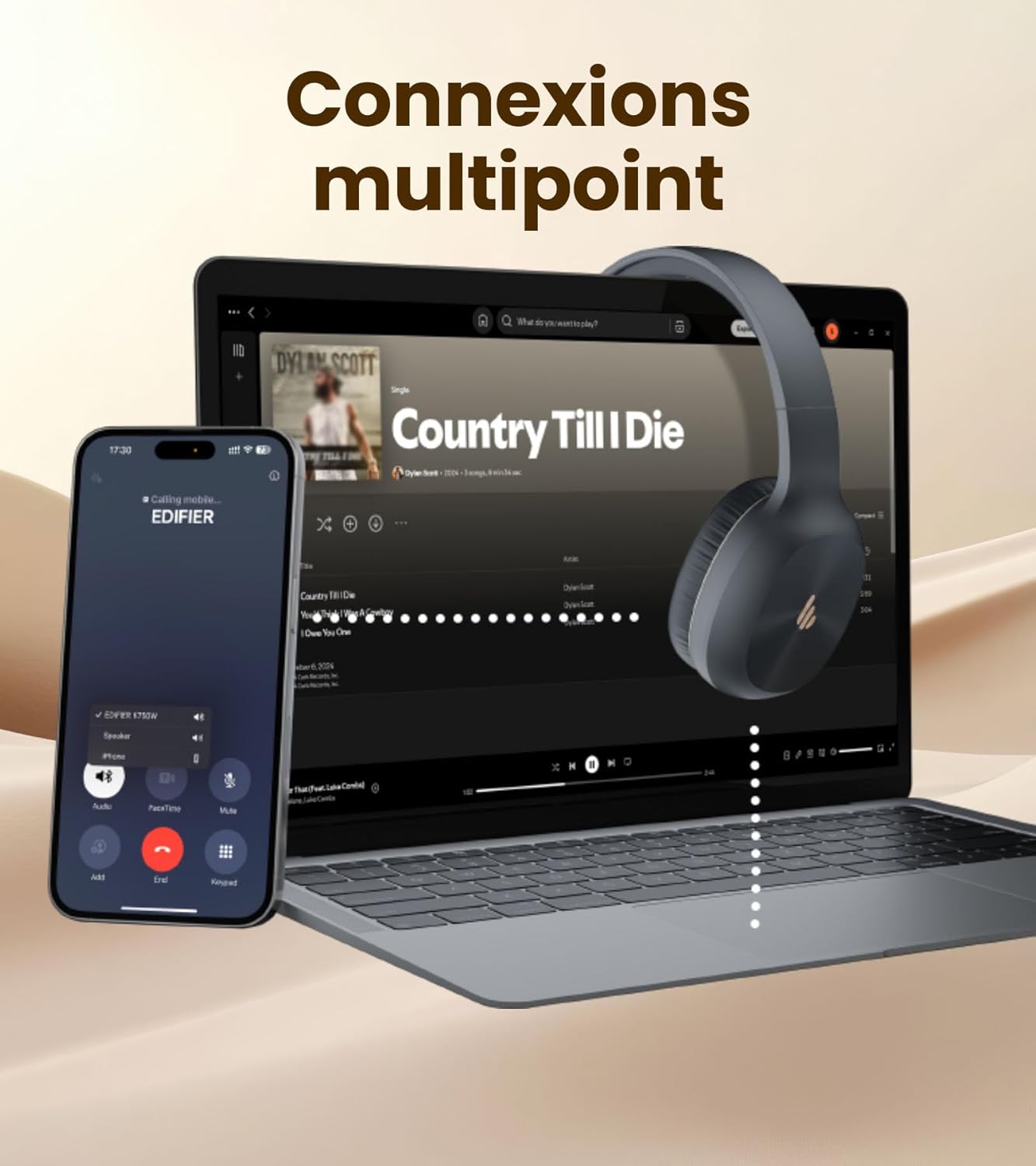
Image: The headset demonstrating multipoint connectivity, simultaneously linked to a laptop playing music and a smartphone receiving a call.
5. Instruccions de funcionament
5.1 Controls bàsics
| Botó/Acció | Funció |
|---|---|
| Botó multifunció (Premeu i manteniu premut) | Encendre/Apagar, entrar al mode d'emparellament |
| Botó multifunció (Premsa única) | Reproduir/Pausar música, Respondre/Finalitzar trucada |
| Botó de volum + (Premsa única) | Augmenta el volum |
| Volum - Botó (Premsa única) | Disminuir el volum |
| Botó de volum + (Premeu i manteniu premut) | Pista següent |
| Volum - Botó (Premeu i manteniu premut) | Pista anterior |
5.2 Cancel·lació de soroll de trucades per IA
The K750W integrates AI-based noise reduction technology with two built-in anti-noise microphones. This system filters out ambient sounds and prioritizes your voice, minimizing background noise for clearer calls. This feature is automatically active when using the microphone for calls.

Image: A person wearing the headset, illustrating the auditory safety protection feature, keeping volume below 85dB.
5.3 Aplicació Edifier ConneX
Enhance your experience with the Edifier ConneX App, available for smartphones. The app allows you to:
- Adjust the equalizer for optimal sound.
- Rename your headset.
- Locate lost earbuds (if applicable, though primarily for finding the headset).
- Access additional settings and features.
Download the Edifier ConneX App from your device's app store or by scanning the QR code below:

Image: Screenshots of the Edifier ConneX App, showing options to adjust the equalizer, rename the headset, and find lost devices.
6. Manteniment
Proper care and maintenance will extend the life of your Edifier K750W headset.
- Neteja: Use a soft, dry cloth to clean the earcups and headband. Do not use liquid cleaners or abrasive materials.
- Emmagatzematge: Guardeu els auriculars en un lloc fresc i sec, allunyat de la llum solar directa i de temperatures extremes.
- Cura de la bateria: Per allargar la durada de la bateria, eviteu descarregar completament els auriculars amb freqüència. Carregueu-los regularment, fins i tot si no els feu servir durant períodes prolongats.
- Resistència a l'aigua: The headset is not waterproof. Avoid exposure to water or excessive moisture.
7. Solució De Problemes
If you encounter issues with your Edifier K750W headset, please refer to the following common problems and solutions:
| Problema | Possible solució |
|---|---|
| Els auriculars no s'encén. | Ensure the headset is fully charged. Connect it to a power source and try again. |
| No es pot emparellar amb el dispositiu. | Ensure the headset is in pairing mode (flashing indicator light). Turn off and on Bluetooth on your device. Move the headset closer to the device. Clear previous Bluetooth connections on your device. |
| Sense so o amb un volum baix. | Check the volume levels on both the headset and your connected device. Ensure the headset is properly paired. Try playing audio from a different application or device. |
| El micròfon no funciona. | Ensure the detachable microphone is securely attached. Check microphone settings on your connected device (e.g., ensure it's selected as the input device). Ensure the microphone is not muted. |
| Intermittent connection/audio dropouts. | Move closer to your connected device. Avoid obstacles between the headset and device. Reduce interference from other wireless devices. |
If the issue persists after trying these solutions, please contact Edifier customer support.
8. Especificacions
Detailed technical specifications for the Edifier K750W headset:
| Característica | Detall |
|---|---|
| Versió Bluetooth | V5.4 |
| Protocol Bluetooth | A2DP, AVRCP, HFP |
| Còdec d'àudio | SBC |
| Interval Bluetooth | 10 m |
| Resposta de freqüència | 20 Hz - 20 kHz |
| Nivell de pressió sonora | 92 ± 3dB (A) |
| Temps de reproducció de música | Fins a 55 hores |
| Talk Time (Sidetone Mode) | Fins a 33 hores |
| Càrrega ràpida | 10 minutes charge = 4.5 hours use |
| Temps de càrrega complet | Aproximadament 2.5 hores |
| Entrada | CC 5 V = 200 mA |
| Port de càrrega | USB-C |
| Pes | 178 g |
| Impedància | 32 ohms |
| Composició de la bateria | Ió de liti |
9. Garantia i Suport
The Edifier K750W headset comes with a manufacturer's warranty. Please refer to your purchase documentation for specific warranty terms and conditions.
- Període de garantia: 1 Year (from date of purchase).
- Suport: For technical assistance, troubleshooting beyond this manual, or warranty claims, please contact Edifier customer support through their official weblloc web o la informació de contacte proporcionada amb el vostre producte.
Si us plau, conserveu el comprovant de compra per motius de garantia.


