1. Introducció
This manual provides essential instructions for the setup, operation, and maintenance of your TMY Projector. Please read this manual thoroughly before using the product to ensure proper functionality and to maximize your viewexperiència. Conserveu aquest manual com a referència futura.
2. Producte acabatview
2.1 Contingut del paquet
Verifiqueu que tots els elements siguin presents al paquet:
- TMY Projector Unit
- Control remot
- Cable HDMI
- Cable d'alimentació
- Targeta de garantia
2.2 Característiques clau
- Netflix Officially Licensed: Access streaming services directly without external devices.
- 1080P Resolution: Ofereix imatges clares i detallades.
- Electric Focus & Auto Keystone: Automatic image adjustment for optimal clarity and shape.
- Suport giratori de 270°: Flexible projection angles, including ceiling projection.
- Upgraded WiFi 6 Connectivity: Ensures stable and fast wireless streaming.
- Dual-Mode Bluetooth 5.2: Connects to external speakers or functions as a standalone Bluetooth speaker.
- Múltiples opcions de connectivitat: HDMI, USB, Phone/PC mirroring.
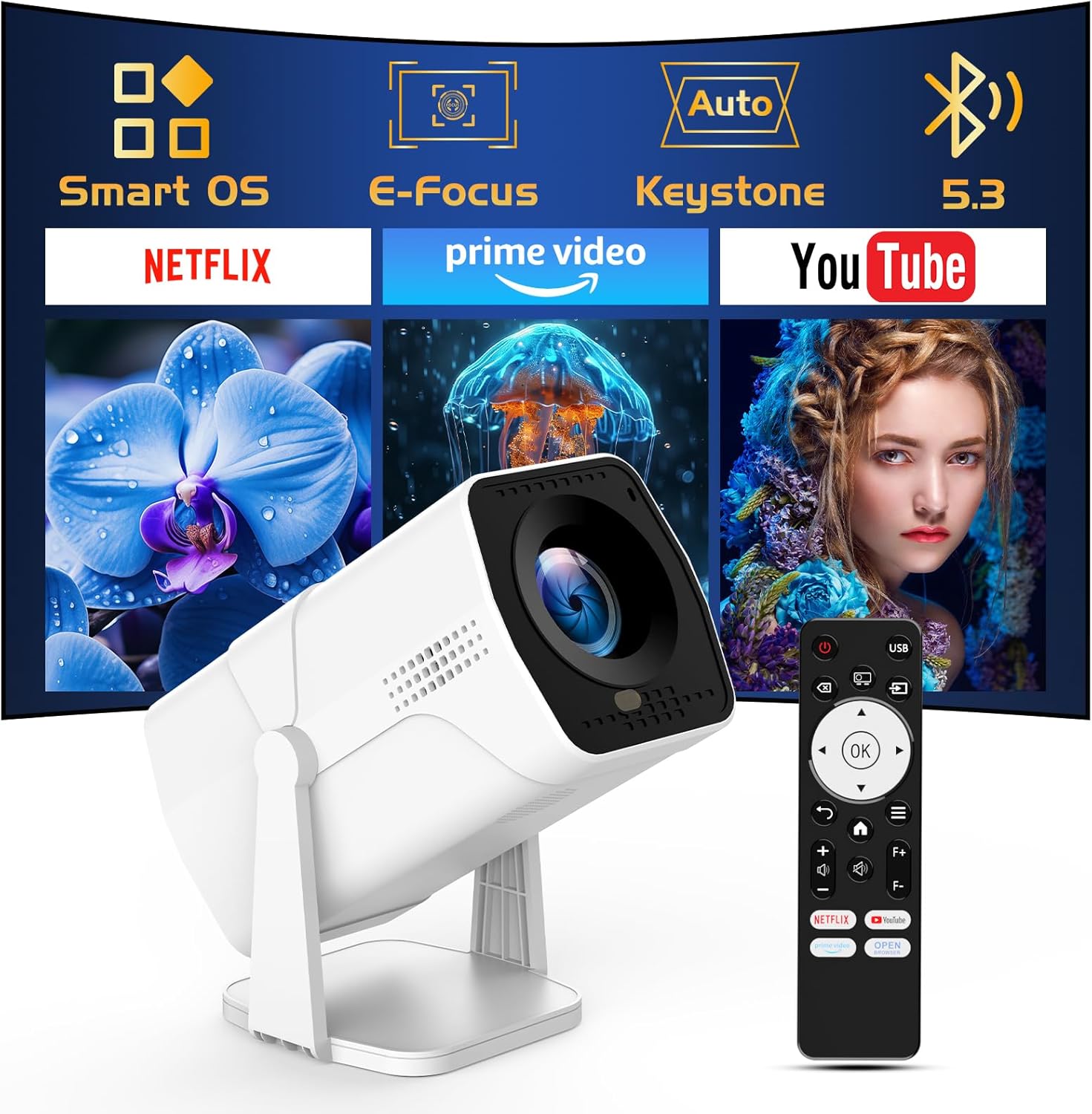
Image: The TMY Projector unit, its remote control, and a projected screen displaying logos for Smart OS, E-Focus, Auto Keystone, Bluetooth 5.3, Netflix, Prime Video, and YouTube.
3. Configuració
3.1 Col·locació
Position the projector on a stable, flat surface. The 270° rotatable stand allows for versatile placement, including projecting onto walls or ceilings. Ensure adequate ventilation around the projector.

Image: A TMY Projector positioned on a bedside table, projecting an image onto the ceiling, demonstrating its 270° rotatable stand for multi-angle viewing.
3.2 Connexió d'alimentació
- Connecteu el cable d'alimentació al port d'entrada d'alimentació del projector.
- Connecteu l'altre extrem del cable d'alimentació a una presa de corrent estàndard.
3.3 Engegada inicial i ajust de l'enfocament
- Premeu el botó d'encesa del projector o del comandament a distància per encendre el dispositiu.
- Característiques del projector Enfocament elèctric i Auto Keystone correction. The image will automatically adjust for clarity and a rectangular shape within approximately 2 seconds.
- If further adjustment is needed, use the remote control to fine-tune the focus.

Image: A TMY Projector projecting a vibrant image onto a screen, with an overlay illustrating the 'FOCUS' function and icons for Auto Keystone and 50%-100% Zoom.
3.4 Connexió de xarxa (WiFi)
The projector supports WiFi 6 for a fast and stable internet connection.
- Navigate to the 'Settings' menu using the remote control.
- Select 'Network' or 'WiFi Settings'.
- Choose your desired WiFi network from the list and enter the password.
- Confirmeu la connexió.

Image: A TMY Projector wirelessly connected to a tablet, smartphone, and laptop, illustrating its WiFi 6 connectivity for faster streaming with no lagging.
3.5 Connexió Bluetooth
The projector features Dual-Mode Bluetooth 5.2 for audio connectivity.
- Projector Mode (Output): To connect to external Bluetooth speakers or soundbars: Navigate to 'Bluetooth Settings', enable Bluetooth, and pair with your audio device.
- Speaker Mode (Input): To use the projector's built-in speakers as a standalone Bluetooth speaker: Select 'Speaker Mode' in the Bluetooth settings. Your phone or other device can then connect to the projector to play audio.

Image: A TMY Projector illustrating its two-way Bluetooth 5.2 functionality, showing connections to a soundbar (Projector Mode) and a smartphone (Speaker Mode).
4. Funcionament
4.1 Navigating the Smart OS
The projector runs on a smart TV operating system. Use the provided remote control to navigate menus, select applications, and control playback.

Image: The TMY Projector unit with a projected screen showing a grid of built-in smart OS applications, including Netflix, YouTube, Prime Video, TikTok, and others.
4.2 Accés a les aplicacions integrades
The projector comes with pre-installed and officially licensed applications such as Netflix, Prime Video, and YouTube. Access these directly from the home screen or through the 'App Store' for additional content.

Image: A TMY Projector projecting a screen filled with content from officially licensed apps like Netflix, Prime Video, and YouTube, with the remote control in the foreground.
4.3 Connexió de dispositius externs
El projector ofereix diversos ports per connectar dispositius externs:
- HDMI: Connect TV sticks, TV boxes, PCs/Laptops, or gaming consoles (e.g., PS).
- USB: Reprodueix contingut multimèdia files directly from USB drives or connect other USB accessories.
- Phone/PC Mirroring: Wirelessly mirror content from your smartphone or PC (refer to the on-screen instructions for specific mirroring protocols).
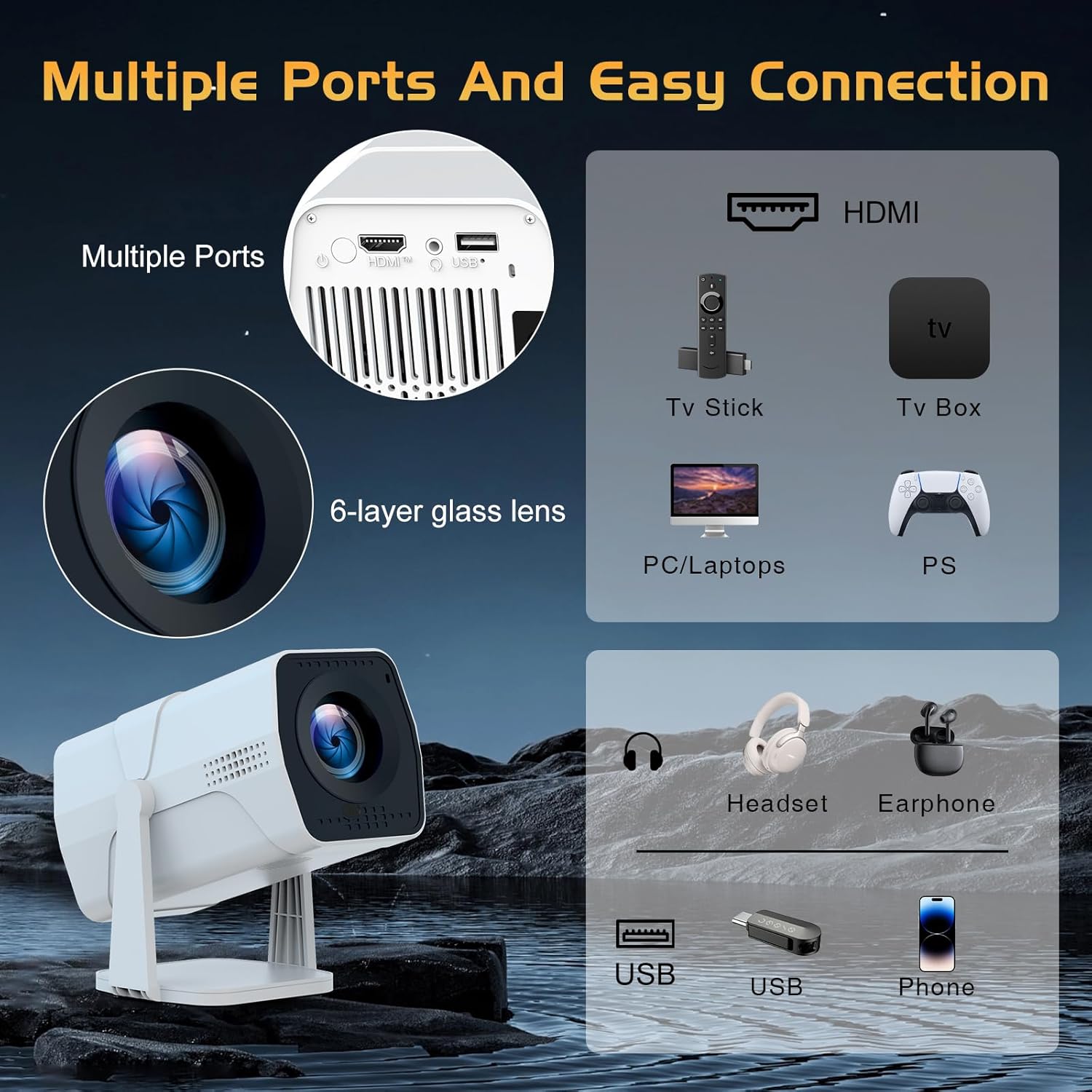
Image: A detailed diagram showing the multiple ports on the TMY Projector (HDMI, USB) and various connection possibilities, including TV sticks, PCs, gaming consoles, headsets, and phones.
4.4 Screen Zoom Function
The projector includes a 50%-100% zoom function, allowing you to adjust the screen size without moving the projector. This feature can be accessed via the remote control or settings menu.
5. Manteniment
To ensure the longevity and optimal performance of your TMY Projector, follow these maintenance guidelines:
- Neteja de la lent: Feu servir un drap suau i sense borrissol dissenyat específicament per a lents òptiques. Eviteu materials abrasius o productes químics agressius.
- Neteja de l'exterior: Netegeu l'exterior del projector amb un drap suau i sec. No utilitzeu productes de neteja líquids directament sobre el dispositiu.
- Ventilació: Assegureu-vos que les obertures de ventilació no estiguin bloquejades per evitar el sobreescalfament.
- Emmagatzematge: Quan no l'utilitzeu durant períodes prolongats, guardeu el projector en un lloc fresc i sec, allunyat de la llum solar directa i de la pols.
6. Solució De Problemes
If you encounter issues with your TMY Projector, refer to the following common problems and solutions:
- Sense energia:
- Ensure the power cord is securely connected to both the projector and a working electrical outlet.
- Comproveu si la presa de corrent funciona.
- Sense imatge / Imatge borrosa:
- Verify the projector is powered on and the lens cap is removed.
- Allow the automatic focus and keystone correction to complete. If still blurry, manually adjust focus using the remote.
- Ensure the projection surface is suitable and the projector is within the recommended distance.
- If using an external source (HDMI), ensure the correct input source is selected.
- Sense so:
- Comproveu el nivell de volum del projector i de qualsevol dispositiu d'àudio extern connectat.
- If using Bluetooth speakers, ensure they are properly paired and connected.
- If using internal speakers, ensure external Bluetooth output is not selected.
- El control remot no respon:
- Ensure the batteries are correctly inserted and not depleted.
- Apunteu el comandament a distància directament al receptor d'infrarojos del projector.
- Problemes de connexió WiFi:
- Ensure your WiFi network is active and within range.
- Comproveu dues vegades la contrasenya del Wi-Fi.
- Restart the projector and your WiFi router.
- If the connection times out, try moving the projector closer to the router or reducing interference.
7. Especificacions
| Característica | Especificació |
|---|---|
| Marca | TMY |
| Model | B0DRFF5KMF |
| Pes de l'article | 2.79 lliures |
| Dimensions del producte | 5.35 x 4.84 x 7.09 polzades |
| Color | Blanc |
| Característiques especials | Speakers, Electric Focus, Auto Keystone, 270° Rotatable Stand |
| Tecnologia de connectivitat | HDMI, USB, WiFi 6, Bluetooth 5.2 |
| Resolució de visualització | 1920 x 1080 (1080p Full HD) |
| Usos recomanats | Interior |

Image: A visual comparison showing the TMY Projector's 1080P Full HD image quality, emphasizing that it is recommended for use in dark environments for optimal viewing, contrasted with daytime or light-on conditions.
8. Garantia i Suport
TMY is committed to providing excellent customer service and product support.
- Garantia: Aquest producte ve amb una garantia de 3 anys.
- Política de devolució: Enjoy a 30-day return period.
- Suport tècnic: Lifetime after-sale service and technical support are available.
- Temps de resposta: Expect a quick reply within 24 hours for support inquiries.
Per a més ajuda, visiteu el lloc web oficial TMY Store on Amazon or contact customer support through the provided channels in your warranty card.


